
1. Uvod
The Kapbom G4-5 360° IP Wi-Fi HD Bulb Security Camera offers comprehensive surveillance for your home or business. Designed to blend discreetly into any environment, this camera installs easily into a standard E27 light bulb socket, providing high-definition monitoring day and night. With features like 360° pan/tilt, night vision, two-way audio, and motion detection, it ensures you stay connected and aware of your surroundings from anywhere via your smartphone.
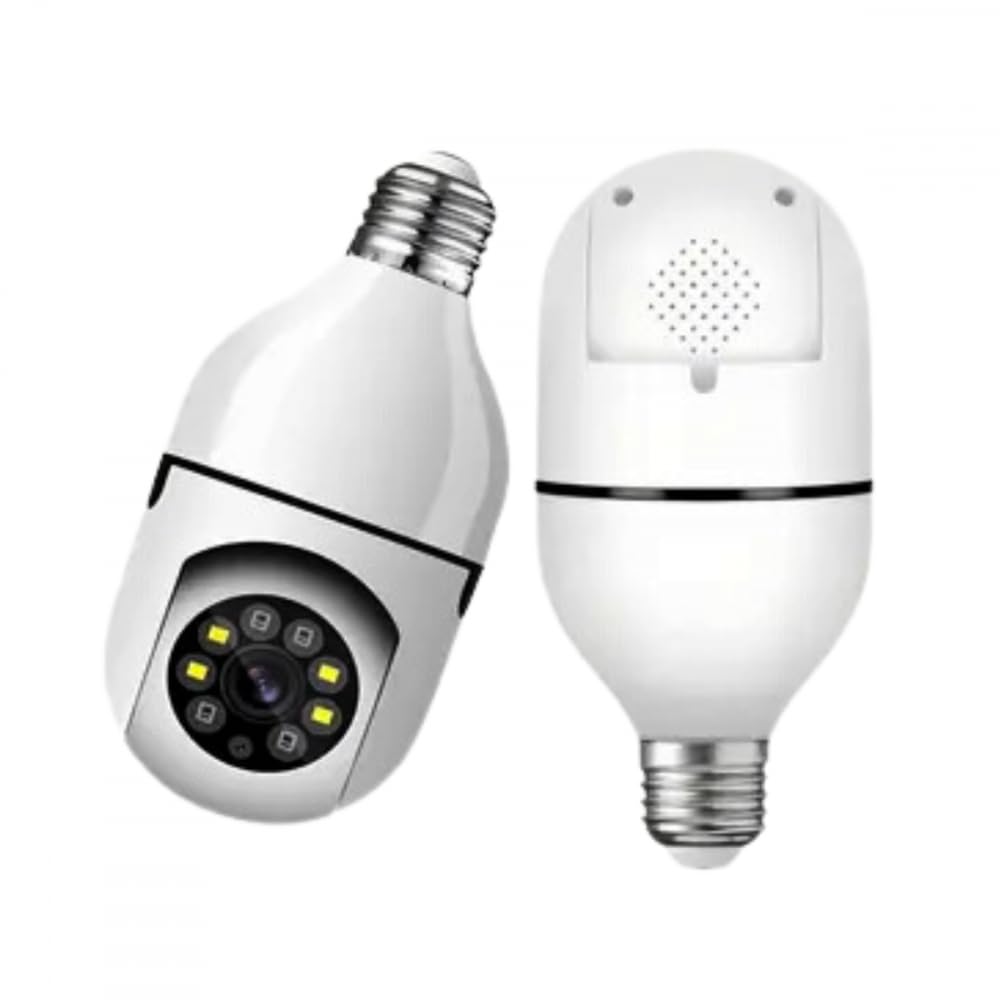
Image 1.1: Kapbom G4-5 camera and a smartphone showing the live monitoring interface.
This manual provides detailed instructions for the installation, operation, and maintenance of your Kapbom G4-5 camera. Please read it carefully before use to ensure proper functionality and safety.
2. Sigurnosne informacije
- Prije instaliranja ili uklanjanja kamere provjerite je li napajanje isključeno.
- Koristite samo navedenu snagutage (110-240V) for the E27 socket.
- Do not expose the camera to extreme temperatures, humidity, or direct water immersion. While suitable for outdoor areas, ensure it is protected from direct heavy rain.
- Izbjegavajte postavljanje kamere u blizinu jakih elektromagnetnih polja.
- Čuvati van domašaja djece.
- Ne pokušavajte sami rastavljati ili popravljati kameru. Za pomoć se obratite korisničkoj podršci.
3. Sadržaj paketa
Provjerite da li se sve stavke nalaze u vašem paketu:
- 1 x Kapbom G4-5 Security Camera
- 1 x E27 Fixing Bracket
- 1 x Uputstvo za upotrebu (ovaj dokument)
- 1 x Installation Accessory Pack
4. Proizvod je gotovview
Familiarize yourself with the components of your Kapbom G4-5 camera:

Slika 4.1: Prednja strana view of the camera with key components labeled.
- E27 Light Socket Connector: For power supply and mounting.
- Wi-Fi modul: Enables wireless network connection.
- HD objektiv: Snima video visoke rezolucije.
- Infracrvene LED diode: Omogućavaju mogućnosti noćnog vida.
- Bijele LED diode: For enhanced color night vision or illumination.
- mikrofon: Za audio ulaz i dvosmjernu komunikaciju.
- Speaker (rear): Za audio izlaz i dvosmjernu komunikaciju.
- svjetlosni senzor: Detects ambient light for automatic day/night mode switching.

Slika 4.2: Pozadi view of the camera, highlighting the reset button and SD card slot.
- Dugme za resetiranje: Koristi se za vraćanje fabričkih postavki.
- Utor za SD karticu: Za lokalnu pohranu videa (podržava do 128 GB).
5. Podešavanje
5.1. Fizička instalacija
- Iskljuciti: Ensure the power to the E27 light socket is turned off before installation.
- Insert SD Card (Optional): If you plan to use local storage, gently insert a formatted Micro SD card (up to 128GB) into the SD card slot on the camera.
- Montirajte kameru: Screw the camera firmly into a standard E27 light bulb socket.
- Uključeno: Turn on the power to the E27 socket. The camera will power on and begin its self-test, indicated by a rotating motion and possibly an audible prompt.

Image 5.1: The camera is designed for easy installation into a standard E27 light socket.
5.2. Instalacija i povezivanje aplikacije
- Preuzmi aplikaciju: Traži and download the recommended mobile application (e.g., Yoosee) from your smartphone's app store (available for Android and iOS).
- Registracija/Prijava: Otvorite aplikaciju i slijedite upute na ekranu da biste registrirali novi račun ili se prijavili ako ga već imate.
- Dodaj uređaj: Dodirnite ikonu "+" ili opciju "Dodaj uređaj" u aplikaciji.
- Odaberite vrstu uređaja: Choose the appropriate camera type (e.g., Smart Camera, Wi-Fi Camera).
- Povežite se na Wi-Fi: Follow the app's instructions to connect the camera to your 2.4GHz Wi-Fi network. You may need to scan a QR code on the camera or enter your Wi-Fi password. Ensure your phone is connected to the same 2.4GHz Wi-Fi network during setup.
- Uparivanje: The camera will emit a sound or voice prompt indicating successful connection. Once paired, you can name your camera and begin monitoring.

Image 5.2: The camera is compatible with mobile applications like Yoosee for remote control and monitoring.
6. Uputstvo za upotrebu
Once connected, you can access and control your camera via the mobile application.

Image 6.1: Icons illustrating the camera's key functionalities including HD video, Wi-Fi, two-way audio, alarm, motion detection, night vision, TF card slot, and remote view.
6.1. Uživo View i kontrola panoramiranja/nagiba
- Otvorite aplikaciju i odaberite kameru za view live feed.
- Use the on-screen joystick or swipe gestures to remotely control the camera's 355° horizontal pan and 90° vertical tilt.
6.2. Dvosmjerni audio
- Dodirnite ikonu mikrofona u aplikaciji da biste govorili preko zvučnika kamere.
- The camera's built-in microphone allows you to hear audio from the camera's environment.
6.3. Noćni vid
- Kamera se automatski prebacuje na infracrveni noćni vid u uslovima slabog osvetljenja, pružajući jasne crno-bele slike do 10 metara.
- White LEDs can be activated for color night vision or additional illumination, depending on app settings.
6.4. Detekcija pokreta i alarmi
- Omogućite detekciju pokreta u postavkama aplikacije.
- When motion is detected, the camera can send instant notifications to your smartphone and trigger an alarm.
- Automatsko praćenje: Kamera može automatski pratiti pokretne objekte unutar svog polja view.
6.5. Snimanje i pohranjivanje videa
- Kamera podržava kontinuirano snimanje ili snimanje aktivirano događajem.
- Recordings can be stored on a Micro SD card (up to 128GB) or via cloud storage services (subscription may be required).
- Pristup snimljen footagputem funkcije reprodukcije u aplikaciji.
6.6. Scenariji aplikacija
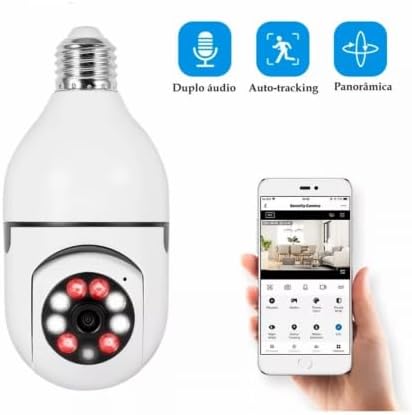
Image 6.2: The camera is suitable for monitoring various environments such as homes, offices, schools, shops, and warehouses.
7. Održavanje
- čišćenje: Za čišćenje objektiva i kućišta kamere koristite meku, suhu krpu. Ne koristite jake hemikalije ili abrazivna sredstva za čišćenje.
- Ažuriranja firmvera: Redovno provjeravajte mobilnu aplikaciju za dostupna ažuriranja firmvera kako biste osigurali optimalne performanse i sigurnost.
- Upravljanje SD karticama: If using an SD card, periodically check its status and format it through the app to maintain recording efficiency.
- Stabilnost mreže: Osigurajte da je vaša Wi-Fi mreža stabilna i jaka za nesmetan rad kamere.
8. Otkrivanje problema
- Kamera se ne povezuje na Wi-Fi:
- Provjerite da vaša Wi-Fi mreža koristi frekvenciju od 2.4 GHz. Kamera ne podržava Wi-Fi od 5 GHz.
- Provjerite ispravnost lozinke za Wi-Fi.
- Približite kameru Wi-Fi ruteru.
- Reset the camera using the reset button (refer to Section 4. Product Overview) i pokušajte ponovo upariti.
- Nema uživo View/Status van mreže:
- Check if the camera is powered on and the E27 socket has power.
- Provjerite da li vaš pametni telefon ima stabilnu internetsku vezu.
- Restart the camera by turning off and on the power to the socket.
- Loš kvalitet slike:
- Očistite objektiv fotoaparata mekom krpom.
- Ensure sufficient lighting in the environment or check night vision settings.
- Provjerite brzinu interneta; spora veza može utjecati na kvalitetu streaminga.
- Detekcija pokreta ne radi:
- Provjerite je li detekcija pokreta omogućena u postavkama aplikacije.
- Podesite postavke osjetljivosti na pokret.
- Check notification settings on your smartphone to ensure app notifications are allowed.
9. Specifikacije
| Feature | Specifikacija |
|---|---|
| Model | G4-5 |
| Proizvođač | Kapbom |
| Senzor | 1/3 inch RGB 1080p CMOS |
| Objektiv | 3.6mm Standard Lens |
| Rezolucija video snimanja | 1080p (1920x1280), 720p (1280x720) Optical |
| Frame Rate | 1080p @ 20fps, 720p @ 20fps |
| Video stream | 1080p: 1.2-1.5 Mbps, 720p: 512 Kbps |
| Pan Angle | 355° |
| Ugao nagiba | 90° |
| Audio format | G.711A |
| Bežična komunikacijska tehnologija | Wi-Fi (2.4GHz) |
| Vrsta montaže | Standard E27 Lamp Socket |
| Izvor napajanja | Wired Electric |
| Voltage | 110-240V (Bivolt) |
| Potrošnja energije | <5W |
| Noćni vid | 10 metara |
| Skladištenje | Pohrana u oblaku, Micro SD kartica (do 128 GB) |
| Tip kontrolera | Android, iOS |
| Dimenzije artikla (D x Š x V) | 9.5 x 18.5 x 9 cm |
| Certifikacija | Anatel Approval: 12989-22-05662 |
10. Garancija i podrška
For warranty information and technical support, please refer to the retailer where you purchased the product or contact Kapbom customer service through their official channels. Keep your purchase receipt as proof of purchase.