
Product Overview
The Mesqool CR1025 Digital Alarm Clock is a versatile bedside device combining multiple functions. It features a clear LED display, Bluetooth 5.0 connectivity for audio streaming, a digital FM radio with station presets, dual USB charging ports (Type-C and USB-A), and an adjustable night light. Designed for convenience, it includes a 5-level dimmer for display brightness, adjustable volume, 12/24-hour format, snooze function, and battery backup to retain settings during power outages.
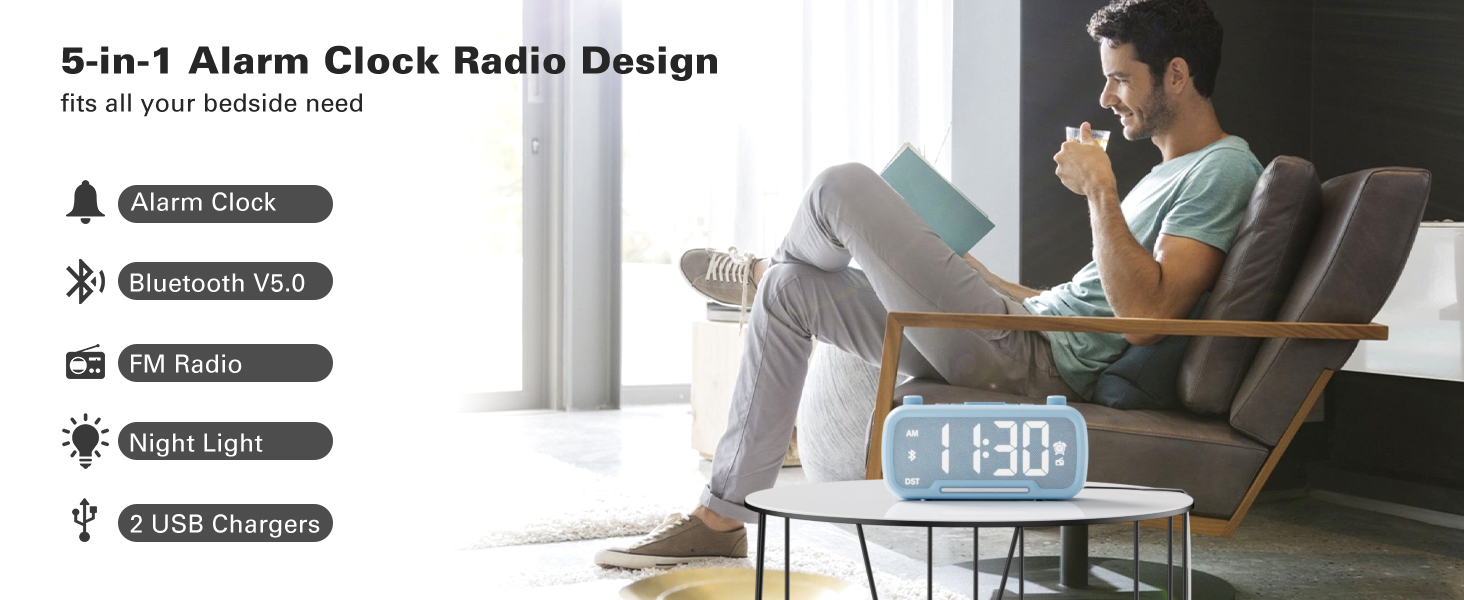
Image: The Mesqool CR1025 Digital Alarm Clock showcasing its 5-in-1 features: Alarm Clock, Bluetooth V5.0, FM Radio, Night Light, and 2 USB Chargers.
Uputstva za postavljanje
1. Priključak za napajanje
- Connect the provided AC adapter to the clock and plug it into a standard wall outlet. The clock requires AC power for primary operation.
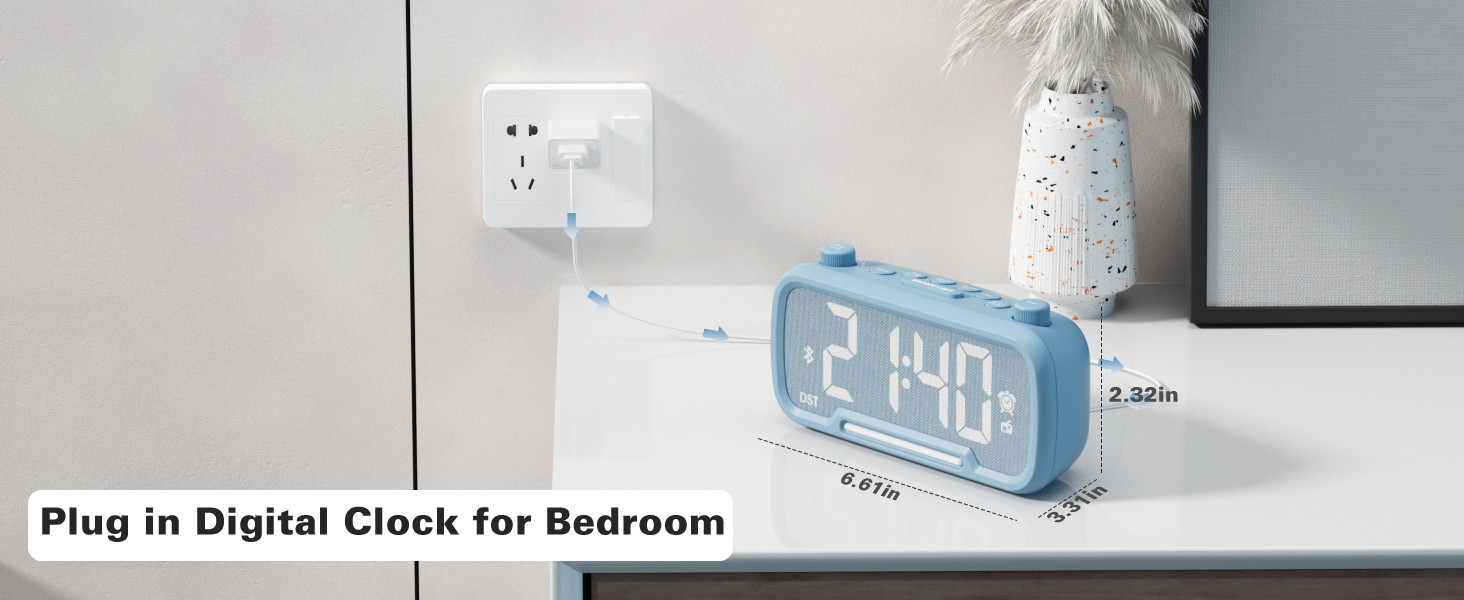
Image: The Mesqool CR1025 Digital Alarm Clock connected to a wall outlet via its power adapter, illustrating the power connection.
2. Izrada sigurnosne kopije baterije
- The clock includes a CR2032 battery for backup. This battery preserves time and alarm settings during a power outage, but the display will not be lit.
3. Podešavanje vremena
- Pritisnite Vrijeme 12 dugme jednom. Cifre za sate će treptati.
- Rotate the left knob (Sleep Timer/Vol) to adjust the hour.
- Pritisnite Vrijeme 12 ponovo pritisnite dugme. Cifre minuta će treptati.
- Rotate the right knob (Scan) to adjust the minute.
- Pritisnite Vrijeme 12 button once more to confirm and exit time setting.
Video: Demonstrates how to set the time, adjust the 12/24 hour format, and activate/deactivate DST mode on the alarm clock.
4. Format vremena 12/24 sata
- Pritisnite i držite Vrijeme 12 button for 2 seconds to switch between 12-hour and 24-hour time formats.
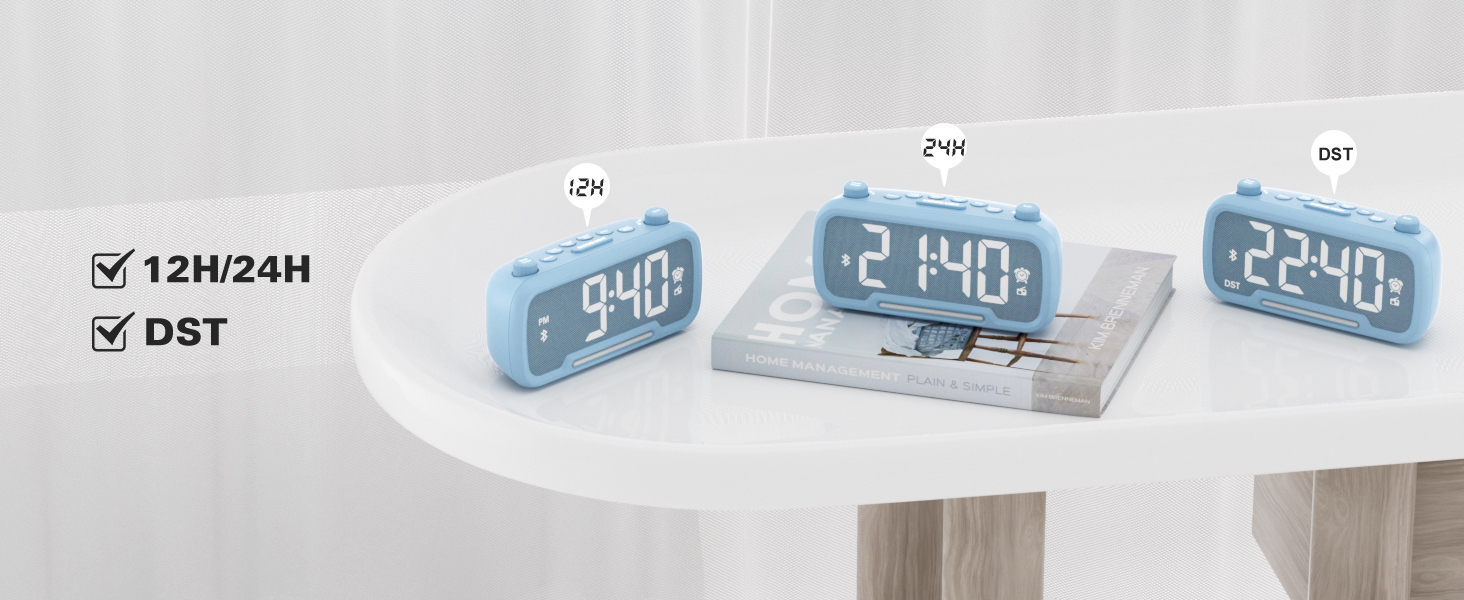
Image: The clock display showing both 12-hour (PM) and 24-hour time formats, along with the DST indicator.
5. Daylight Saving Time (DST) Mode
- Pritisnite Dimmer DST button to enter or exit DST mode. When active, the DST indicator will appear on the display.
- Refer to the video above for a demonstration of DST mode activation.
Uputstvo za upotrebu
1. Bluetooth zvučnik
- Pritisnite Power Mode button repeatedly until "bt" appears on the display, indicating Bluetooth mode. The Bluetooth icon will flash.
- On your device, search for "CR1025" in the Bluetooth settings and pair.
- Once connected, the Bluetooth icon will stop flashing.
Video: Demonstrates how to activate Bluetooth mode and pair with a device.

Image: Illustrates the Bluetooth 5.0 speaker functionality, showing the clock connected to a smartphone playing music.
2. Rad FM radija
- Pritisnite Power Mode button repeatedly until the radio icon lights up on the display, indicating FM radio mode.
- Automatsko skeniranje: Pritisnite Skeniraj button to automatically search and store up to 20 stations.
- Ručna pretraga: Rotirajte Skeniraj knob to browse frequencies manually.
- Spremi unaprijed postavljeno: Da biste sačuvali stanicu, pritisnite i držite Preset Pair button for 2 seconds. The display will show "P01", "P02", etc. Rotate the Skeniraj dugme za odabir unaprijed postavljenog broja, a zatim pritisnite Preset Pair opet za uštedu.
- Podesite glasnoću: Turn the left knob (Sleep Timer/Vol) to adjust the volume (16 levels, L01-L16).
Video: Demonstrates FM radio tuning, auto-scan, and saving preset stations.

Image: The clock displaying an FM radio frequency, indicating its radio function.
3. Podešavanje alarma
- Pritisnite i držite Alarm button for 2 seconds. The hour digits will flash.
- Rotate the left knob (Sleep Timer/Vol) to adjust the alarm hour.
- Pritisnite Alarm ponovo pritisnite dugme. Cifre minuta će treptati.
- Rotate the right knob (Scan) to adjust the alarm minute.
- Pritisnite Alarm button once more to select the alarm sound: either a buzzer or the last played FM radio station.
- Rotate the left knob (Sleep Timer/Vol) to adjust the alarm volume (L01-L16).
- Pritisnite Alarm button again to confirm and activate the alarm. The alarm icon will appear on the display.
- To cancel the alarm, press the Alarm button once. The alarm icon will disappear.
Video: Demonstrates setting the alarm time, choosing alarm sound (radio or buzzer), and adjusting alarm volume.
4. Funkcija odgode alarma
- Kada se oglasi alarm, pritisnite SNOOZE / LIGHT button to activate the snooze function. The alarm will pause for 9 minutes and then sound again.
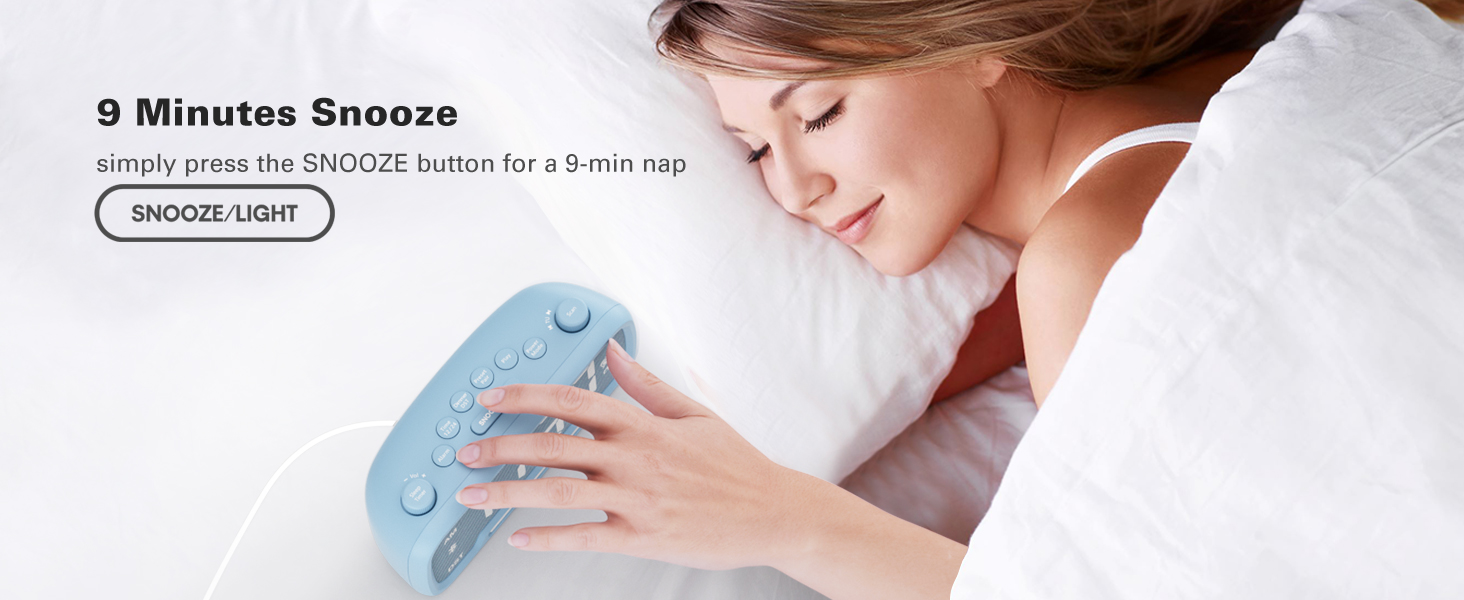
Image: A hand pressing the SNOOZE/LIGHT button on the clock, illustrating the 9-minute snooze feature.
5. Night Light & Dimmer
- noćno svjetlo: Pritisnite SNOOZE / LIGHT button to turn the night light on or off.
- Zatamnjivanje ekrana: Pritisnite Dimmer DST button repeatedly to cycle through 5 brightness levels for the main display (L01-L05).
Video: Shows how to adjust the display brightness using the dimmer function.

Image: The clock with its warm night light illuminated, providing ambient lighting.

Slika: Višestruka views of the clock demonstrating the five different brightness levels of its display.
6. Sleep Timer Setting
- When using FM radio or Bluetooth speaker, press the Sleep Timer dugme.
- Rotate the left knob (Sleep Timer/Vol) to select the desired duration: 15, 30, 60, 90, 120 minutes, or OFF. The device will automatically turn off after the selected time.
Video: Illustrates how to set the sleep timer for the FM radio or Bluetooth speaker.
7. USB portovi za punjenje
- The clock features one USB-A and one Type-C charging port (5V/1A each).
- Connect your smartphone, tablet, or other USB-powered devices to these ports for charging.
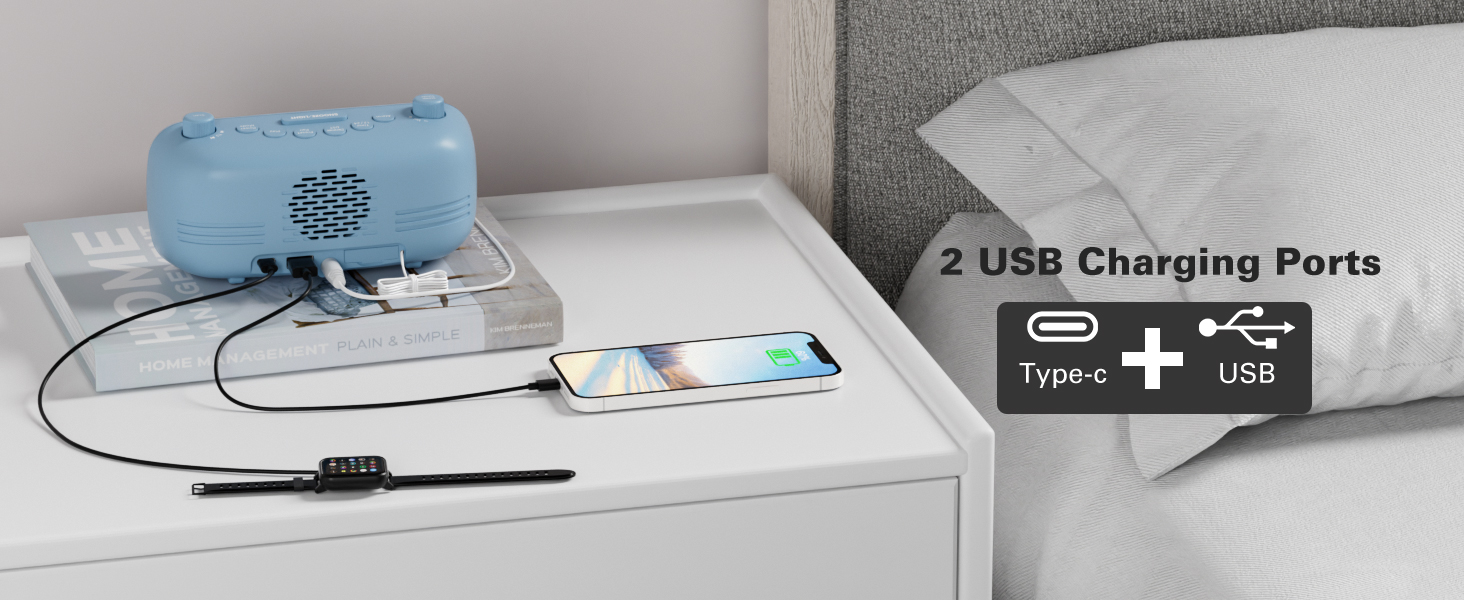
Image: The back of the clock showing the USB-A and Type-C charging ports with devices connected for charging.
Održavanje
- čišćenje: Use a soft, dry cloth to clean the surface of the clock. Avoid abrasive cleaners or solvents.
- Skladištenje: If storing the device for an extended period, disconnect it from power and remove the backup battery. Store in a cool, dry place.
Rješavanje problema
- Nema napajanja/isključen ekran: Ensure the AC adapter is securely plugged into both the clock and a working power outlet. Check if the backup battery is correctly installed.
- Alarm se ne oglašava: Verify that the alarm is set and activated (alarm icon visible). Check the alarm volume level.
- Loš FM radio prijem: Extend the antenna fully. Try repositioning the clock to improve signal reception.
- Problemi sa Bluetooth uparivanjem: Ensure the clock is in Bluetooth mode and the Bluetooth icon is flashing. Make sure your device's Bluetooth is on and within range. Try restarting both the clock and your device.
- USB punjenje ne radi: Ensure the clock is powered on. Check the charging cable and device for proper connection.
Specifikacije
| Feature | Detalj |
|---|---|
| Brand | Mesqool |
| Broj modela | CR1025 |
| Boja | Blue (as per current product variant) |
| Display Type | Digital |
| Posebne karakteristike | Adjustable Brightness, Adjustable Volume, Alarm, Charging Port, Radio |
| Dimenzije proizvoda | 3.31 cm Š x 2.32 cm V |
| Izvor napajanja | Corded Electric (AC adapter) |
| Vrsta sobe | Spavaca soba |
| Materijal | Plastika |
| Težina artikla | 7.7 unce |
| Baterije | 1 CR2032 battery required (included for backup) |
| Tehnologija povezivanja | Bluetooth 5.0, AC adapter |
| FM radio opseg | 87.5-108MHz |
Garancija i podrška
Mesqool products are designed for reliability and performance. For product support, troubleshooting assistance, or warranty inquiries, please contact Mesqool customer service.
Contact information can typically be found on the product packaging, the official Mesqool webweb-mjestu ili putem vašeg prodavača.