
SSK SD301 PRO
SSK 1TB USB C Thumb Drive SD301 PRO Instruction Manual
Model: SD301 PRO | Brand: SSK
1. Uvod
Thank you for choosing the SSK 1TB USB C Thumb Drive, Model SD301 PRO. This portable solid-state drive offers high-speed data transfer and versatile compatibility for various devices. Please read this manual carefully before use to ensure optimal performance and longevity of your device.
Ključne karakteristike:
- Dual USB-C and USB-A Interface: Equipped with both USB-C and USB-A 3.2 Gen 2 ports for convenient data transfer between smartphones, tablets, and computers.
- Ultra-Fast Transfer Speed: Achieves up to 1000MB/s read and write speeds, significantly faster than traditional USB 3.0 flash drives.
- Plug and Play funkcionalnost: No software installation required for immediate use.
- Izdržljiv dizajn: Constructed with a high-grade zinc alloy shell for excellent shock resistance and efficient heat dissipation, featuring a double-head protective cover.
- Univerzalna kompatibilnost: Works with a wide range of devices including iPhone 15, Android phones, tablets, MacBooks, Windows computers, smart TVs, and car audio systems.
2. Podešavanje
Povezivanje uređaja:
The SSK SD301 PRO features a dual-interface design, allowing connection via either USB-A or USB-C. The USB-C port is protected by a built-in flap, and the USB-A port has a removable cap. Ensure the correct port is exposed and aligned before insertion.
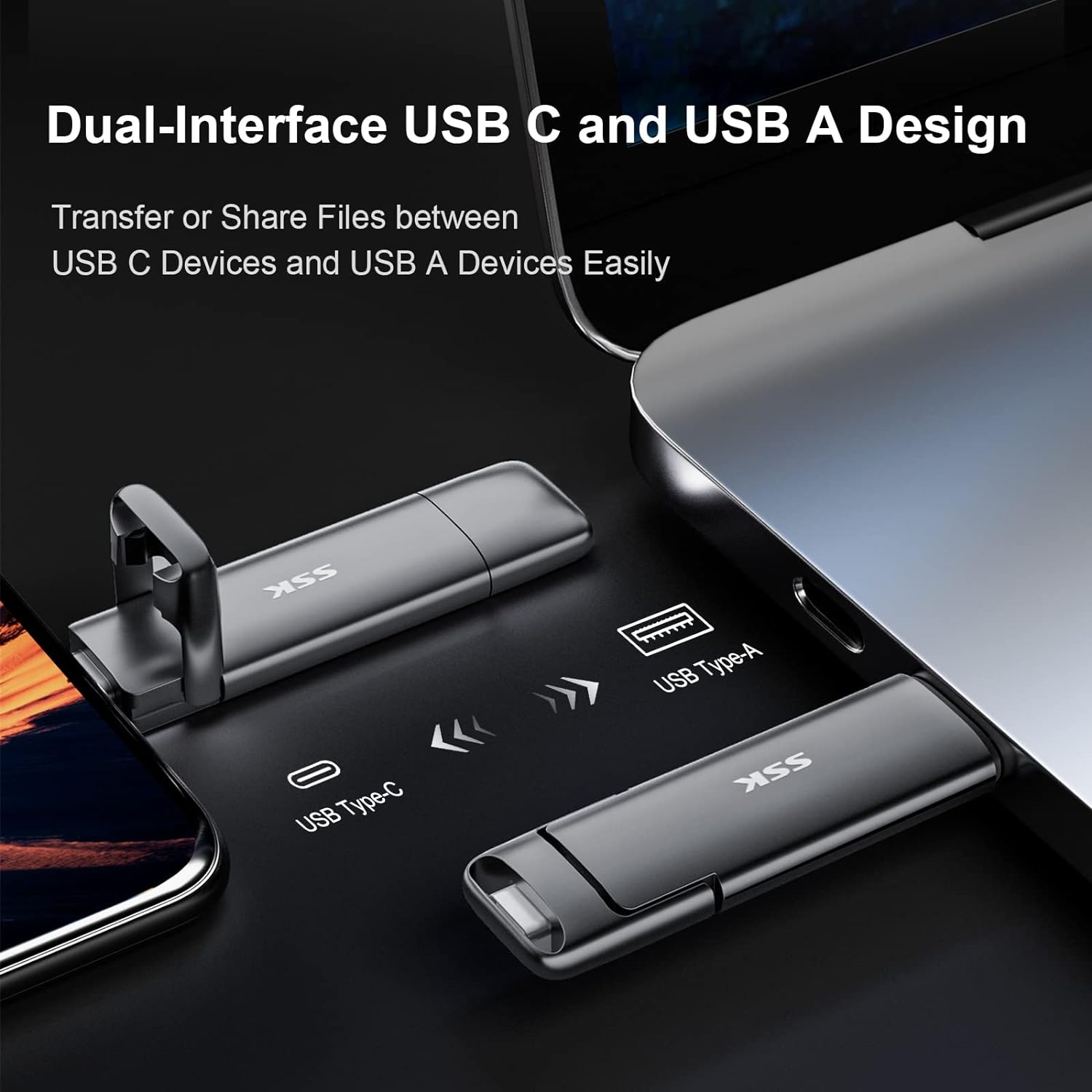
Image: The SSK SD301 PRO features both USB-C and USB-A connectors for broad compatibility.
Simply plug the drive into an available USB-C or USB-A port on your device. The drive is designed for plug-and-play operation, meaning it should be recognized automatically by most operating systems without requiring additional drivers.
Početno formatiranje:
The drive comes pre-formatted with the exFAT file system. This format is compatible with both Windows and macOS, allowing for seamless data transfer between different operating systems. No reformatting is typically required for initial use.
3. Uputstvo za upotrebu
Prijenos podataka:
Once connected, the SSK SD301 PRO will appear as an external storage device on your computer or mobile device. You can drag and drop files to and from the drive just like any other storage device. The high-speed USB 3.2 Gen 2 interface ensures rapid transfer of large files, fotografije i videozapisi.
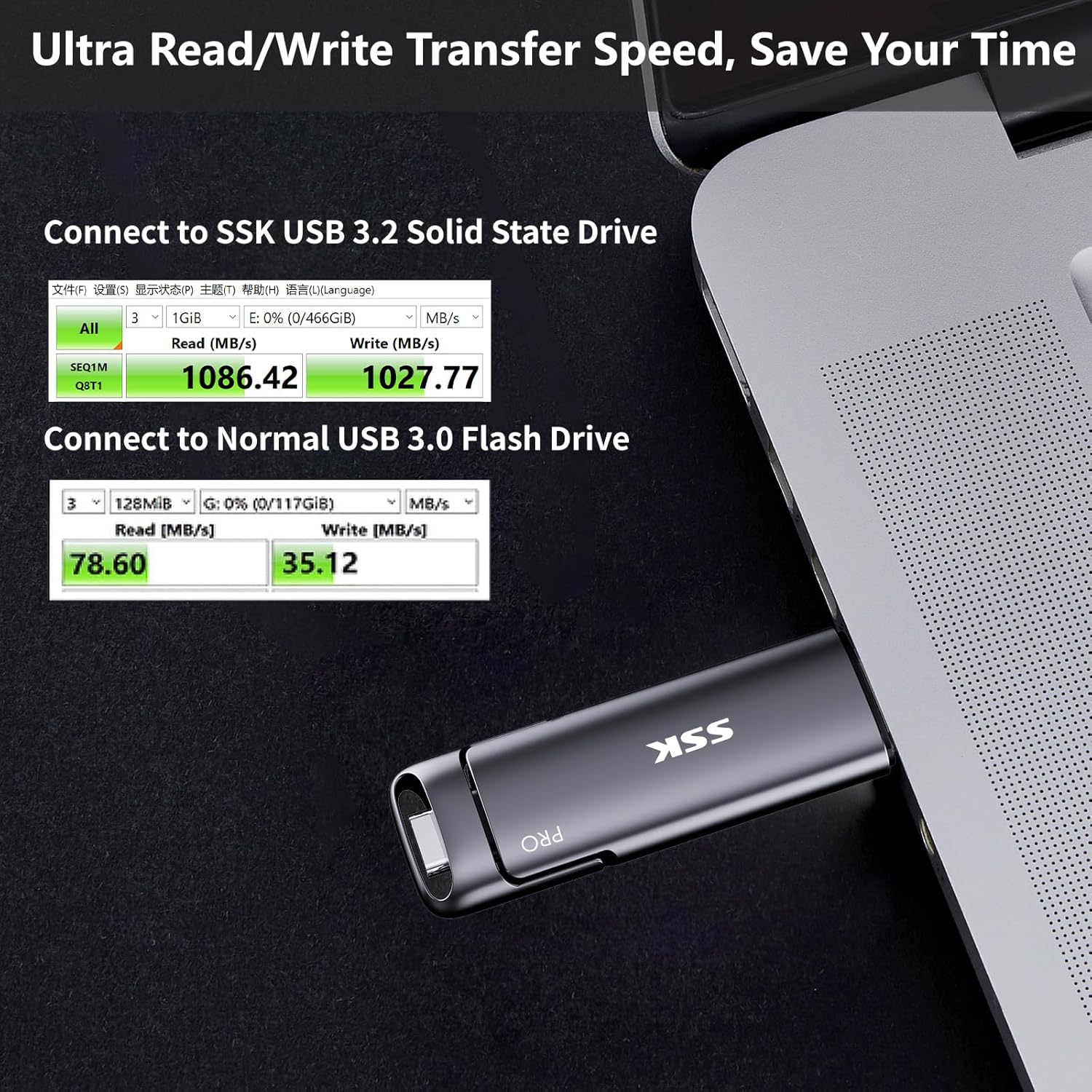
Image: Demonstrates the ultra-fast read/write speeds of the SSK SD301 PRO compared to a standard USB 3.0 flash drive.
Kompatibilnost:
The dual USB-C and USB-A design ensures broad compatibility. It can be used with:
- Smartphones (iPhone 15 series, Android OTG-enabled devices)
- Tablets (iPad, Android tablets)
- Laptops (MacBook, Windows laptops)
- Desktop Computers (Windows, Linux, Mac OS)
- Gaming Consoles (PS4)
- Smart TVs and Car Audio Systems
Note: This device is incompatible with Lightning port devices.
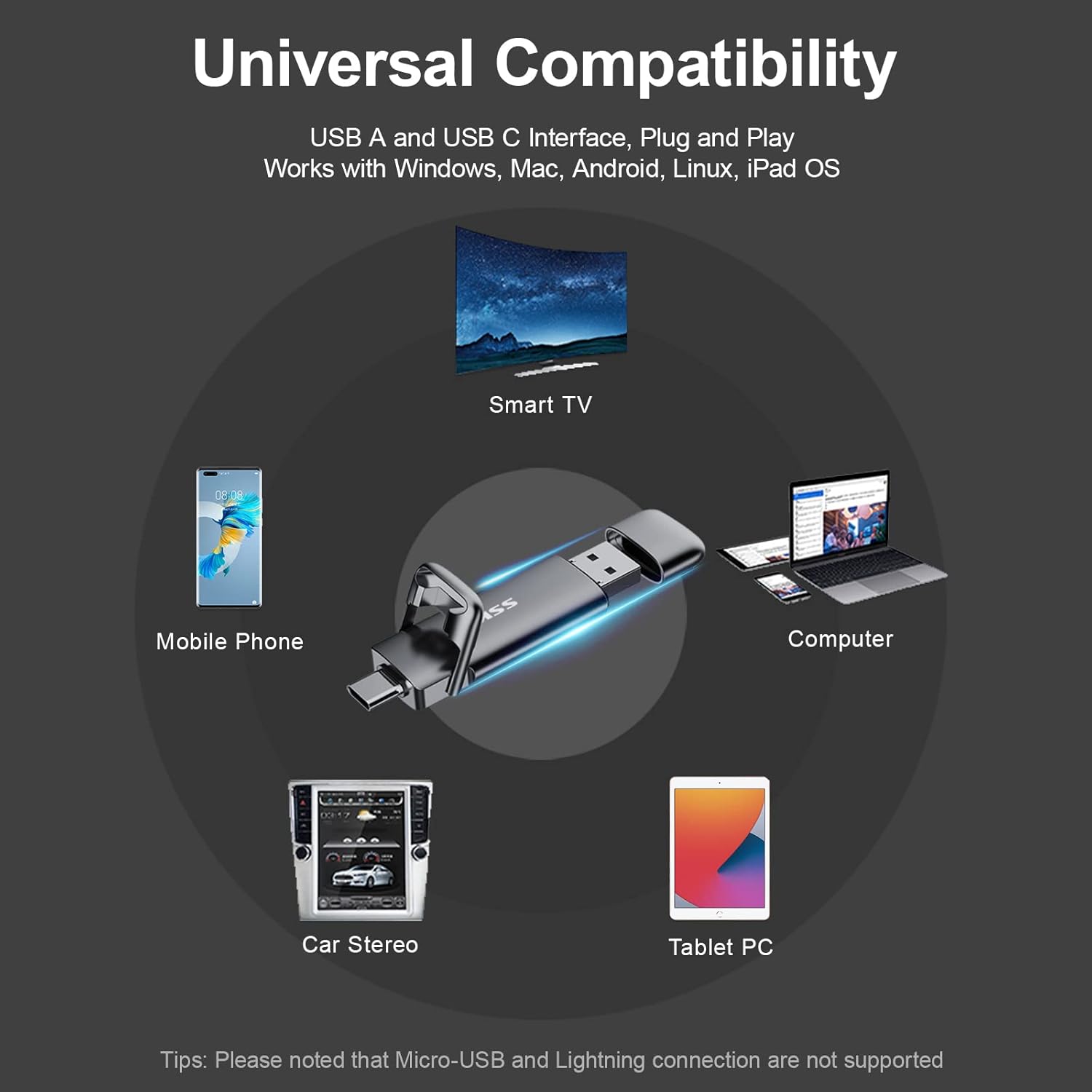
Image: The SSK SD301 PRO offers universal compatibility with a wide range of devices.
Ejecting the Device:
To prevent data corruption, always safely eject the drive before physically removing it from your device.
- Windows: Click the "Safely Remove Hardware and Eject Media" icon in the lower right corner of the taskbar. Select "Eject SSK SSD (H:)" (or similar drive letter). Wait for the prompt confirming it is safe to remove.
- macOS: Drag the drive icon from your desktop to the Trash, or right-click (or two-finger click on trackpad) the drive icon and select "Eject".
Video: This video from the SSK Official US Store demonstrates the SSK 1TB USB C Drive's features, including its dual interface and fast transfer speeds. It highlights its use with various devices and its compact design.
4. Održavanje i njega
Fizička njega:
The SSK SD301 PRO is built with a high-grade zinc alloy shell, providing durability and shock resistance. The double-head protective cover helps safeguard both the USB-C and USB-A interfaces when not in use. Keep the drive clean and free from dust and moisture.
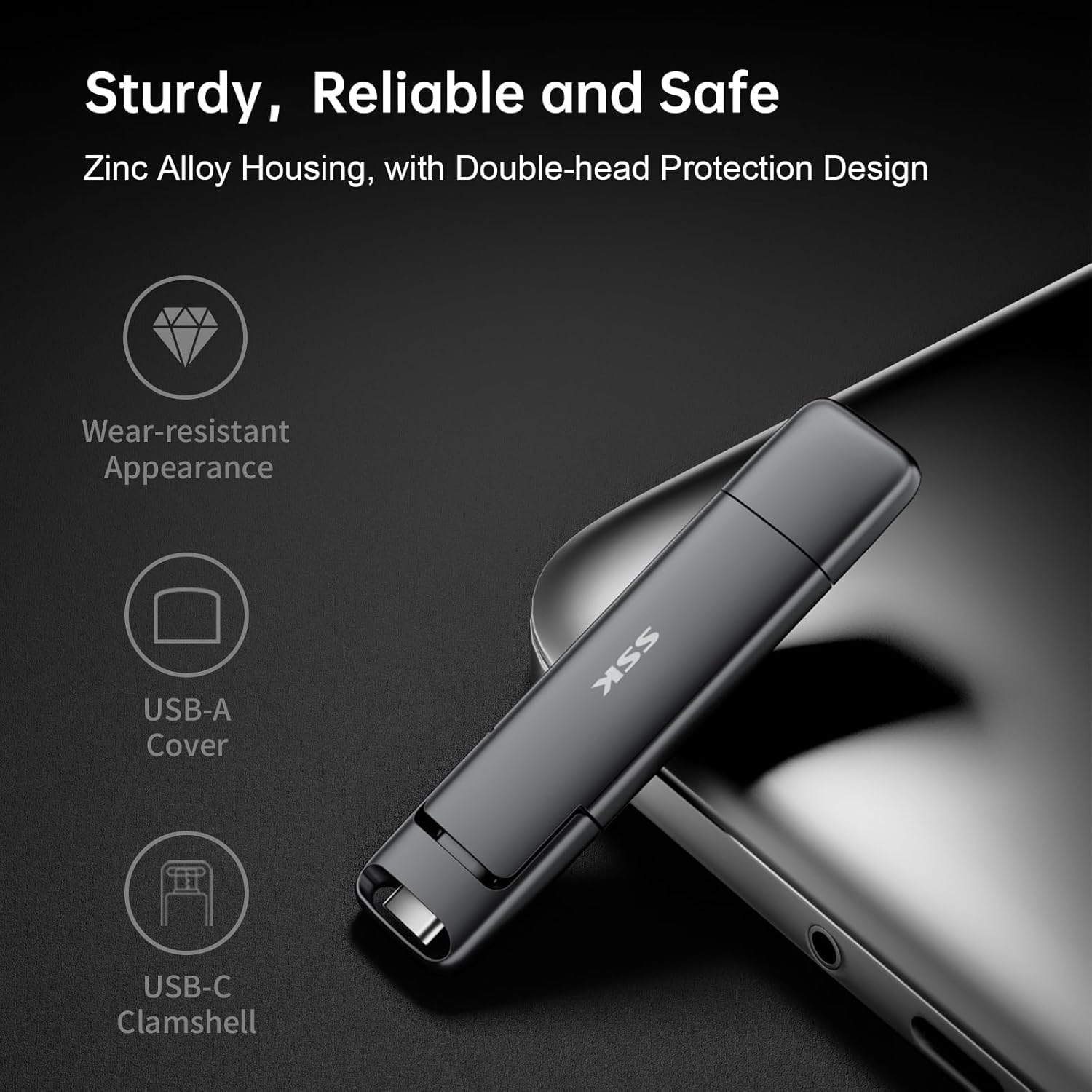
Image: The durable zinc alloy housing and protective covers ensure the longevity of the SSK SD301 PRO.
Upravljanje toplinom:
During prolonged high-speed data transfers, it is normal for the drive to generate some heat. The zinc alloy casing is designed to dissipate this heat efficiently. However, avoid continuous heavy usage without breaks to prevent excessive heat buildup. Do not run large installers or applications directly from the drive for extended periods if heat is a concern.
5. Otkrivanje problema
Disk nije prepoznat:
- Provjerite je li pogon potpuno umetnut u USB priključak.
- Pokušajte s drugim USB priključkom na vašem uređaju.
- Test the drive on another compatible device to rule out device-specific issues.
- For Windows, check Disk Management to see if the drive appears there, even if not assigned a drive letter.
Male brzine prijenosa:
- Ensure your device's USB port supports USB 3.2 Gen 2 for optimal speeds. Older USB 2.0 or 3.0 ports will result in lower speeds.
- Performance can vary based on host equipment, interfaces, and usage conditions.
- Izbjegavajte pokretanje više zahtjevnih aplikacija tokom velikih file transferi.
Eject Option Missing (Windows):
Unlike traditional flash drives, the SSK SD301 PRO is recognized as a portable SSD, which may not always display a direct
Povezani dokumenti - SD301 PRO
 |
SSK SD301 Portable Solid State Flash Drive Uputstvo za upotrebu Otkrijte SSK SD301 prenosivi SSD fleš disk, brzi eksterni SSD sa dvostrukim USB-A i USB-C interfejsima za široku kompatibilnost sa računarima, tabletima i pametnim telefonima. Ovaj korisnički priručnik pruža bitne informacije o njegovim karakteristikama, povezivanju, upotrebi i kapacitetu pohrane, osiguravajući optimalne performanse i sigurnost podataka. |
 |
SSK SD301 Portable Solid State Flash Drive Uputstvo za upotrebu Korisnički priručnik za prijenosni SSD fleš disk SSK SD301, s detaljnim opisom sadržaja pakovanja, karakteristika proizvoda, napomena prije upotrebe, objašnjenja kapaciteta pohrane, kompatibilnosti USB sučelja, uputa za povezivanje i korištenje te informacija o osiguranju kvalitete. |
 |
SSK SD300 Portable Solid State Flash Drive Uputstvo za upotrebu Korisnički priručnik za SSK SD300 prijenosni SSD fleš disk, s detaljnim opisom karakteristika proizvoda, uputama za povezivanje, kompatibilnosti i rješavanju problema. |
 |
SSK SD500 High-Speed Portable SSD User Manual Comprehensive user manual for the SSK SD500 High-Speed Portable SSD, covering setup, usage, compatibility, and troubleshooting. Learn how to connect, disconnect, and understand storage capacity. |
 |
SSK-DK100 Dual Bay HDD Docking Station Korisnički priručnik Korisnički priručnik za priključnu stanicu za tvrdi disk SSK-DK100 s dva ležišta, u kojem su detaljno opisane njene karakteristike, specifikacije, instalacija, način rada mobilnog tvrdog diska i mogućnosti kloniranja izvan mreže. |
 |
SSK Portable SSD: Usage Tips, Performance, and Compatibility Guide Get the most out of your SSK Portable SSD with this comprehensive FAQ and usage guide. Learn about capacity differences, speed factors, heat management, safe disconnection, iPhone 15 compatibility, encryption, and Thunderbolt performance. |
Ask a question about this manual
Ask about setup, troubleshooting, compatibility, parts, safety, or missing instructions. Manuals+ will review the question and use this page’s manual context to help answer it.