Uvod
The Genius NX-7000 is a 2.4 GHz wireless mouse designed for comfort and versatility. Featuring BlueEye technology, it offers precise tracking on various surfaces. Its ambidextrous design ensures comfortable use for both left and right-handed users. This manual provides essential information for setting up, operating, maintaining, and troubleshooting your NX-7000 wireless mouse.
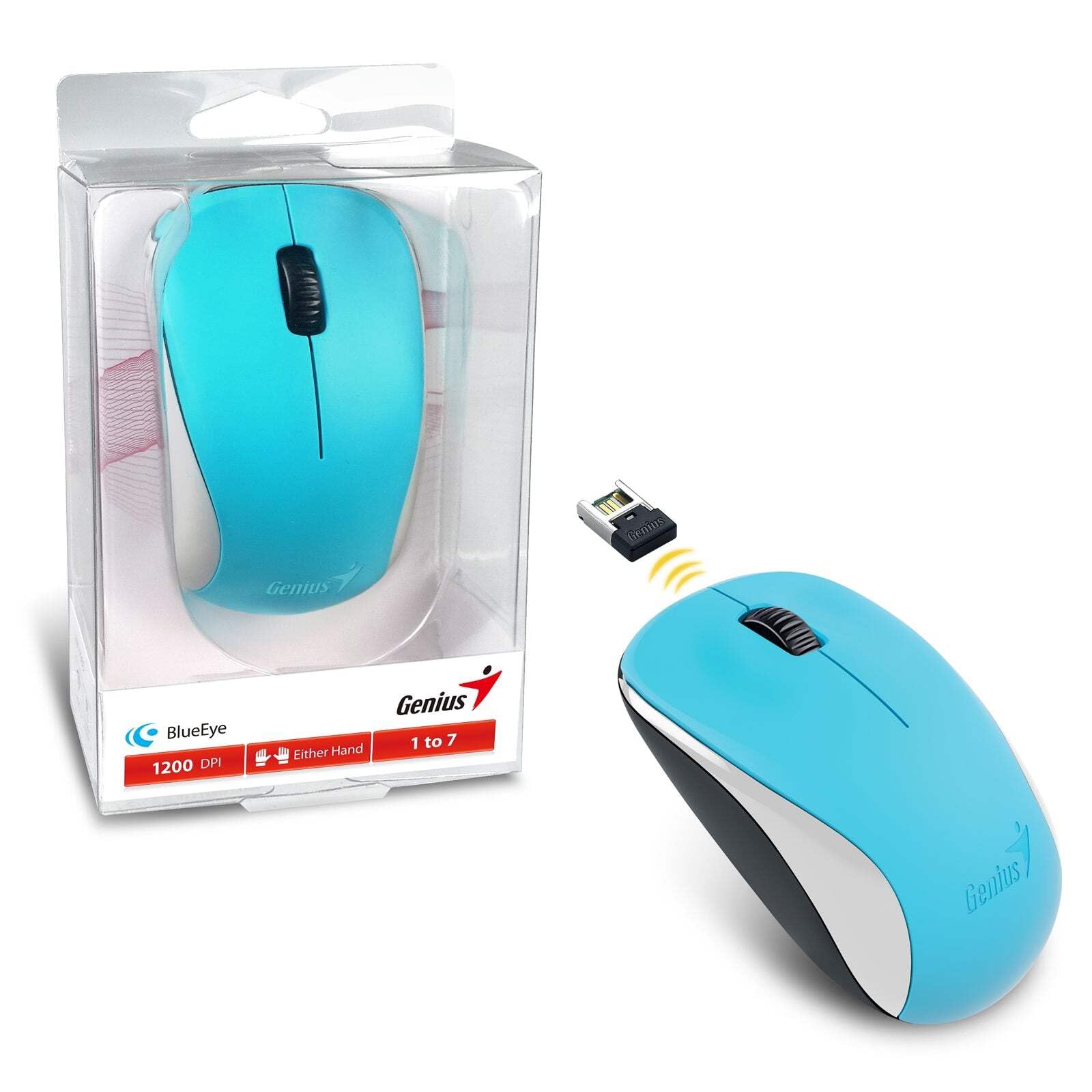
Image: The Genius NX-7000 wireless mouse in blue, shown alongside its compact USB pico receiver. The mouse features a contoured, ambidextrous design with a scroll wheel and two main buttons. The packaging is visible on the left.
Setup
1. Sistemski zahtjevi
- Operating System: Windows 7, 8, 8.1, 10 or Mac OS X 10.8 or later.
- Dostupan USB port.
- One AA battery (for mouse power).
2. Instalacija baterije
- Pronađite poklopac pretinca za bateriju na donjoj strani miša.
- Pomaknite ili podignite poklopac da biste otvorili pretinac.
- Umetnite jednu AA bateriju, pazeći da pozitivni (+) i negativni (-) terminali budu pravilno poravnati s oznakama unutar odjeljka.
- Čvrsto zatvorite poklopac odeljka za baterije.
3. Connecting the USB Pico Receiver
- Remove the USB pico receiver from its storage slot on the bottom of the mouse.
- Plug the USB pico receiver into an available USB port on your computer.
- Your computer should automatically detect and install the necessary drivers for the mouse. This may take a few moments.
- Nakon što su upravljački programi instalirani, miš je spreman za upotrebu.
Uputstvo za upotrebu
Basic Operation
- Lijevo dugme: Primary click function, typically used for selecting items, opening files, or activating links.
- Desno dugme: Funkcija sekundarnog klika, obično se koristi za otvaranje kontekstnih menija.
- Točkić za pomicanje (srednje dugme): Koristi se za listanje kroz dokumente ili web pages. Pressing the scroll wheel can also act as a middle click button, often used for opening links in new tabs.
BlueEye Technology
The NX-7000 utilizes 1000dpi BlueEye technology, which provides enhanced tracking accuracy. This technology allows the mouse to function reliably on a wide variety of surfaces, including those that are typically challenging for optical mice, such as dusted glass, marble, sofas, or carpets.
SmartGenius Software (Optional)
For advanced customization, you can download and install the SmartGenius software from the official Genius website. This software allows you to adjust DPI levels and other performance settings to suit your personal preferences, enhancing your user experience.
Pico Receiver Storage
When traveling or not using the mouse, the USB pico receiver can be conveniently stored inside a dedicated slot on the bottom of the mouse. This prevents loss and protects the receiver.
Unifying Genius Mice
The NX-7000 receiver is designed to work with other compatible Genius wireless mice. This feature allows you to use a single receiver for multiple Genius wireless devices, reducing the number of USB ports required and offering greater mobility if you own several Genius wireless products.
Održavanje
- čišćenje: Za čišćenje miša koristite meku, suhu krpu. Za tvrdokornu prljavštinu, lagano je očistite.ampIsperite krpu vodom. Izbjegavajte upotrebu jakih hemikalija ili abrazivnih sredstava za čišćenje.
- Zamjena baterije: Replace the AA battery when the mouse performance degrades or it stops responding. Always dispose of used batteries responsibly according to local regulations.
- Skladištenje: When not in use for extended periods, remove the battery to prevent leakage. Store the mouse and receiver in a cool, dry place.
- Izbjegavajte ekstremne uslove: Ne izlažite miš ekstremnim temperaturama, direktnoj sunčevoj svjetlosti ili prekomjernoj vlazi.
Rješavanje problema
| Problem | Mogući uzrok / rješenje |
|---|---|
| Miš ne reaguje. |
|
| Kretanje kursora je nepravilno ili isprekidano. |
|
| Mouse buttons or scroll wheel not working. |
|
Specifikacije
| Feature | Detalj |
|---|---|
| Broj modela | 31030027402 |
| Vrsta veze | Bežično (2.4 GHz) |
| Sensor Engine | BlueEye |
| Rezolucija (DPI) | 1200 DPI (Adjustable via SmartGenius software) |
| Broj dugmadi | 3 (Left, Right, Middle button with scroll wheel) |
| Dizajn | Ambidextrous, Contoured |
| Izvor napajanja | 1 x AA baterija |
| Dimenzije (Š x V x D) | 60 x 105 x 37 mm (2.36 x 4.13 x 1.46 inča) |
| Težina | 85 g (0.19 lbs) |
| Dostupne boje | Ocean Blue, Spring Green, Elegant White, Passion Red, Calm Black |
Garancija i podrška
For information regarding warranty coverage, technical support, or service, please refer to the warranty card included with your product or visit the official Genius webTamo obično možete pronaći resurse za podršku, često postavljana pitanja i kontakt informacije za korisničku podršku.
Official Genius Webstranica: www.geniusnet.com