
BoyKeep Y108
Uputstvo za upotrebu sigurnosne kamere Ease Life 1080P
Model: Y108
1. Uvod
This user manual provides detailed instructions for the installation, operation, and maintenance of your Ease Life 1080P Security Camera (Model: Y108). This camera is designed for outdoor home security, offering a 360° view with pan/tilt capabilities, color night vision, motion detection, and two-way audio communication. Please read this manual thoroughly before using the product to ensure proper functionality and safety.

Image: The Ease Life 1080P Security Camera shown alongside a smartphone displaying its live view interface. The camera is white with two antennas and a prominent lens array. The app shows a live feed of a child and an adult playing with a ball.
2. Sigurnosne informacije
- Ensure the power adapter used is compatible with the camera's specifications and local electrical standards.
- Ne izlažite kameru ekstremnim temperaturama, vlazi ili korozivnim okruženjima.
- Izbjegavajte postavljanje kamere u blizinu jakih magnetskih polja ili izvora smetnji.
- Ne pokušavajte rastavljati ili modificirati kameru. Za sve servisne radove obratite se kvalifikovanom osoblju.
- Keep the camera and its accessories out of reach of children and pets.
- Clean the camera with a soft, dry cloth. Do not use harsh chemicals or abrasive cleaners.
- Ensure the camera is securely mounted to prevent accidental falls.
3. Sadržaj paketa
Molimo Vas da provjerite sadržaj paketa nakon otvaranja. Ako bilo koji artikl nedostaje ili je oštećen, obratite se korisničkoj podršci.
- Ease Life 1080P Security Camera (Y108)
- Adapter za napajanje
- Vijci za montažu i zidni tiplovi
- Korisnički priručnik (ovaj dokument)
- Mounting Template (may be included)
4. Proizvod je gotovview
Familiarize yourself with the main components of your security camera.

Slika: Detaljna view of the camera's front, highlighting the lens, infrared LEDs, and visible light LEDs for color night vision.
4.1 Dimenzije kamere
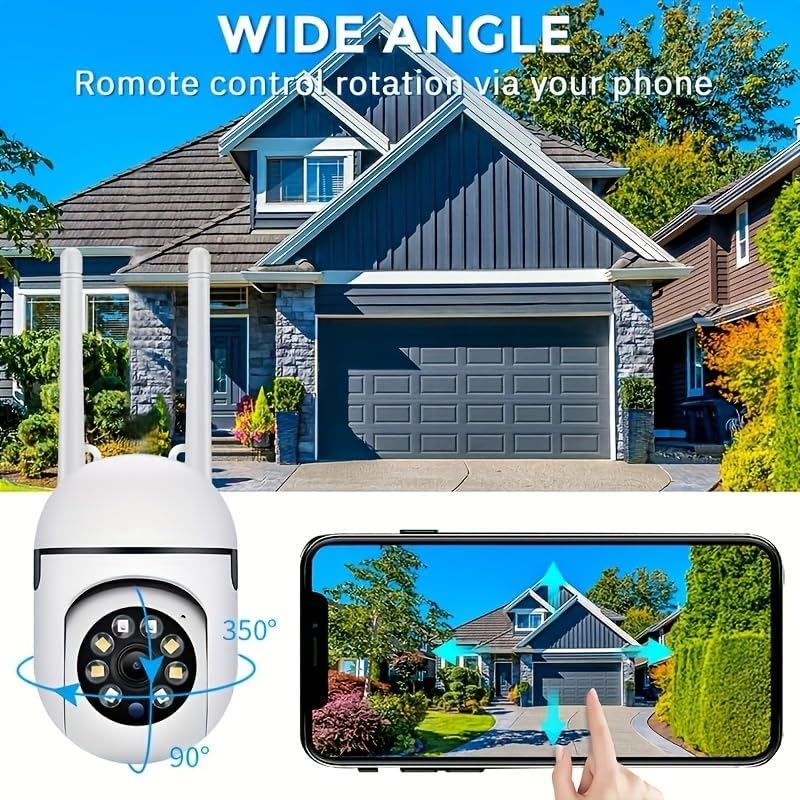
Image: Technical drawing showing the camera's dimensions: approximately 18cm (7.08 inches) in height, 7cm (2.76 inches) in width, and 8.8cm (3.46 inches) in depth from the wall mount.
4.2 Ključne komponente
- Objektiv: Snima video u Full HD rezoluciji od 1080P.
- Infracrvene LED diode: Za crno-bijeli noćni vid.
- Bijele LED diode: For color night vision and alarm illumination.
- mikrofon: Za dvosmjernu audio komunikaciju.
- govornik: Za dvosmjernu audio komunikaciju i zvukove alarma.
- Antene: For 2.4GHz Wi-Fi connectivity.
- Utor za mikro SD karticu: Za lokalno pohranjivanje videa (kartica nije uključena).
- Dugme za resetiranje: Koristi se za fabričko vraćanje na tvorničke postavke.
- Napajanje: Za povezivanje strujnog adaptera.

Image: The camera is shown with labels pointing to the microphone and speaker, illustrating its two-way audio capability. A delivery person is shown interacting with the camera.
5. Podešavanje
5.1 Instalacija aplikacije
- Traži "EaseLife" in your smartphone's app store (App Store for iOS, Google Play Store for Android).
- Download and install the EaseLife app.
- Otvorite aplikaciju i slijedite upute na ekranu da biste registrirali novi račun ili se prijavili ako ga već imate.
5.2 Camera Connection (Wi-Fi)
- Power on the camera by connecting the power adapter. The camera will perform a self-test and then enter pairing mode (indicated by a specific LED status or voice prompt).
- Open the EaseLife app, tap the "+" icon to add a new device.
- Select your camera model or scan the QR code on the camera (if available).
- Follow the in-app instructions to connect the camera to your 2.4GHz Wi-Fi network. Ensure your phone is connected to the same 2.4GHz Wi-Fi network during setup.
- Nakon povezivanja, možete imenovati svoju kameru i započeti prijenos uživo viewing.
5.3 Montiranje kamere
Odaberite odgovarajuće mjesto za montažu, osiguravajući jasan view and access to a power outlet. The camera supports wall mounting.
- Use the provided mounting template (if included) or mark the drill holes on the desired surface.
- Izbušite rupe i umetnite tiple ako montirate na zid ili gipsane ploče.
- Pričvrstite montažnu bazu kamere na površinu pomoću priloženih vijaka.
- Podesite ugao kamere po potrebi nakon montaže.

Image: The camera is depicted with arrows indicating its 360-degree horizontal pan and 90-degree vertical tilt rotation, demonstrating its wide coverage capabilities.
6. Uputstvo za upotrebu
6.1 Uživo View i kontrola panoramiranja/nagiba
Open the EaseLife app and select your camera to access the live view. You can control the camera's pan (horizontal) and tilt (vertical) movements directly from the app interface to adjust the viewing kut.

Image: The camera is shown with a wide-angle view of a house, illustrating its ability to cover a large area. A smartphone screen demonstrates remote control of the camera's rotation.
6.2 Dvosmjerni audio
Tap the microphone icon in the app to speak through the camera's speaker. Tap the speaker icon to listen to audio from the camera's microphone. This feature allows for real-time communication with visitors or deterrence of intruders.
6.3 Detekcija pokreta i upozorenja
Enable motion detection in the app settings. When motion is detected, the camera will record video and send push notifications to your smartphone. You can adjust sensitivity levels and set detection zones.
6.4 Režimi noćnog vida
Kamera podržava više načina rada za noćno gledanje:
- Infracrveni noćni vid: Provides clear black and white images in low light or complete darkness using infrared LEDs.
- Noćni vid u punom koloru: Activates the camera's white light LEDs to provide full-color video even in dark conditions.
- Sound and Light Alarm Night Vision: Combines full-color night vision with an audible alarm and flashing lights upon motion detection to deter unwanted activity.

Image: Illustrations of the three night vision modes: Infrared (black and white), Full Color (illuminated by white light), and Sound and Light Alarm (with a red outline indicating an alarm trigger).
6.5 Snimanje i reprodukcija
Recordings can be stored on a Micro SD card (up to 128GB, not included) or via cloud service (subscription required). Access recorded footage through the "Playback" or "Gallery" section in the EaseLife app.
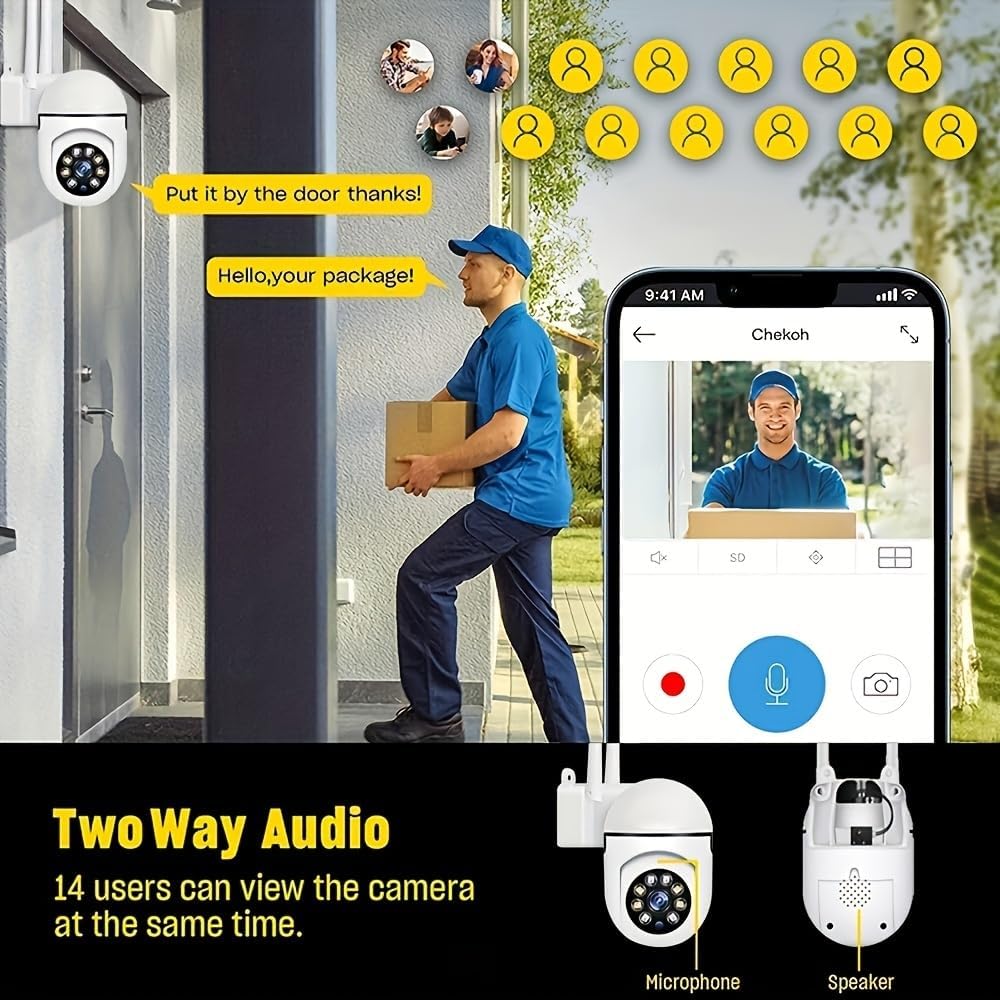
Image: A smartphone screen showing the replay function of the camera, with multiple thumbnail views of recorded events. Below, the camera is shown with its "Double light night vision" capability highlighted, indicating both infrared and white light LEDs.
7. Održavanje
- čišćenje: Regularly wipe the camera lens and body with a soft, dry cloth to remove dust and dirt. Do not use liquid cleaners or sprays directly on the camera.
- Ažuriranja firmvera: Check the EaseLife app periodically for firmware updates. Keeping your camera's firmware updated ensures optimal performance and access to new features.
- Ciklus napajanja: Ako kamera ima problema, pokušajte je isključiti iz napajanja na 10 sekundi, a zatim je ponovo uključiti.
8. Otkrivanje problema
| Problem | Mogući uzrok | Rješenje |
|---|---|---|
| Kamera van mreže u aplikaciji | No power; Wi-Fi disconnected; Router issues. | Check power connection. Restart camera and router. Reconnect camera to Wi-Fi via app. |
| Nije moguće povezati se na Wi-Fi | Incorrect Wi-Fi password; 5GHz Wi-Fi network; Weak signal. | Provjerite ispravnu lozinku za Wi-Fi mrežu od 2.4 GHz. Približite kameru ruteru. Resetujte kameru i pokušajte ponovo upariti. |
| Detekcija pokreta ne radi | Funkcija onemogućena; Osjetljivost preniska; Netačna zona detekcije. | Enable motion detection in app. Adjust sensitivity. Define detection zones correctly. |
| Nema zvuka s kamere | Microphone/speaker disabled in app; Volume too low. | Check audio settings in app. Increase volume. |
| Loš kvalitet slike noću | Night vision mode not optimal; Obstruction in front of lens. | Switch night vision modes. Clean lens. Ensure no obstructions. |
9. Specifikacije
| Feature | Detalj |
|---|---|
| Rezolucija video snimanja | 1080p full HD |
| Tehnologija povezivanja | bežični (Wi-Fi) |
| Wi-Fi frekvencija | 2.4GHz |
| Posebne karakteristike | Night Vision (Infrared, Full Color, Sound & Light Alarm), Pan/Tilt (360° horizontal, 90° vertical), Motion Detection, Two-Way Talk |
| Kompatibilni uređaji | Tablet, Smartphone (iPhone, Android) |
| Izvor napajanja | Corded Electric |
| Vrsta montaže | Zidni nosač |
| Form Factor | Dome |
| Težina artikla | 250 g |
| Proizvođač | DječakKuvaj |
10. Jamstvo i podrška
Your Ease Life 1080P Security Camera comes with a standard manufacturer's warranty. Please refer to the product packaging or the official BoyKeep webstranicu za specifične uslove i odredbe garancije.
For technical support, troubleshooting assistance, or warranty claims, please contact BoyKeep customer service through the contact information provided on their official webweb-stranice ili putem vaše platforme za kupovinu.
Online resursi: For the latest FAQs, video tutorials, and software updates, please visit the official EaseLife or BoyKeep support page.
Ask a question about this manual
Ask about setup, troubleshooting, compatibility, parts, safety, or missing instructions. Manuals+ will review the question and use this page’s manual context to help answer it.