
BoyKeep K11
BoyKeep Ease Life K11 Uputstvo za upotrebu za unutrašnju sigurnosnu kameru
Model: K11
1. Uvod
Thank you for choosing the BoyKeep Ease Life K11 Indoor Security Camera. This manual provides detailed instructions for setting up, operating, and maintaining your camera to ensure optimal performance and security for your home. This camera is designed for indoor use, offering high-resolution video, two-way audio, and smart detection features.

Image: The BoyKeep Ease Life K11 Indoor Security Camera shown next to a smartphone displaying the live feed from the camera, demonstrating its remote monitoring capability.
2. Šta se nalazi u kutiji
- BoyKeep Ease Life K11 Indoor Security Camera
- USB to USB-C Cable (approx. 6 feet)
- Uputstvo za upotrebu
Napomena: Adapter za napajanje je ne included with this version of the camera. Please use a 5V/1A USB power adapter (not supplied) to power the device.
3. Značajke proizvoda
- High-Resolution & Night Vision: Enjoy clear and vivid 1080P HD resolution. The camera features enhanced night vision for monitoring in low-light conditions.
- Motion Tracking & Alerts: The camera records alert videos and sends notifications to your phone upon detecting motion or sound. Customizable monitoring zones, schedules, and sensitivity settings help minimize false alarms. An integrated alarm feature can deter intruders.
- Dvosmjerna komunikacija: Equipped with a built-in microphone and speaker, the camera enables seamless two-way audio communication, allowing you to hear and speak through the camera via the app.
- Više uređaja Viewing & Sharing: Add multiple cameras to the Ease Life App and view up to four real-time video feeds simultaneously. Share access with up to 10 family members for collective monitoring.
- Fleksibilne opcije snimanja: Supports local storage via a Micro SD card (up to 128GB, not included) for 24/7 continuous or motion-triggered recording. Optional cloud storage plans are available for additional backup and security.
- Povezivanje: Supports 2.4G Wi-Fi and Bluetooth for easy connection.

Image: A visual comparison demonstrating the superior clarity of 1080P resolution compared to 720P, illustrated with images of cats.
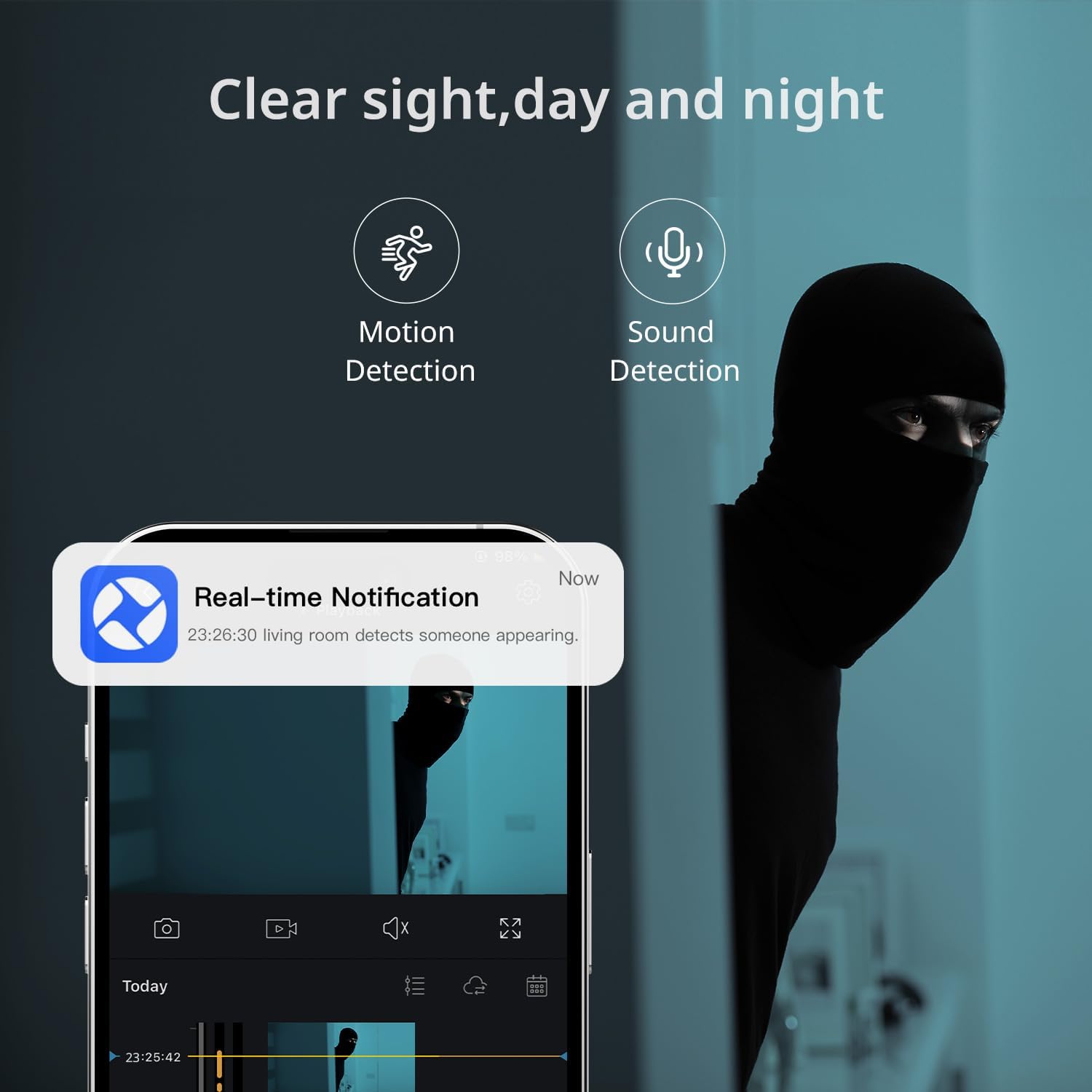
Image: A smartphone displaying a real-time notification for detected motion, illustrating the camera's alert capabilities.

Image: A visual representation of the two-way audio feature, showing a dog and a person communicating through the camera.
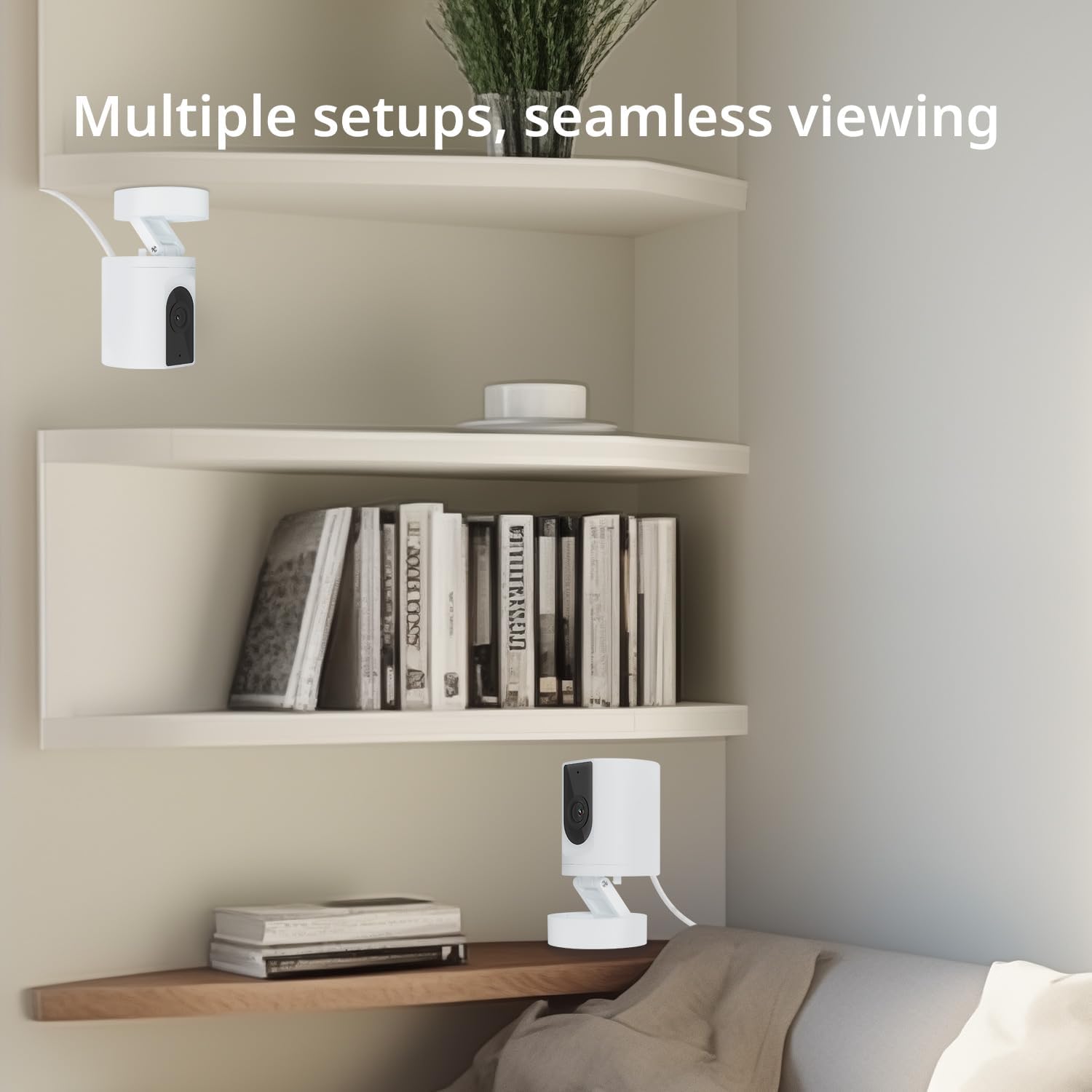
Image: Multiple camera setups in a home environment, showcasing the flexibility for seamless viewiz različitih uglova.

Image: A smartphone screen showing a timeline of recorded video, with icons representing cloud storage and memory card options.

Image: The camera's connectivity features highlighted, showing support for 2.4G WiFi and Bluetooth, along with a 130-degree viewing kut.
4. Vodič za postavljanje
- Uključeno: Connect the camera to a 5V/1A USB power adapter (not included) using the provided USB to USB-C cable. The camera will power on and indicate readiness for setup.
- Preuzmite aplikaciju: Traži and download the "Ease Life" app from your smartphone's app store (available for Android and iOS).
- Registracija/Prijava: Open the Ease Life app and create a new account or log in if you already have one.
- Dodaj uređaj: Tap the "+" icon in the app to add a new device. Select your camera model (K11) from the list.
- Povežite se na Wi-Fi: Follow the in-app instructions to connect the camera to your 2.4G Wi-Fi network. Ensure your phone is also connected to the same 2.4G Wi-Fi network during setup. The app may guide you to scan a QR code displayed on your phone with the camera lens.
- Uparivanje završeno: Nakon povezivanja, kamera će signalizirati uspješno uparivanje i možete započeti prijenos uživo. viewing.
5. Uputstvo za upotrebu
- Uživo View: Open the Ease Life app and select your camera to view live feed.
- Dvosmjerni zvuk: Uživo view screen, tap the microphone icon to speak through the camera. Tap the speaker icon to listen to audio from the camera's location.
- Motion/Sound Detection: Access camera settings in the app to enable or disable motion and sound detection. Adjust sensitivity levels and set specific monitoring zones or schedules as needed.
- Snimanje i reprodukcija:
- Micro SD kartica: Insert a Micro SD card (not included) into the TF slot on the camera (refer to the bottom of the camera for the slot). The camera will automatically begin recording based on your settings (continuous or motion-triggered). To view recordings, access the playback feature in the app.
- Cloud Storage: If you opt for cloud storage, follow the in-app instructions to subscribe and activate the service. Recordings will be securely stored in the cloud.
- Uređaj za dijeljenje: In the app, navigate to the camera settings and find the 'Share Device' option to invite family members to view feed kamere.
6. Održavanje
- čišćenje: Za čišćenje objektiva i kućišta kamere koristite meku, suhu krpu. Izbjegavajte upotrebu jakih hemikalija ili abrazivnih sredstava za čišćenje.
- plasman: Ensure the camera is placed in a stable, dry indoor environment, away from direct sunlight, heat sources, and excessive moisture.
- Ažuriranja firmvera: Regularly check the Ease Life app for available firmware updates to ensure your camera has the latest features and security enhancements.
7. Otkrivanje problema
| Problem | Moguće rješenje |
|---|---|
| Kamera se neće povezati na Wi-Fi. |
|
| Loš kvalitet slike. |
|
| Two-way audio has static or is unclear. |
|
| Kamera ne snima. |
|
8. Specifikacije
| Feature | Detalj |
|---|---|
| Naziv modela | K11 |
| Unutrašnja/vanjska upotreba | Indoor |
| Rezolucija video snimanja | 1080P HD |
| Tehnologija povezivanja | Wireless (2.4G Wi-Fi, Bluetooth) |
| Izvor napajanja | Corded Electric (DC 5V/1A, adapter not included) |
| Kompatibilni uređaji | Tablet, Smartphone (Android) |
| Posebne karakteristike | 2-Way Audio, Motion Detection, Night Vision, Cloud/SD Storage |
| Vrsta montaže | Wall Mount (with included base) |
| Boja | Bijelo |
| Dimenzije proizvoda | 4.72 x 2.8 x 2.8 inča |
| Težina artikla | 3.84 unce |
9. Informacije o garanciji
BoyKeep products are covered by a limited warranty from the date of purchase. Please retain your proof of purchase for warranty claims. For specific warranty terms and conditions, refer to the warranty card included with your product or visit the official BoyKeep website.
10. Korisnička podrška
If you encounter any issues or have questions regarding your BoyKeep Ease Life K11 Indoor Security Camera, please contact our customer support team:
- Email: support@boykeep.com (exampe-mail adresa, zamijenite stvarnim ako je dostupno)
- Webstranica: Visit the BoyKeep Store on Amazon
Our support team is available to assist you with technical issues, setup guidance, and general inquiries.
Ask a question about this manual
Ask about setup, troubleshooting, compatibility, parts, safety, or missing instructions. Manuals+ will review the question and use this page’s manual context to help answer it.