
1. Uvod
The CHERRY XTRFY M64 Wireless Gaming Mouse is engineered for competitive gaming, offering ultra-fast 8000 Hz polling rate technology for extremely low click latency and precise cursor movements. This ergonomic mouse features a reinvented design for enhanced grip and control, combined with a lightweight construction for swift and accurate gameplay. It utilizes a high-performance Pixart 3395 sensor and refined wireless technology to ensure uncompromised speed and responsiveness.
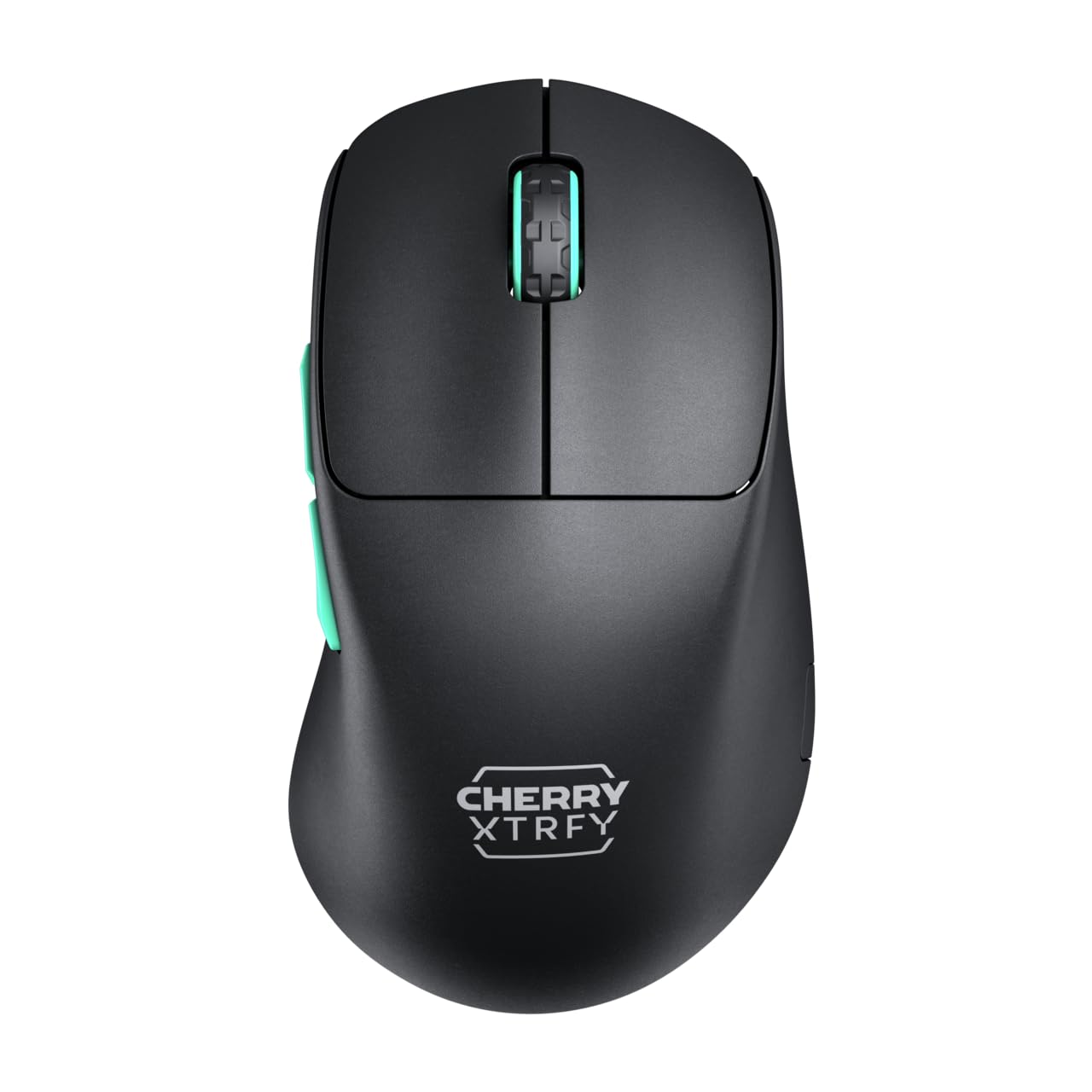
Image 1: CHERRY XTRFY M64 Wireless Gaming Mouse. This image shows the ergonomic design of the mouse, highlighting its black body and distinctive teal scroll wheel and side buttons.
2. Sadržaj paketa
Provjerite da li su sve stavke prisutne u paketu:
- CHERRY XTRFY M64 bežični gaming miš
- USB-C Charging Cable (flexible CHERRY XTRFY EZcord)
- USB-A bežični prijemnik
- USB-A to USB-C Adapter (for receiver extension)
- Korisnički priručnik (ovaj dokument)

Image 2: Included accessories. This image displays the USB-C charging cable, the USB-A wireless receiver, and an adapter, which are essential for connecting and charging the mouse.
3. Podešavanje
- Povežite bežični prijemnik: Insert the USB-A wireless receiver into an available USB port on your computer. For optimal signal strength and reduced latency, use the provided USB-A to USB-C adapter and charging cable to position the receiver closer to the mouse.
- Uključivanje miša: Locate the power switch on the underside of the mouse and slide it to the "ON" position. The mouse should automatically connect to the receiver.
- Početna naplata: For first-time use, it is recommended to fully charge the mouse. Connect the USB-C end of the charging cable to the mouse and the USB-A end to your computer or a USB power adapter. The mouse can be used while charging.
4. Uputstvo za upotrebu
4.1. Funkcije gumba
- Lijevi klik na dugme: Primarna akcija.
- Desni klik: Sekundarna akcija.
- Točak za pomicanje: Pomicanje gore/dolje, klik srednjim tasterom miša.
- Bočna dugmad: Typically configured for forward/backward navigation in web browsers or custom functions in games.
4.2. DPI podešavanje
The M64 Wireless mouse allows for on-the-fly DPI (Dots Per Inch) adjustment without requiring software. The DPI button is located on the underside of the mouse. Press this button to cycle through preset DPI levels. An indicator light will typically change color to show the current DPI setting.

Image 3: Underside of the mouse. This view highlights the various switches and buttons on the bottom of the mouse, including the DPI adjustment button and polling rate switch.
4.3. Podešavanje stope anketiranja
The M64 Pro Wireless supports up to an 8000 Hz polling rate, providing extremely fast response times. A switch on the underside of the mouse allows you to select between different polling rates (e.g., 1000 Hz, 8000 Hz) to suit your preference and system capabilities. Refer to the markings on the mouse for specific settings.
4.4. Baterija i punjenje
The mouse is equipped with a rechargeable Lithium Ion battery. A full charge can provide up to 90 hours of playtime in Standard Gaming Mode. When the battery is low, the indicator light on the mouse will signal this condition. Connect the mouse using the provided USB-C cable to charge. You can continue using the mouse while it is connected via cable.
5. Održavanje
- čišćenje: Za čišćenje površine miša koristite meku, suhu krpu. Za tvrdokornu prljavštinu, laganoamp Može se koristiti krpa, pazeći da tekućina ne uđe u miš. Izbjegavajte jake hemikalije ili abrazivne materijale.
- Skladištenje: Čuvajte miša na hladnom i suhom mjestu, dalje od direktne sunčeve svjetlosti i ekstremnih temperatura.
- Održavanje baterije: Da biste produžili vijek trajanja baterije, izbjegavajte često potpuno pražnjenje miša. Napunite ga kada se pojavi indikator niske baterije.
6. Otkrivanje problema
- Miš ne reaguje:
- Uvjerite se da je miš uključen.
- Provjerite je li bežični prijemnik sigurno priključen u USB priključak.
- Provjerite je li baterija miša dovoljno napunjena.
- Pokušajte uključiti prijemnik u drugi USB priključak.
- Provjerite da nijedan drugi bežični uređaj ne uzrokuje smetnje.
- Lag or Disconnects:
- Move the wireless receiver closer to the mouse, using the extension cable if necessary.
- Ensure there are no large metal objects or other strong wireless signals between the mouse and receiver.
- Reduce the polling rate if your system struggles to maintain 8000 Hz.
- Problemi s punjenjem:
- Ensure the USB-C cable is properly connected to both the mouse and the power source.
- Pokušajte s drugim USB portom ili adapterom za napajanje.
7. Specifikacije
| Model | M64 Wireless |
| Tehnologija povezivanja | Wireless (2.4 GHz), USB (for charging/wired use) |
| Senzor | pixart 3395 |
| Polling Rate | Up to 8000 Hz (Pro models) |
| Težina | Approx. 55 grams (Pro Wireless) |
| Vrsta baterije | 1 litijum-jonska baterija (uključena) |
| Trajanje baterije | Do 90 sati (Standardni način rada za igranje) |
| Dimenzije (paket) | 4.7 x 2.5 x 1.5 inča |
| Težina artikla | 1.94 unce |
| Proizvođač | Cherry Xtrfy |
8. Garancija i podrška
CHERRY XTRFY products are covered by a manufacturer's warranty. For detailed warranty information, technical support, or service inquiries, please visit the official CHERRY XTRFY webstranicu ili direktno kontaktirajte njihovu korisničku podršku.
Službeno Webstranice: cherryxtrfy.com, cherry.de