
Uvod
Hvala na kupoviniasing the Greadio GB-W18 Portable CD Player Boombox. This device offers multiple audio playback options including CD, cassette, FM radio, Bluetooth, USB, AUX, and TF/SD card. Please read this manual carefully before using the product to ensure proper operation and to maximize your listening experience. Keep this manual for future reference.
Sigurnosne informacije
- Ne izlažite uređaj kiši ili vlazi kako biste spriječili požar ili strujni udar.
- Ne otvarajte casing. Za sve servisne radove obratite se kvalifikovanom osoblju.
- Izbjegavajte postavljanje jedinice u blizini izvora topline ili na direktnu sunčevu svjetlost.
- Osigurajte odgovarajuću ventilaciju oko jedinice.
- Use only the specified power adapter (if applicable) or charge with a compatible 5V/2A Type-C charger.
- Čuvati van domašaja djece.
Sadržaj paketa
Molimo Vas da provjerite da li su svi artikli prisutni:
- Greadio GB-W18 Portable CD Player Boombox
- Daljinski upravljač (1)
- Korisnički priručnik (ovaj dokument)
- USB kabel za punjenje (tip-C)
Product Overview
Familiarize yourself with the various parts and controls of your Greadio GB-W18 boombox.
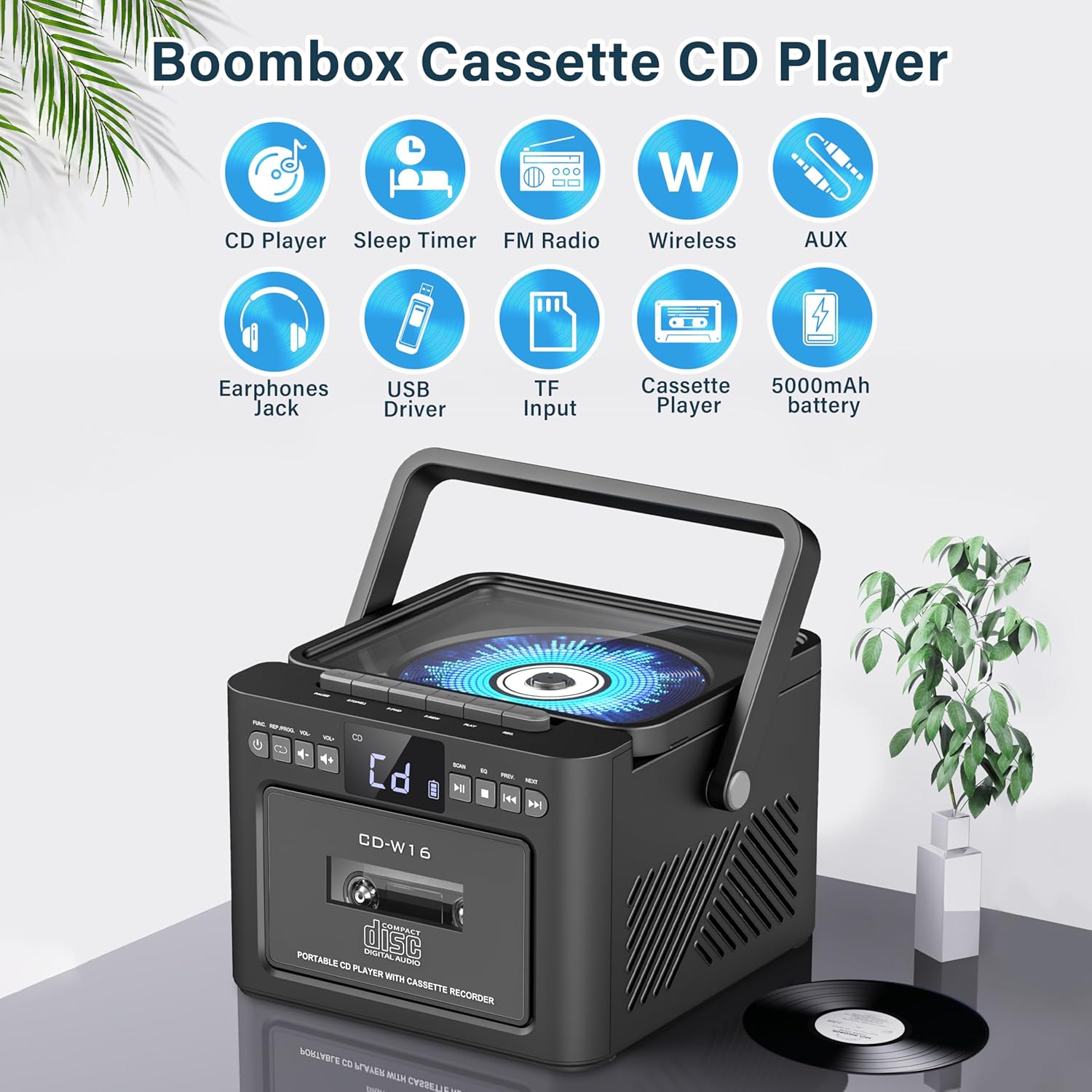
slika: Gotovoview of the Greadio GB-W18 Portable CD Player Boombox, highlighting its multi-functional capabilities including CD, cassette, FM radio, Bluetooth, USB, TF/SD card, AUX, and a built-in 5000mAh rechargeable battery.
Kontrole na prednjoj ploči
- Led displej: Prikazuje trenutni način rada, broj pjesme, frekvenciju itd.
- Dugme za napajanje: Uključuje/isključuje uređaj.
- Dugme za način rada: Switches between CD, Cassette, FM, Bluetooth, USB, AUX, TF/SD modes.
- Kontrola jačine zvuka: Podešava nivo audio izlaza.
- Dugme za reprodukciju/pauzu: Controls playback for CD, USB, TF/SD, Bluetooth.
- Dugme za zaustavljanje: Zaustavlja reprodukciju.
- Dugmad za preskakanje/pretraživanje: Skips tracks or searches radio frequencies.
- Dugme za snimanje: Pokreće snimanje na kasetu.
Side/Rear Panel Ports
- Odjeljak za CD-ove: CD plejer sa gornjim punjenjem.
- kasetofon: Front-loading cassette player/recorder.
- USB port: Za reprodukciju sa USB memorije.
- Utor za TF/SD karticu: For TF/SD card playback.
- AUX ulaz: 3.5 mm priključak za eksterne audio uređaje.
- Priključak za slušalice: 3.5 mm priključak za privatno slušanje.
- DC 5V Input (Type-C): Za punjenje interne baterije.
- FM antena: Teleskopska antena za prijem radio signala.
Setup
Napajanje jedinice
The Greadio GB-W18 can be powered by its built-in rechargeable battery or via a Type-C USB power source.
- Punjenje baterije: Connect the provided USB Type-C cable to the DC 5V input port on the unit and the other end to a compatible USB power adapter (e.g., car charger, power bank, computer USB port). The LED display will indicate charging status. A full charge provides extended portable use.

slika: The Greadio GB-W18 boombox with its USB and TF/SD card slots highlighted, along with illustrations of various 5V Type-C charging methods: car charger, power bank, and computer.
Initial Power Up
Pritisnite Snaga button to turn on the unit. The LED display will light up, and the unit will typically default to the last used mode or CD mode.
Uputstvo za upotrebu
Koristite Mode button to switch between different playback sources.
CD reprodukcija
- Pritisnite Mode button until 'CD' appears on the display.
- Otvorite poklopac pretinca za CD.
- Place a CD (CD, CD-R, CD-RW) with the label side facing up onto the spindle.
- Close the CD compartment lid. The CD will begin to play automatically.
- Koristite Pusti/Pauza, Stani, i Preskoči/traži dugmad za kontrolu reprodukcije.

slika: A user operating the Greadio GB-W18 boombox, demonstrating CD playback and the use of the remote control for convenient operation.
Reprodukcija i snimanje kaseta
- Pritisnite Mode button until 'TAPE' appears on the display.
- Otvorite vrata kasetofona.
- Umetnite kasetu s otvorenim rubom okrenutim prema gore.
- Zatvorite vrata kasetofona.
- Pritisnite Igraj button on the cassette deck controls to start playback.
- To Zapis: Ensure a blank or recordable cassette is inserted. Select your desired input source (e.g., FM radio, AUX, Bluetooth). Press the Zapis button on the unit. Press Stani da prekinete snimanje.

slika: The Greadio GB-W18 boombox in a social setting, illustrating the cassette player function with a hand inserting a tape.
Rad FM radija
- Extend the telescopic FM antenna for optimal reception.
- Pritisnite Mode dugme dok se na ekranu ne pojavi 'FM'.
- Pritisnite i držite Preskoči/traži buttons to automatically scan for available stations. The unit can preset up to 30 stations.
- Pritisnite Preskoči/traži buttons briefly to manually tune or cycle through preset stations.
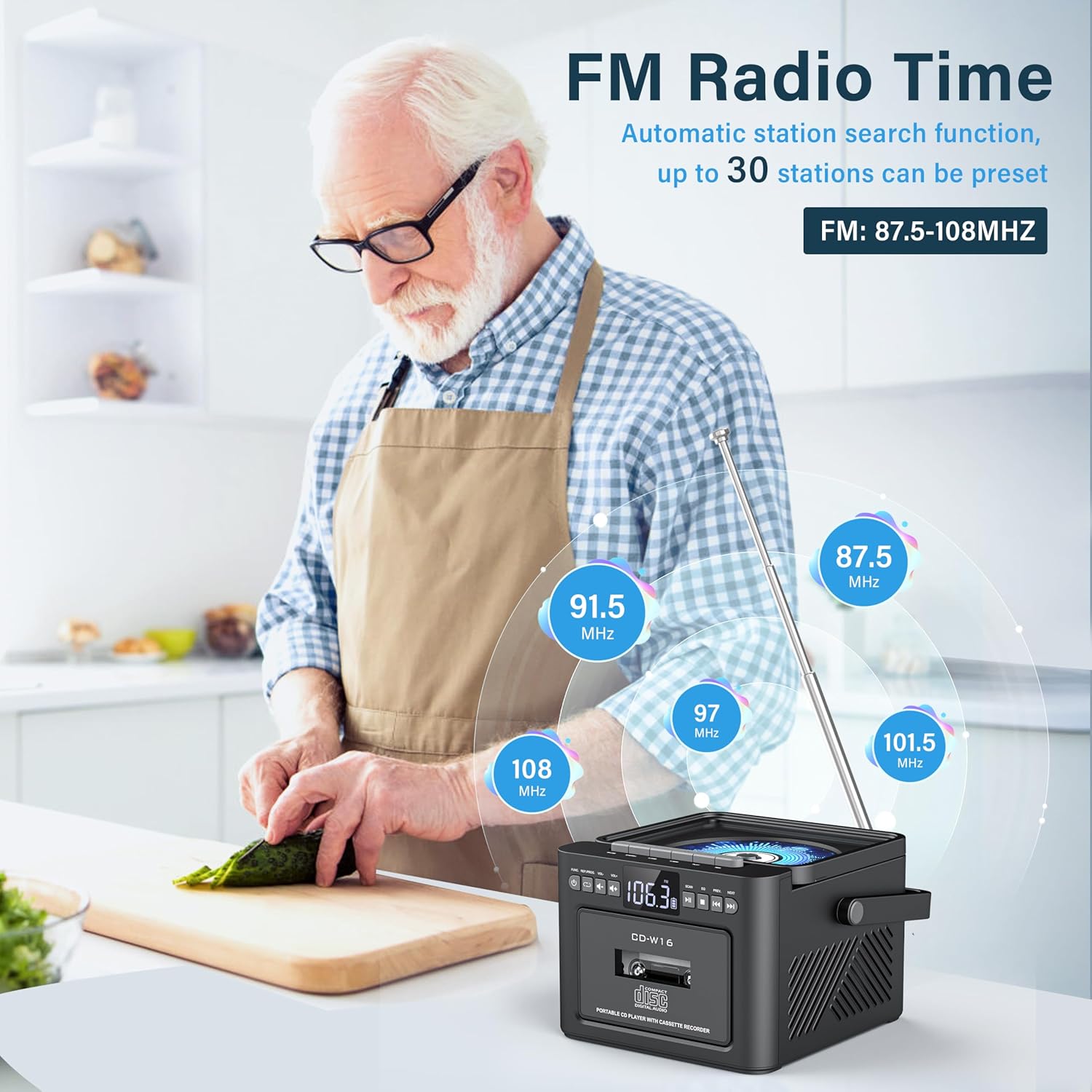
slika: A user in a kitchen setting with the Greadio GB-W18 boombox, demonstrating its FM radio capabilities and the range of frequencies it can receive.
Bluetooth (Wireless Receiver)
- Pritisnite Mode button until 'BLUE' or 'BT' appears on the display. The unit will enter pairing mode, indicated by a flashing Bluetooth icon.
- Na svom mobilnom uređaju (pametnom telefonu, tabletu itd.) omogućite Bluetooth i potražite dostupne uređaje.
- Select 'Greadio GB-W18' (or similar name) from the list to pair.
- Once paired, you can play audio from your device through the boombox.
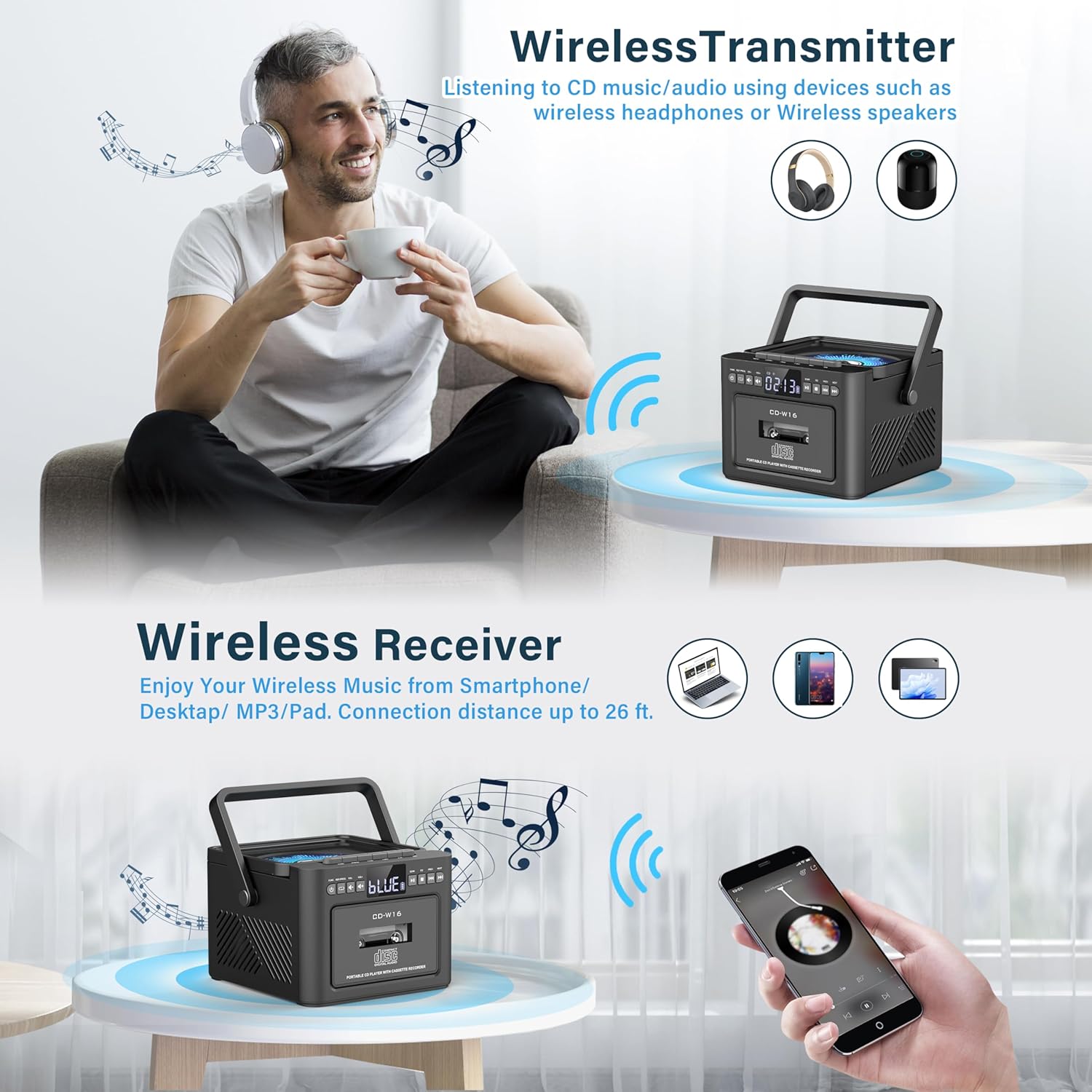
slika: The Greadio GB-W18 boombox demonstrating its wireless capabilities, functioning as both a wireless transmitter (for headphones/speakers) and a wireless receiver (for streaming from smartphones/tablets).
USB Drive & TF/SD Card Playback
- Insert a USB drive into the USB port or a TF/SD card into the TF/SD card slot.
- Pritisnite Mode button until 'USB' or 'TF' appears on the display.
- Uređaj će automatski prepoznati i reproducirati MP3 datoteke files sa uređaja za pohranu.
- Koristite Pusti/Pauza, Stani, i Preskoči/traži dugmad za kontrolu reprodukcije.
AUX ulaz
- Connect an external audio device (e.g., MP3 player, smartphone) to the AUX input jack using a 3.5mm audio cable (not included).
- Pritisnite Mode button until 'AUX' appears on the display.
- Reprodukujte zvuk sa vašeg eksternog uređaja. Zvuk će se reprodukovati putem zvučnika boomboxa.
Daljinski upravljač
The included remote control allows for convenient operation of most functions from a distance. Point the remote control directly at the front panel of the boombox. Functions include power on/off, mode selection, volume adjustment, playback controls (play, pause, stop, skip), and radio tuning.
Sleep Timer
The unit features a sleep timer function. Refer to the remote control or specific button on the unit (if available) to set a timer for automatic power-off. This feature is useful for falling asleep to music.
Održavanje
- čišćenje: Za čišćenje vanjske strane uređaja koristite meku, suhu krpu. Ne koristite abrazivna sredstva za čišćenje ili rastvarače.
- Održavanje CD sočiva: If CD playback issues occur, use a specialized CD lens cleaner disc.
- Čišćenje glave kasete: Regularly clean the cassette heads with a cotton swab lightly damptretirano izopropilnim alkoholom kako bi se osigurala optimalna kvaliteta zvuka i spriječilo oštećenje trake.
- Održavanje baterije: Za optimalan vijek trajanja baterije, izbjegavajte često potpuno pražnjenje baterije. Redovno punite uređaj, čak i ako ga ne koristite duži period.
- Skladištenje: When not in use for a long time, store the unit in a cool, dry place away from direct sunlight and extreme temperatures.
Rješavanje problema
| Problem | Mogući uzrok | Rješenje |
|---|---|---|
| Jedinica se ne uključuje. | Baterija je prazna. | Connect the unit to a power source using the Type-C USB cable and allow it to charge. |
| Nema zvuka iz zvučnika. | Volume is too low or muted. Incorrect mode selected. Headphones connected. | Povećajte jačinu zvuka. Pritisnite Mode button to select the correct source. Disconnect headphones. |
| CD preskače ili se ne reprodukuje. | CD je prljav, ogreban ili nepravilno umetnut. CD sočivo je prljavo. | Clean the CD. Reinsert the CD correctly. Use a CD lens cleaner. |
| Slab FM radio prijem. | Antena nije izvučena. Slab signal. | Potpuno ispružite FM antenu. Premjestite uređaj za bolji prijem. |
| Bluetooth uređaj se ne može upariti. | Boombox not in pairing mode. Device too far. | Ensure boombox is in Bluetooth mode and flashing. Move device closer (within 26 ft). |
| Cassette playback distorted. | Cassette heads are dirty. Tape is old or damaged. | Clean cassette heads. Try a different tape. |
Specifikacije
- Broj modela: GB-W18
- Dimenzije proizvoda: 7.56 x 7.56 x 5.16 inča
- Težina artikla: 2.99 funte
- Tehnologija povezivanja: Bluetooth 5.0
- Vrsta zvučnika: Dvostruki stereo zvučnik
- baterija: Built-in 5000mAh Rechargeable Lithium Ion Battery
- Ulazna snaga: DC 5V (tip-C)
- Podržani mediji: CD, CD-R, CD-RW, Cassette Tape, USB Drive (MP3 format, up to 32GB), TF/SD Card (MP3 format, up to 32GB), AUX Input
- FM radio frekvencija: 87.5-108 MHz
Garancija i podrška
Greadio products are designed for reliability and performance. For any questions, technical support, or warranty inquiries, please refer to the contact information provided with your purchase or visit the official Greadio webMolimo sačuvajte dokaz o kupovini za potrebe reklamacije.