
Uvod
Thank you for choosing the VGR V-332 Electric Shaver. This manual provides essential information for the safe and effective use, maintenance, and care of your new shaver. Please read it thoroughly before first use and keep it for future reference.
Sigurnosna uputstva
- Nemojte koristiti aparat za brijanje dok se puni.
- Držite uređaj dalje od vode.
- Uvijek isključite aparat za brijanje prije čišćenja.
- Exercise caution to avoid cuts from the blades.
- Always follow the instructions for proper use and care to ensure safety and optimal performance.
Setup
1. Početno punjenje
Before using your VGR V-332 shaver for the first time, ensure it is fully charged. Connect the provided USB charging cable to the shaver and a suitable USB power adapter (not included). The LED display will indicate the charging status and remaining battery percentage. A full charge takes approximately 2 hours and provides up to 150 minutes of operating time.

Image: The VGR V-332 shaver highlighting its battery capacity, charge time, and operating duration on the LED display.
2. Attaching/Detaching Shaver Head
The shaver head is detachable for easy cleaning and replacement. To detach, gently pull the head upwards. To attach, align the head with the shaver body and press down until it clicks into place.
Uputstvo za upotrebu
1. Uključivanje/isključivanje
Press the power button located on the front of the shaver to turn it on or off. The LED display will illuminate, showing the current power level and RPM.
2. Shaving Techniques (Wet & Dry)
The VGR V-332 supports both wet and dry shaving. For a dry shave, ensure your skin is clean and dry. For a wet shave, apply shaving foam or gel to your face and neck. Hold the shaver at a right angle to your skin and move it in short, circular motions against the direction of hair growth. The dual-foil system with 3 shaving elements adapts to facial contours for a close shave.
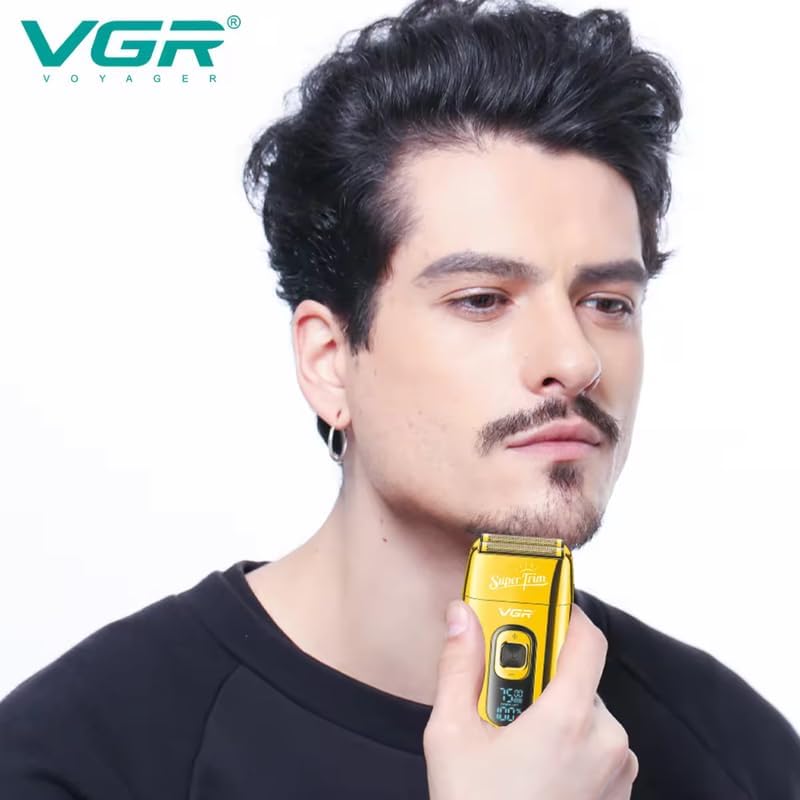
Image: A man demonstrating the use of the VGR V-332 shaver for facial hair removal.
3. Using the Pop-up Trimmer
To activate the pop-up trimmer, slide the switch located on the side of the shaver upwards. This trimmer is ideal for precise grooming of sideburns, moustaches, and detailing around the beard. After use, push the switch back down to retract the trimmer.

Slika: Detaljna view of the pop-up trimmer and its applications for various grooming needs.
4. Postavke brzine
The shaver features multiple speed settings (6500-7500 RPM) to customize your shaving experience. Use the '+' and '-' buttons on the front panel to adjust the motor speed according to your preference and hair type.

Slika: Prekoview of the VGR V-332 shaver's key features, including its adjustable speed settings.
Održavanje i čišćenje
1. Dnevno čišćenje
For optimal performance, clean your shaver after each use. Ensure the shaver is turned off and unplugged. Detach the shaver head and rinse it under running tap water. You can also use the provided cleaning brush to remove any trapped hair from the blades and foils. Allow the head to air dry completely before reattaching or storing.
2. Dubinsko čišćenje
Periodically, perform a deeper clean. After rinsing, you may use a mild soap solution to clean the shaver head. Rinse thoroughly and ensure no soap residue remains. Lubricate the blades with a drop of shaver oil (if provided) to maintain their sharpness and smooth operation.

Image: The VGR V-332 shaver displayed with its cleaning accessories, including a brush and oil.
3. Blade and Foil Replacement
For continued optimal shaving performance, it is recommended to replace the shaver head (blades and foils) every 12-18 months, depending on usage. Replacement heads can be purchased from authorized VGR retailers.
Rješavanje problema
| Problem | Mogući uzrok | Rješenje |
|---|---|---|
| Brijač se ne uključuje. | Baterija je prazna. | Punite brijač najmanje 2 sati. |
| Loše performanse brijanja. | Oštrice/mrežice su tupe ili začepljene dlakama. | Temeljno očistite glavu brijača. Razmislite o zamjeni glave brijača ako je stara. |
| Brijač čupa dlake. | Blades are dull or shaver is not fully charged. | Ensure shaver is fully charged. Replace shaver head if necessary. |
| LED displej ne radi. | Neispravnost uređaja. | Kontaktirajte korisničku podršku. |
Specifikacije
- Model: V-332
- Izvor napajanja: Napajanje baterijama (litijum-jonska)
- Kapacitet baterije: 1200 mAh
- Vrijeme punjenja: Približno 2 sata
- Vrijeme rada: Do 150 minuta
- Brzina motora: 6500-7500 obrtaja u minuti (podesivo)
- Sistem za brijanje: Dual-foil with 3 shaving elements
- Karakteristike: Wet & Dry Shave, Detachable Head, Pop-up Trimmer, Portable, LED Digital Display
- Materijal oštrice: nerđajući čelik
- Boja: Zlato
- Dimenzije proizvoda: 19.6 x 13 x 7.5 cm
- Težina artikla: 570 grama
- Uključene komponente: Electric Shaver, Beard Trimmer, Extra Replacement Shaver Head, USB Charging Cable, Protective Cover, Cleaning Brush, Travel Bag, User Manual
Informacije o garanciji
This VGR V-332 Electric Shaver comes with a standard manufacturer's warranty. Please refer to the warranty card included in your package for specific terms, conditions, and duration. Keep your purchase receipt as proof of purchase for any warranty claims.
Korisnička podrška
For any questions, technical assistance, or warranty inquiries regarding your VGR V-332 Electric Shaver, please contact VGR customer support through their official website or the contact information provided in your product packaging. You may also refer to the retailer where you purchased the product for support.