
DoHonest ZD72
DoHonest Dash Cam Front and Rear User Manual
Model: ZD72
Marka: DoHonest
1. Uvod
This manual provides detailed instructions for the installation, operation, and maintenance of your DoHonest Dash Cam Front and Rear (Model ZD72). Please read this manual thoroughly before using the product to ensure proper function and safety.
The DoHonest 4K Dual Dash Cam is designed to enhance driving safety and provide comprehensive recording capabilities. It features ultra HD 4K front recording and full HD 1080P rear recording, superior night vision, built-in GPS, 5G WiFi connectivity, and reliable accident recording features.

Image: DoHonest Dash Cam ZD72 main unit, rear camera, and smartphone app display.
2. Sadržaj paketa
Provjerite da li se u vašem paketu nalaze sve dolje navedene stavke. Ako neke stavke nedostaju ili su oštećene, obratite se korisničkoj podršci.
- 1 x 4K Front Dash Cam
- 1 x 1080P zadnja kamera u automobilu
- 1 x Nosač za usisnu čašu
- 1 x 11.5ft kabl za napajanje sa auto punjačem
- 1 x 23ft kabel za stražnju kameru
- 1 x USB Type-C kabel za napajanje
- 1 x USB Type-C podatkovni kabel
- 1 x 32GB Memory Card (Included)
- 1 x Uputstvo za upotrebu

Image: Visual representation of the DoHonest Dash Cam ZD72 package contents.
3. Postavljanje i instalacija
The DoHonest Dash Cam is designed for effortless plug-and-play installation. Follow these steps for proper setup.
3.1 Installing the Front Dash Cam
- Očistite područje vjetrobranskog stakla na koje namjeravate montirati kameru za automobil.
- Attach the suction cup mount to the front dash cam.
- Securely attach the suction cup mount to the cleaned area on your windshield, ensuring it does not obstruct your view.
- Insert the included 32GB microSD card into the dash cam's memory card slot.
- Connect the 11.5ft Power Supply Cable with Car Charger to the dash cam and plug the other end into your vehicle's cigarette lighter socket.
3.2 Instaliranje zadnje kamere
- Determine a suitable location for the rear camera, typically on the rear windshield, ensuring a clear view.
- Clean the chosen area thoroughly.
- Mount the rear camera using its adhesive or screws (if applicable and provided).
- Connect the 23ft Rear Camera Cable to the rear camera and route it neatly to the front dash cam. Plug the cable into the AV-IN port on the front dash cam.

Image: Installation diagram for the DoHonest Dash Cam, showing front and rear camera placement and cable routing.
4. Uputstvo za upotrebu
4.1 Uključivanje/isključivanje
- The dash cam will automatically power on and begin recording when connected to your vehicle's power supply and the engine starts.
- It will automatically power off when the vehicle's engine is turned off and power supply is disconnected.
4.2 Načini snimanja
- Snimanje u petlji: The dash cam continuously records video in segments (e.g., 1, 3, or 5 minutes). When the memory card is full, it automatically overwrites the oldest unlocked footage.
- G-senzor (Hitno snimanje): U slučaju iznenadnog udara ili sudara, ugrađeni G-senzor će detektovati događaj i automatski zaključati trenutni video segment, sprečavajući njegovo prepisivanje snimanjem u petlji.
- Režim parkiranja 24/7: With an optional hardwire kit (not included), the dash cam can monitor your vehicle even when parked. It uses motion detection to automatically record incidents and features low-voltage protection to prevent draining your car's battery.
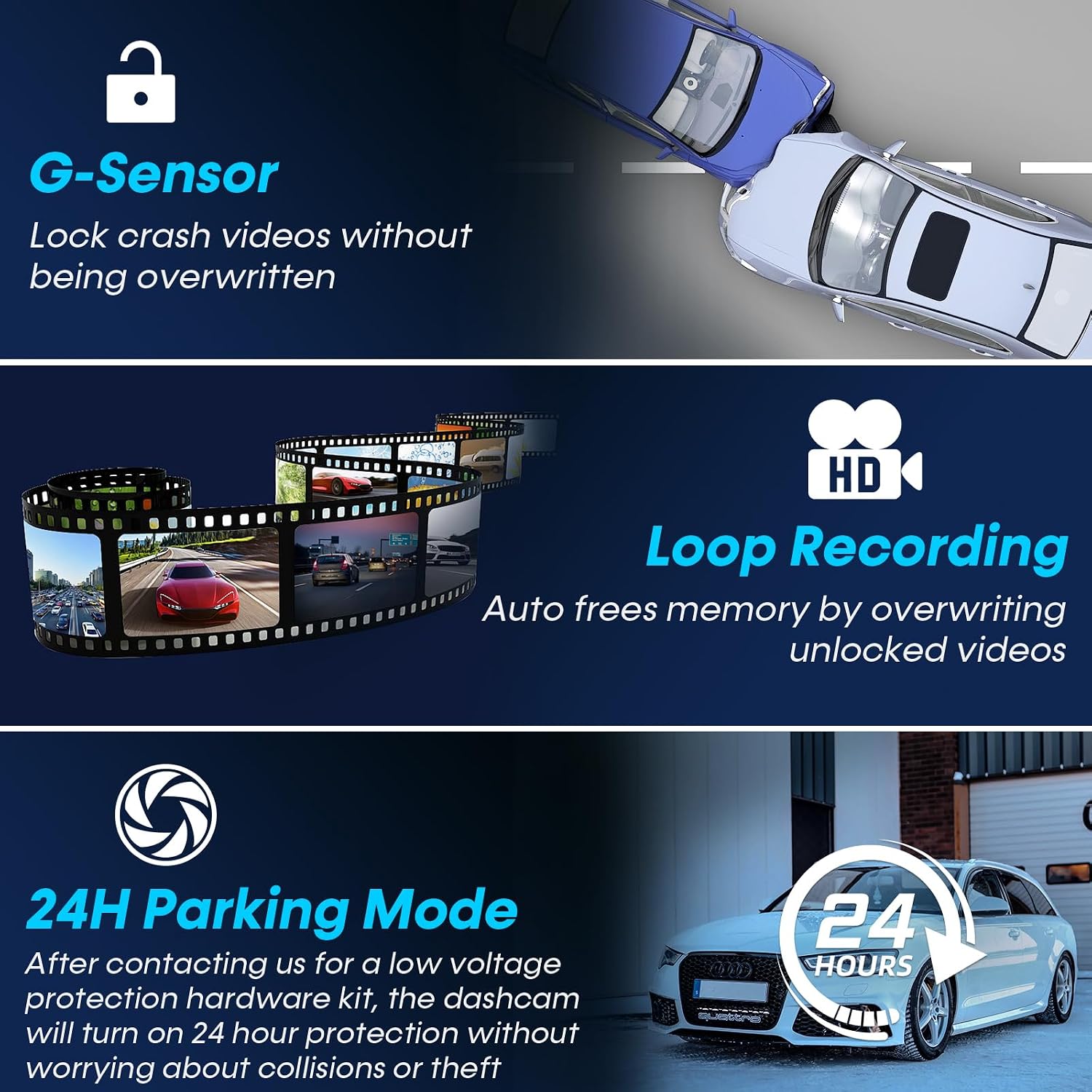
Image: Explanation of G-Sensor, Loop Recording, and 24H Parking Mode features.
4.3 GPS funkcionalnost
The built-in GPS module tracks your vehicle's location, speed, and routes. This data can be viewed via the dedicated smartphone app or on a PC/Mac, providing valuable evidence in case of an accident and allowing you to review your journey history.

Image: GPS tracking and 5G WiFi connectivity for the DoHonest Dash Cam.
4.4 5G Wi-Fi and App Control
Connect your dash cam to your smartphone via 5G Wi-Fi for instant video downloads, live viewi jednostavno dijeljenje hranetage. The dedicated app allows you to manage recordings and access GPS data directly from your device.
4.5 Noćni vid
The dash cam features superior night vision with HDR/WDR technology and an F1.5 large aperture lens, enhancing light intake by 45%. This ensures clear footage in low-light conditions and at night, improving visibility and safety.

Image: Demonstration of Super Night Vision capabilities in various lighting conditions.
5. Održavanje i njega
- čišćenje: Use a soft, dry cloth to clean the camera lenses and screen. Avoid using abrasive cleaners or solvents.
- memorijska kartica: Regularly format the microSD card (at least once a month) to ensure optimal performance and prevent data corruption. The dash cam supports up to 512GB microSD cards.
- Ažuriranja firmvera: Check the DoHonest official website periodically for any available firmware updates to ensure your dash cam has the latest features and improvements.
- temperatura: The dash cam is built with heat-resistant aluminum alloy. However, avoid prolonged exposure to extreme temperatures (both hot and cold) to maintain optimal performance and longevity.
6. Otkrivanje problema
If you encounter issues with your DoHonest Dash Cam, please refer to the following common solutions.
- Kamera za automobil se ne uključuje:
- Provjerite je li kabel za napajanje sigurno spojen i na kameru za automobil i na utičnicu vozila.
- Check if the vehicle's power outlet (cigarette lighter) is functioning correctly.
- Recording Issues (e.g., "Card Full" error):
- Format the microSD card regularly within the dash cam's settings.
- Ensure you are using a high-speed (Class 10 or U3 recommended) microSD card.
- Provjerite je li snimanje u petlji omogućeno u postavkama.
- Loš kvalitet videa:
- Očistite sočiva kamere mekom krpom.
- Provjerite da li je zaštitna folija uklonjena sa sočiva.
- Provjerite postavke rezolucije videa u meniju kamere u automobilu.
- GPS ne prati:
- Osigurajte da kamera za automobil ima jasan view neba za satelitski prijem.
- Verify GPS functionality is enabled in the settings.
- Problemi sa Wi-Fi vezom:
- Provjerite je li Wi-Fi na kameri za automobil omogućen.
- Ponovo pokrenite i kameru za automobil i pametni telefon.
- Za stabilnu vezu, provjerite da li ste u neposrednoj blizini kamere za automobil.
If the problem persists, please contact DoHonest customer support for further assistance.
7. Specifikacije
| Brand | DoHonest |
| Model | ZD72 |
| Rezolucija video snimanja | Front: 4K (2160P), Rear: 1080P |
| Front Viewing Angle | 170 stepeni |
| Pozadi Viewing Angle | 150 stepeni |
| Veličina ekrana | LCD od 3.16 inča |
| Tehnologija povezivanja | Wi-Fi (5G), GPS |
| Vrsta Flash memorije | microSD |
| Veličina uključene memorijske kartice | 32 GB |
| Max Supported Storage | 512 GB |
| Posebne karakteristike | 4K Front and rear dual cam, Time-lapse, WDR, Loop Recording, G-sensor, Parking Monitor, Built-In GPS/ Wi-Fi/Microphone/Speaker, Super Night Vision, Motion Sensor, Easy to Install, App Control, 360 Degree, Screen Saver, Live Speed, Voice Alert, Built-In Super Capacitor, Support 512GB SD Card Max, APP for iOS & Android, 2 Year Reliable Warranty |
| Vrsta montaže | Nosač vjetrobranskog stakla |
| Dimenzije proizvoda | 5.08 x 7.6 x 4.5 cm; 540 g |

Image: Key specifications and design features of the DoHonest Dash Cam ZD72.
8. Garancija i podrška
The DoHonest Dash Cam ZD72 comes with a 2 Year Reliable Warranty. This warranty covers manufacturing defects and ensures the product meets its specified performance standards.
For technical support, warranty claims, or any questions regarding your product, please contact DoHonest customer service. Refer to the contact information provided in the product packaging or on the official DoHonest website.