
1. Proizvod je gotovview
This manual provides essential instructions for the safe and efficient use of your HUAWEI MatePad SE 11" Tablet. Please read this manual thoroughly before using the device and retain it for future reference.

Slika: Stražnja strana view of the HUAWEI MatePad SE 11" tablet, highlighting its lightweight (475g) and slim (6.9mm) design. The tablet features a premium metal unibody construction.
The HUAWEI MatePad SE 11" is designed for an immersive visual and audio experience, featuring an 11-inch FullView Eye Comfort screen and a powerful quad-speaker system. Its lightweight and slim design make it highly portable.
2. Početno podešavanje
2.1. Raspakivanje i sadržaj paketa
Carefully unpack your HUAWEI MatePad SE 11" tablet. Ensure all items listed below are present:
- HUAWEI MatePad SE 11" Tablet (6GB+128GB)
- Punjač
- Type-C kabel
- Vodič za brzi početak
- Garantni list
2.2. Punjenje tableta
Before first use, fully charge the tablet. Connect the Type-C cable to the tablet's USB-C port and the charger, then plug the charger into a power outlet. The tablet supports 22.5W fast charging.
2.3. Uključivanje / isključivanje napajanja
- Za uključivanje: Press and hold the Power button until the HUAWEI logo appears.
- Za isključivanje: Pritisnite i držite dugme za napajanje, a zatim odaberite "Isključivanje" iz ponuđenih opcija.
- Za ponovno pokretanje: Pritisnite i držite dugme za napajanje, a zatim odaberite "Ponovno pokretanje" iz ponuđenih opcija.
2.4. Početna konfiguracija
Slijedite upute na ekranu da biste dovršili početno podešavanje, uključujući:
- Izbor jezika
- Wi-Fi mrežna veza
- HUAWEI ID login (or create a new one)
- Security settings (PIN, password, pattern, or facial recognition)
3. Upravljanje tabletom
3.1. Karakteristike ekrana

Image: The HUAWEI MatePad SE 11" screen, showcasing its 11-inch FHD+ Eye Comfort display. Key features include an 85% screen-to-body ratio, 1920x1200 resolution, and 400 Nits brightness for a clear visual experience.
The 11-inch FHD+ Eye Comfort display provides an immersive visual experience. It features:
- rezolucija: 1920 x 1200 piksela
- Udobnost za oči: TÜV Rheinland certified for low blue light and flicker-free viewing, reducing eye strain during prolonged use.
- Svjetlina: 400 Nits, with 4096-level brightness adjustment.
- E-Book Mode: A dedicated mode for a paper-like reading experience.
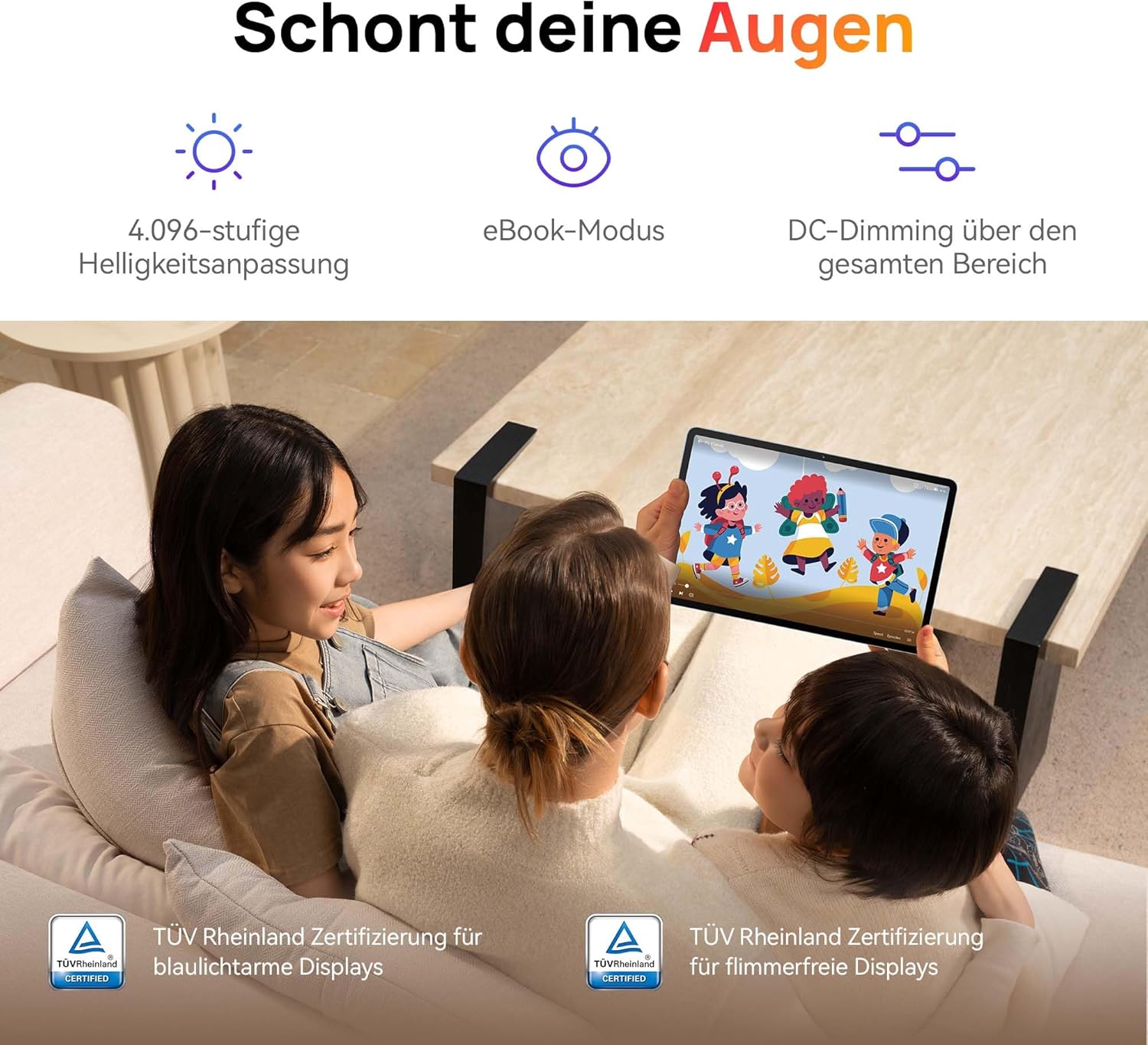
Image: Children using the tablet, illustrating the eye protection features. The display is TÜV Rheinland certified for low blue light and flicker-free operation, ensuring a comfortable viewing iskustvo.
3.2. Audio sistem

Image: A user enjoying music on the tablet, demonstrating the immersive quad-speaker system. This system is optimized by HUAWEI Histen 9.0 technology for high-quality audio.
The tablet features a symmetrical quad-speaker system optimized by HUAWEI Histen 9.0 technology, providing cinematic sound quality for various applications.
3.3. Dječiji kutak

Image: The Kids Corner interface on the tablet, designed as a safe and engaging environment for children. Features include posture warnings, a blue light filter, and an eBook mode, along with content from BabyBus.
Kids Corner provides a safe and dedicated environment for children to learn and play. Parents can manage:
- Time limits for usage.
- Allowed applications and content.
- Features like posture warnings and blue light filters to promote healthy digital habits.
It also includes content from BabyBus, offering games, stories, and nursery rhymes.
3.4. M-Pen Lite (Optional Accessory)

Image: The HUAWEI M-Pen Lite stylus, an optional accessory that enhances interaction with the tablet for drawing, writing, and note-taking. It is supported by the HUAWEI MatePad SE 11" Stylus Set.
If you have the HUAWEI M-Pen Lite, it can be used for enhanced interaction, drawing, and note-taking. Ensure your tablet supports the M-Pen Lite stylus set.
The tablet also supports applications like GoPaint for professional and easy-to-use digital art, and HUAWEI Note for organized note-taking.

Image: GoPaint application on the tablet, illustrating its interface for digital art creation.

Image: HUAWEI Note application on the tablet, showing its capabilities for detailed note-taking.
3.5. Povezivanje
- Wi-Fi: Connect to available Wi-Fi networks for internet access. Supports 802.11ac.
- Bluetooth: Pair with Bluetooth devices such as headphones, speakers, or keyboards.
- USB-C priključak: Used for charging, data transfer, and connecting compatible accessories.
3.6. Multi-Window and Multi-Device Collaboration
The tablet supports multi-window functionality for enhanced multitasking and multi-device screen sharing for seamless integration with other HUAWEI devices.
4. Održavanje i njega
- čišćenje: Za čišćenje ekrana i kućišta koristite meku krpu koja ne ostavlja dlačice. Izbjegavajte abrazivne materijale ili jake hemikalije.
- Održavanje baterije: Da biste produžili vijek trajanja baterije, izbjegavajte ekstremne temperature. Ne dozvolite da se baterija često potpuno prazni.
- Ažuriranja softvera: Redovno provjeravajte i instalirajte ažuriranja softvera kako biste osigurali optimalne performanse i sigurnost.
- Skladištenje: Keep the tablet in a cool, dry place away from direct sunlight and moisture.
5. Otkrivanje problema
| Problem | Moguće rješenje |
|---|---|
| Tablet se ne uključuje. | Provjerite je li baterija napunjena. Spojite punjač i pričekajte nekoliko minuta prije nego što ponovo pokušate uključiti uređaj. |
| Ekran ne reagira. | Restart the tablet by holding the Power button for approximately 10 seconds. If unresponsive, ensure the screen is clean and dry. |
| Problemi s Wi-Fi vezom. | Check if Wi-Fi is enabled. Restart your router and the tablet. Ensure you are within range of the Wi-Fi signal. |
| Apps are not downloading from Play Store. | The HUAWEI MatePad SE 11" runs on HarmonyOS and uses HUAWEI AppGallery. Google Play Store services are not natively supported. Use Petal Search to find and install apps or access web versions of services. |
| Spore performanse. | Zatvorite nepotrebne pozadinske aplikacije. Obrišite keš memoriju i privremene files. Ensure sufficient storage space is available. Restart the tablet. |
6. Tehničke specifikacije
| Feature | Detalj |
|---|---|
| Naziv modela | MatePad SE 11" |
| Broj modela | 53014FHK |
| Dimenzije (D x Š x V) | 26.23 x 16.38 x 0.69 cm |
| Težina | 475 grama |
| Veličina ekrana | 11 inča |
| Display Type | LCD |
| Rezolucija ekrana | 1920 x 1200 piksela (FHD+) |
| Aspect Ratio | 16:9 |
| Operativni sistem | HarmonyOS |
| Procesor | Huawei Processor (Agassi6-W09C) |
| RAM | 6 GB |
| Kapacitet pohrane | 128 GB |
| Vrsta baterije | Litijum-polimer |
| Kapacitet baterije | 7700 mAh |
| Punjenje | 22.5W Fast Charging (via USB Type-C) |
| Rezolucija zadnje kamere | 8 megapiksela |
| Zvučnici | 4 speakers with HUAWEI Histen 9.0 |
| Bežična tehnologija | Wi-Fi (802.11ac), Bluetooth |
| USB portovi | 1 (USB tip-C) |
| Posebne karakteristike | 11-inch Eye Comfort Screen, Kids Corner, Multi-window, Multi-device screen sharing |
| Uključeno u kutiju | Tablet, Charger, Type-C Cable, Quick Start Guide, Warranty Card |
7. Garancija i podrška
7.1. Informacije o garanciji
Your HUAWEI MatePad SE 11" Tablet comes with a manufacturer's warranty. Please refer to the included Warranty Card for specific terms and conditions. Spare parts availability is guaranteed for 24 months.
7.2. Korisnička podrška
For technical assistance, troubleshooting beyond this manual, or warranty claims, please contact HUAWEI customer support. Visit the official HUAWEI webstranica za kontakt informacije i resurse podrške.
Online resursi: HUAWEI Support Website