
Uvod
Thank you for choosing the RunStar FI2019G Smart Body Composition Scale. This advanced digital scale is designed to provide a comprehensive overview of your body's health, tracking up to 22 key body metrics. By connecting to the Starfit App, you can monitor your progress, set goals, and integrate your data with popular health platforms. This manual will guide you through the setup, operation, and maintenance of your new smart scale.
Sigurnosne informacije
- Za tačna mjerenja, vagu uvijek postavite na tvrdu, ravnu površinu. Izbjegavajte tepihe ili neravne podove.
- Step onto the scale with bare, dry feet to ensure proper contact with the ITO-coated surface for body composition analysis.
- Do not step on the scale with wet feet or when the scale surface is wet to prevent slipping.
- The scale is not a medical device. Measurement data is for reference only and should not be used as a substitute for professional medical advice.
- Keep the scale away from water and extreme temperatures. Do not immerse it in water.
- Ne skačite na vagu niti je izlažite naglim udarcima.
Sadržaj paketa
- RunStar FI2019G Smart Body Composition Scale
- 4 x AAA baterije
- Uputstvo za upotrebu
Setup
- Instalirajte baterije: Open the battery compartment on the back of the scale. Insert the 4 AAA batteries, ensuring correct polarity. Remove any protective pull tabs if present.
- Download the Starfit App: Scan the QR code provided on the product packaging or in the manual, or search for 'Starfit' in your smartphone's app store (App Store for iOS, Google Play for Android).
- Kreirajte korisnika Profile: Open the Starfit App and complete the registration process. Enter your personal information such as gender, nickname, birthday, height, and target weight. You can also enable 'Athlete Mode' if applicable.
- Uparivanje sa pametnim telefonom: Ensure Bluetooth is enabled on your smartphone. In the Starfit App, navigate to 'Account' > 'My Devices' > '+' > 'Bluetooth' to search for smart devices. Select 'Runstar-RX' to connect. A connected logo will appear on the scale's screen once paired.
- Početna kalibracija: Place the scale on a hard, flat surface. Lightly step on the scale with one foot until '0.00' appears on the display, then step off. The scale is now calibrated and ready for use.

Figure 1: RunStar FI2019G Smart Body Composition Scale. This image shows the sleek design of the scale with its digital display and blue accent.
Video 1: A Closer Look at the Runstar TFT Smart Body Scale. This video provides a visual guide to the scale's features and initial setup process.
Uputstvo za upotrebu
- Mjerenje: Step onto the scale with bare, dry feet. Stand still and ensure your feet are evenly placed on the ITO-coated surface. The scale will automatically turn on and begin measuring.
- Prikaz na ekranu: The 3.5" TFT color display will show 7 key body metrics dynamically: Weight, BMI, Muscle Mass, Heart Rate, Body Fat, Bone Mass, and trend curves.
- App Data Sync: The scale supports offline measurement. Once you open the Starfit App, the data from your measurement will automatically sync to your smartphone. You can then click "CLAIM" in the app to confirm your data.
- Detaljna analiza tijela: The Starfit App provides 22 key body metrics, including Weight, BMI, Muscle Mass, Body Fat, Visceral Fat, Protein, BMR, and more. You can view detailed reports and track your progress over weekly, monthly, and yearly periods.
- Multiple User Profiles: The scale supports up to 24 individual user profiles, making it suitable for family use. Each user's data is tracked separately within the app.
- Integracija aplikacije Health: The Starfit App can effortlessly connect with Apple Health, Health Connect, and Fitbit to centralize your health data.
- Napredak dijeljenja: Share your body analysis reports and fitness progress with friends and family via social media platforms like TikTok, Instagram, or Facebook directly from the Starfit App.
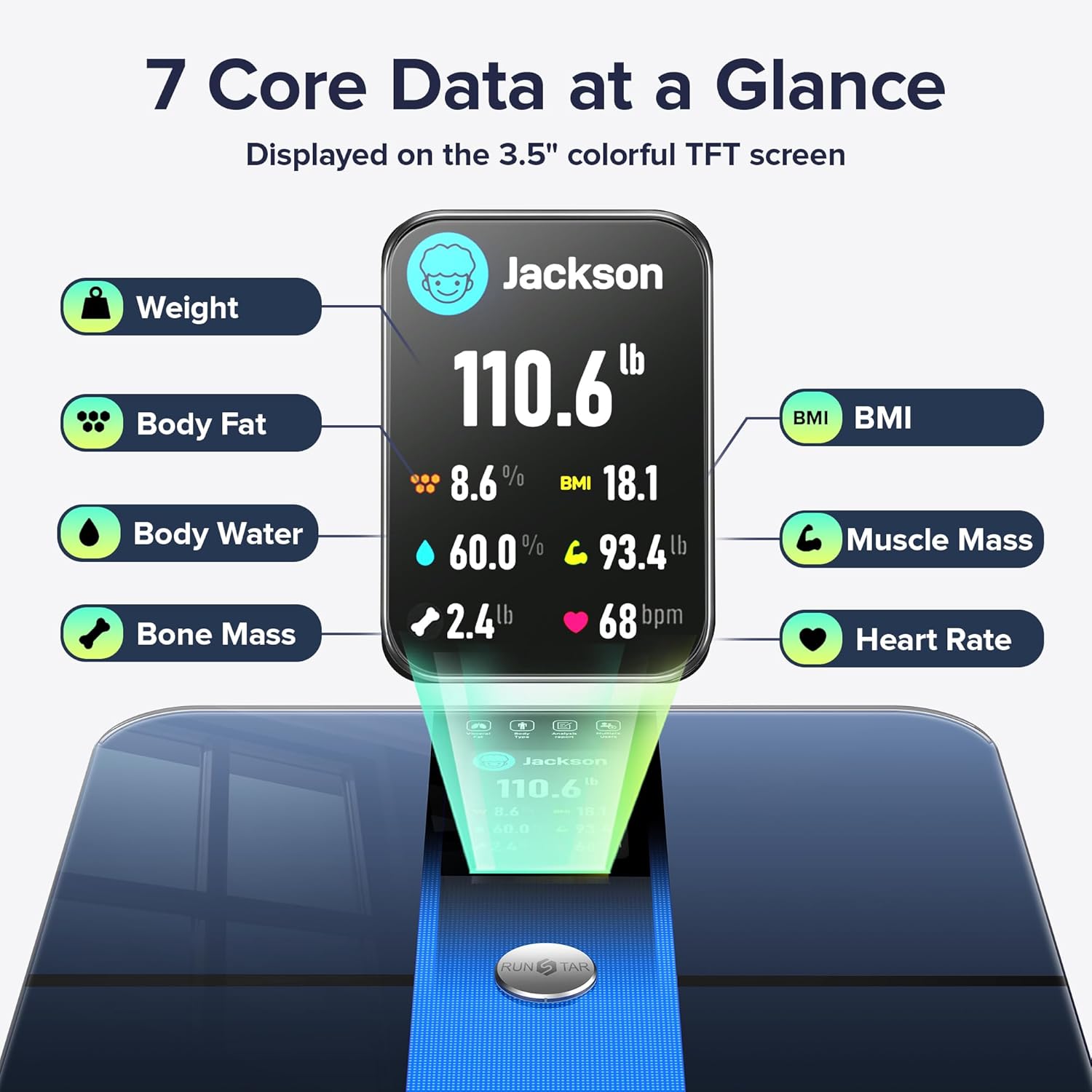
Figure 2: Seven Core Data Points at a Glance. This image highlights the seven key metrics displayed directly on the scale's TFT screen after a measurement.
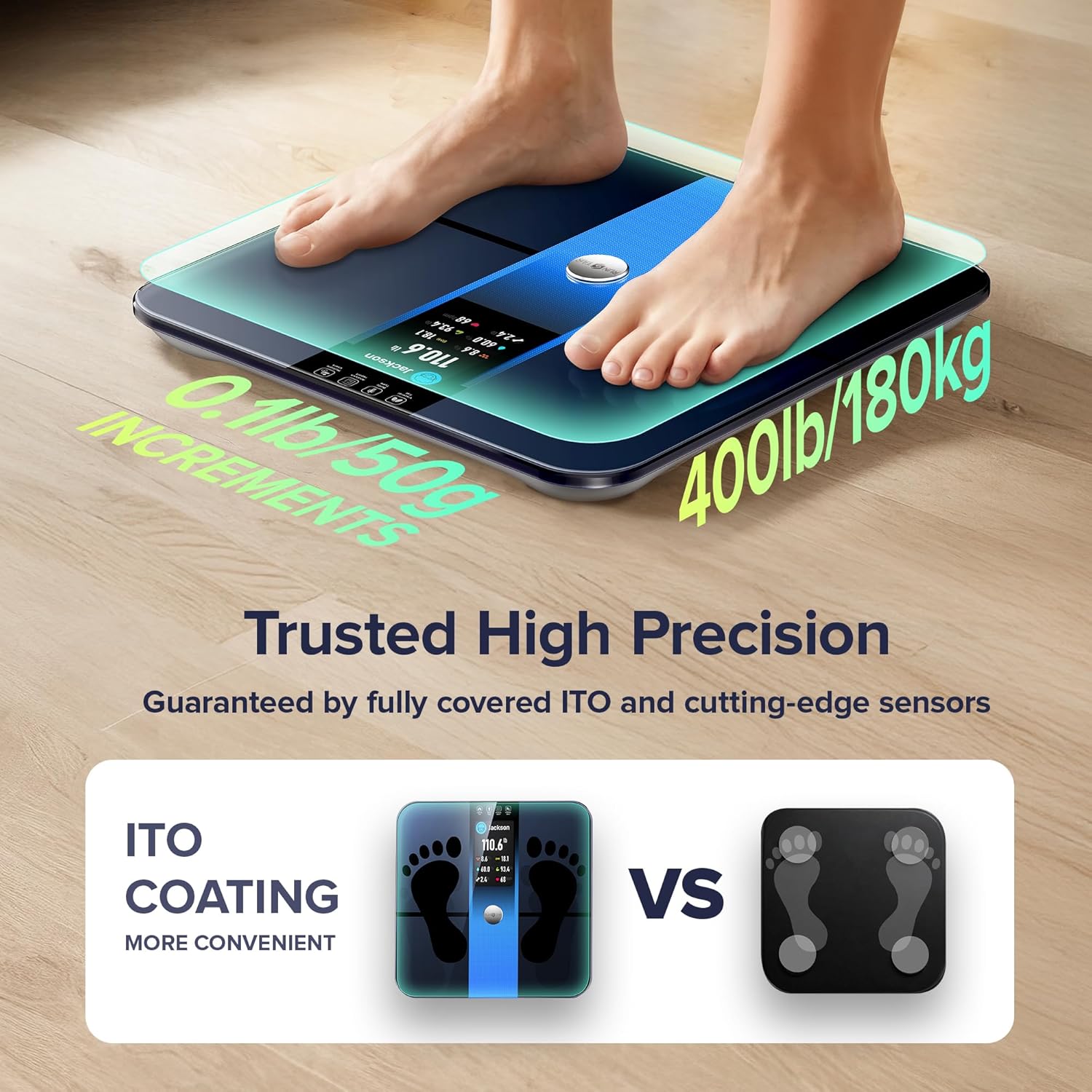
Figure 3: Trusted High Precision Measurement. This image shows feet properly placed on the scale's ITO-coated surface for accurate readings.
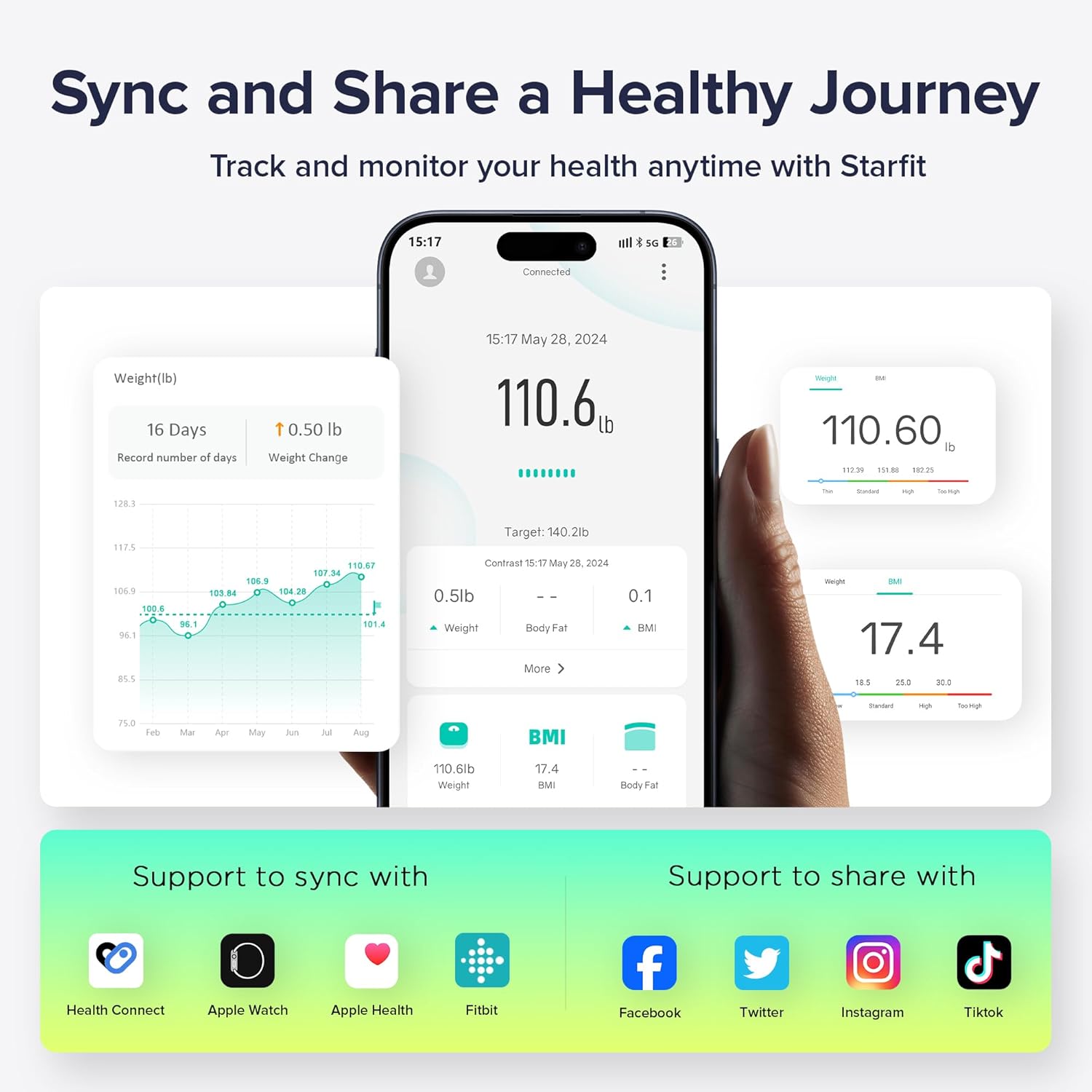
Figure 4: Sync and Share a Healthy Journey. This image illustrates the Starfit App interface, showing data tracking and integration with other health platforms.
Održavanje
- čišćenje: Koristi oglasamp cloth to clean the surface of the scale. Do not use abrasive cleaners or immerse the scale in water.
- Zamjena baterije: When the low battery indicator appears on the display, replace the 4 AAA batteries.
- Rekalibracija: If the scale has been moved or flipped upside down, it may need to be recalibrated. To recalibrate, lightly step on the scale with one foot until '0.00' appears, then step off.
Rješavanje problema
- Vaga se ne uključuje: Provjerite jesu li baterije pravilno instalirane i dovoljno napunjene. Zamijenite ih ako je potrebno.
- Nije moguće povezivanje s aplikacijom: Ensure Bluetooth is enabled on your smartphone. Verify that the Starfit App is the latest version. Check the app's device management section to ensure the scale is paired.
- No Body Fat/Composition Data: Ensure you are stepping on the scale with bare, dry feet. The soles of your feet must make proper contact with the ITO-coated surface. Ensure your personal data is correctly entered in the app.
- Poruke o grešci:
- 'Err': Indicates an overload. The maximum capacity is 400lb/180kg.
- 'C': Indicates calibration is needed. Perform recalibration as described in the Maintenance section.
Specifikacije
| Broj modela | FI2019G |
| Brand | RunStar |
| Maksimalni kapacitet | 400 lb / 180 kg |
| Display Type | 3.5" TFT ekran u boji |
| Izvor napajanja | 4 x AAA baterije (uključene) |
| Body Metrics Tracked | 22 (including Weight, BMI, Muscle Mass, Body Fat, Heart Rate, Bone Mass, Visceral Fat, Protein, BMR) |
| User Profiles | Do 24 |
| Povezivanje | Bluetooth (Starfit App) |
| Dimenzije | 13.35 x 12.83 x 1.93 inča |
| Težina | 3.6 funti |
Garancija i podrška
For warranty information or technical support, please refer to the product packaging or contact RunStar customer service directly. Keep your purchase receipt as proof of purchase.