
Uvod
Hvala na kupoviniasing the Sona SBLF 8022 DC Bladeless Fan. This manual provides important information regarding the safe operation, installation, maintenance, and troubleshooting of your new fan. Please read this manual thoroughly before use and retain it for future reference.
Sigurnosne informacije
Da biste smanjili rizik od požara, strujnog udara ili povrede, uvijek slijedite ove osnovne sigurnosne mjere:
- Osigurajte napajanje voltage odgovara naljepnici s nazivnim vrijednostima na ventilatoru.
- Nemojte koristiti ventilator sa oštećenim kablom ili utikačem.
- Keep the fan away from water and moisture. Do not immerse in water.
- Ne stavljajte prste ili strane predmete u bilo kakve otvore.
- Isključite ventilator iz struje prije čišćenja ili bilo kakvog održavanja.
- Ovaj uređaj nije namijenjen za upotrebu od strane osoba (uključujući djecu) sa smanjenim fizičkim, senzornim ili mentalnim sposobnostima, ili nedostatkom iskustva i znanja, osim ako im je dat nadzor ili upute o korištenju uređaja od strane osobe odgovorne za njihovu sigurnost .
- Djeca trebaju biti pod nadzorom kako bi se osiguralo da se ne igraju s uređajem.
Sadržaj paketa
Provjerite da li su sve stavke prisutne u paketu:
- Sona SBLF 8022 DC Bladeless Fan Unit
- Daljinski upravljač
- Uputstvo za upotrebu (ovaj dokument)
Setup
Raspakivanje
Pažljivo izvadite ventilator iz ambalaže. Sačuvajte ambalažu za buduće skladištenje ili transport.
Plasman
Place the fan on a firm, level surface. Ensure there is adequate space around the fan for proper airflow and oscillation. Avoid placing it near curtains or other objects that could obstruct the air intake or outlet.

Slika: Front view of the Sona SBLF 8022 DC Bladeless Fan, showing its sleek tower design and the control panel at the base.
Power Connection
Plug the power cord into a standard electrical outlet. Ensure the cord is not pinched or placed under heavy objects.
Instalacija baterije na daljinskom upravljaču
Open the battery compartment on the back of the remote control. Insert the required batteries (type usually specified on the remote or in a quick start guide, assuming AAA or similar) ensuring correct polarity. Close the compartment securely.
Uputstvo za upotrebu
The SBLF 8022 fan can be operated using the control panel on the unit or the provided remote control.
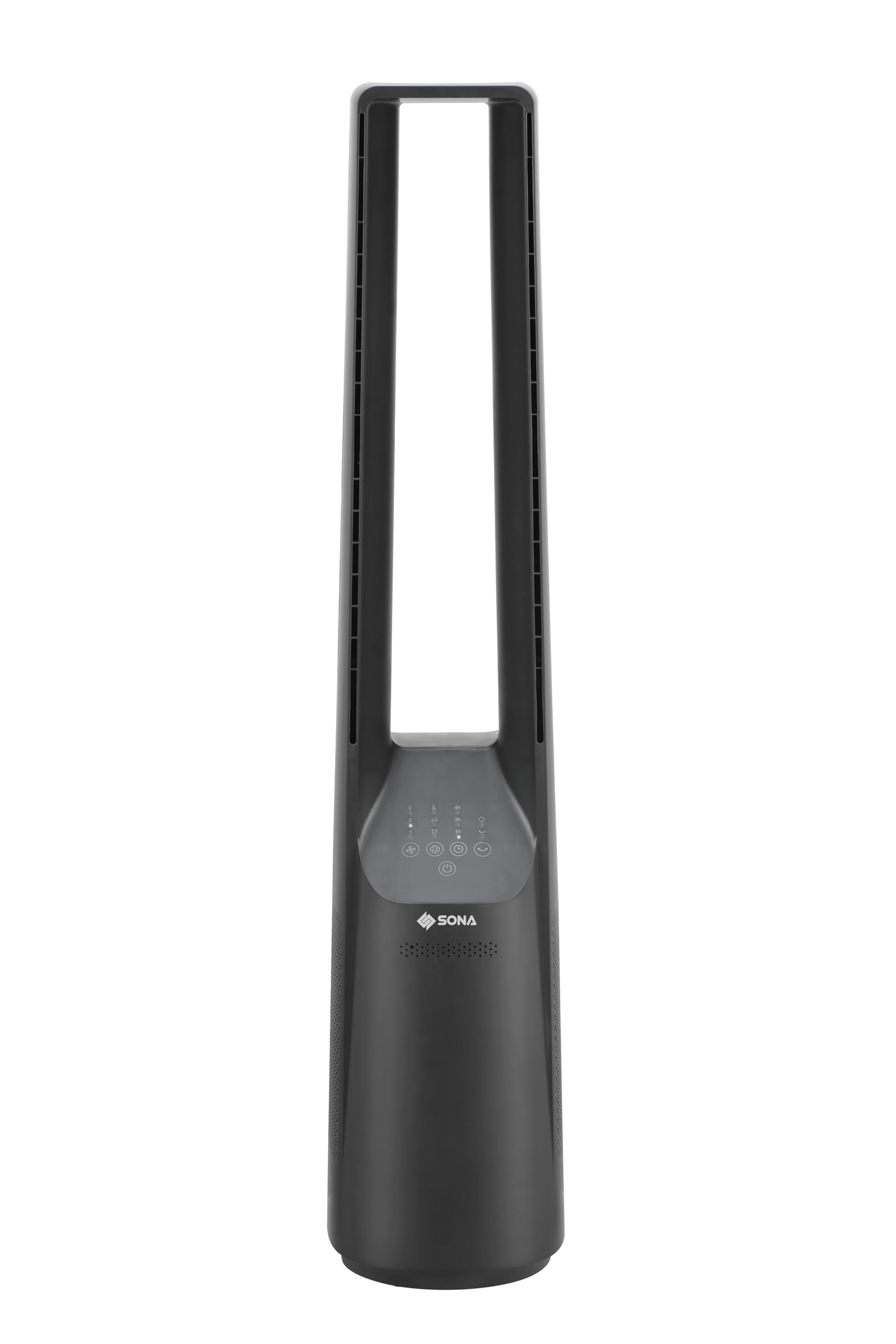
Image: Close-up of the control panel on the Sona SBLF 8022 fan, showing touch-sensitive buttons for power, speed, mode, oscillation, and timer.
Uključivanje/isključivanje
Pritisnite Dugme za napajanje (symbol: circle with a vertical line) na kontrolnoj ploči ili daljinskom upravljaču da biste uključili ili isključili ventilator.
Odabir brzine
Pritisnite Dugme za brzinu (simbol: lopatice ventilatora) repeatedly to cycle through the 6 available speed settings. The current speed level will be indicated on the display.
Odabir načina rada vjetra
Pritisnite Dugme za način rada (symbol: wavy lines or specific mode icon) to select from the 3 wind modes: Normal, Natural, and Sleep. The fan also features a Turbo ventilation mode for stronger airflow.
Oscilirajuća funkcija
Pritisnite Dugme za oscilaciju (symbol: two arrows forming an arc) to activate or deactivate the left-right oscillation function, distributing air across a wider area.
Funkcija tajmera
Pritisnite Dugme tajmera (simbol: sat) repeatedly to set the desired operating time, up to 7 hours. The fan will automatically turn off after the set time. A pre-set timer function is also available.
Funkcija pametne memorije
The fan is equipped with a smart memory function that recalls the last used settings (speed, mode, oscillation) when turned back on.
Eco-Saving Auto-Off Function
This function helps conserve energy by automatically turning off the fan under certain conditions (e.g., after a long period of inactivity or if a specific eco-mode is engaged). Refer to the display for indicators related to this function.
Održavanje
Redovno čišćenje i pravilno održavanje osigurat će dugotrajnost i optimalne performanse vašeg ventilatora.
Čišćenje eksterijera
Before cleaning, always unplug the fan from the power outlet. Wipe the exterior surfaces with a soft, damp cloth. Do not use abrasive cleaners, waxes, or solvents as they may damage the finish. Ensure no water enters the internal components.
Cleaning Air Intake/Outlet
Use a soft brush or a vacuum cleaner with a brush attachment to gently remove dust and debris from the air intake vents (located at the base) and the air outlet slot. Do not attempt to disassemble the fan for cleaning.
Skladištenje
If the fan will not be used for an extended period, unplug it and store it in a cool, dry place, preferably in its original packaging, away from direct sunlight and moisture.
Rješavanje problema
| Problem | Mogući uzrok | Rješenje |
|---|---|---|
| Ventilator se ne uključuje. | Nema napajanja. Baterije daljinskog upravljača su istrošene. | Provjerite je li kabel za napajanje sigurno uključen u ispravnu utičnicu. Zamijenite baterije daljinskog upravljača. |
| Slab protok vazduha. | Ulaz/izlaz zraka blokiran. Brzina ventilatora je postavljena prenisko. | Clean air intake vents and outlet. Povećajte brzinu ventilatora. |
| Ventilator se neočekivano zaustavlja. | Funkcija tajmera aktivirana. Eco-saving auto-off engaged. | Provjerite postavke tajmera. Refer to operating instructions for eco-saving function details. |
| Daljinski upravljač ne radi. | Baterije su prazne ili nepravilno umetnute. Prepreka između daljinskog upravljača i ventilatora. | Zamijenite baterije, pazeći na ispravan polaritet. Osigurajte jasnu liniju vidljivosti prema prijemniku ventilatora. |
Specifikacije
| Broj modela | SBLF 8022 |
| Brand | Sona |
| Tip | DC Bladeless Fan (Tower Fan) |
| Boja | Crna |
| Izvor napajanja | Corded Electric |
| Wattage | 45 vati |
| Broj nivoa brzine | 6 |
| Načini vjetra | 3 (plus Turbo ventilation) |
| Funkcija tajmera | Up to 7 hours (with pre-set timer) |
| Oscilacija | Lijevo-desno |
| Posebne karakteristike | Bladeless, Smart Memory, Eco-saving Auto-off, Remote Control |
| Dimenzije (D x Š x V) | 20.5D x 26W x 101H centimetara |
| Kontrolni metod | Remote, On-unit controls |
Garancija i podrška
For warranty information and customer support, please refer to the warranty card included with your purchase or visit the official Sona webSačuvajte dokaz o kupovini za eventualne reklamacije.
If you encounter any issues not covered in the troubleshooting section, please contact Sona customer service for assistance.