
1. Uvod
The Mesqool CR1009Ultra 12000 Emergency Radio is a versatile device designed to provide essential communication and power in various situations, including emergencies, outdoor activities, and daily use. It features multiple power sources, comprehensive radio bands, and integrated lighting functions to ensure you stay informed and connected.
2. Proizvod je gotovview
This emergency radio combines a NOAA weather alert radio with AM/FM/SW bands, a powerful flashlight, a reading lamp, and a phone charger. Its robust design and multiple power options make it a reliable companion.
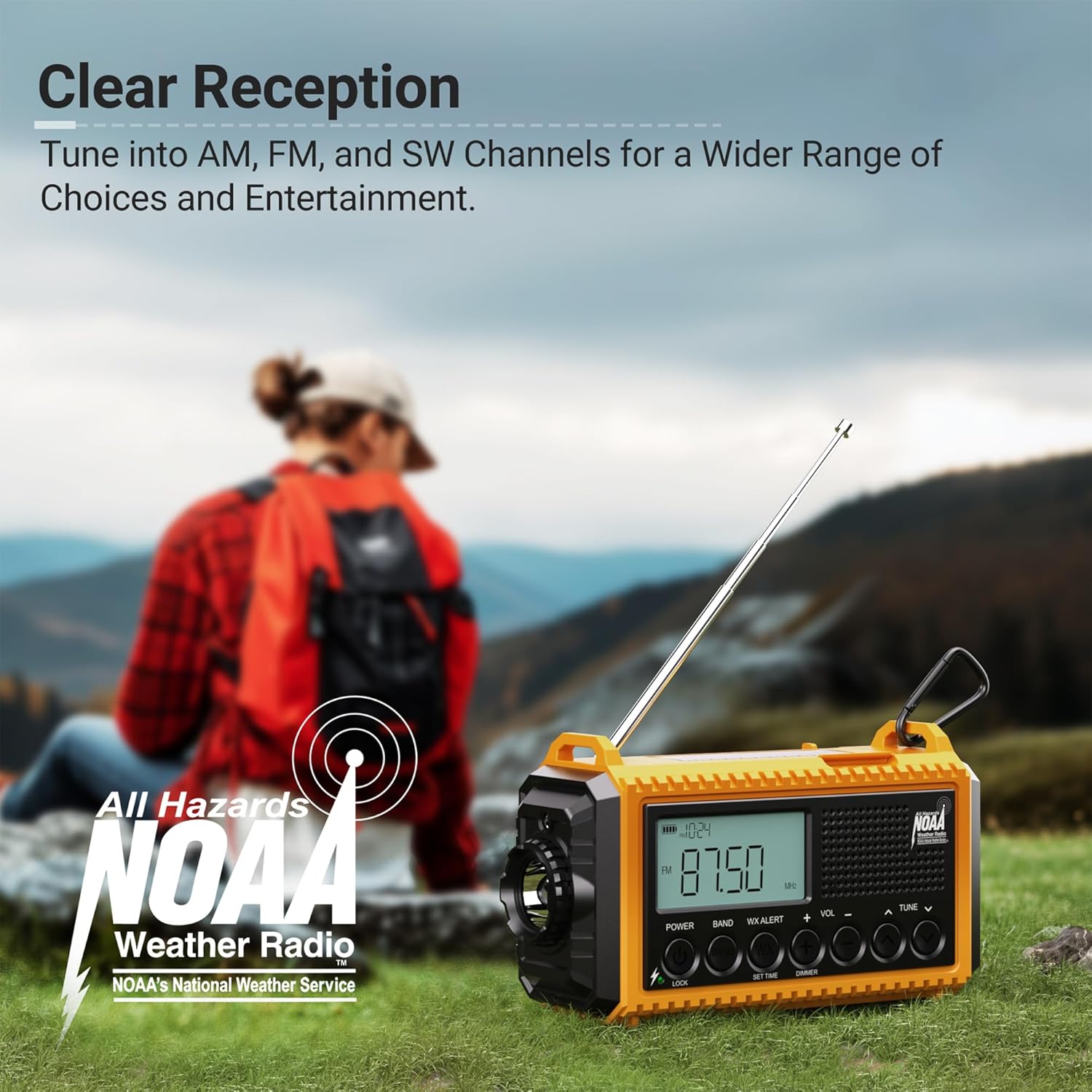
Slika 2.1: Prednja strana view of the Mesqool CR1009Ultra Emergency Radio.
3. Šta se nalazi u kutiji
- Mesqool CR1009Ultra Emergency Radio
- Charging Cable (USB-A to Type-C)
- Adapter za napajanje
- Hand Strap with Clip and Compass
- Priručnik za upotrebu
4. Podešavanje
- Početna naplata: Before first use, fully charge the internal 12000mAh Li-ion battery using the provided Type-C charging cable and power adapter.
- Install AAA Batteries (Optional): For additional backup power, open the battery compartment on the back and insert 3 AAA batteries (not included), ensuring correct polarity.
- Pričvrstite remen za ruku: Secure the hand strap to the designated loops on the radio for easy carrying. The strap includes a small compass for navigation.
5. Napajanje uređaja
The Mesqool CR1009Ultra offers five distinct ways to power the device, ensuring continuous operation even in prolonged outages.
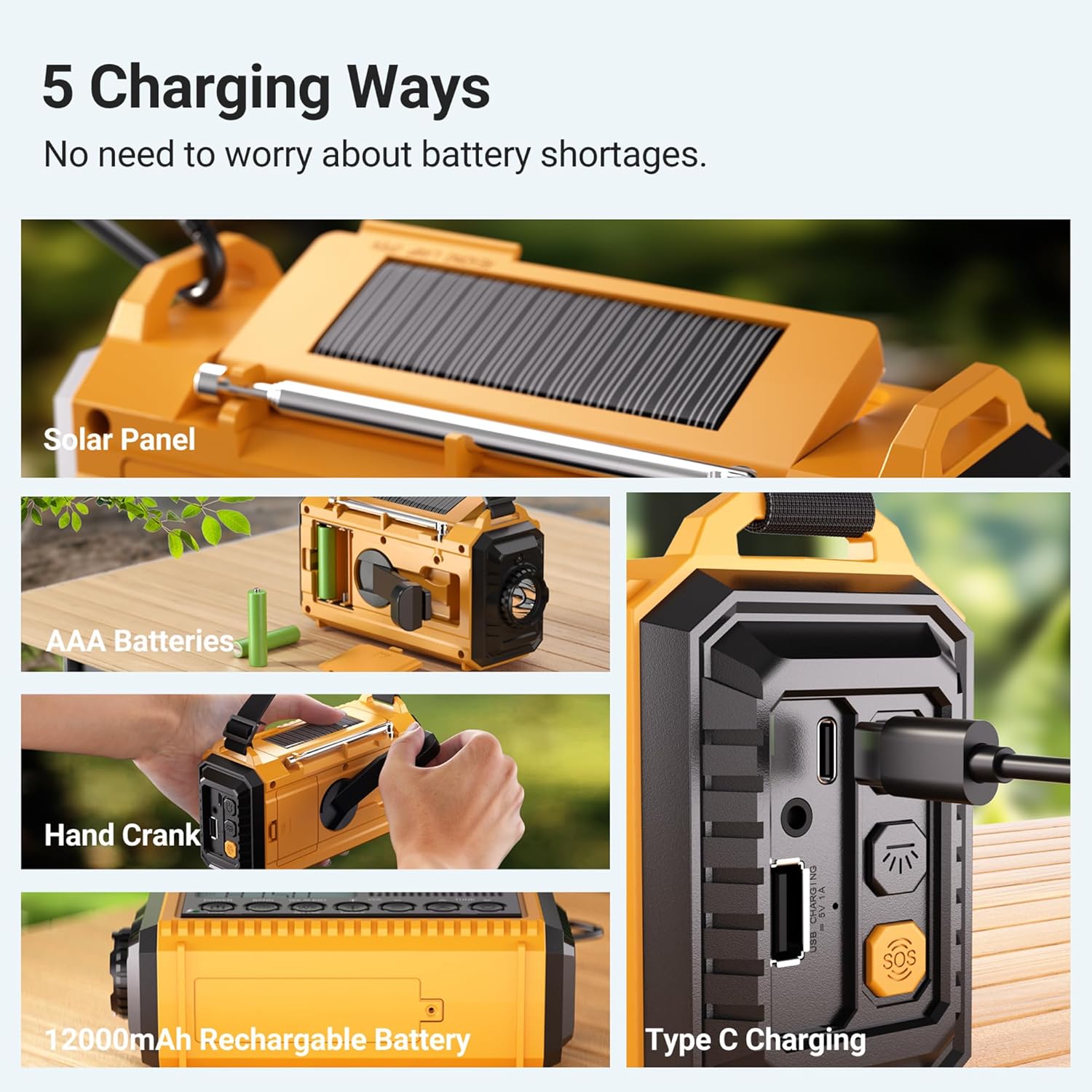
Slika 5.1: Gotovoview of the 5 power options.
- Interna Litijum-jonska baterija od 12000 mAh: The primary power source, rechargeable via Type-C or other methods.
- Punjenje tipa C: Connect the provided Type-C cable to a USB power adapter (included) or any compatible USB port for fast charging. The charging indicator lights will illuminate.
- solarni panel: Place the radio with the solar panel facing direct sunlight. This method is ideal for maintaining charge or trickle charging in outdoor environments.
- ručna ručica: Extend the hand crank from the back of the radio and rotate it clockwise or counter-clockwise for manual power generation. One minute of cranking can provide several minutes of radio use or emergency light.
- AAA baterije: Insert 3 AAA batteries into the dedicated compartment for an additional backup power source.
6. Upravljanje radiom
The radio supports AM, FM, SW, and NOAA weather bands. Extend the telescopic antenna for optimal reception.

Figure 6.1: Digital display showing various radio bands and frequencies.
- Uključi/isključi: Rotate the 'Volume' knob clockwise to turn the radio on and counter-clockwise to turn it off.
- Odaberite bend: Use the 'BAND' button to cycle through SW (Shortwave), AM, FM, and WB (Weather Band).
- Stanice za podešavanje: Use the 'TUNE' knob to manually scan for stations. The digital display will show the current frequency.
- NOAA upozorenje na vremensku prognozu: When in WB mode, the radio can automatically alert you to severe weather warnings with a loud siren and flashing red light. You can set a countdown timer for the alert duration (2H, 4H, 6H, etc.).
Video 6.1: A seller demonstration of the Mesqool Emergency Radio's 5-way power options and radio functions.
7. Funkcije osvjetljenja
The radio features two independent lighting sources for various needs.
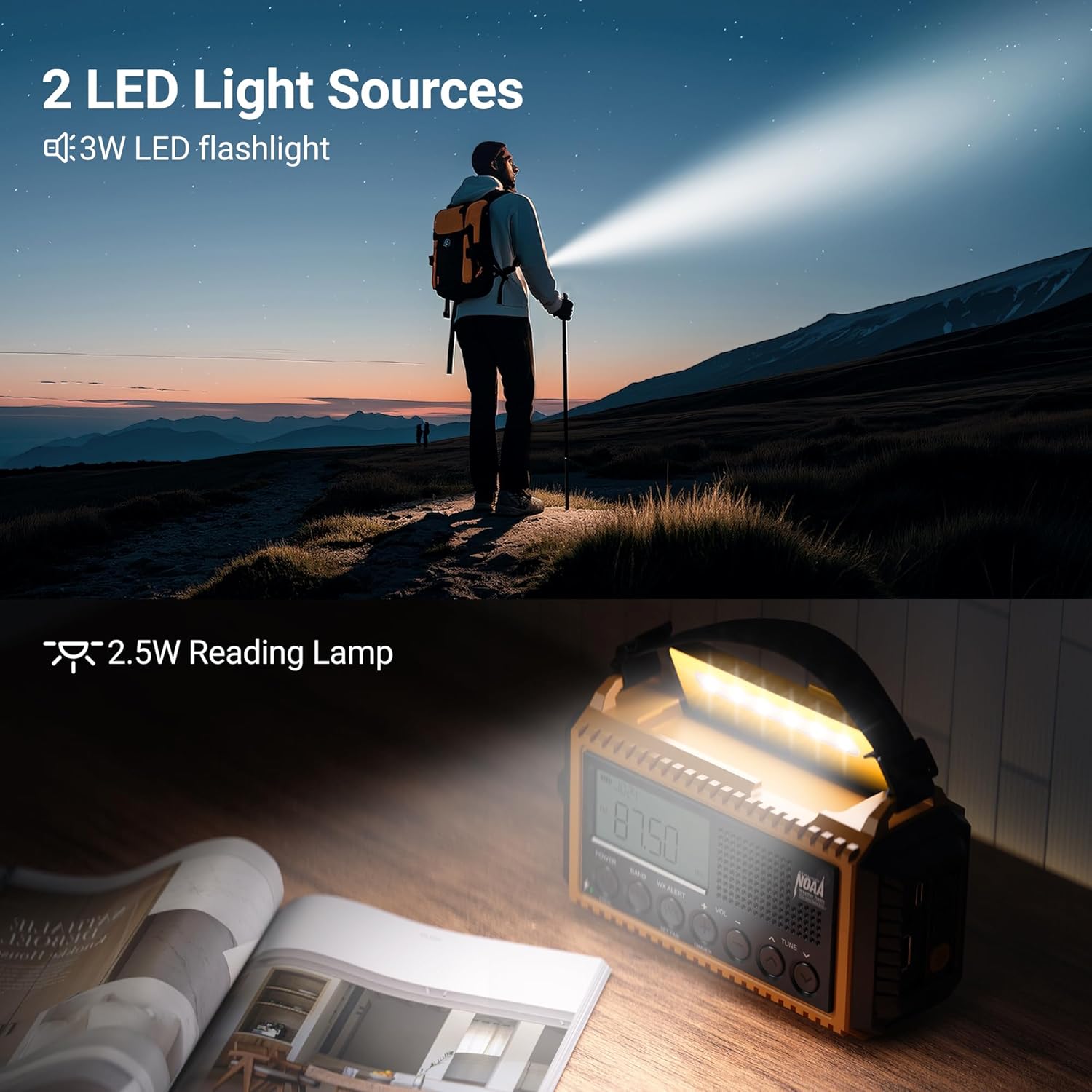
Figure 7.1: The radio's flashlight and reading lamp u upotrebi.
- LED bljeskalica: Located on the side of the radio. Press the flashlight button (light bulb icon) to turn it on/off. It offers two brightness levels (150LM/300LM).
- Reading Lamp: Located under the solar panel. Lift the solar panel to reveal the reading lampPritisnite dugme za očitavanjeamp button (sun icon) to turn it on/off. It also offers two brightness levels (120LM/250LM).
8. SOS alarm
U hitnim situacijama aktivirajte SOS alarm kako biste privukli pažnju.

Figure 8.1: The SOS alarm in action.
- Aktivirajte SOS: Press the red 'SOS' button on the side of the radio. It will emit a loud siren (105dB) and flash the flashlight to signal for help.
- Deactivate SOS: Press the 'SOS' button again to turn off the alarm.
9. Punjenje eksternih uređaja
The internal 12000mAh battery can act as a power bank to charge your mobile devices.

Figure 9.1: Charging a smartphone using the radio's power bank function.
- Povežite uređaj: Open the rubber flap on the side of the radio and connect your device's charging cable to the USB-A output port.
- Indikator punjenja: The battery indicator on the radio's display will show the charging status.
10. Dodatne karakteristike
- Priključak za slušalice: Za privatno slušanje muzike dostupan je 3.5 mm priključak za slušalice.
- Dugme za zaključavanje: Press the 'LOCK' button to prevent accidental button presses and preserve settings.
- Wrist Strap & Hanging Clip: For portability, use the included wrist strap or attach the heavy-duty metal clip to a backpack.
- IPX3 vodootpornost: The radio is designed to withstand light splashes and rain, making it suitable for outdoor use.

Figure 10.1: The radio's water-resistant design for outdoor reliability.
11. Održavanje
- čišćenje: Obrišite radio mekom, damp tkanina. Nemojte koristiti jake hemikalije ili abrazivna sredstva za čišćenje.
- Skladištenje: Store the radio in a cool, dry place away from direct sunlight and extreme temperatures. If storing for extended periods, ensure the internal battery is partially charged (around 50%) and recharge every 3-6 months.
- Održavanje baterije: Avoid fully discharging the Li-ion battery frequently to prolong its lifespan. Remove AAA batteries if the radio will not be used for a long time to prevent leakage.
12. Otkrivanje problema
| Problem | Mogući uzrok | Rješenje |
|---|---|---|
| Radio se ne uključuje | Slaba baterija; Isključeno napajanje | Charge the internal battery; Check AAA batteries; Ensure volume knob is turned clockwise. |
| Loš radio prijem | Antena nije izvučena; Područje slabog signala | Fully extend the telescopic antenna; Reposition the radio for better signal; Try different bands. |
| Svjetiljka/Čitanje lamp ne radi | Low battery; Button not pressed correctly | Charge the internal battery; Ensure the correct light button is pressed. |
| Cannot charge external devices | Radio battery too low; Incorrect cable/port | Ensure radio has sufficient charge; Use the correct USB-A output port and a compatible cable. |
13. Specifikacije
- Broj modela: CR1009Ultra
- Dimenzije proizvoda: 6.8 cm D x 2.48 cm Š x 3.7 cm V
- Težina artikla: 1.15 funte
- baterija: Potrebna je 1 litijum-jonska baterija (uključena), 12000 mAh
- Izvor napajanja: Battery Powered | Type-C Input 5V/2A | AAA Batteries | Solar Panel | Hand Crank
- Tehnologija tjunera: NOAA/AM/FM/SW
- Podržani radio bendovi: NOAA/AM/FM/SW radio
- Posebne karakteristike: Digital Weather Radio, LED Flashlight & Reading Lamp, Lock Function, Rechargeable Battery 12000mAh, SOS Alarm
- Tehnologija povezivanja: USB
- Otpornost na vodu: IPX3 (Note: Product feature bullets mention IPX3, specifications mention IPX4 in an image. Using IPX3 as it's explicitly stated in feature bullets.)
14. Garancija i podrška
For warranty information or technical support, please refer to the contact details provided with your purchase or visit the official Mesqool website. Sačuvajte račun o kupovini za reklamacije.