
HOCO TWS EW34
HOCO EW34 True Wireless Earphones User Manual
Model: TWS EW34 | Brand: HOCO
Uvod
Thank you for choosing the HOCO EW34 True Wireless Earphones. This manual provides essential information on how to set up, operate, maintain, and troubleshoot your earphones to ensure optimal performance and longevity. Please read this manual carefully before using the product.
Sadržaj paketa
Prije nego što počnete, molimo vas da se uvjerite da su sve stavke prisutne u paketu:
- HOCO EW34 True Wireless Earphones (Left and Right)
- Futrola za punjenje
- Kabel za punjenje
- Korisnički priručnik (ovaj dokument)
Setup
1. Početno punjenje
Before first use, fully charge the charging case and earphones. Place both earphones into the charging case. Connect the charging cable to the charging port on the case and to a USB power source.

Image: HOCO EW34 earphones placed inside their open charging case, showing the charging indicators.
The indicator light on the charging case will show the charging status. Ensure the case is fully charged before using the earphones for the first time.

Image: The HOCO EW34 charging case, closed, displaying the USB charging port on the side.
2. Bluetooth uparivanje
- Provjerite jesu li slušalice napunjene i unutar kućišta za punjenje.
- Otvorite kućište za punjenje. Slušalice će automatski ući u način uparivanja, što će biti naznačeno trepćućim svjetlom (ako je primjenjivo).
- Na svom uređaju (pametnom telefonu, tabletu itd.) omogućite Bluetooth.
- Traži "HOCO EW34" in the list of available Bluetooth devices.
- Select "HOCO EW34" to connect. Once connected, a voice prompt will confirm the successful pairing.
- Slušalice će se automatski ponovo povezati s posljednjim uparenim uređajem kada se izvade iz futrole, ako je Bluetooth omogućen na uređaju.
Uputstvo za upotrebu
Nositi slušalice
Gently insert the earphones into your ears, ensuring a comfortable and secure fit. Adjust them slightly until the sound quality is optimal and they feel stable.
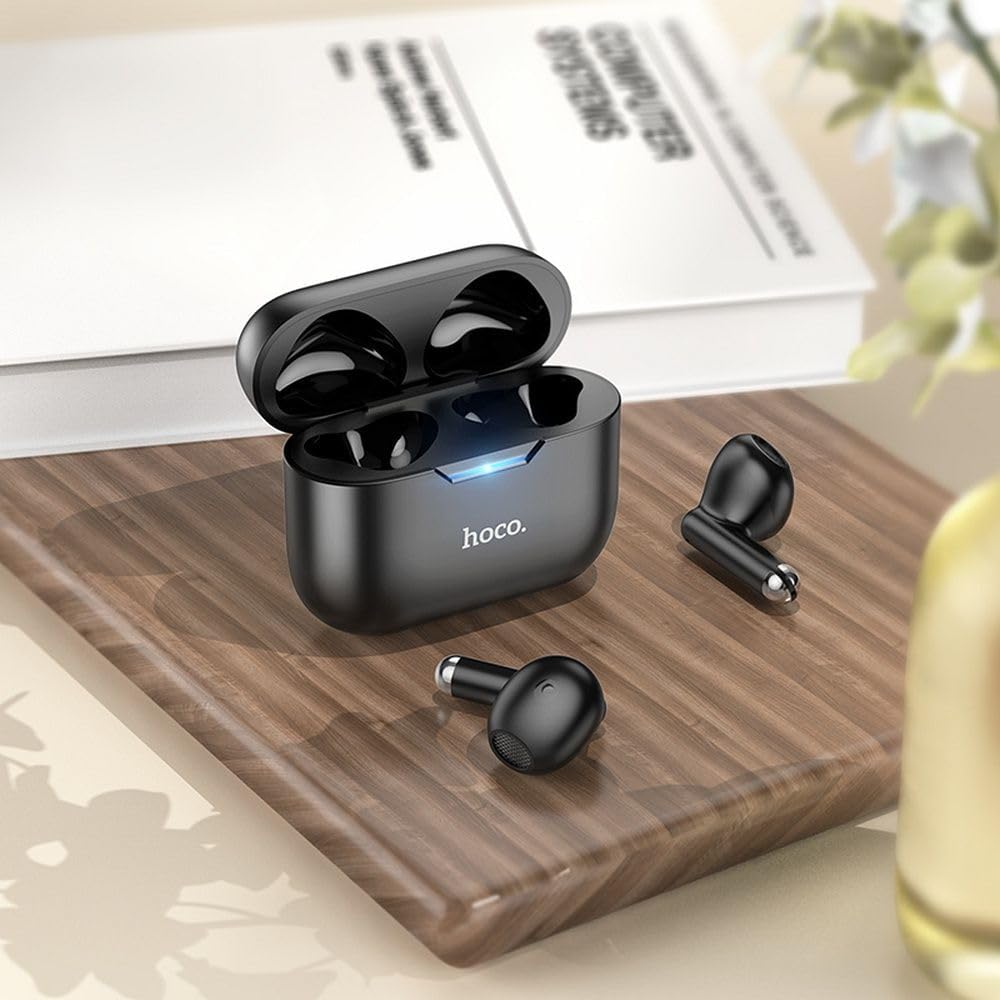
Image: The HOCO EW34 earphones and their charging case resting on a wooden surface next to a book, illustrating their compact size.
Basic Controls (Touch Sensitive)
The HOCO EW34 earphones feature touch-sensitive controls. Specific functions may vary slightly based on your device and application.
- Pusti/pauza: Jednostruki dodir na bilo kojoj slušalici.
- Sljedeća pjesma: Dvaput dodirnite desnu slušalicu.
- Prethodni zapis: Dvaput dodirnite lijevu slušalicu.
- Odgovori/Završi poziv: Jednostruki dodir na bilo koju slušalicu tokom dolaznog poziva.
- odbiti poziv: Pritisnite i držite bilo koju slušalicu 2 sekunde tokom dolaznog poziva.
- Aktivirajte glasovnog asistenta: Triput dodirnite bilo koju slušalicu.
Održavanje
Proper maintenance ensures the longevity and performance of your HOCO EW34 earphones.
- čišćenje: Za čišćenje slušalica i kućišta za punjenje koristite meku, suhu krpu koja ne ostavlja dlačice. Nemojte koristiti jake hemikalije ili abrazivne materijale.
- Skladištenje: Kada se ne koriste, slušalice čuvajte u kutijici za punjenje kako biste ih zaštitili od prašine i oštećenja.
- Održavanje baterije: Avoid fully discharging the battery frequently. Charge the earphones and case regularly, even if not in constant use, to maintain battery health.
- Izbjegavajte vodu: The earphones are not waterproof. Avoid exposure to water, sweat, or high humidity.
Rješavanje problema
If you encounter issues with your HOCO EW34 earphones, try the following solutions:
| Problem | Moguće rješenje |
|---|---|
| Slušalice se ne uparuju s uređajem. |
|
| No sound from one or both earphones. |
|
| Kućište za punjenje se ne puni. |
|
| Loša kvaliteta zvuka. |
|
Specifikacije
Here are the technical specifications for the HOCO EW34 True Wireless Earphones:
- Bluetooth verzija: 5.3
- čip: JL AC6983
- Kapacitet baterije za punjenje: 250 mAh
- Kapacitet baterije u slušalicama: 30 mAh (svaki)
- Vrijeme razgovora/muzike: 4 sati
- Vrijeme pripravnosti: 150 sati
- Dimenzije (futrola): 57 × 46 × 23.5 mm
- Ukupna težina: 42 g
- Naziv modela: TWS EW34
- Boja: Crna
Garancija i podrška
For warranty information, please refer to the warranty card included with your purchase or visit the official HOCO webstranica. Uslovi garancije mogu se razlikovati u zavisnosti od regije.
If you require further assistance or encounter issues not covered in this manual, please contact HOCO customer support through their official website or the retailer from whom you purchased the product. Please have your product model number (TWS EW34) and proof of purchase ready when contacting support.
Ask a question about this manual
Ask about setup, troubleshooting, compatibility, parts, safety, or missing instructions. Manuals+ will review the question and use this page’s manual context to help answer it.