
1. Uvod
Thank you for choosing the EasySMX T37 Wireless Switch Pro Controller. This manual provides detailed instructions for setting up, operating, maintaining, and troubleshooting your controller. Please read this manual carefully before use to ensure optimal performance and longevity of your device. This controller is compatible with Nintendo Switch, Switch Lite, and Switch OLED consoles.
2. Proizvod je gotovview
The EasySMX T37 is a wireless gamepad designed for an enhanced gaming experience on Nintendo Switch systems. It features an ergonomic design, dual turbo vibration, and 6-axis gyro motion control.

Slika 2.1: Prednja strana view of the EasySMX T37 Wireless Switch Pro Controller, showcasing njegovim ergonomskim oblikom i rasporedom dugmadi.
3. Podešavanje
3.1 Uparivanje s Nintendo Switchom
- Uključite svoju Nintendo Switch konzolu.
- U izborniku HOME odaberite Kontrolori > Promjena Grip/Red.
- On the EasySMX T37 controller, press and hold the Dugme SYNC (located on the top edge of the controller) for 3 seconds until the LED indicators start flashing rapidly.
- Once the controller is successfully paired, the player LED(s) on the bottom of the controller will light up solid.
3.2 Punjenje kontrolera
Connect the provided USB-C charging cable to the USB-C port on the controller and the other end to a USB power source (e.g., Switch dock, USB wall adapter, computer USB port). The LED indicators will show charging status and turn off when fully charged.
4. Uputstvo za upotrebu
4.1 Osnovne kontrole
The controller features standard button layouts for Nintendo Switch compatibility:
- Dugmad A/B/X/Y: Dugmad za akcije.
- D-Pad: Usmjereni ulaz.
- Analogne palice lijevo/desno: Movement and camera control.
- L/R/ZL/ZR Buttons: Dugmad za rame i okidač.
- Dugme HOME: Returns to the Switch HOME Menu.
- CAPTURE Button: Pravi snimke ekrana.
- Dugmad PLUS (+) / MINUS (-): Start/Select functions.

Image 4.1: A user holding the EasySMX T37 controller, demonstrating the comfortable grip and accessible button placement during gameplay.
4.2 Turbo funkcija
The Turbo function allows for rapid, automatic pressing of a button, useful in action or arcade games.
- Activate Turbo: Press and hold the desired action button (A/B/X/Y/L/R/ZL/ZR), then press the Turbo dugme (T button). The button will now auto-fire.
- Podesite turbo brzinu: Dok držite Turbo dugme, pomaknite Right Analog Stick Up or Down to cycle through three speeds: 5 shots/s, 12 shots/s, and 20 shots/s.
- Deactivate Turbo: Repeat the activation step (hold the action button, then press the Turbo button) or press and hold the Turbo dugme for 5 seconds to clear all Turbo settings.
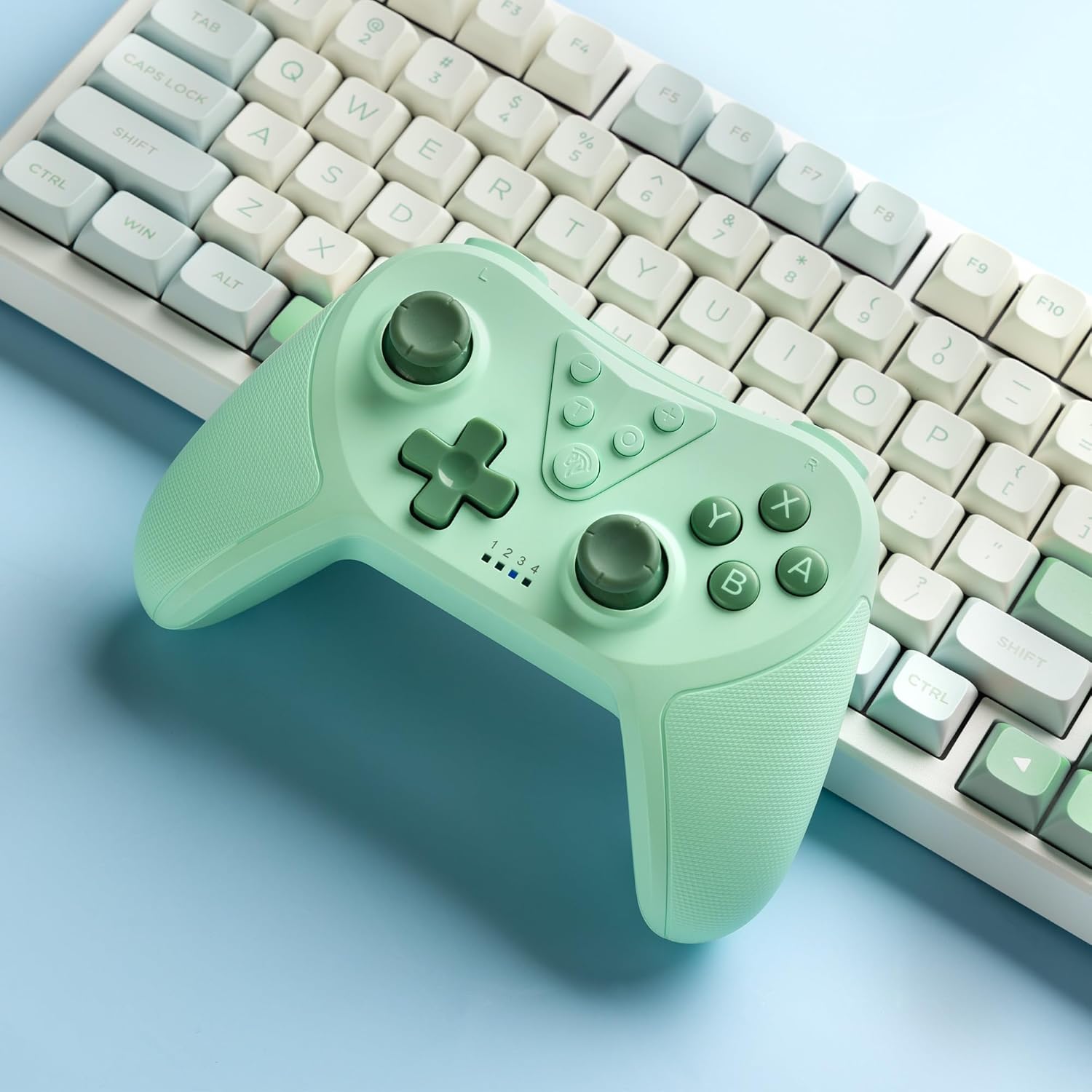
Image 4.2: Illustration of the Turbo function on the EasySMX T37 controller, showing the three adjustable speeds: 5, 12, and 20 shots per second.
4.3 Podešavanje vibracija
The controller features dual motors for adjustable vibration feedback, enhancing immersion in games.
- Podesite intenzitet vibracije: Pritisnite i držite Turbo dugme, zatim pomaknite Left Analog Stick Up or Down to cycle through four vibration levels: 0% (off), 30%, 70%, and 100%.

Image 4.3: Visual representation of the Dual Vibration feature on the EasySMX T37 controller, indicating four intensity levels from 0% to 100%.
4.4 Upravljanje kretanjem žiroskopa sa 6 osa
The built-in 6-axis gyroscope provides precise motion sensing, allowing for intuitive control in games that support motion input.

Image 4.4: Illustration depicting the 6-Axis Gyro Motion Control feature of the EasySMX T37 controller, showing how it interacts with a game on the Nintendo Switch screen.
5. Održavanje
- čišćenje: Za čišćenje kontrolera koristite meku, suhu krpu. Izbjegavajte upotrebu jakih hemikalija ili abrazivnih materijala.
- Skladištenje: Kontroler čuvajte na hladnom i suhom mjestu, dalje od direktne sunčeve svjetlosti i ekstremnih temperatura.
- Održavanje baterije: Da biste produžili vijek trajanja baterije, izbjegavajte često potpuno pražnjenje kontrolera. Redovno ga punite, čak i ako se ne koristi duži period.
- Izbjegavajte kapi: Zaštitite kontroler od padova i udaraca, koji mogu oštetiti unutrašnje komponente.
6. Otkrivanje problema
6.1 Kontroler se ne povezuje
- Uvjerite se da je kontroler napunjen.
- Verify the Switch console is updated to the latest system version.
- Try re-pairing the controller by following the steps in Section 3.1.
- If issues persist, try resetting the controller by inserting a thin object into the small reset hole (if present, usually on the back) for a few seconds.
6.2 Buttons Unresponsive or Lagging
- Provjerite je li kontroler potpuno napunjen.
- Move closer to the Switch console to ensure a strong wireless connection.
- Provjerite ima li fizičkih prepreka ili ostataka oko dugmadi.
- Re-pair the controller.
6.3 Kontroler se ne puni
- Ensure the USB-C cable is securely connected to both the controller and the power source.
- Pokušajte koristiti drugi USB-C kabel ili adapter za napajanje.
- Provjerite da li je izvor napajanja funkcionalan.
7. Specifikacije
- Model: T37
- Povezivanje: bežični (Bluetooth)
- Kompatibilnost: Nintendo Switch, Switch Lite, Switch OLED
- Karakteristike: Dual Turbo Function, Adjustable Vibration, 6-Axis Gyro Motion Control, Ergonomic Design
- Product Identifier (ASIN): B0CTTWN84L
8. Garancija i podrška
For warranty information, technical support, or further assistance, please refer to the official EasySMX webweb-mjesto ili direktno kontaktirajte njihovu korisničku podršku. Sačuvajte račun za kupovinu u slučaju reklamacije.