
1. Uvod
This manual provides detailed instructions for the safe and effective use of your iJoy Disney Winnie The Pooh Wireless Bluetooth Speaker. Please read this manual thoroughly before operating the device and retain it for future reference.
2. Šta se nalazi u kutiji
Carefully unpack your speaker and ensure all items are present:
- iJoy Disney Winnie The Pooh Wireless Bluetooth Speaker
- USB kabl za punjenje
- Backup AUX Cable
- Uputstvo za upotrebu (ovaj dokument)

Image: The speaker shown next to its retail packaging, illustrating the product and its box.
3. Proizvod je gotovview
3.1 kontrolna dugmeta
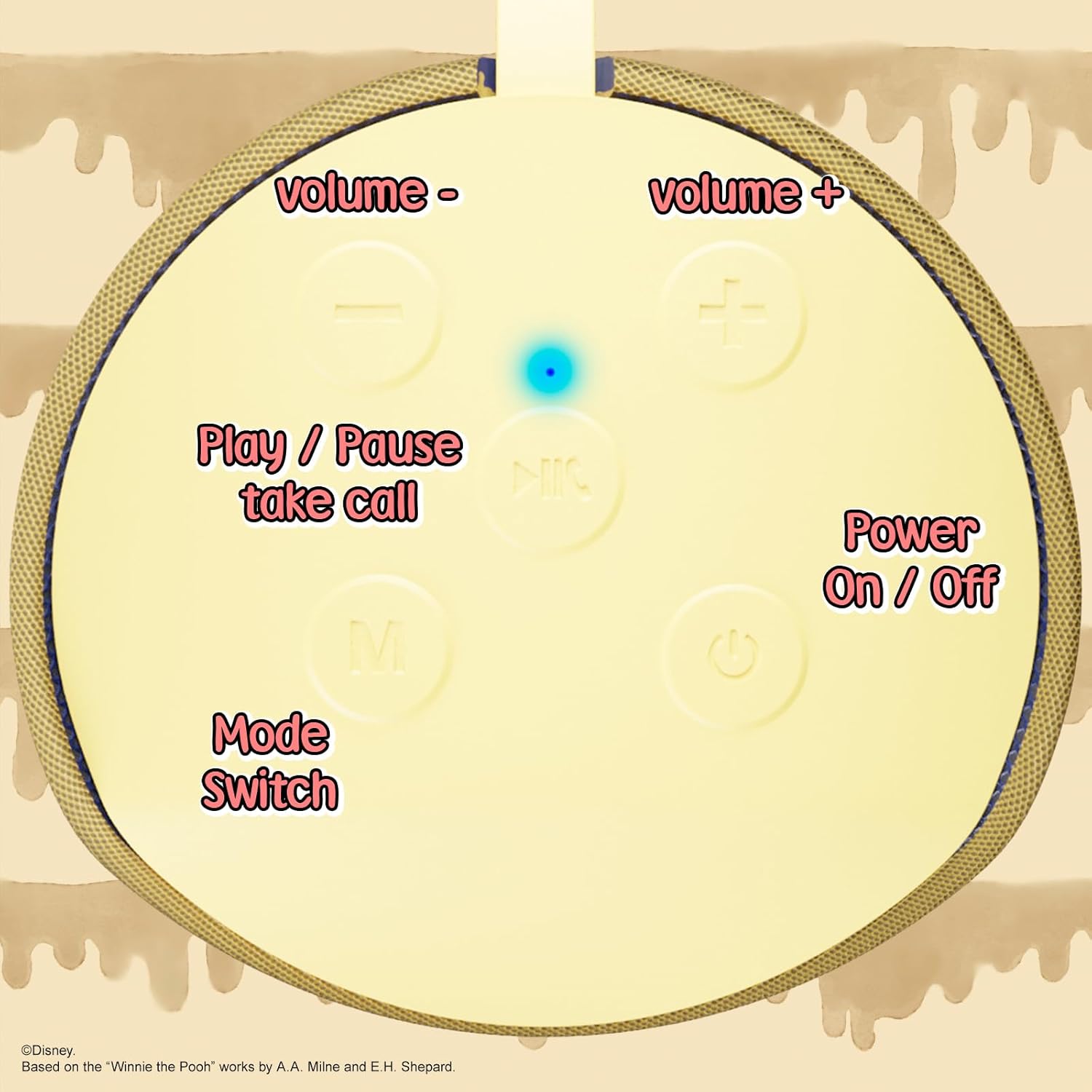
Image: A close-up of the speaker's top panel, displaying the control buttons.
- Dugme za uključivanje / isključivanje: Pritisnite i držite da biste uključili ili isključili zvučnik.
- Dugme za reprodukciju/pauzu: Press to play or pause audio. Also used to answer or end phone calls.
- Dugme za pojačavanje zvuka (+): Pritisnite za povećanje jačine zvuka. Pritisnite i držite za prelazak na sljedeću pjesmu.
- Dugme za smanjenje jačine zvuka (-): Pritisnite za smanjenje jačine zvuka. Pritisnite i držite za prelazak na prethodnu pjesmu.
- Mode Switch (M) Button: Press to switch between Bluetooth, FM Radio, SD Card, and USB modes.
3.2 Priključci i indikatori

Slika: Detaljna view of the speaker's rear panel, highlighting the AUX port, SD card slot, USB port, and Micro USB charging port.
- AUX priključak: For connecting external audio devices via the provided 3.5mm AUX cable.
- Utor za SD karticu: Insert a microSD card for direct audio playback.
- USB port: Umetnite USB fleš disk za direktnu reprodukciju zvuka.
- Micro USB priključak za punjenje: Connect the USB charging cable here to charge the speaker.
- LED indikatorsko svjetlo: Indicates charging status and Bluetooth pairing status.
4. Podešavanje
4.1 Punjenje zvučnika
- Connect the Micro USB end of the charging cable to the speaker's Micro USB charging port.
- Connect the standard USB end of the cable to a USB power adapter (not included) or a computer's USB port.
- The LED indicator light will illuminate during charging and turn off once fully charged.
- Potpuno punjenje obično traje otprilike 2 sata.
4.2 Bluetooth uparivanje
- Uvjerite se da je zvučnik potpuno napunjen.
- Press and hold the Power On/Off button to turn on the speaker. You will hear an audible prompt, and the LED indicator will flash, indicating it's in pairing mode.
- Na svom mobilnom uređaju (pametnom telefonu, tabletu itd.) omogućite Bluetooth.
- Traži available Bluetooth devices. The speaker will appear as "iJoy Winnie The Pooh Speaker" or similar.
- Select the speaker from the list to pair. Once successfully paired, you will hear a confirmation sound, and the LED indicator will stop flashing and remain solid.
- Zvučnik će se automatski ponovo povezati sa posljednjim uparenim uređajem kada se uključi, ako je Bluetooth uređaja aktivan i unutar dometa.
5. Uputstvo za upotrebu
5.1 Bluetooth režim
After successful pairing, you can stream audio wirelessly from your device to the speaker. Use your device's controls or the speaker's Play/Pause, Volume Up/Down buttons to manage playback.
5.2 Režim FM radija
- Pritisnite dugme Mode (M) da biste prešli na FM radio režim.
- Pritisnite dugme Reprodukuj/Pauziraj da biste automatski skenirali i sačuvali dostupne FM stanice.
- Koristite tipke za pojačavanje (+) i stišavanje (-) (kratki pritisak) za navigaciju između sačuvanih stanica.
5.3 SD Card / USB Playback
- Insert a microSD card into the SD card slot or a USB flash drive into the USB port.
- Zvučnik će se automatski prebaciti u odgovarajući način rada i početi reproducirati zvuk files. If not, press the Mode (M) button to select the correct mode.
- Use the speaker's Play/Pause, Volume Up/Down buttons to control playback.
5.4 AUX način rada
- Connect one end of the provided 3.5mm AUX cable to the speaker's AUX port.
- Drugi kraj spojite na priključak za slušalice na audio uređaju.
- The speaker will automatically switch to AUX mode. If not, press the Mode (M) button.
- Control playback and volume primarily from your connected audio device.
5.5 Pozivi bez upotrebe ruku
Kada je povezan putem Bluetootha sa pametnim telefonom:
- Odgovori na poziv: Pritisnite dugme za reprodukciju/pauzu jednom.
- Završi poziv: Pritisnite dugme Reprodukuj/Pauziraj jednom tokom poziva.
- odbiti poziv: Pritisnite i držite dugme Play/Pause.
6. Održavanje
- Očistite zvučnik mekom, suhom krpom. Ne koristite abrazivna sredstva za čišćenje ili rastvarače.
- The speaker is IPX4 splashproof, meaning it can withstand splashes of water. Do not submerge it in water.
- Čuvajte zvučnik na hladnom i suvom mestu kada se ne koristi.
- Izbjegavajte izlaganje zvučnika ekstremnim temperaturama, direktnoj sunčevoj svjetlosti ili visokoj vlažnosti.
7. Otkrivanje problema
| Problem | Mogući uzrok | Rješenje |
|---|---|---|
| Zvučnik se ne uključuje | Niska baterija | Potpuno napunite zvučnik. |
| Nije moguće uparivanje putem Bluetootha | Speaker not in pairing mode / Device Bluetooth off / Too far from device | Ensure speaker is in pairing mode (flashing LED). Turn on Bluetooth on your device. Move speaker closer to device (within 30 feet). |
| Nema zvuka | Volume too low / Incorrect mode / Device not playing audio | Increase speaker and device volume. Press 'M' button to select correct mode. Ensure audio is playing on your connected device. |
| FM radio prijem je slab | Weak signal / Interference | Move the speaker to a different location. The AUX cable can act as an antenna; try connecting it. |
8. Specifikacije
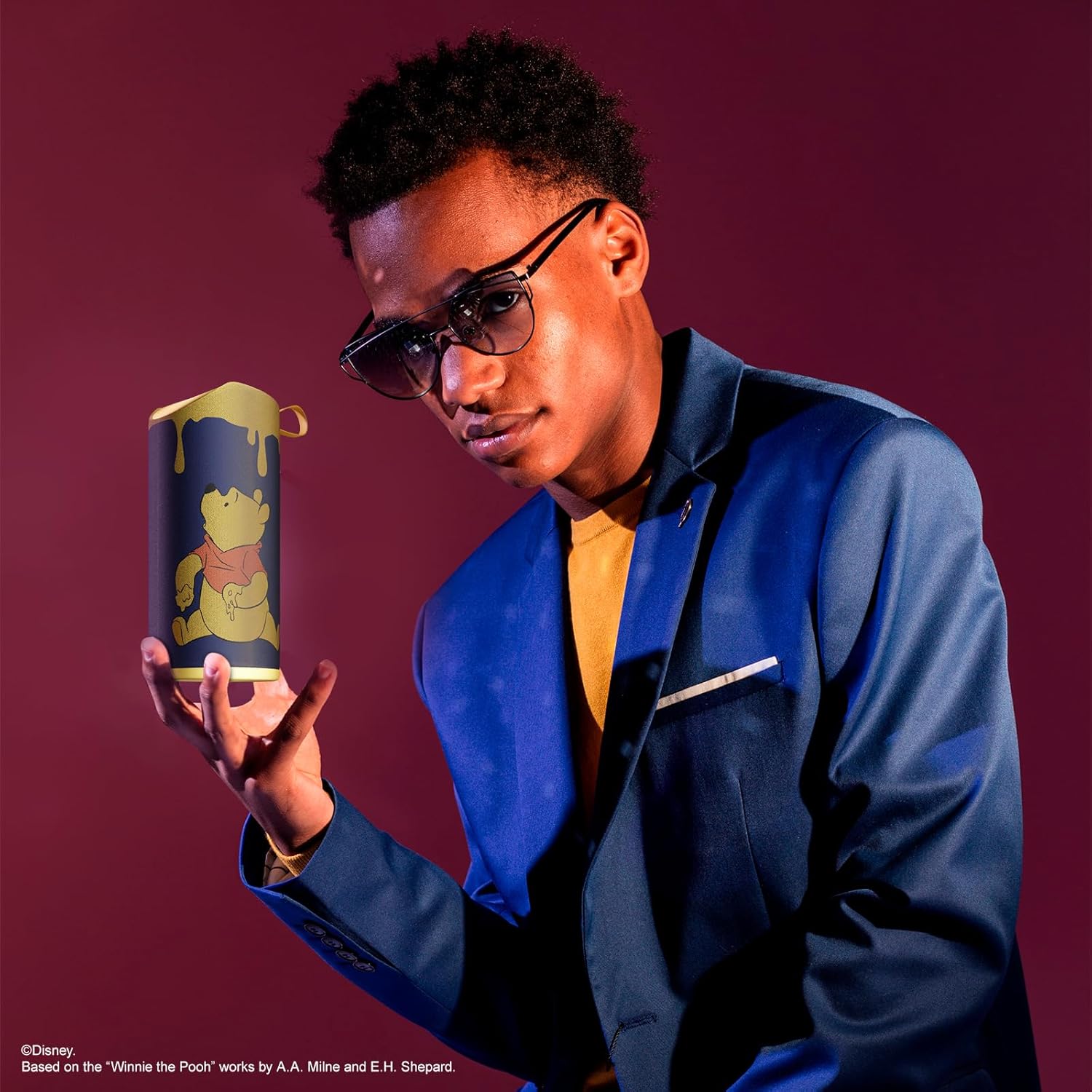
Image: The speaker with visual indicators showing its height of 6.3 inches and width of 2.9 inches.
| Feature | Detalj |
|---|---|
| Broj modela | SS-KH7C-FS4O |
| Tehnologija povezivanja | Bluetooth |
| Domet bežične komunikacije | Do 30 stope (10 metara) |
| Vrsta zvučnika | Toranj |
| Maksimalna izlazna snaga zvučnika | 20 Watts |
| Način audio izlaza | Mono |
| Kapacitet baterije | 800 Milliamp Sati |
| Vrijeme punjenja | Približno 2 sata |
| Vrijeme igranja | Up to 3 Hours (depending on volume and usage) |
| Nivo vodootpornosti | IPX4 (otporan na prskanje) |
| Dimenzije proizvoda | 7.62 cm D x 7.62 cm Š x 15.24 cm V |
| Težina artikla | 8 unci (226.8 grama) |
| Uključene komponente | Bluetooth zvučnik, USB kabel za punjenje, rezervni AUX kabel, uputstvo za upotrebu |
| Posebne karakteristike | Built-in Microphone, LED Indicator Lights, Portable, SD Card Slot, USB Port, FM Radio |
9. Garancija i podrška
9.1 Informacije o garanciji
This iJoy Disney Winnie The Pooh Wireless Bluetooth Speaker comes with a 90-day manufacturer's warranty from the date of purchase. This warranty covers manufacturing defects and workmanship under normal use. It does not cover damage caused by misuse, accidents, unauthorized modifications, or normal wear and tear.
9.2 Korisnička podrška
For technical assistance, warranty claims, or further inquiries, please contact iJoy customer support through their official website or the retailer where the product was purchased. Please have your model number (SS-KH7C-FS4O) and proof of purchase ready.