
Uvod
Thank you for choosing the TECKNET Wireless Rechargeable Silent Mouse. This manual provides detailed instructions to help you get the most out of your new device. Please read it carefully before use and keep it for future reference.
Sadržaj paketa
- TECKNET Wireless Rechargeable Silent Mouse
- USB prijemnik
- USB-C kabl za punjenje
- Korisnički priručnik (ovaj dokument)
Product Overview
Familiarize yourself with the mouse components:
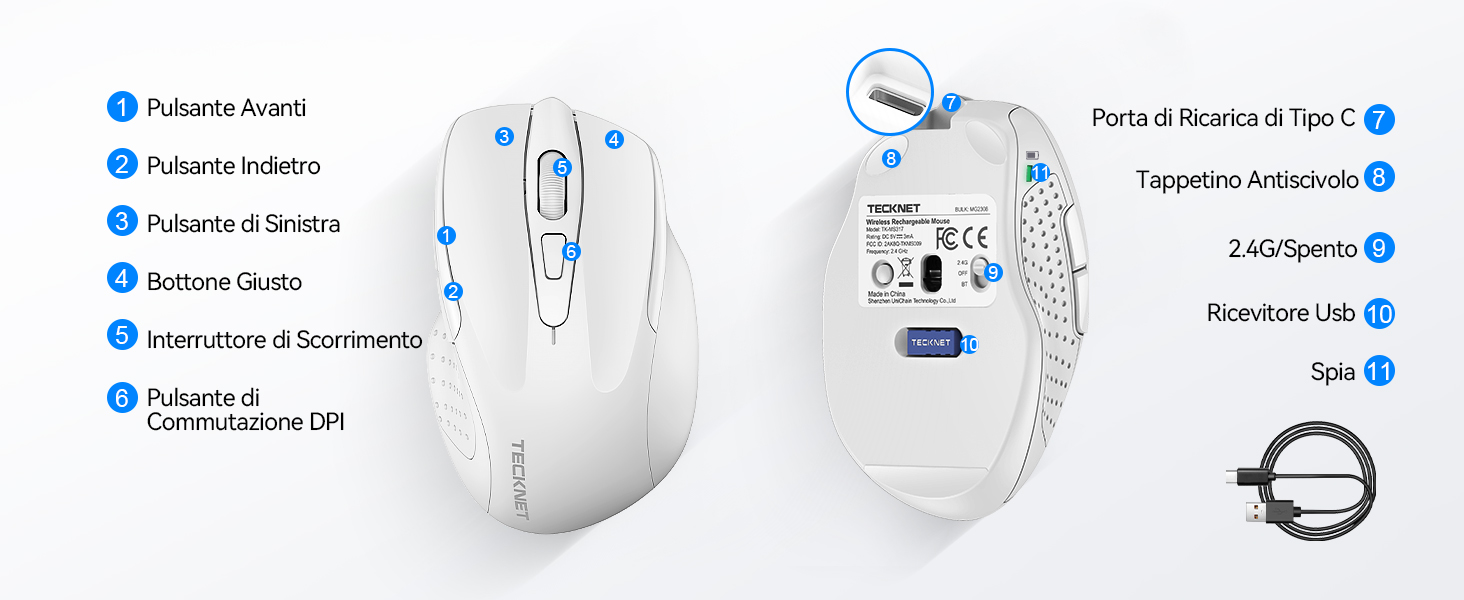
Figure 1: Mouse Components Diagram
- Dugme naprijed
- Dugme za nazad
- Lijevo dugme
- Desno dugme
- Scroll Wheel
- DPI prekidač
- Port za punjenje tipa C
- Podloga protiv klizanja
- 2.4G/Off Switch
- Pohrana USB prijemnika
- Indikatorska lampica
Uputstva za postavljanje
1. Punjenje miša
Before first use, it is recommended to fully charge the mouse. Connect the provided USB-C charging cable to the mouse's Type-C charging port and the other end to a USB power source (e.g., computer USB port, USB wall adapter).

The mouse features a 700mAh built-in battery, providing extended usage on a single charge. The indicator light will show charging status.
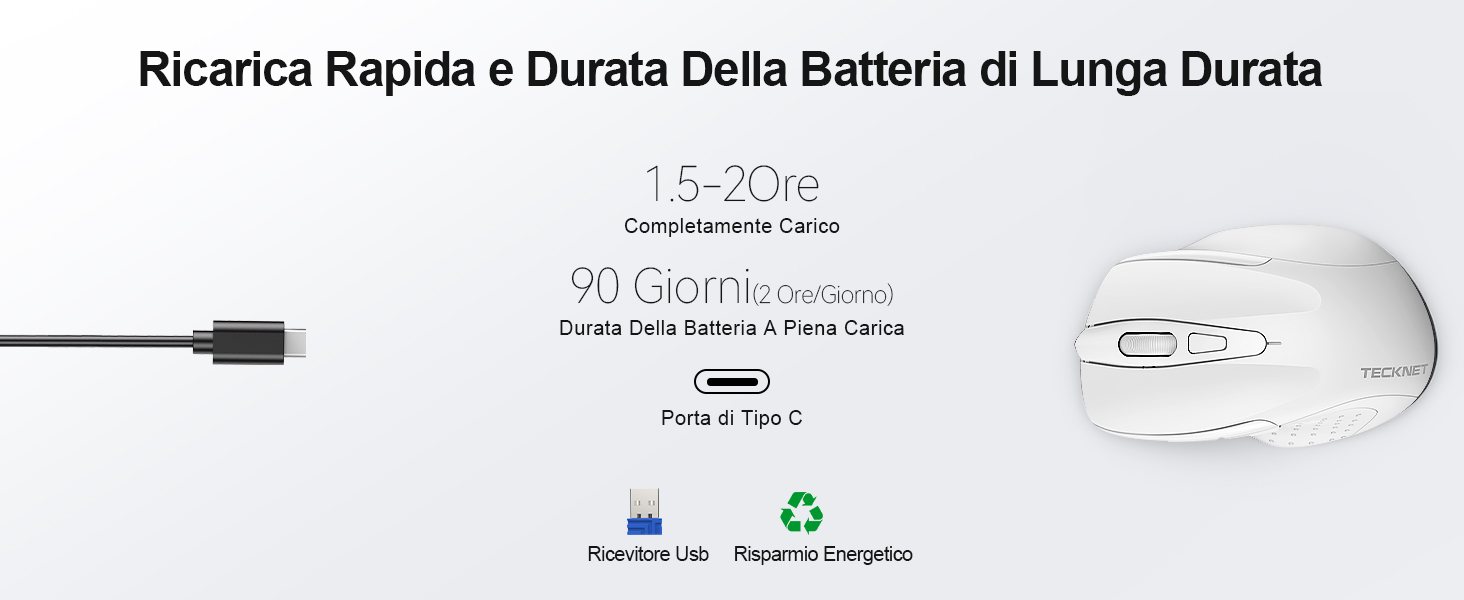
A full charge takes approximately 1.5-2 hours and can last up to 90 days (based on 2 hours/day usage).
2. Povezivanje USB prijemnika
The mouse uses a 2.4GHz wireless connection for reliable data transmission.
- Pronađite USB prijemnik koji se nalazi u odjeljku na donjoj strani miša.
- Plug the USB receiver into an available USB port on your computer (PC, laptop, Chromebook, etc.).
- Turn on the mouse using the 2.4G/Off switch located on the underside.
- Your computer should automatically detect and install the necessary drivers. The mouse is plug-and-play, requiring no additional software.

The effective working distance is up to 15 meters.

Ensure the mouse is switched on after plugging in the receiver.
Uputstvo za upotrebu
DPI podešavanje
The mouse features 6 adjustable DPI levels (800/1200/1600/2400/3200/4800) to suit various tasks, from precise targeting to fast gaming movements. Press the DPI switch button (Component 6 in Figure 1) to cycle through the DPI settings.

Adjust DPI for optimal cursor speed and precision.
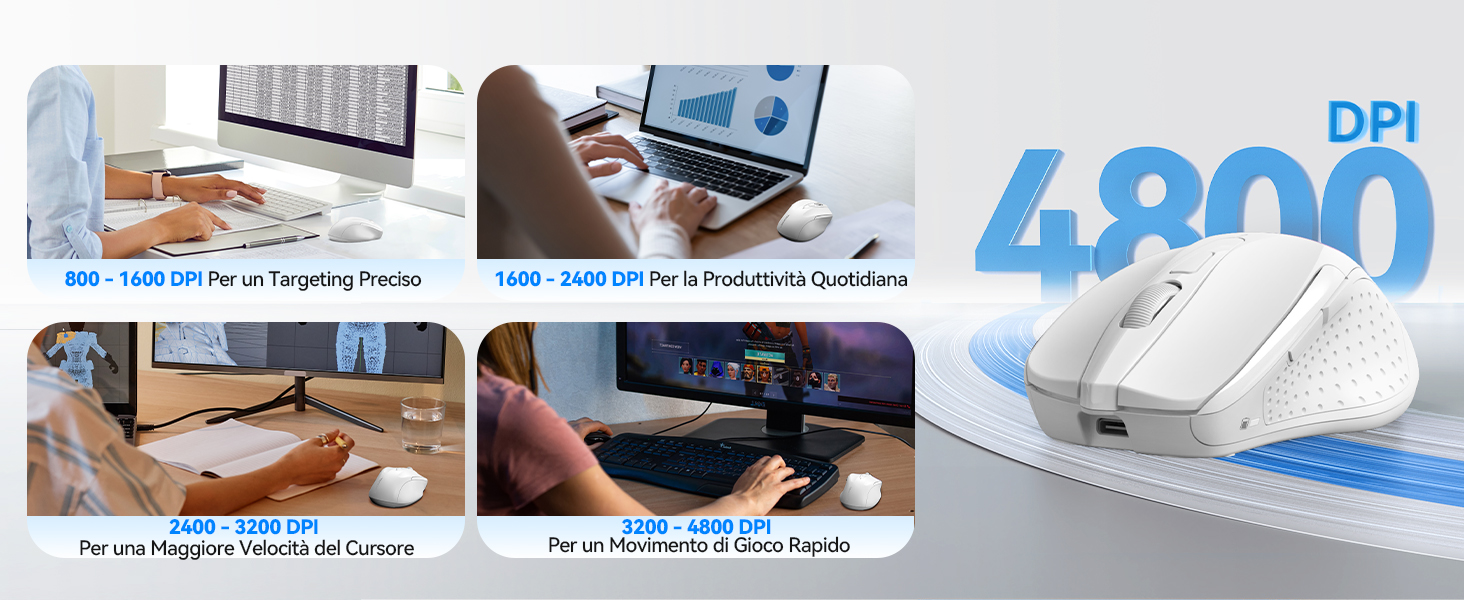
DPI settings for different usage scenarios.
Funkcija tihog klika
The mouse is designed for silent operation, reducing click noise by up to 90%. This allows for a quiet working environment without disturbing others.

Enjoy a quiet working experience.
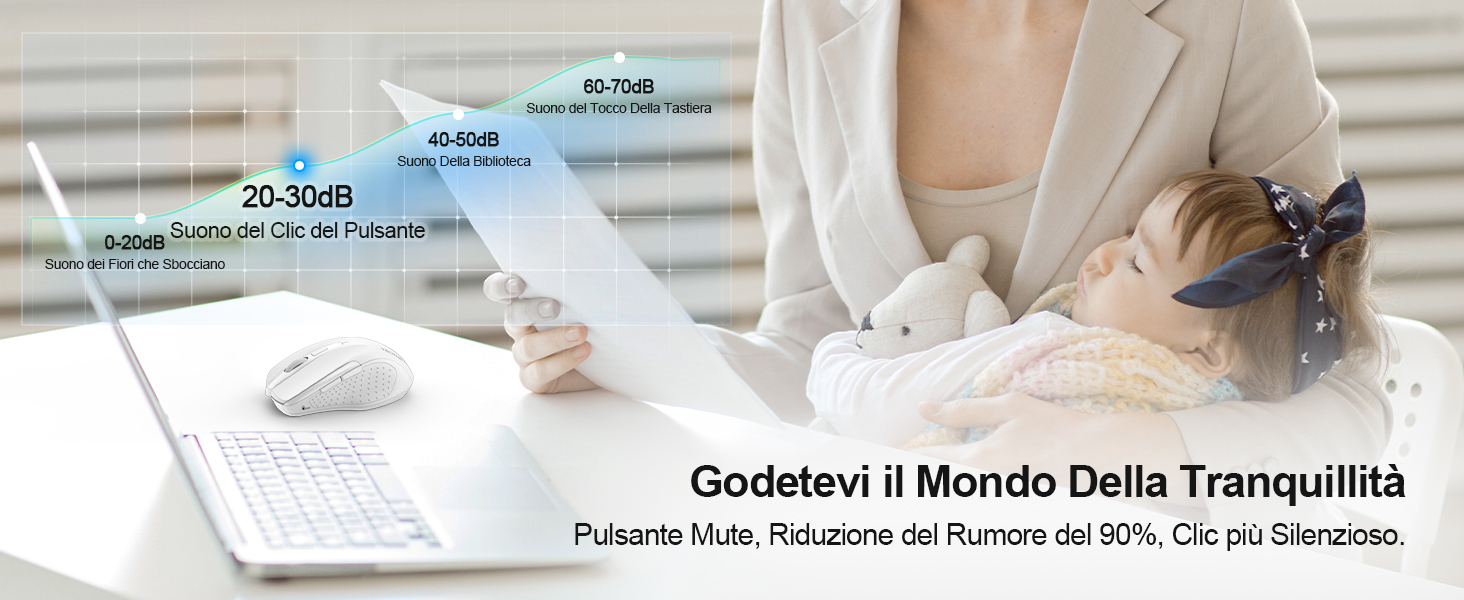
Sound level comparison demonstrating reduced click noise.
Ergonomski dizajn
The mouse is ergonomically designed to fit the natural curvature of your hand, reducing muscle pressure by up to 30% and ensuring comfortable use for extended periods. Soft natural rubber grips on the sides provide a secure and comfortable hold.

Ergonomic shape for comfortable use.
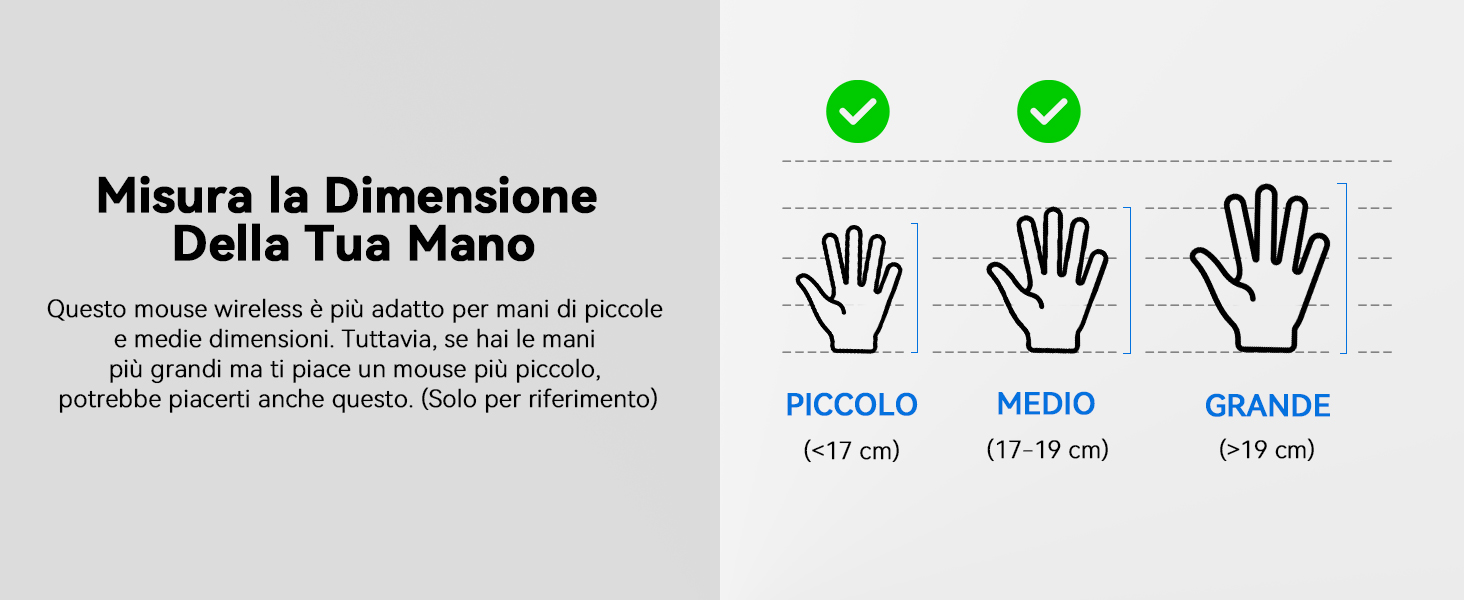
This mouse is suitable for small to medium hand sizes. Refer to the guide for reference.
Funkcije uštede energije
The mouse includes intelligent power-saving features:
- Auto Sleep Mode: If inactive for 10 seconds, the mouse enters standby mode. After 10 minutes of inactivity, it enters deep sleep mode to conserve battery.
- Funkcija buđenja: Pritisnite bilo koje dugme da biste probudili miša iz režima spavanja.
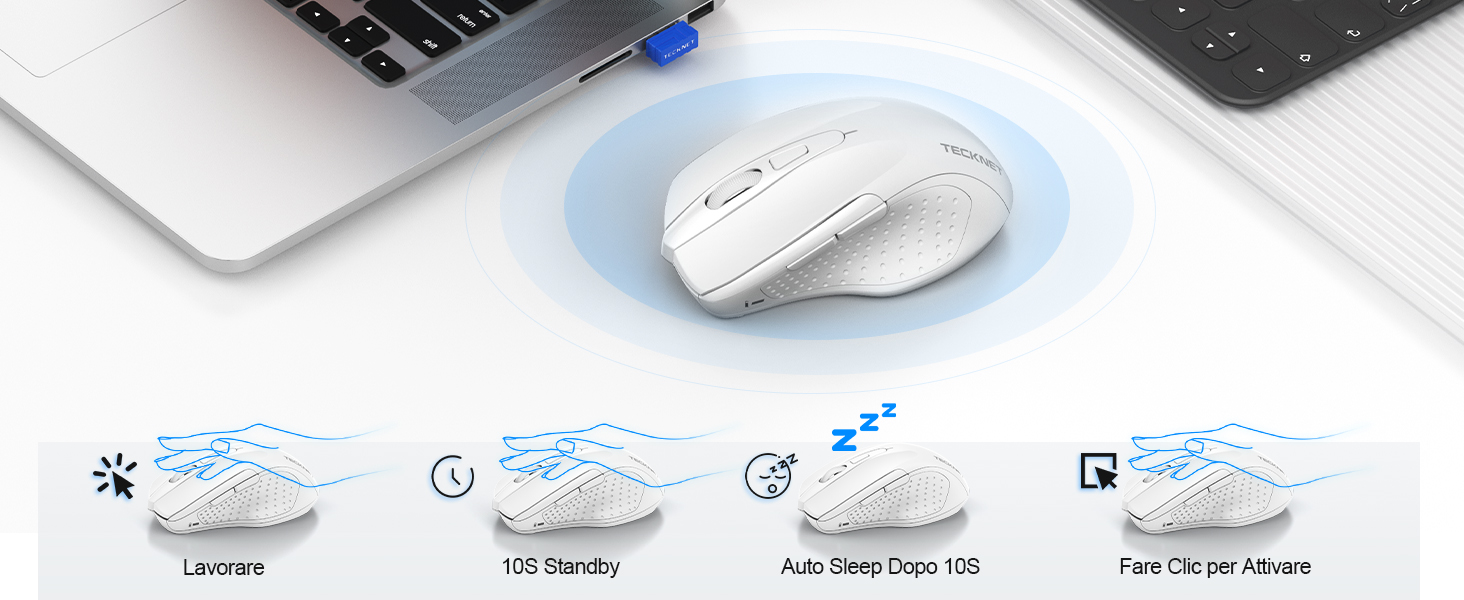
Power saving modes for extended battery life.
Održavanje
- čišćenje: Za čišćenje miša koristite meku, suhu krpu. Za tvrdokornu prljavštinu, laganoamp Može se koristiti krpa, pazeći da vlaga ne uđe u uređaj.
- Punjenje: Recharge the mouse when the indicator light signals low battery. Avoid completely draining the battery frequently to prolong its lifespan.
- Skladištenje: When not in use for extended periods, turn off the mouse and store the USB receiver in its designated compartment.
Rješavanje problema
| Problem | Mogući uzrok | Rješenje |
|---|---|---|
| Miš ne reaguje | Low battery; USB receiver not connected; Mouse switched off; Driver issue. | Charge the mouse; Ensure USB receiver is securely plugged in; Turn on the mouse; Try a different USB port; Restart computer. |
| Povremena veza ili kašnjenje | Interference from other wireless devices; Distance from receiver; Obstructions. | Move closer to the receiver; Remove obstructions; Avoid using near other 2.4GHz devices; Try a different USB port. |
| Kretanje kursora je nepravilno ili neprecizno | Prljav optički senzor; Neodgovarajuća površina; Nepravilna DPI postavka. | Clean the optical sensor; Use a mouse pad or a smooth, non-reflective surface; Adjust DPI settings. |
| Mouse does not charge | Faulty charging cable; Faulty USB port; Mouse issue. | Try a different USB-C cable; Try a different USB power source; Contact customer support if the issue persists. |
Specifikacije
| Brand | TECKNET |
| Broj modela | TK-MS009 |
| Boja | Bijelo |
| Tehnologija povezivanja | 2.4 GHz bežično (USB prijemnik) |
| Posebne karakteristike | Rechargeable, Long Battery Life, Silent Click, Ergonomic Design |
| Tehnologija detekcije pokreta | Optički |
| Broj dugmadi | 6 |
| Hand Orientation | Desnoruki |
| Kompatibilni uređaji | Laptop, PC, Chromebook, Computer |
| Operativni sistemi | Windows 11/10/8.1/8/7/Vista/XP, Linux, Mac OS (side buttons not available on Mac OS) |
| Prosječno trajanje baterije | 1050 Hours (approx. 1-2 months on 2-hour charge) |
| Maksimalna osetljivost | 4800 DPI |
| bežični domet | 15 metara |
| Dimenzije (D x Š) | 10.6D x 6.8Š cm |
| Materijal | Plastika |
Garancija i podrška
TECKNET nudi 36-mjesečna garancija for registered users. If you encounter any issues during the use of your mouse, please contact our professional customer service team as soon as possible. We are committed to assisting you in resolving any problems.
For support, please visit the official TECKNET webweb-mjesto ili pogledajte kontakt informacije koje se nalaze na pakovanju vašeg proizvoda.
Online resursi: