Uvod
Thank you for choosing the Generic Wireless Bluetooth Keyboard with Touchpad. This ultra-slim, portable keyboard is designed for seamless connectivity with your tablets, smartphones, and laptops running iOS, Android, or Windows operating systems. This manual provides essential information for setup, operation, maintenance, and troubleshooting to ensure optimal performance.
Šta je u kutiji
- 1 x bežična Bluetooth tastatura
- 1 x USB Charging Cable (No Charger)
- 1 x Uputstvo za upotrebu

Image: The Wireless Bluetooth Keyboard connected to a tablet, ready for use.
Karakteristike proizvoda
- Široka kompatibilnost: Compatible with iOS, Android, and Windows tablets, smartphones, and laptops. Note: Not compatible with Mac OS.
- Integrated Multi-Touch Trackpad: Features a sensitive and precise touchpad for navigation and control, eliminating the need for an external mouse.
- Punjiva baterija: Built-in battery provides over 130 days of standby time on a single charge (2-3 hours charging time) and includes an automatic sleep mode for power saving.
- Ultra-tanak i prenosiv dizajn: Compact size (9.56 x 6.85 x 0.23 inches) and lightweight (0.49 lb) for easy transport during travel or business trips.
- Bluetooth 5.1 povezivanje: Ensures a stable wireless connection with a working distance of up to 33 feet.
- Udobno kucanje: Ergonomic design with scissors-key construction provides a laptop-like typing experience, reducing finger fatigue.
- Magnetni dodatak: The aluminum alloy bottom allows for magnetic attachment to compatible iPad cases.
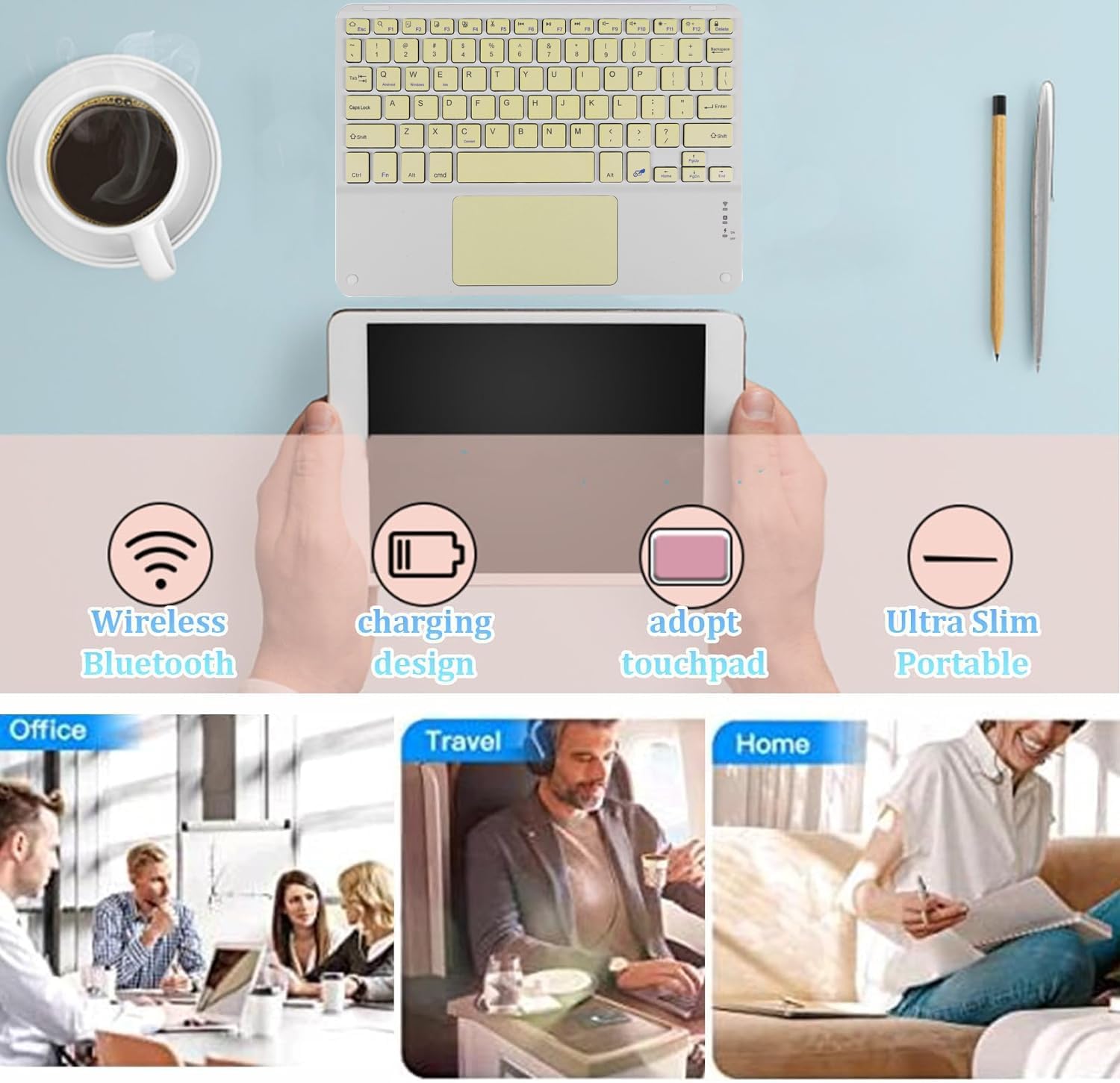
Slika: Prekoview of the keyboard's main features and versatile usage environments.
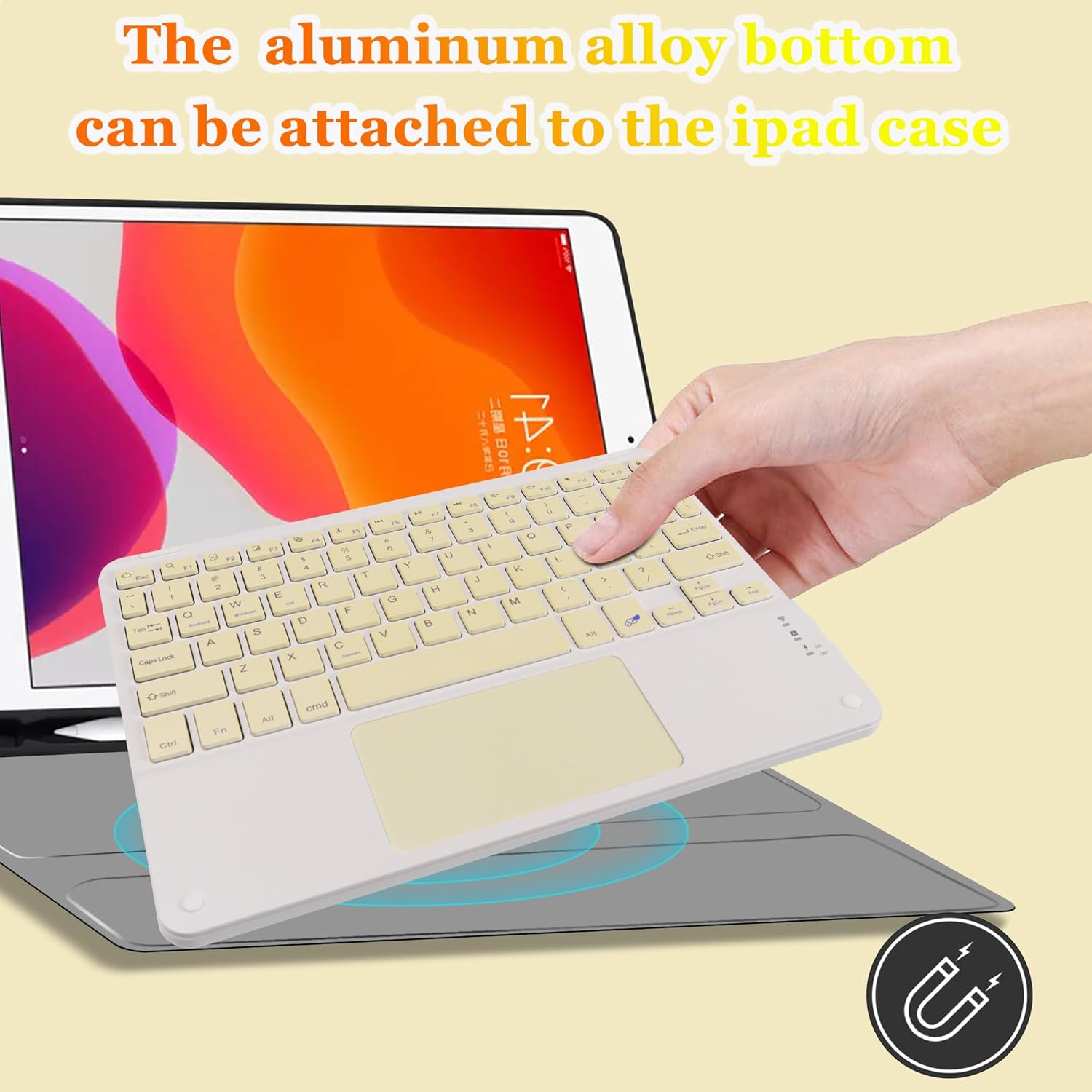
Image: Demonstrating the magnetic attachment feature of the keyboard to a tablet case.

Image: Detail of the keyboard's keys and the comfortable typing experience provided by its design.
Uputstva za postavljanje
Follow these steps to connect your Wireless Bluetooth Keyboard to your device:
- Uključeno: Locate the ON/OFF switch on the keyboard and slide it to the 'ON' position.
- Aktivirajte Bluetooth uparivanje: Pritisnite FN + C keys simultaneously. The Bluetooth indicator light on the keyboard will begin to flash, indicating it is in pairing mode.
- Omogućite Bluetooth na svom uređaju: On your tablet, smartphone, or other Bluetooth-enabled device, go to the Bluetooth settings and turn on Bluetooth.
- Traži uređaj: Your device will search for available Bluetooth devices. Look for a device named "Bluetooth Keyboard" in the list.
- Povežite se: Click on "Bluetooth Keyboard" on your device's screen. Your device may prompt you to enter a code displayed on the screen; type this code on the keyboard and press Enter da dovršite vezu.
Once connected, the Bluetooth indicator light on the keyboard will stop flashing and remain solid or turn off, depending on the keyboard model, indicating a successful connection.

Image: The keyboard demonstrating its wide compatibility with Windows, Android, and iOS devices.
Uputstvo za upotrebu
Korišćenje dodirne table
The integrated multi-touch touchpad allows for intuitive navigation without a separate mouse. Use standard gestures for pointing, clicking, and scrolling. Refer to your device's operating system settings for specific touchpad gesture configurations.
- Dodir jednim prstom: Funkcioniše kao klik lijevom tipkom miša.
- Dodir s dva prsta: Funkcioniše kao desni klik.
- Pomicanje s dva prsta: Povucite dva prsta gore ili dolje da biste pomicali sadržaj.

Image: A hand interacting with the keyboard's built-in multi-touch trackpad.
Punjenje tastature
The keyboard features a built-in rechargeable battery. When the battery is low, the indicator light will signal. Use the provided USB charging cable to recharge the keyboard.
- Connect the small end of the USB charging cable to the keyboard's charging port.
- Spojite veći kraj USB kabla na USB izvor napajanja (npr. USB priključak računara, USB adapter za zid).
- Indikator punjenja će svijetliti tokom punjenja i ugasiti se kada se uređaj potpuno napuni.
- Potpuno punjenje obično traje 2-3 sata.
Održavanje
Da biste osigurali dugotrajnost i optimalne performanse vaše tastature, slijedite ove smjernice za održavanje:
- čišćenje: Za čišćenje površine tastature koristite meku, suhu krpu koja ne ostavlja dlačice. Za tvrdokornu prljavštinu, laganoampOperite krpu vodom ili blagim rastvorom za čišćenje. Izbjegavajte prekomjernu vlagu.
- Skladištenje: Kada se tastatura ne koristi duži period, čuvajte je na hladnom i suhom mjestu, dalje od direktne sunčeve svjetlosti i ekstremnih temperatura.
- Izbjegavajte tečnosti: Ne izlažite tastaturu tekućinama. U slučaju slučajnog prosipanja, odmah isključite tastaturu i ostavite je da se potpuno osuši prije ponovne upotrebe.
- Pažljivo rukujte: Izbjegavajte ispuštanje tastature ili izlaganje jakim udarcima, jer to može oštetiti unutrašnje komponente.
Rješavanje problema
Ako imate problema s tastaturom, pogledajte sljedeća uobičajena rješenja:
- Tastatura se ne povezuje:
- Provjerite je li tastatura uključena i potpuno napunjena.
- Provjerite je li Bluetooth omogućen na vašem uređaju.
- Put the keyboard back into pairing mode (FN + C) and re-attempt connection.
- Forget the "Bluetooth Keyboard" device from your device's Bluetooth settings and try pairing again.
- Ensure the keyboard is within the 33-foot operating range of your device.
- Tipke ne reagiraju:
- Check if the keyboard battery is low and recharge it.
- Reconnect the keyboard to your device.
- Ponovo pokrenite i tastaturu i povezani uređaj.
- Touchpad Not Working Correctly:
- Ensure your device's operating system supports external touchpads and that touchpad functionality is enabled in settings.
- Očistite površinu dodirne ploče kako biste uklonili prljavštinu ili ostatke.
- Ponovo povežite tastaturu.
- Kašnjenje ili prekidi veze:
- Smanjite udaljenost između tastature i uređaja.
- Izbjegavajte smetnje od drugih bežičnih uređaja koji rade na istoj frekvenciji.
- Provjerite je li tastatura potpuno napunjena.
Specifikacije
| Feature | Detalj |
|---|---|
| Dimenzije proizvoda | 9.64 x 7.08 x 0.2 inča (24.48 x 17.98 x 0.5 cm) |
| Težina artikla | 8.6 unce (243.8 grama) |
| Tehnologija povezivanja | Bluetooth 5.1 |
| Kompatibilni uređaji | iOS, Android, Windows Tablets, Smartphones, Laptops (Not Mac OS) |
| Posebne karakteristike | Lightweight, Portable, Built-in Trackpad |
| Baterija | 1 litijum-jonska baterija (uključena) |
| Vrijeme punjenja | 2-3 sata |
| Vrijeme pripravnosti | Do 130 dana |
| Materijal | Plastic (with aluminum alloy bottom) |
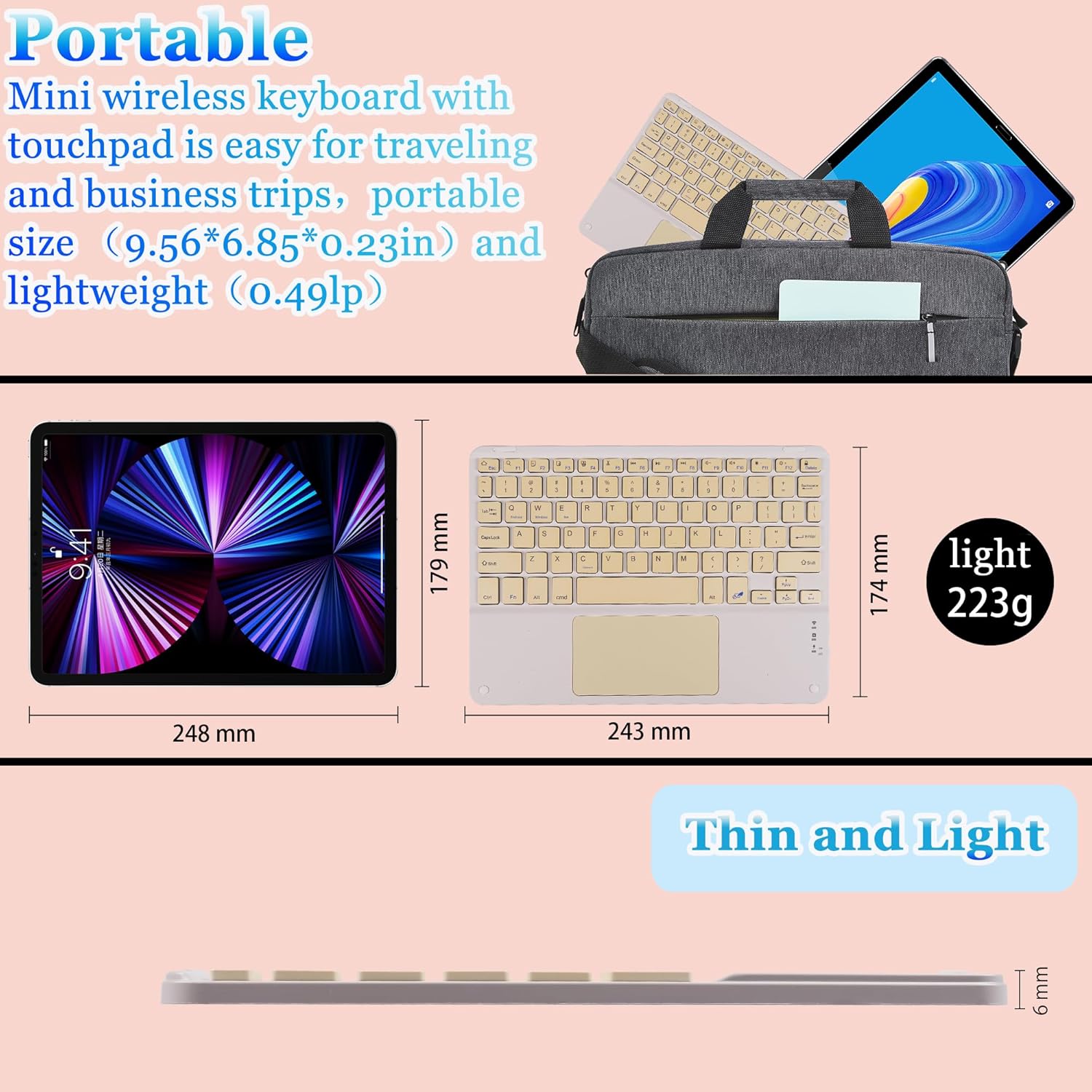
Image: Visual representation of the keyboard's dimensions and lightweight design.
Garancija i podrška
This product comes with a standard manufacturer's warranty. For specific warranty details, please refer to the documentation included with your purchase or contact the retailer.
If you require further assistance, technical support, or have questions not covered in this manual, please contact the seller or manufacturer through your purchase platform. Please have your product model number (B0CS63W1NC) and purchase date ready when contacting support.