Uvod
Thank you for choosing the Generic TWS-S23 Wireless Earbuds. These earbuds are designed to provide a superior audio experience with advanced Bluetooth V5.3 technology, Hi-Fi stereo sound, and convenient features like smart touch control and an intelligent LED power display. This manual will guide you through the setup, operation, and maintenance of your new earbuds to ensure optimal performance.

Figure 1: Generic TWS-S23 Wireless Earbuds and Charging Case
Šta je u kutiji
Prilikom otvaranja paketa, molimo Vas da se uvjerite da su prisutni svi sljedeći elementi:
- Bežične slušalice (lijeve i desne)
- Kućište za punjenje s LED prikazom napajanja
- USB kabel za punjenje (tip-C)
- Uputstvo za upotrebu
- Additional Earbud Tips (various sizes)

Slika 2: Lista za pakovanje iznadview
Setup
1. Punjenje slušalica i kutijice
Before first use, fully charge the earbuds and the charging case. Connect the provided USB Type-C cable to the charging port on the case and a power source. The LED display on the charging case will show the battery percentage, indicating the charging status. Each earbud also has an independent battery indicator.

Figure 3: Type-C Fast Charging
2. Bluetooth uparivanje
- Uvjerite se da su slušalice napunjene.
- Otvorite kutijicu za punjenje. Slušalice će se automatski uključiti i ući u način rada za uparivanje.
- Na svom uređaju (pametnom telefonu, tabletu itd.) omogućite Bluetooth.
- Traži "TWS-S23" in the list of available Bluetooth devices and select it to connect.
- Once connected, the earbuds will automatically pair with your device each time you open the charging case.

Figure 4: Earbuds in Charging Case with LED Display
Uputstvo za upotrebu
Pametna kontrola dodirom
The earbuds are equipped with sensitive touch control panels for easy management of music and calls. Refer to the diagram below for specific functions:

Figure 5: Simple Touch Control Functions
- Pusti/pauza: Jednim dodirom na bilo koju slušalicu.
- Odgovori/prekini poziv: Jednim dodirom na bilo koju slušalicu.
- Prethodna pjesma: Dvaput kliknite na lijevu slušalicu.
- Sljedeća pjesma: Dvaput kliknite na desnu slušalicu.
- Aktivirajte glasovnog asistenta (Siri): Dodirnite i držite bilo koju slušalicu 2 sekundi.
Funkcije poziva
The earbuds feature a built-in high-sensitive microphone with call noise reduction, ensuring clear communication. You can answer and end calls directly from the earbuds using the touch controls.

Figure 6: Call Noise Reduction for Clear Calls
Karakteristike
Hi-Fi stereo zvuk
Experience rich and detailed audio with the 10mm graphene composite diaphragm drivers. The earbuds deliver deep bass, crisp mids, and crystal-clear highs for an immersive listening experience, whether for music, movies, or games.
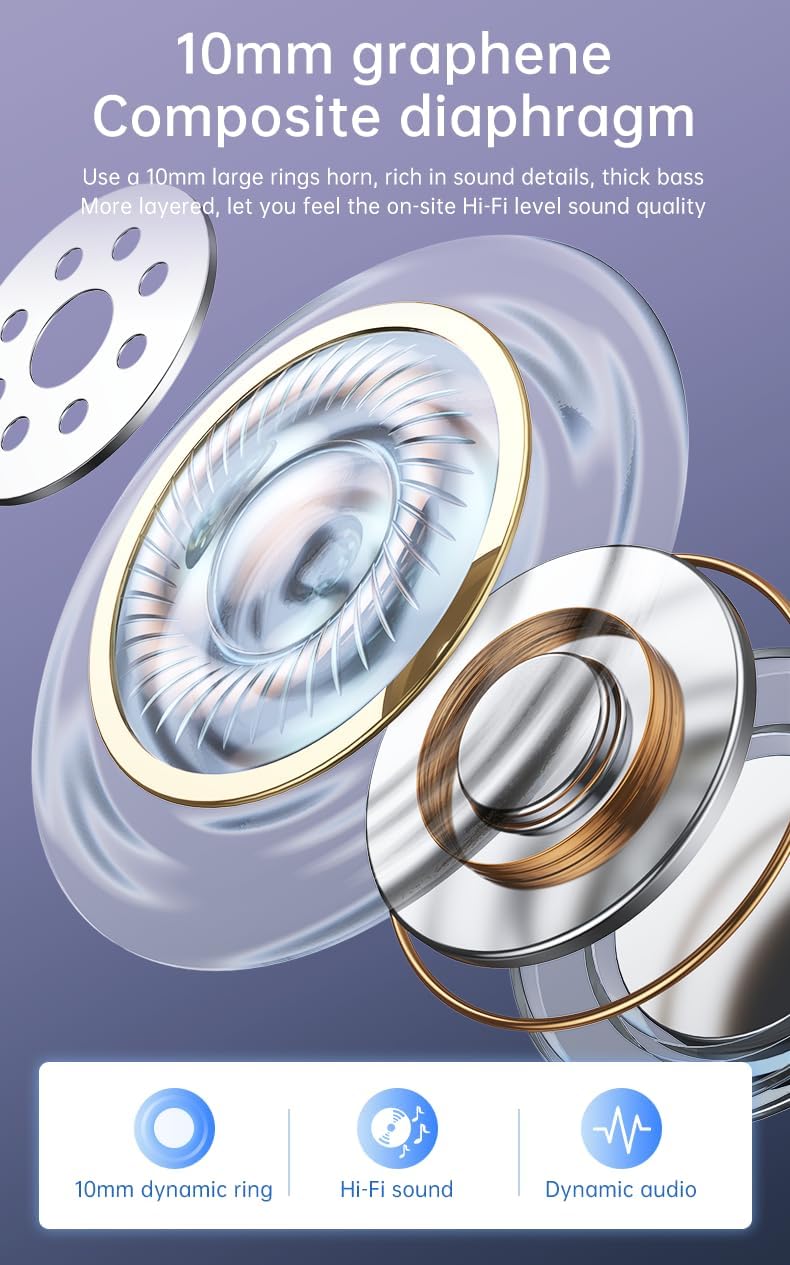
Figure 7: 10mm Graphene Composite Diaphragm
Lightweight, Portable & Ergonomic Design
Each earbud weighs only 0.14 ounces (approximately 4g), making them incredibly light and comfortable for extended wear. The ergonomic design ensures a firm and comfortable fit, suitable for various activities.

Figure 8: Comfortable and Stable Fit

Slika 9: Mali i prenosivi dizajn
IP7 vodootporna ocjena
The IP7 waterproof rating effectively protects the headphones from sweat and rain, making them ideal for sports and outdoor activities.
Zero Latency for Gaming
With an ultra-low latency of 0.05 seconds and a stable signal connection, these earbuds provide a seamless audio experience for gaming, ensuring you hear every detail without delay.

Figure 10: Perfect Headset for Gaming with Zero Latency
Održavanje
Da biste osigurali dugotrajnost i optimalne performanse vaših slušalica, slijedite ove smjernice za održavanje:
- čišćenje: Redovno čistite slušalice i kućište za punjenje mekom, suhom krpom koja ne ostavlja dlačice. Izbjegavajte upotrebu abrazivnih materijala ili jakih hemikalija.
- Izloženost vodi: While the earbuds are IP7 waterproof, avoid prolonged submersion in water. Dry them thoroughly if they get wet from sweat or rain before placing them back in the charging case.
- Skladištenje: Slušalice čuvajte u kutijici za punjenje kada ih ne koristite kako biste ih zaštitili od prašine i oštećenja.
- Punjenje: Use only the provided charging cable or a certified Type-C cable. Avoid overcharging or completely draining the battery for extended periods.
Rješavanje problema
If you encounter any issues with your earbuds, please refer to the following common troubleshooting steps:
| Problem | Moguće rješenje |
|---|---|
| Slušalice se ne uparuju | Ensure earbuds are charged. Turn off and on your device's Bluetooth. Forget "TWS-S23" from your device's Bluetooth list and re-pair. |
| Nema zvuka iz jedne slušalice | Place both earbuds back in the charging case, close the lid, wait a few seconds, then open and try again. Check device's audio balance settings. |
| Futrola za punjenje se ne puni | Provjerite je li USB kabel sigurno spojen i na kućište i na izvor napajanja. Pokušajte s drugim kabelom za punjenje ili adapterom za napajanje. |
| Kontrole na dodir ne reaguju | Provjerite jesu li slušalice čiste i suhe. Ponovo pokrenite slušalice tako što ćete ih staviti u kutijicu i izvaditi. |
Ako problem i dalje postoji nakon što ste isprobali ove korake, obratite se korisničkoj podršci za daljnju pomoć.
Specifikacije
| Feature | Detalj |
|---|---|
| Naziv modela | TWS-S23 |
| Bežična komunikacijska tehnologija | Bluetooth V5.3 |
| Form Factor | U uhu |
| Kontrolni metod | Dodirnite |
| Tip kontrole | Siri (Voice Assistant) |
| Waterproof Rating | IP7 |
| Driver Size | 10mm |
| Težina artikla | 3.95 unce (ukupno pakovanje) |
| Vrijeme igranja | 22+ Hours (with charging case) |
| Port za punjenje | USB Type-C |
Garancija i podrška
For warranty information and customer support, please refer to the documentation included with your purchase or contact the retailer/manufacturer directly. Keep your proof of purchase for any warranty claims.


