
Uvod
The Manhattan 7-in-1 USB-C & USB-A Multi-Card Reader, Model 102605, is a versatile device designed for quick and efficient data transfer from various memory card formats to your computer or mobile device. Featuring both USB-C and USB-A connectors, this reader offers broad compatibility and high-speed data transfer rates, simplifying your workflow for photos, videos, and other files.
Karakteristike proizvoda
- Seven dedicated slots for popular flash card formats: SD / MMC, microSD / TF, MS, xD, and CF.
- USB 3.2 Gen 1 compliant, supporting SuperSpeed transfer rates up to 5 Gbps.
- Integrated 3 ft (1m) 2-in-1 combo cable with nestable USB-C and USB-A plugs for universal connectivity.
- Plug-and-play functionality, requiring no additional drivers.
- Compatible with Windows, macOS, Linux, Chrome OS, iPadOS, and Android operating systems.
Setup
Setting up your Manhattan Multi-Card Reader is a straightforward process:
- Povežite čitač: Identify the appropriate USB port on your computer, laptop, tablet, or smartphone (USB-A or USB-C). Connect the reader's integrated cable to the port. The 2-in-1 connector allows you to switch between USB-A and USB-C by detaching the USB-C adapter from the USB-A plug.
- Uključeno: The card reader is bus-powered, meaning it draws power directly from the USB port. No external power adapter is required.
- Instalacija drajvera: The device is plug-and-play. Your operating system will automatically detect and install any necessary drivers. No manual driver installation is typically needed.
- LED indikator: A small LED indicator on the reader will illuminate when connected and active, indicating readiness for use.

Image: The Manhattan 7-in-1 Multi-Card Reader connected via its 3-foot USB-C and USB-A combo cable.
Uputstvo za upotrebu
To transfer data using your multi-card reader:
- Identifikujte utor za karticu: Locate the correct slot on the reader for your specific memory card type. Refer to the labels next to each slot.
- Umetnite memorijsku karticu: Gently insert your memory card into the corresponding slot. Ensure the card is oriented correctly; do not force it. The card should slide in smoothly and typically click into place.
- Podaci o pristupu: Once the card is inserted, your operating system will recognize it as a removable drive. Open your file istraživač (npr. File Explorer on Windows, Finder on macOS) to access the contents of the memory card.
- Transfer Files: You can now copy, paste, or move files between your memory card and your connected device.
- Sigurno izbacivanje: Before removing the memory card, always safely eject the drive from your operating system to prevent data corruption. After ejection, gently pull the memory card out of its slot.

Slika: Vrh view of the card reader highlighting the various card slots and their labels.

Image: Close-up of the card reader with an illuminated LED indicator, signifying active operation.
Podržane vrste medija
The Manhattan 7-in-1 Multi-Card Reader supports the following memory card formats:
- SD / MMC: SD, SDHC, SDXC, RS-MMC
- microSD / TF: microSD, microSDHC, microSDXC
- MS: Memory Stick, MS Pro Duo, MS Duo
- xD: xD slikovna kartica
- CF: CompactFlash

Image: A visual representation of the different memory card types compatible with the reader.
Kompatibilnost
This card reader offers wide compatibility with various devices and operating systems:
- Operativni sistemi: Windows, macOS, Linux, Chrome OS, iPadOS, Android.
- Kompatibilni uređaji: Computers, Laptops, Tablets, Smartphones.
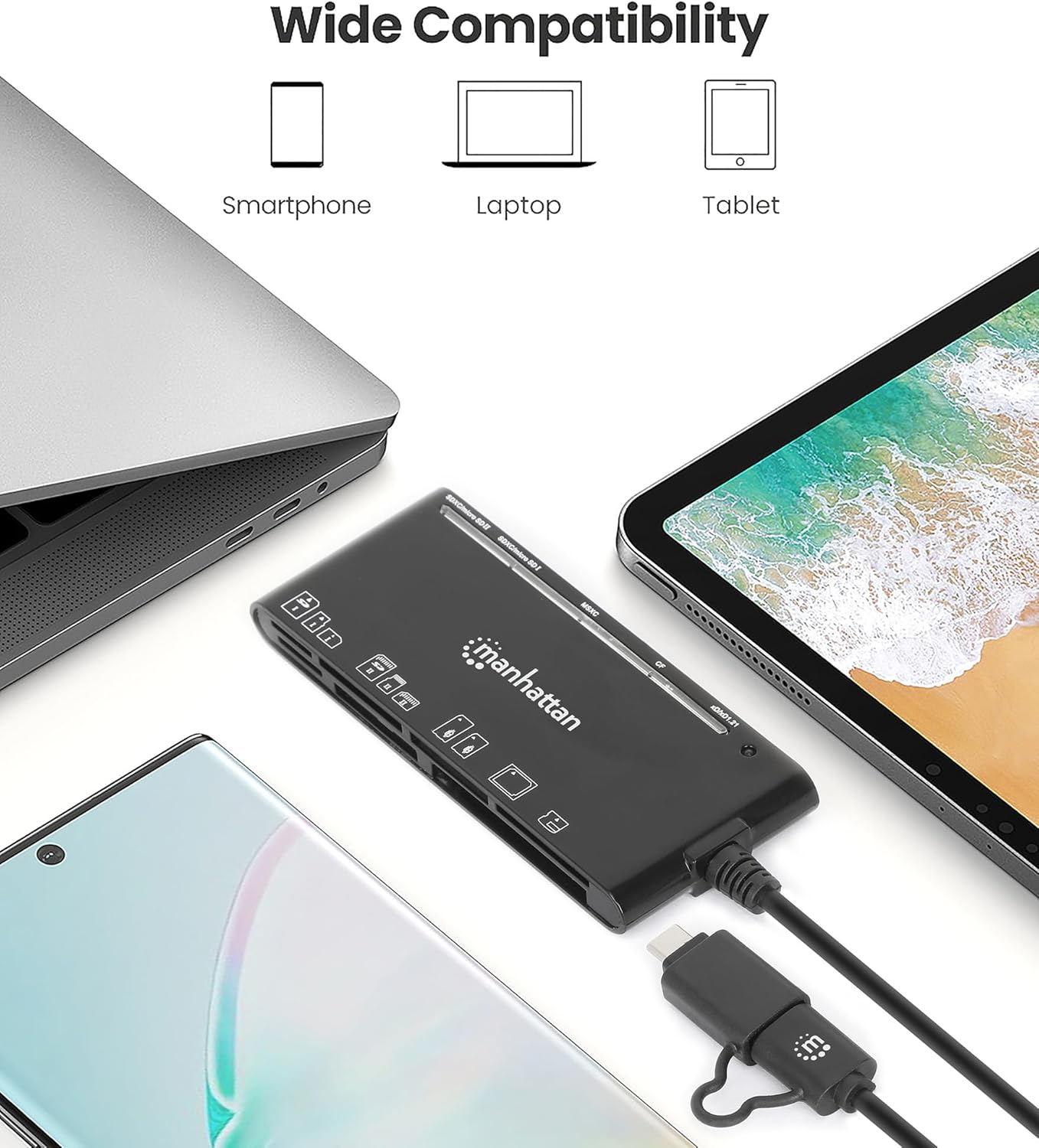
Image: The card reader shown with a laptop, tablet, and smartphone, demonstrating its broad device compatibility.

Image: The card reader connected to a smartphone, illustrating mobile device compatibility.
Rješavanje problema
If you encounter issues with your card reader, consider the following troubleshooting steps:
- Uređaj nije prepoznat:
- Ensure the USB cable is fully and securely connected to both the reader and your device.
- Try connecting the reader to a different USB port on your device.
- If using a USB hub, try connecting the reader directly to your computer's USB port.
- Ponovo pokrenite računar ili mobilni uređaj.
- Memory Card Not Reading:
- Verify that the memory card is inserted correctly into the appropriate slot. Do not force the card.
- Test with a different memory card to determine if the issue is with the card or the reader.
- Provjerite memorijsku karticu na vidljiva oštećenja ili prljavštinu na kontaktima.
- Male brzine prijenosa podataka:
- Ensure the reader is connected to a USB 3.0 (or higher) port on your device to achieve SuperSpeed transfer rates. Connecting to a USB 2.0 port will result in slower speeds.
- The actual transfer speed also depends on the speed class of your memory card. Use high-speed cards for optimal performance.
- Izbjegavajte prebacivanje mnogo malih files simultaneously, as this can be slower than transferring a few large files.
Specifikacije
| Brand | MANHATTAN |
| Broj modela | 102605 |
| Tehnologija povezivanja | USB tip A, USB tip C |
| Brzina prijenosa podataka | Do 5 Gbps (USB 3.2 Gen 1) |
| Podržani tipovi medija | CompactFlash, MMC, Memory Stick, SD Card, microSD, xD Picture Card |
| Slot Count | 7 |
| Kompatibilnost operativnog sistema | Chrome OS, Linux, Mac OS, Windows, iPadOS, Android |
| Dužina kabla | 3 stopa (1 m) |
| Boja | Crna |
Održavanje
To ensure the longevity and optimal performance of your card reader:
- Uređaj održavajte čistim i bez prašine i ostataka. Za čišćenje koristite meku, suhu krpu.
- Avoid exposing the reader to extreme temperatures or humidity.
- Do not force memory cards into slots, as this can damage both the card and the reader.
- Store the reader in a safe place when not in use to prevent physical damage to the connectors or slots.
Garancija i podrška
This Manhattan 7-in-1 USB-C & USB-A Multi-Card Reader is backed by a 3-godišnja garancija proizvođača.
For technical support, warranty claims, or further assistance, please visit the official Manhattan Products website or contact their customer service department. Refer to your product packaging or the manufacturer's webstranicu za najnovije kontakt informacije za podršku.