
Uvod
Hvala na kupoviniasing the HEANTTV Mini Stereo USB Computer Speakers, Model C1. This manual provides essential information for the safe and efficient use of your new speakers. Please read it thoroughly before use and retain it for future reference.
Sigurnosne informacije
- Ne izlažite zvučnike vodi ili prekomjernoj vlazi.
- Izbjegavajte postavljanje zvučnika u blizinu izvora toplote ili na direktnu sunčevu svjetlost.
- Do not attempt to disassemble or repair the speakers yourself. Contact qualified service personnel.
- Čuvati van domašaja djece.
- Koristite samo sa kompatibilnim uređajima i izvorima napajanja kako je navedeno.
Sadržaj paketa
Molimo Vas da provjerite paket za sljedeće stavke:
- HEANTTV Mini Stereo USB Computer Speakers (2 units)
- Integrated USB power cable and 3.5mm audio cable with in-line control
- Vodič za brzi početak
Product Overview
The HEANTTV C1 speakers feature a compact design with integrated LED lighting and convenient in-line controls for volume and LED light management.
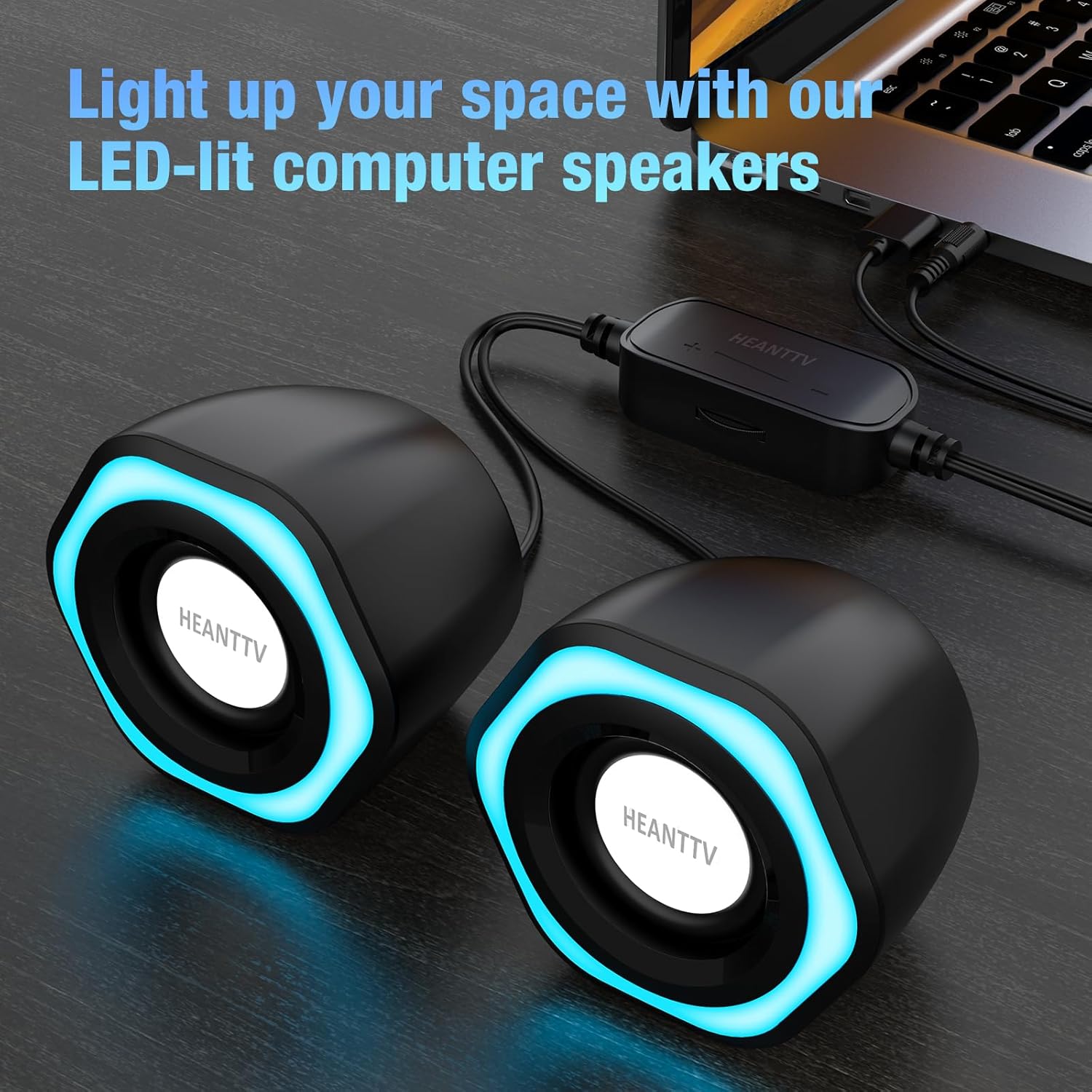
Slika 1: HEANTTV C1 speakers with their distinctive blue LED lighting, connected to a laptop. The speakers are designed to illuminate your workspace.

Slika 2: Detaljno view of the HEANTTV C1 speaker dimensions, highlighting its compact and portable size. The measurements are approximately 79mm (3.11in) height, 65mm (2.55in) width, and 84mm (3.30in) depth.

Slika 3: A HEANTTV C1 speaker held in a hand, illustrating its mini size and portability.
Uputstva za postavljanje
Follow these steps to set up your HEANTTV C1 speakers:
- plasman: Position the two speakers on your desk or desired surface, ensuring they are equidistant from your listening position for optimal stereo sound.
- Povežite audio: Plug the 3.5mm audio jack into the audio output port of your computer, laptop, or other compatible device.
- Priključite napajanje: Insert the USB-A connector into an available USB port on your computer, laptop, or a USB power adapter (5V/1A recommended). The speakers are USB powered.
- Uključeno: Once both cables are connected, the speakers will power on, and the LED lights will illuminate.

Slika 4: Illustration of the easy connection process. The USB cable provides power, and the 3.5mm audio cable transmits sound. The in-line control unit is visible for convenient adjustments.

Slika 5: Krupni plan view of the USB plug for power and the 3.5mm audio plug for sound input, demonstrating the simple plug-and-play connectivity.
Uputstvo za upotrebu
The HEANTTV C1 speakers are designed for straightforward operation.
- Kontrola jačine zvuka: Use the in-line control wheel located on the cable to adjust the volume. Rotate the wheel upwards to increase volume and downwards to decrease it.
- Kontrola LED svjetla: The in-line control unit also features a button to turn the LED lights on or off. Press the button to toggle the lighting feature.
- Audio reprodukcija: Once connected and powered, play audio from your connected device. The speakers will output stereo sound.

Slika 6: Detail of the in-line control unit, showing the volume adjustment wheel and the button for controlling the LED lights. This allows for easy access to common functions.
Održavanje
Da biste osigurali dugotrajnost i optimalne performanse vaših zvučnika, slijedite ove smjernice za održavanje:
- čišćenje: Za brisanje vanjske strane zvučnika koristite meku, suhu krpu. Nemojte koristiti tekuća sredstva za čišćenje ili abrazivne materijale.
- Skladištenje: Kada se zvučnike ne koriste duži period, čuvajte ih na hladnom i suhom mjestu, dalje od direktne sunčeve svjetlosti i prašine.
- Održavanje kablova: Izbjegavajte pretjerano savijanje ili uvijanje kablova kako biste spriječili oštećenja.
Rješavanje problema
If you encounter issues with your HEANTTV C1 speakers, refer to the following common problems and solutions:
| Problem | Mogući uzrok | Rješenje |
|---|---|---|
| Nema zvuka |
|
|
| LED svjetla ne rade |
|
|
| Izobličen zvuk |
|
|
Specifikacije
| Feature | Detalj |
|---|---|
| Naziv modela | C1 |
| Brand | HEANTTV |
| Kompatibilni uređaji | Personal computer, laptop, desktop |
| Tehnologija povezivanja | USB (za napajanje), 3.5 mm AUX (za audio) |
| Način audio izlaza | Stereo (2.0-kanalna konfiguracija) |
| Izlazna snaga zvučnika | 6 W (ukupno) |
| Posebne karakteristike | LED Light (with on/off control) |
| Kontrolni metod | In-line volume control wheel, LED light button |
| Izvor napajanja | USB Powered (Electric cable) |
| Materijal | Plastika |
| Dimenzije proizvoda (D x Š x V) | 3.11 x 6.5 x 7.9 cm (per speaker) |
| Težina | 400 grama (ukupno) |
| Vodootporan | br |
Garancija i podrška
Informacije o garancijskom pokrivanju i korisničkoj podršci obično se nalaze u dokumentaciji o kupovini ili na službenim stranicama proizvođača. website. Please refer to the included "Quick Start Guide" or visit the HEANTTV webstranicu za detaljne uslove garancije i kontakt informacije za podršku.
For any issues not covered in this manual, please contact HEANTTV customer service.