
Uvod
This manual provides comprehensive instructions for the setup, operation, and maintenance of your realme Earbud T300 wireless earbuds. Please read this manual carefully before using the product to ensure optimal performance and longevity. Keep this manual for future reference.
Sadržaj paketa
Provjerite da li se sve stavke nalaze u pakovanju vašeg proizvoda:
- realme Earbud T300 (Left and Right Earbuds)
- Futrola za bežično punjenje
- USB kabl za punjenje
- Naušnice (različite veličine)
- Korisnički priručnik (ovaj dokument)
Product Overview
The realme Earbud T300 offers a premium audio experience with advanced features. Familiarize yourself with the components and key functionalities.

Figure 1: realme Earbud T300 earbuds and charging case.

Figure 2: Key features of the realme Buds T300, including 360° Spatial Audio, 30dB ANC, 12.4mm Dynamic Bass Driver, Dolby Atmos, 40 Hours Playback, IP55, and 50ms Ultra-low Latency.

Slika 3: Detaljno view of the realme Earbud T300 design.

Figure 4: The realme Earbud T300 charging case.
Setup
1. Punjenje slušalica i kutijice
- Početna naplata: Before first use, place both earbuds into the charging case and connect the case to a power source using the provided USB cable. Ensure the charging indicator light on the case illuminates.
- Puno punjenje: Ostavite otprilike 2 sat da se slušalice i kućište za punjenje potpuno napune.
- Brzo punjenje: A 10-minute charge can provide up to 7 hours of playback time.
- Trajanje baterije: The earbuds offer up to 40 hours of total playback with the charging case.
2. Bluetooth uparivanje
- Prvo uparivanje: Otvorite kućište za punjenje. Slušalice će automatski ući u način uparivanja, što će biti naznačeno trepćućim svjetlom na kućištu.
- Omogući Bluetooth: Na svom uređaju (pametnom telefonu, tabletu itd.) omogućite Bluetooth i potražite dostupne uređaje.
- Povežite se: Select "realme Buds T300" from the list of available devices. Once connected, the indicator light on the case will turn off or show a steady color.
- Ponovno uparivanje: Ako se slušalice ne povežu automatski, vratite ih u kutijicu, zatvorite poklopac, a zatim ga ponovo otvorite da biste ponovo ušli u način rada za uparivanje.
3. realme Link App
For enhanced customization and features, download the realme Link app from your device's app store. The app allows you to:
- Prilagodite kontrole na dodir.
- Adjust EQ modes and sound profiles.
- Enable/disable 360° Spatial Audio Effect.
- Ažurirajte firmver.
- Proverite status baterije.
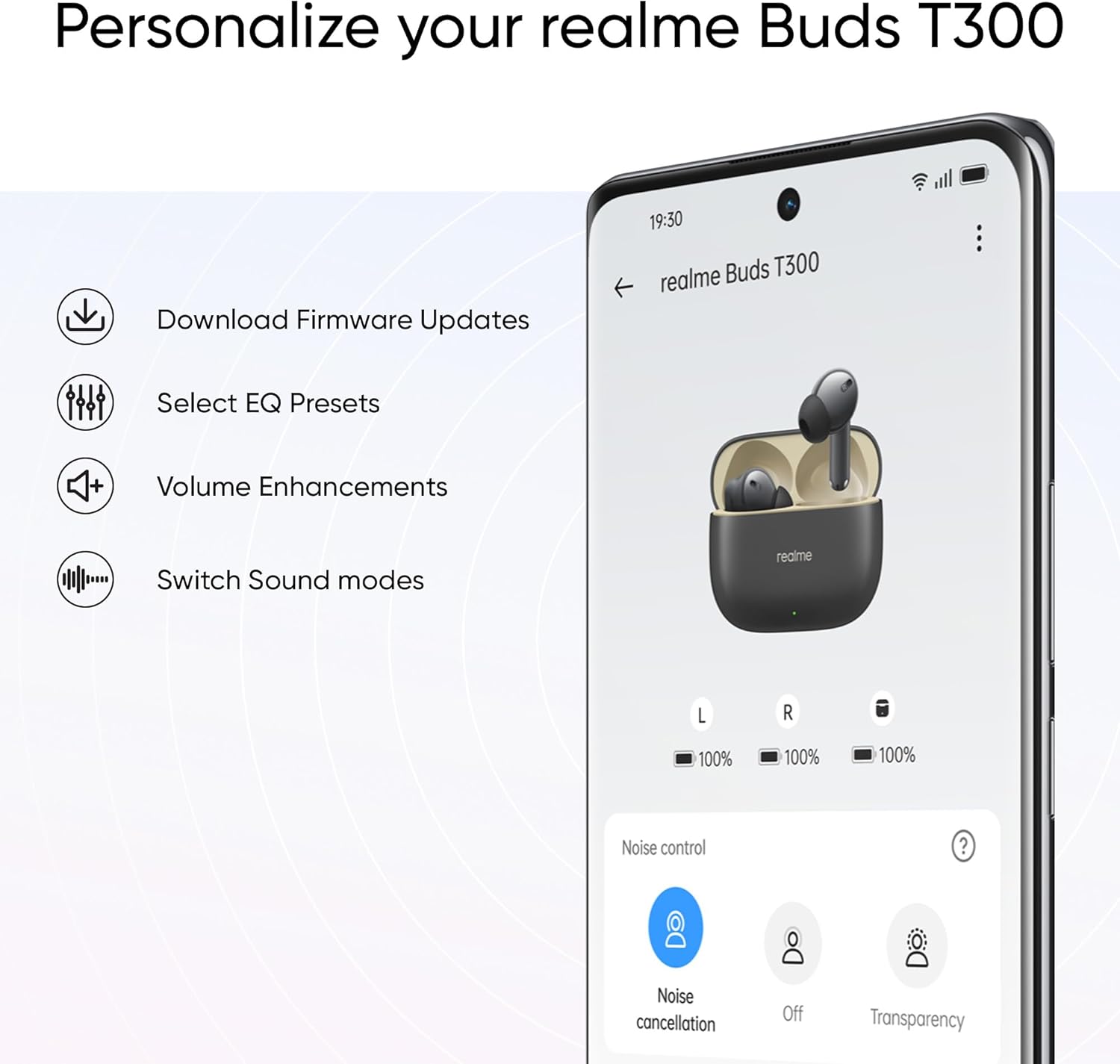
Figure 5: The realme Link App interface for personalizing your earbuds.
Uputstvo za upotrebu
1. Dodirnite Kontrole
The realme Earbud T300 features intuitive touch controls on each earbud. Default controls typically include:
- Jednokratno dodirivanje: Reprodukcija/Pauziranje muzike, Odgovori/Završi poziv.
- Dvaput dodirnite: Preskoči na sljedeću pjesmu.
- Trostruki dodir: Idi na prethodnu numeru.
- Touch and Hold (Left/Right Earbud): Switch between Active Noise Cancellation, Transparency Mode, and Normal Mode.
- Touch and Hold (Both Earbuds): Aktivirajte glasovnog asistenta.
Note: Specific touch controls can be customized via the realme Link App.
2. Aktivno poništavanje buke (ANC) i način rada transparentnosti
The earbuds feature 30dB Active Noise Cancellation to reduce ambient noise and a Transparency Mode to allow you to hear your surroundings.
- Promjena načina rada: Touch and hold either earbud to cycle through ANC, Transparency, and Normal modes.
- ANC funkcija: The feed-forward microphone intelligently detects external noise and generates reverse noise-cancelling acoustic waves.
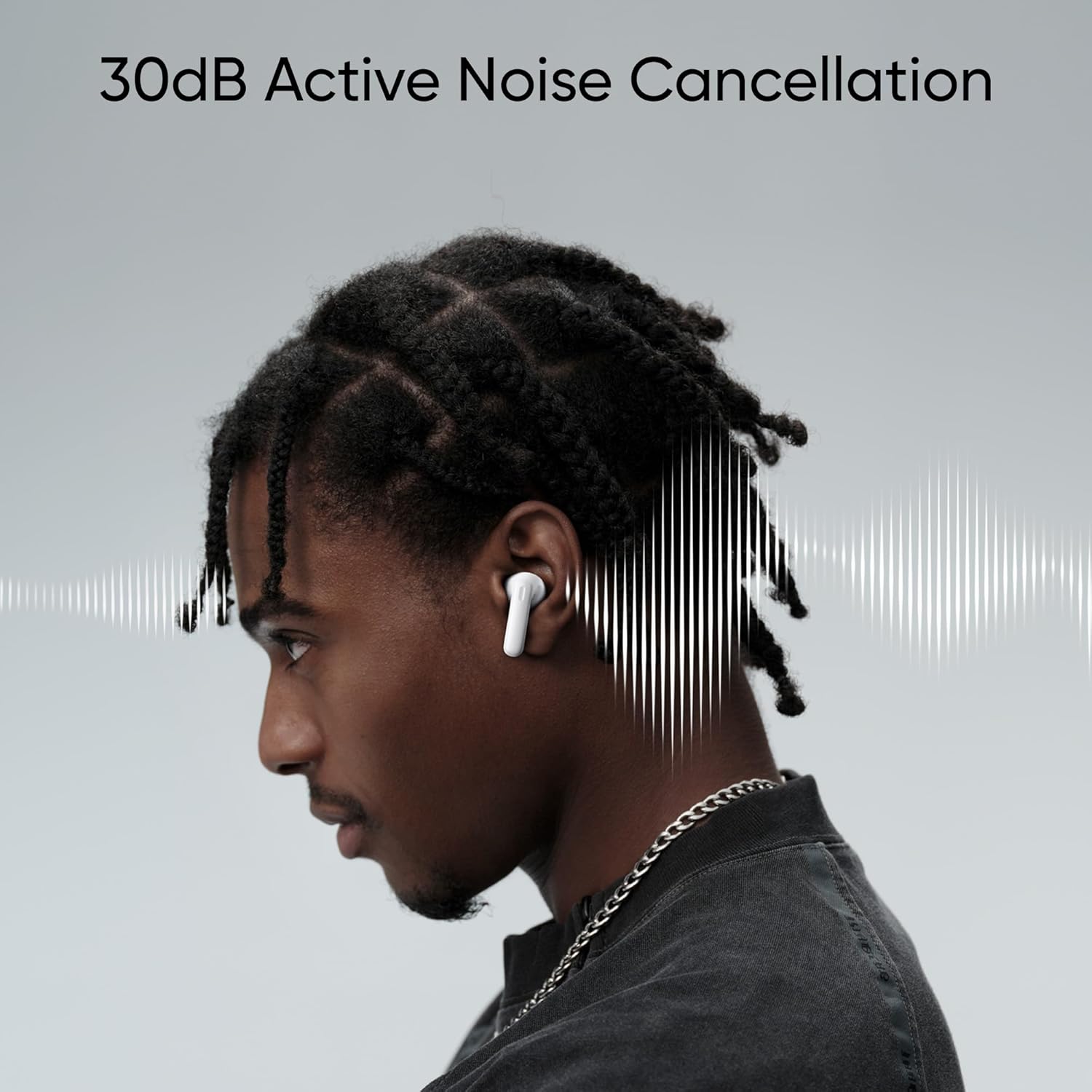
Figure 6: Illustration of 30dB Active Noise Cancellation in action.
3. 360° Spatial Audio Effect
Experience immersive sound with the 360° Spatial Audio Effect.
- Aktivacija: This feature needs to be enabled within the realme Link App.
- Dolby Atmos: The earbuds support Dolby Atmos for an enhanced audio experience, provided your connected device also supports Dolby Atmos.

Figure 7: Visual representation of the 360° Spatial Audio Effect.

Figure 8: The realme Earbud T300 supports Dolby Atmos.
4. Ultra-low Latency Gaming Mode
For a seamless gaming experience, activate the 50ms Ultra-low Latency Gaming Mode.
- Aktivacija: This mode needs to be turned on, typically through the realme Link App or a specific touch gesture (refer to app for details).
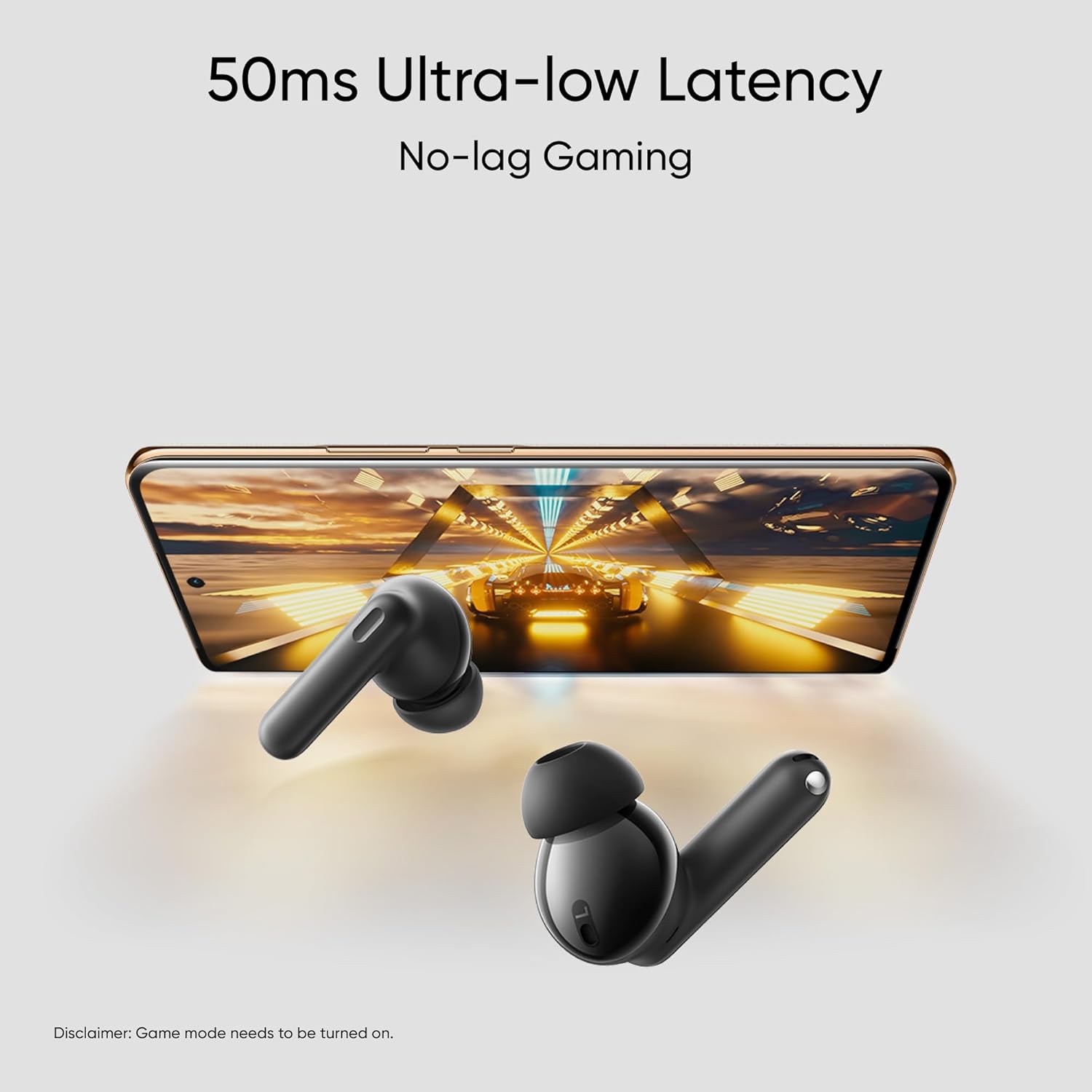
Figure 9: The 50ms Ultra-low Latency feature for gaming.
Održavanje
1. Čišćenje
- Redovno čistite slušalice i kućište za punjenje mekom, suhom krpom koja ne ostavlja dlačice.
- Pamučnim štapićem nježno očistite kontakte za punjenje na slušalicama i unutrašnjosti kućišta.
- Skinite nastavke za uši i po potrebi ih očistite vodom i blagim sapunom, pazeći da su potpuno suhi prije ponovnog pričvršćivanja.
- Izbjegavajte upotrebu abrazivnih materijala, alkohola ili hemijskih sredstava za čišćenje.
2. Skladištenje
- Kada se ne koriste, uvijek čuvajte slušalice u kutijici za punjenje kako biste ih zaštitili i osigurali da ostanu napunjene.
- Uređaj čuvajte na hladnom i suhom mjestu, dalje od ekstremnih temperatura i direktne sunčeve svjetlosti.
3. Otpornost na vodu i prašinu (IP55)
The realme Earbud T300 has an IP55 rating, meaning it is protected against limited dust ingress and low-pressure water jets from any direction.
- This rating applies to the earbuds only, not the charging case.
- Avoid submerging the earbuds in water or exposing them to high-pressure water.
- Dobro osušite slušalice prije nego što ih vratite u kutijicu za punjenje ako se pokvase.
- The IP55 rating is not a permanent condition and resistance might decrease as a result of normal wear.

Figure 10: The IP55 Water & Dust Resistance of the earbuds.
Rješavanje problema
If you encounter issues with your realme Earbud T300, refer to the following common solutions:
- Nema zvuka: Provjerite jesu li slušalice napunjene, povezane s vašim uređajem i je li zvuk pojačan. Provjerite je li na vašem uređaju odabran ispravan audio izlaz.
- Problemi uparivanja: Make sure Bluetooth is enabled on your device. Place earbuds back in the case, close, then open to re-enter pairing mode. Try forgetting the device on your phone and re-pairing.
- Jedna slušalica ne radi: Ensure both earbuds are charged. Try resetting the earbuds (refer to realme Link App or online support for specific reset instructions).
- Problemi s punjenjem: Check the USB cable and power adapter. Ensure charging contacts on earbuds and case are clean and free of debris.
- Loš kvalitet zvuka: Ensure earbuds are properly seated in your ears. Try different eartip sizes for a better seal. Check for interference from other wireless devices.
For more detailed troubleshooting or persistent issues, please visit the official realme support website.
Specifikacije
| Feature | Specifikacija |
|---|---|
| Naziv modela | realme T300 |
| Broj modela stavke | RMA2302 |
| Tehnologija povezivanja | Bežično (Bluetooth 5.3) |
| Kontrola buke | Aktivno poništavanje buke (30dB) |
| Veličina audio drajvera | 12.4 Millimeters Dynamic Bass Driver |
| Trajanje baterije (ukupno s kućištem) | Do 40 sati |
| Quick Charge | 10 minuta za 7 sati reprodukcije |
| Otpornost na vodu i prašinu | IP55 (samo slušalice) |
| Audio kašnjenje | 50 milisekundi (režim igre) |
| Posebne karakteristike | Noise Cancellation, Surround Sound (360° Spatial Audio), Sweatproof, Touch Control, Dolby Atmos Support |
| Frekvencijski opseg | 20Hz - 40kHz |
| Kontrolni metod | App (realme Link), Media Control |
| Materijal | Plastika, silikon |
| Težina artikla | 45 Grams (approx. total) |
| Dimenzije proizvoda | 2.44 x 1.85 x 0.94 inča |
Garancija i podrška
Your realme Earbud T300 is covered by a limited warranty. For specific warranty terms and conditions, please refer to the warranty card included in your package or visit the official realme website.
For technical support, frequently asked questions, or to contact customer service, please visit the official realme support page: