
Uvod
This manual provides detailed instructions for the setup, operation, and maintenance of your KSIX Compass Smartwatch. Designed for active lifestyles, this smartwatch features integrated GPS, call functionality, notification alerts, and comprehensive health monitoring. Please read this manual thoroughly to ensure proper use and to maximize your device's capabilities.
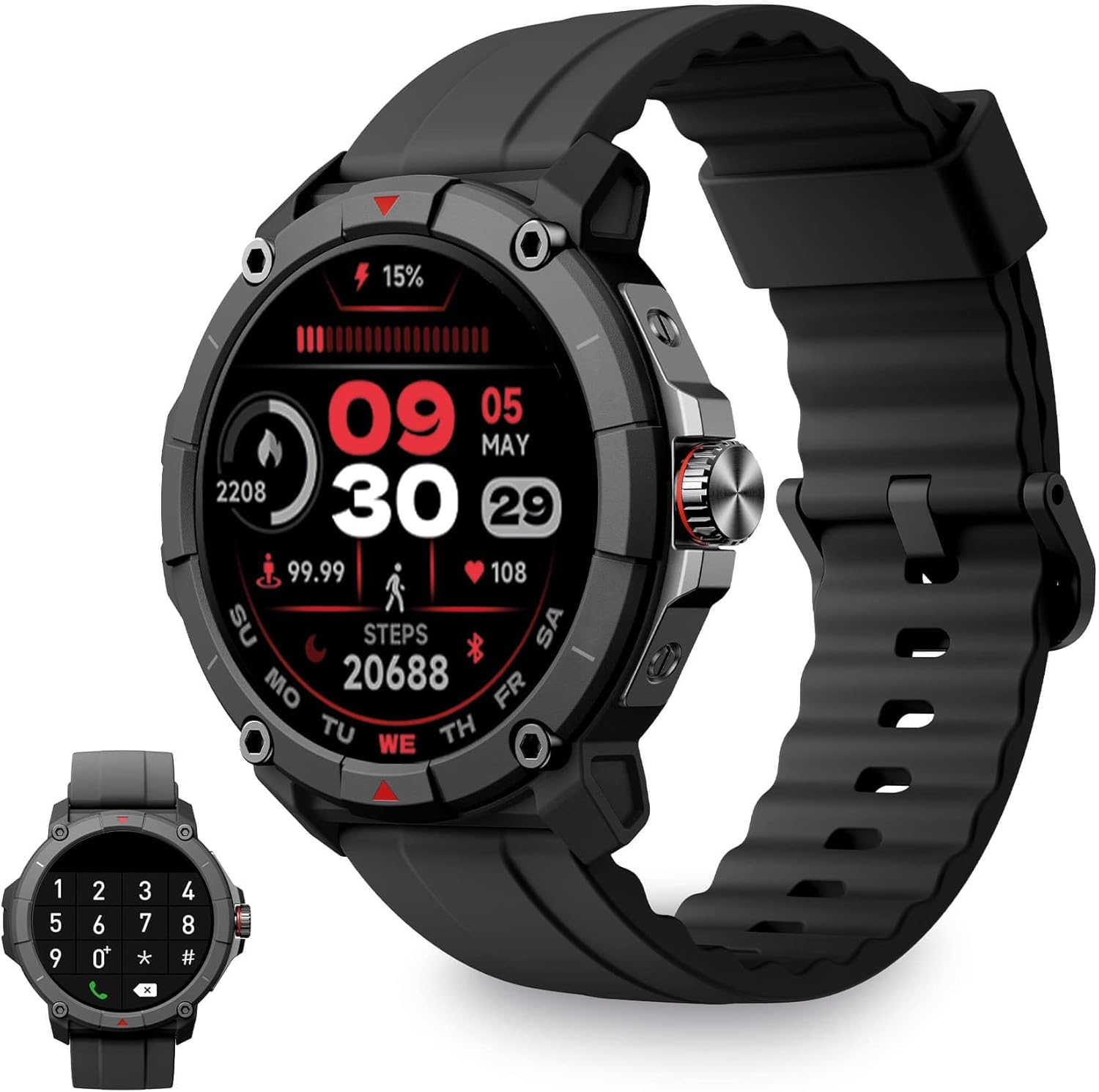
Image: KSIX Compass Smartwatch, front view showing the round display with a digital watch face, and the black silicone strap. A smaller inset image shows the dial pad on the watch screen.
1. Podešavanje
1.1 Punjenje uređaja
Before initial use, fully charge your KSIX Compass Smartwatch.
- Spojite kabel za punjenje na priključak za punjenje na stražnjoj strani pametnog sata.
- Drugi kraj kabla priključite na USB adapter za napajanje (nije uključen) ili na USB port računara.
- Ekran sata će prikazivati status punjenja.
Potpuno punjenje obično traje otprilike 2.5 sati i pruža do 7 dana of battery life, depending on usage.

Image: Close-up of the KSIX Compass Smartwatch's side, highlighting the rotating crown. Text overlays indicate "Charging Time: 2.5h" and "Battery Life: 7 days".
1.2 Uparivanje sa vašim pametnim telefonom
To unlock all features, pair your smartwatch with the companion app.
- Preuzmite VeryFit app from the App Store (iOS 9.0 and above) or Google Play Store (Android 6.0 and above).
- Provjerite je li Bluetooth omogućen na vašem pametnom telefonu.
- Open the VeryFit app and follow the on-screen instructions to create an account or log in.
- Select "Add Device" or similar option within the app and choose your KSIX Compass Smartwatch from the list of available devices.
- Potvrdite zahtjev za uparivanje i na pametnom telefonu i na pametnom satu.
The watch uses Wireless BLE 5.3 for a stable connection.
2. Uputstvo za upotrebu
2.1 Osnovna navigacija
- Touchscreen: Prevucite prstom lijevo, desno, gore ili dolje za navigaciju kroz menije i funkcije. Dodirnite za odabir.
- Rotirajuća kruna: Rotate the crown on the side of the watch to scroll through lists or adjust settings. Press the crown to return to the home screen or confirm selections.

Image: The KSIX Compass Smartwatch displaying its 1.38-inch full-color TFT-LCD touchscreen. Several customizable watch faces are shown below, demonstrating different layouts and information displays.
2.2 Funkcionalnost poziva
The KSIX Compass Smartwatch allows you to make and receive calls directly from your wrist using its built-in microphone and speaker.
- Upućivanje poziva: Access the dial pad or contact list on the watch screen to initiate a call.
- Primanje poziva: When a call comes in, you can answer or reject it directly from the watch.
2.3 Obavještenja
Receive notifications from various applications (e.g., WhatsApp, Instagram, Twitter) directly on your smartwatch when connected to your phone.

Image: The KSIX Compass Smartwatch displaying a call screen with options for frequent contacts and a dial pad. Below, icons for various social media and messaging apps (WhatsApp, Instagram, Twitter, Facebook, Gmail) are shown, representing notification capabilities.
2.4 Glasovni asistent
The smartwatch is compatible with your preferred voice assistant (Alexa, Siri, or Google Assistant). Activate the voice assistant feature on your watch and speak your commands.
2.5 Sportski načini rada i GPS praćenje
The KSIX Compass Smartwatch includes integrated GPS for tracking your routes during outdoor activities like running and hiking. It supports over 100 sport modes.
- Odaberite željeni sportski način rada iz izbornika sata.
- Ensure GPS connection is successful before starting your activity.
- Track your route and performance data in real-time.
- Review detailed activity logs in the VeryFit app after your workout.

Image: The KSIX Compass Smartwatch display showing "GPS connection successful" with a green pin icon, ready to start an activity. A blurred outdoor path is visible in the background.
2.6 Monitoring zdravlja
Monitor various health metrics directly from your wrist.
- Monitor otkucaja srca: Neprekidno prati vaš otkucaj srca.
- Monitor kiseonika u krvi (SpO2): Mjeri nivo zasićenosti krvi kisikom.
- Monitor krvnog pritiska: Pruža očitanja krvnog pritiska.
- Monitor spavanja: Prati obrasce i kvalitet spavanja.
- Pedometar: Counts steps taken throughout the day.
- Mjerač stresa: Prati nivo stresa.
- Vježbe disanja: Guides you through relaxation breathing.
- Praćenje menstrualnog ciklusa: Pomaže u praćenju i predviđanju menstrualnih ciklusa.
Svi zdravstveni podaci mogu biti viewed in detail within the VeryFit app.
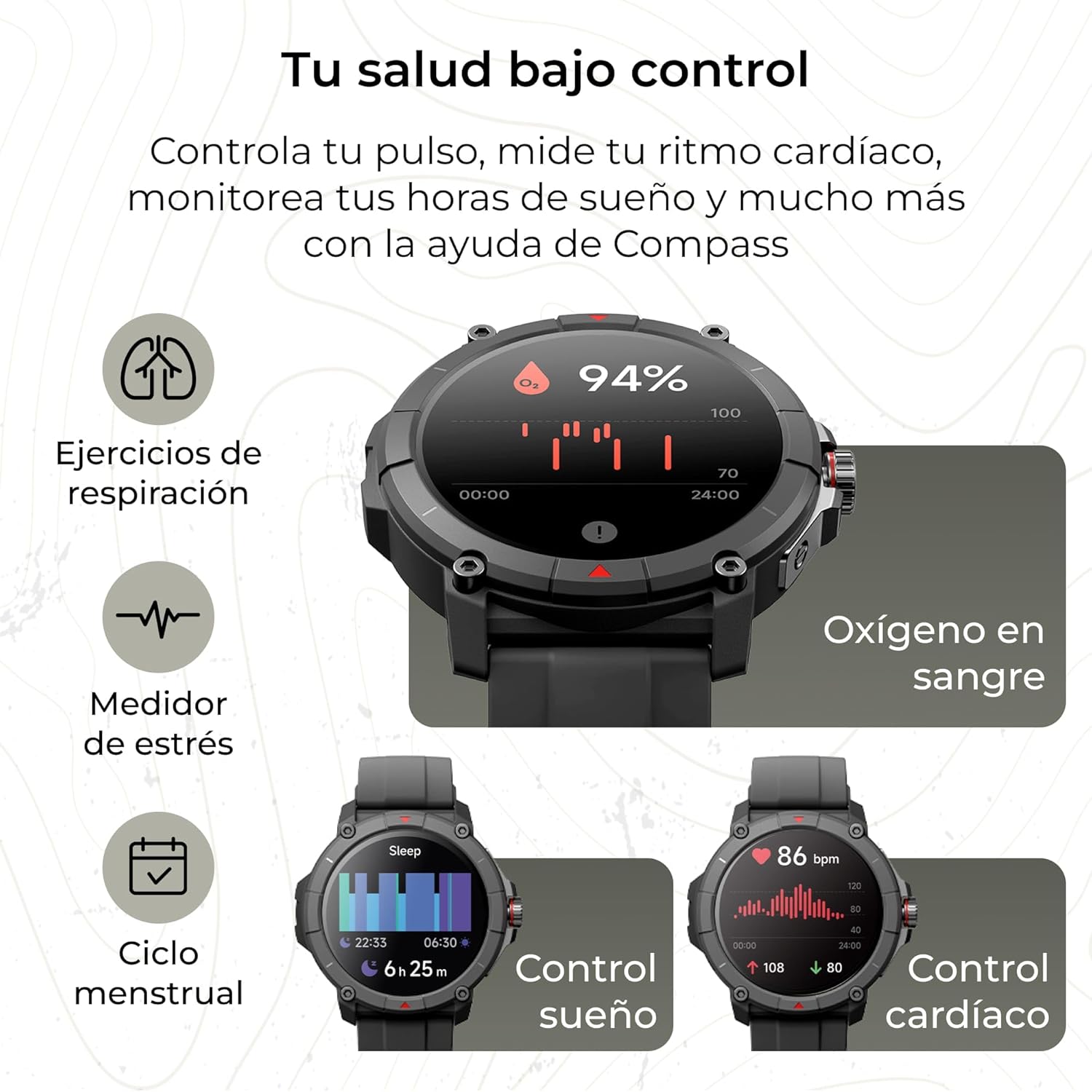
Image: The KSIX Compass Smartwatch displaying various health monitoring features. These include blood oxygen saturation (94%), heart rate control (86 bpm), sleep tracking (6h 25m), stress measurement, breathing exercises, and menstrual cycle tracking.
2.7 Dodatne funkcije
- svjetiljka: Access a quick flashlight function.
- Daljinski upravljač kamere: Daljinski upravljajte kamerom svog pametnog telefona.
- Prilagodljivi brojčanici: Choose from multiple watch faces to personalize your device.
3. Održavanje
3.1 Čišćenje pametnog sata
Redovno čistite svoj pametni sat kako biste osigurali optimalne performanse i higijenu.
- Obrišite ekran i kućište mekom krpom koja ne ostavlja dlačice.
- Za tvrdokornu prljavštinu, lagano dampi krpu vodom.
- Izbjegavajte korištenje jakih kemikalija ili abrazivnih materijala.
- Prije punjenja provjerite jesu li kontakti za punjenje čisti i suhi.
3.2 Otpornost na vodu
The KSIX Compass Smartwatch is water-resistant up to 2 meters for 30 minutes, with an IP68 and 2ATM protection rating.
- Pogodan je za svakodnevnu upotrebu, kao što je pranje ruku, kiša i plivanje u plitkoj vodi.
- Avoid hot water, saunas, or high-pressure water jets.
- Do not press buttons or operate the touchscreen underwater.
- Dry the watch thoroughly after exposure to water.

Slika: Prikaz kompozitne slikeasing various features of the KSIX Compass Smartwatch. Key elements include "100+ Sport Modes", "Integrated GPS", "2ATM Submersible" (with an image of the watch partially submerged in water), "7 Days Battery Life", "Hands-free Calling", "Customizable Dials", "Voice Assistants", and "24h Health Monitoring".
4. Otkrivanje problema
4.1 Problemi s povezivanjem
- Sat se često prekida:
- Provjerite je li pametni sat unutar Bluetooth dometa vašeg telefona.
- Check if the VeryFit app is running in the background and has necessary permissions.
- Restart both your phone's Bluetooth and the smartwatch.
- If issues persist, try unpairing and re-pairing the device through the VeryFit app.
- Ne može se upariti:
- Make sure the smartwatch is charged.
- Provjerite je li Bluetooth omogućen na vašem telefonu.
- Ensure no other devices are currently paired with the smartwatch.
- Restart your phone and the smartwatch, then try pairing again.
4.2 GPS tačnost
- Inaccurate GPS Readings:
- Pobrinite se da se nalazite na otvorenom vanjskom prostoru sa čistim view neba za optimalan prijem GPS signala.
- Wait for the "GPS connection successful" message before starting your activity.
- Sync the watch with the VeryFit app regularly to update GPS assistance data.
4.3 Optimizacija vijeka trajanja baterije
- Smanjite svjetlinu ekrana.
- Onemogućite kontinuirano praćenje otkucaja srca ako nije potrebno.
- Ograničite broj obavještenja aplikacija.
- Turn off "Always-On Display" if available.
- Use power-saving modes if offered by the device.
5. Specifikacije
| Brand | KSIX pametno upravlja vašom tehnologijom |
| Naziv modela | Kompas |
| Broj modela | BXSW18N |
| Boja | Crna |
| Operativni sistem | Wear OS [UNCERTAIN] (Compatible with iOS 9.0+ and Android 6.0+) |
| Veličina ekrana | 1.38 Inches (TFT-LCD Touchscreen) |
| Povezivanje | Wireless Bluetooth (BLE 5.3) |
| Posebne karakteristike | Compass, GPS, Heart Rate Monitor, SpO2, Blood Pressure, Sleep Tracker, Pedometer, Voice Assistant, Call Functionality, Notifications, Flashlight, Camera Remote |
| Kompatibilni uređaji | Pametni telefon, tablet |
| Sastav baterije | Litijum-jonski |
| Trajanje baterije | Do 7 dana (tipična upotreba) |
| Vrijeme punjenja | Pribl. 2.5 sati |
| Otpornost na vodu | 2ATM, IP68 (up to 2 meters for 30 minutes) |
6. Sigurnosne informacije
Molimo pridržavajte se sljedećih sigurnosnih smjernica:
- Ne pokušavajte rastaviti ili modificirati uređaj.
- Držite uređaj dalje od ekstremnih temperatura i direktne sunčeve svjetlosti.
- Izbjegavajte izlaganje uređaja jakim udarcima ili padovima.
- Consult a medical professional before starting any new exercise regimen or if you have health concerns. The health monitoring features are for informational purposes and not for medical diagnosis.
- Uređaj i njegovu bateriju odložite odgovorno u skladu s lokalnim propisima.