
1. Uvod
The TECLAST M50 is a 10.1-inch Android 13 tablet designed for versatile use, from entertainment to productivity. It features an Octa-Core processor, 12GB RAM, 128GB internal storage expandable up to 1TB, and supports Dual SIM 4G LTE connectivity. This manual provides essential information for setting up, operating, maintaining, and troubleshooting your device.
2. Šta se nalazi u kutiji
Upon unboxing your TECLAST M50 tablet, please ensure all the following items are present:
- TECLAST M50 Tablet
- Adapter za napajanje (punjač)
- USB kabel tipa C
- Alat za izbacivanje SIM kartice
- Uputstvo za upotrebu
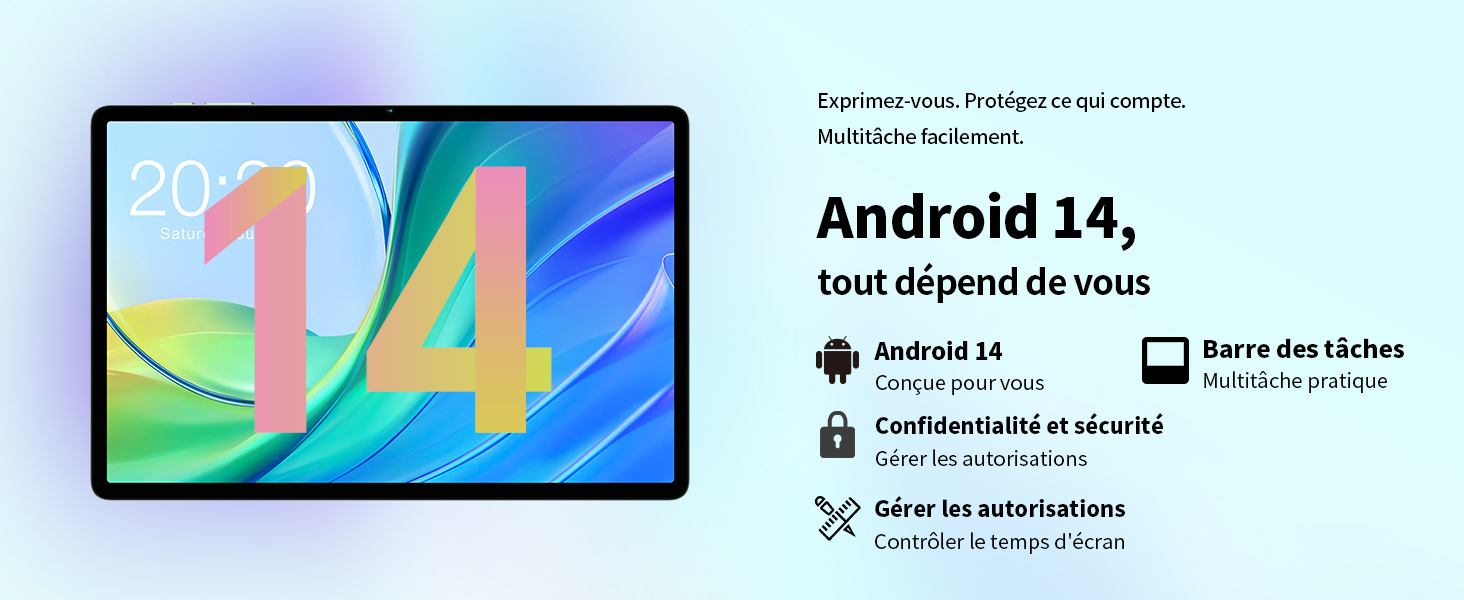
Image: Contents of the TECLAST M50 tablet box, showing the tablet, power adapter, USB cable, SIM ejector tool, and user manual.
3. Proizvod je gotovview
The TECLAST M50 tablet features a sleek design with a 10.1-inch display and a lightweight build of approximately 460 grams. It measures 23L x 20l x 1Ép centimeters. Familiarize yourself with the tablet's physical components:

Image: TECLAST M50 tablet from various angles, illustrating the location of the power button, volume controls, USB-C port, 3.5mm headphone jack, and speaker grilles.
Ključne komponente:
- Dugme za napajanje: Nalazi se sa strane, koristi se za uključivanje/isključivanje ili buđenje/spavanje uređaja.
- Dugmad za jačinu zvuka: Podesite jačinu zvuka.
- USB Type-C port: Za punjenje i prijenos podataka.
- 3.5 mm priključak za slušalice: Povežite žičane slušalice.
- Rešetke zvučnika: Četiri stereo zvučnika za poboljšani audio izlaz.
- Prednja kamera: 5MP camera for video calls and facial unlock.
- stražnja kamera: Kamera od 13 MP za fotografije i video zapise.
- Utor za SIM/MicroSD karticu: Insert SIM cards for cellular connectivity and a MicroSD card for expanded storage.
4. Podešavanje
4.1 Početno punjenje
Before first use, it is recommended to charge the TECLAST M50 tablet for at least 30 minutes. Connect the USB Type-C cable to the tablet's charging port and the power adapter to a wall outlet. The battery icon on the screen will indicate charging status.
4.2 Uključivanje/isključivanje
- Za uključivanje: Press and hold the Power button until the TECLAST logo appears.
- Za isključivanje: Pritisnite i držite dugme za napajanje dok se ne pojavi meni sa opcijama napajanja, a zatim odaberite "Isključi".
- Za ponovno pokretanje: Pritisnite i držite dugme za napajanje, a zatim odaberite 'Ponovno pokretanje'.
4.3 Umetanje SIM i MicroSD kartica
The TECLAST M50 supports dual SIM cards for 4G LTE connectivity and a MicroSD card for storage expansion up to 1TB.
- Pronađite ladicu za SIM/MicroSD karticu sa strane tableta.
- Umetnite alat za izbacivanje SIM kartice u mali otvor pored ladice i lagano pritisnite dok ladic ne iskoči.
- Carefully place your Nano-SIM cards and/or MicroSD card into the designated slots on the tray. Ensure the gold contacts are facing down and the cards are correctly oriented.
- Lagano gurnite ladicu nazad u tablet dok ne klikne na svoje mjesto.

Image: Illustration of inserting SIM cards and a MicroSD card into the tablet's tray.
4.4 Početno podešavanje Androida
After powering on for the first time, follow the on-screen prompts to complete the initial setup process. This includes selecting your language, connecting to a Wi-Fi network, signing in with your Google account, and setting up security features like facial unlock.
5. Uputstvo za upotrebu
5.1 Karakteristike ekrana
The TECLAST M50 features a 10.1-inch TDDI HD display with a resolution of 1280x800 pixels. The TDDI technology integrates touch sensors directly into the LCD, providing a more responsive touch experience. It also supports Widevine L1, allowing for high-definition streaming from platforms like Disney+ and Amazon Prime Video.

Image: Visual representation of the TECLAST M50's 10.1-inch HD display with 1280x800 resolution and IPS wide viewing kut.
5.2 Performanse i pohrana
Powered by an Octa-Core UNISOC T606 processor and Mali-G57 GPU, the M50 delivers efficient performance. It comes with 6GB of RAM, expandable to 12GB using virtual memory technology, and 128GB of internal storage. Storage can be further expanded up to 1TB via a MicroSD card.

Image: Details of the UNISOC T606 Octa-Core processor and Mali-G57 graphics processor.

Image: Information on RAM and ROM capacity, including expandable storage options.
5.3 Povezivanje
Stay connected with the TECLAST M50's comprehensive connectivity options:
- Dual SIM 4G LTE: Supports TD-LTE and FDD-LTE networks for mobile data and VoLTE calls.
- Dvopojasni Wi-Fi: Connect to 2.4GHz and 5GHz Wi-Fi networks (802.11ac).
- Bluetooth 5.0: For connecting wireless accessories like headphones and keyboards.
- GPS navigacija: Supports GPS, BeiDou, GLONASS, and Galileo for accurate positioning.

Slika: Prekoview of Wi-Fi, Bluetooth, and 4G LTE capabilities.

Image: Tablet showing GPS navigation in use.
Funkcionalnost kamere za 5.4 stepeni
The M50 is equipped with a 13MP rear camera and a 5MP front camera. The rear camera features AI-based auxiliary optimization for improved focus and image results, especially in low-light conditions. The 5MP front camera supports facial unlock for convenient device access.

Image: Details of the tablet's front and rear cameras.
5.5 Audio sistem
Experience immersive sound with the M50's Momentum III audio system, featuring four stereo speakers and a Smart K amplifier for clear and rich audio output.

Image: Representation of the tablet's 4-speaker audio system.
5.6 Funkcije Androida 13
The tablet runs on Android 13, offering enhanced privacy controls, a convenient taskbar for multitasking, and improved permission management. It also includes features for parental controls to manage screen time and application access.

Image: Android 13 interface showcasing privacy and multitasking features.

Image: Parental control interface for managing tablet usage.
6. Održavanje
6.1 Njega baterija
The TECLAST M50 is equipped with a 6000mAh battery, providing up to 15 hours of usage. To maximize battery life:
- Izbjegavajte ekstremne temperature.
- Koristite priloženi punjač i kabel.
- Izbjegavajte često potpuno pražnjenje baterije.
- Za dugotrajno skladištenje, napunite tablet do oko 50% i isključite ga.

Image: Battery capacity and charging method.
6.2 Čišćenje
Za čišćenje tableta koristite meku krpu koja ne ostavlja dlačice. Za tvrdokorne mrlje, lagano je obrišiteampOperite krpu vodom ili sredstvom za čišćenje ekrana posebno namijenjenim za elektroniku. Izbjegavajte upotrebu jakih hemikalija ili abrazivnih materijala.
6.3 Ažuriranja softvera
Periodically check for system updates to ensure your tablet has the latest features and security patches. Navigate to Postavke > Sistem > Ažuriranje sistema da biste provjerili i instalirali dostupna ažuriranja.
7. Otkrivanje problema
If you encounter issues with your TECLAST M50 tablet, try the following basic troubleshooting steps:
- Uređaj se ne uključuje: Provjerite je li baterija napunjena. Spojite punjač i pričekajte nekoliko minuta prije nego što ponovo pokušate uključiti uređaj.
- Ekran se zamrznuo ili ne reaguje: Pritisnite i držite dugme za napajanje oko 10-15 sekundi da biste prisilno ponovo pokrenuli računar.
- Problemi s Wi-Fi/Bluetooth povezivošću: Try toggling Wi-Fi/Bluetooth off and on. Restart your tablet and/or your router/Bluetooth device.
- Rušenje aplikacija: Clear the cache and data for the problematic app (Settings > Apps > [App Name] > Storage > Clear cache/Clear data). If the issue persists, uninstall and reinstall the app.
- Spore performanse: Close unnecessary background apps. Clear cached data. Consider performing a factory reset as a last resort (back up your data first).
- SIM kartica nije detektovana: Ensure the SIM card is correctly inserted and activated with your carrier. Restart the tablet.
For more complex issues, refer to the official TECLAST support resources.
8. Specifikacije
| Feature | Specifikacija |
|---|---|
| Naziv modela | TECLAST M50 |
| Operativni sistem | Android 13 |
| Procesor | UNISOC T606 Octa-Core (1.6 GHz) |
| Graphics Processor | Mali-G57 MP1 |
| RAM | 12 GB (6GB physical + 6GB expansion) |
| Interna pohrana | 128 GB |
| Proširiva pohrana | MicroSD do 1 TB |
| Veličina ekrana | 10.1 inča |
| Rezolucija ekrana | 1280x800 Pixels (TDDI, IPS) |
| Zadnja kamera | 13 MP |
| Prednja kamera | 5 MP |
| Kapacitet baterije | 6000 mAh (22 Wh) |
| Trajanje baterije (prosječno) | 15 sati |
| Povezivanje | 4G LTE (Dual SIM), Wi-Fi (802.11ac), Bluetooth 5.0 |
| Navigacija | GPS, BeiDou, GLONASS, Galileo |
| Audio | 4 Stereo Speakers (Momentum III) |
| Luke | 1x USB Type-C, 1x 3.5mm Headphone Jack |
| Težina | 460 grama |
| Dimenzije (D x Š x V) | 23 x 20 x 1 cm |
9. Garancija i podrška
9.1 Informacije o garanciji
The TECLAST M50 tablet comes with a manufacturer's warranty of 1 godina od datuma kupovine. Ova garancija pokriva nedostatke u materijalu i izradi pri normalnoj upotrebi. Molimo sačuvajte dokaz o kupovini za reklamacije.
9.2 Korisnička podrška
For any questions, technical assistance, or warranty inquiries, please contact TECLAST customer support. Our team provides professional advice and aims to respond to all inquiries within one working day. You can find contact information on the official TECLAST webweb-mjestu ili putem vašeg prodavača.
Online resursi: For additional support and FAQs, please visit the official TECLAST webstranica: TECLAST Brand Store