
1. Uvod
The Walfront MPPT Solar Charge Controller is designed to efficiently manage power flow from your solar panels to your battery bank, optimizing charging performance for off-grid solar systems. This manual provides essential information for the safe and effective installation, operation, and maintenance of your 50A MPPT solar charge controller.

Image 1.1: Walfront MPPT Solar Charge Controller 50A. This image shows the front view of the orange and black controller, featuring an LCD screen displaying PV, Battery, and Load information, along with 'ESC' and 'SET' buttons.
2. Ključne karakteristike
- High Efficiency MPPT Tracking: Features MPPT tracking efficiency greater than 99% and a maximum conversion efficiency of up to 98%, maximizing energy harvest from solar panels.
- Wide 180V PV Input and Auto Voltage Priznanje: Supports a maximum solar input voltage of 180V (at 25℃) and automatically recognizes 12V, 24V, 36V, and 48V battery systems. Compatible with battery voltages od 9V do 64V.
- Clear LCD Display and Smart Protection: Built-in LCD provides real-time system data (voltage, current, operating status). Includes temperature compensation and multiple protection features for safe operation.
- Low No-Load Loss and Reliable Performance: No-load loss of ≤0.4W conserves energy. Designed for reliable operation in temperatures from -10℃ to 65℃ and altitudes up to 3000 meters.
- Jednostavan za instalaciju i korištenje: Auto-recognition feature simplifies setup. Compact design allows for straightforward mounting.

Image 2.1: Automatic Voltage Identification. This image highlights the controller's ability to automatically identify 12V, 24V, 36V, and 48V systems, shown with various solar panel application examples.
3. Sigurnosne informacije
Please read all instructions carefully before installation and operation. Failure to follow these safety guidelines may result in personal injury, damage to the controller, or other equipment.
- Ensure all wiring is correctly polarized and securely connected. Loose connections can cause overheating and damage.
- Uvijek prvo spojite bateriju, zatim solarni panel, i na kraju opterećenje. Isključivanje vršite obrnutim redoslijedom.
- Do not connect the solar panel array to the controller without a battery connected.
- Osigurajte sistem voltage of the solar panel and battery are compatible with the controller's specifications.
- Kontroler postavite u dobro prozračeno područje, dalje od zapaljivih materijala i direktne sunčeve svjetlosti.
- Avoid touching live terminals. Use insulated tools during installation.
- This device is not waterproof. Protect it from moisture and water exposure.
4. Sadržaj paketa
Provjerite da li se u vašem paketu nalaze sve dolje navedene stavke:
- 1 x Walfront MPPT Solar Charge Controller (50A)
- 4 x Vijci
- 4 x ekspanzionih vijaka
- 1 x Korisnički priručnik (ovaj dokument)
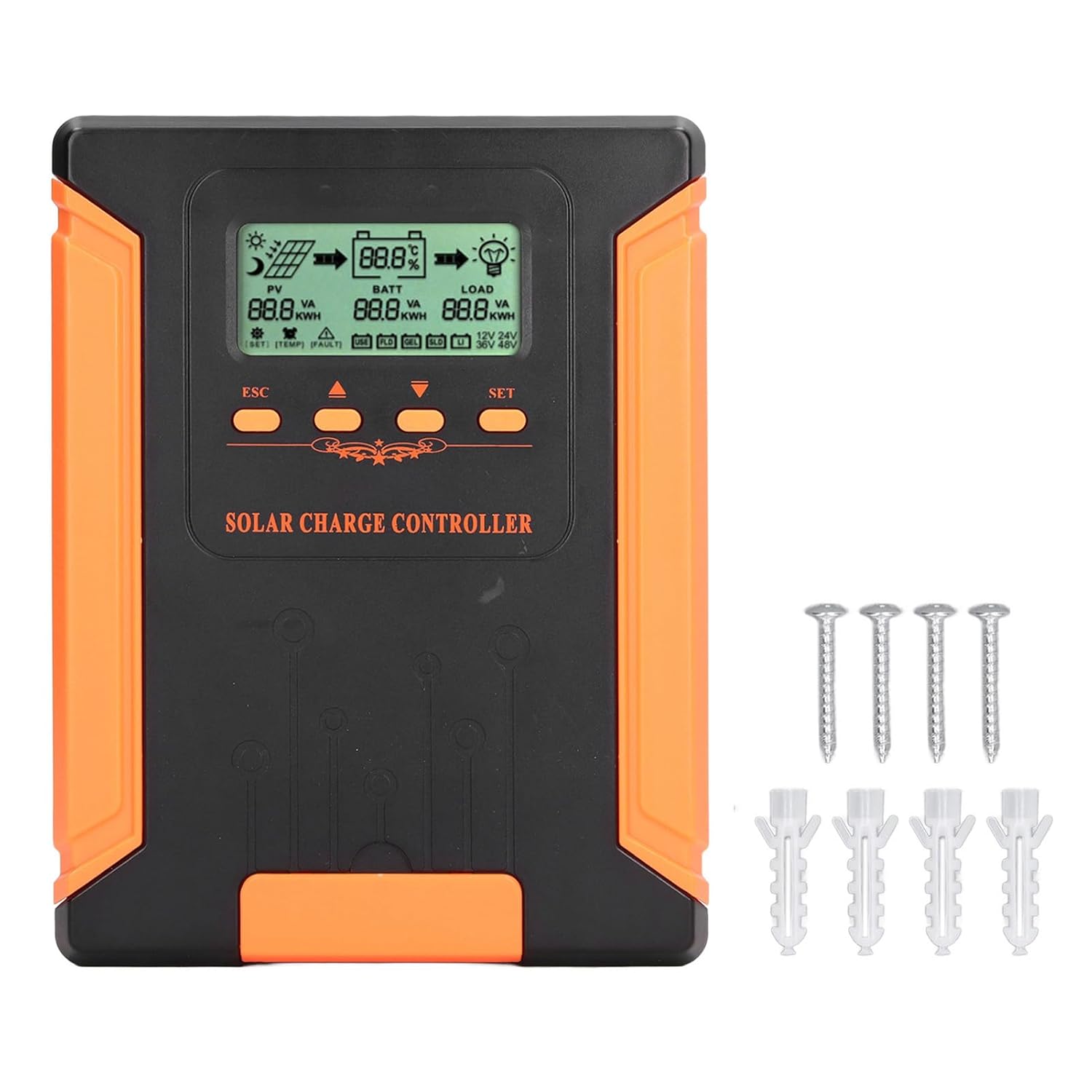
Image 4.1: Package Contents. This image displays the solar charge controller alongside the mounting screws and expansion screws provided in the package.
5. Postavljanje i instalacija
Slijedite ove korake za pravilnu instalaciju vašeg solarnog regulatora punjenja.
5.1 Montaža kontrolera
- Odaberite suho, dobro prozračeno mjesto, zaštićeno od direktne sunčeve svjetlosti, visokih temperatura i vlage.
- Ensure there is sufficient space around the controller for heat dissipation, especially around the cooling fins.
- Mount the controller vertically on a solid surface using the provided screws.
5.2 Ožičenje
Refer to the wiring diagrams below for correct connection sequence. Always connect in the following order:
- Spojite bateriju: Connect the battery to the controller's battery terminals. Ensure correct polarity (+ to + and - to -). The controller will automatically detect the battery voltage.
- Spojite solarni panel: Spojite solarni panel na PV terminale kontrolera. Osigurajte ispravan polaritet.
- Spojite DC opterećenje (opciono): Spojite DC opterećenje na terminale opterećenja kontrolera. Osigurajte ispravan polaritet.
To disconnect the system, follow the reverse order: disconnect load, then solar panel, then battery.

Image 5.1: Basic System Connection Diagram. This diagram illustrates the connection order: 1. Battery Assembly, 2. Solar Panel Assembly, 3. DC Load. It also shows an AC Load and Inverter connected to the Battery Assembly.

Image 5.2: Detailed System Wiring Diagram. This diagram provides a more comprehensive view of a solar power system, including solar panels, battery, inverter (AC Output/Input), and various AC loads like laptops, lights, air conditioners, televisions, and fans.
6. Uputstvo za upotrebu
The controller features an LCD display and control buttons for monitoring and configuration.
6.1 LCD zaslon
The LCD screen provides real-time information about your solar system, including:
- PV (Photovoltaic) Status: Ulazni voltage, current, and power from solar panels.
- BATT (Battery) Status: Battery voltage, charging current, and state of charge.
- LOAD Status: Output current and power to the DC load.
- System Voltage: Automatically detected battery system voltage (12V/24V/36V/48V).
- Indikatori greške: Displays fault codes or warnings if issues occur.
6.2 kontrolna dugmeta
The controller has three buttons: ESC, Up/Down arrows, and SET.
- ESC dugme: Used to exit current menu or cancel an operation.
- Dugmad za gore/dolje: Koristi se za navigaciju kroz opcije menija ili podešavanje vrijednosti parametara.
- Dugme SET: Used to enter a menu, confirm a selection, or save changes to parameters.

Image 6.1: Control Buttons. This close-up image shows the 'ESC', 'Up arrow', 'Down arrow', and 'SET' buttons on the controller's front panel.
7. Održavanje
Redovno održavanje osigurava optimalne performanse i dugotrajnost vašeg solarnog regulatora punjenja.
- čišćenje: Periodically clean the controller's exterior with a dry cloth. Ensure the cooling fins are free from dust and debris to maintain proper heat dissipation.
- Veze: Check all wiring connections regularly to ensure they are tight and free from corrosion.
- inspekcija: Inspect the controller for any signs of physical damage, overheating, or unusual odors.
- Okruženje: Ensure the installation environment remains dry and well-ventilated.

Image 7.1: Cooling Fins. This close-up shows the cooling fins on the top of the controller, which are crucial for heat dissipation and require regular cleaning.
8. Otkrivanje problema
Ako naiđete na probleme s kontrolerom, pogledajte sljedeće uobičajene probleme i rješenja:
| Problem | Mogući uzrok | Rješenje |
|---|---|---|
| Controller display is off | Nije priključena baterija ili je baterija preopterećenatage prenisko. | Ensure battery is connected correctly and has sufficient charge (above 9V). |
| No charging current from PV | Solar panels not connected, insufficient sunlight, or PV polarity reversed. | Provjerite PV veze i polaritet. Osigurajte dovoljno sunčeve svjetlosti. Provjerite PV volumen.tage je u dometu. |
| Opterećenje ne radi | Load disconnected, load current too high, or load polarity reversed. | Check load connections and polarity. Ensure load current does not exceed controller's rating. |
| Baterija nije potpuno napunjena | Insufficient solar input, undersized solar array, or battery issues. | Increase solar panel capacity or check for shading. Inspect battery health. |
9. Tehničke specifikacije
Below are the technical specifications for the Walfront MPPT Solar Charge Controller 50A.
| Parametar | Specifikacija |
|---|---|
| System Voltage | 12V / 24V / 36V / 48V Auto |
| Nazivna struja punjenja | 50A |
| No Load Loss | ≤0.4W |
| Solar Maximum Input Voltage | 180V (at 25℃), 150V (at -25℃) |
| Battery Voltage domet | 9-64V |
| Maximum Power Point Voltage domet | Battery Voltage +2V do 150V |
| Efikasnost konverzije | ≤98% |
| MPPT efikasnost praćenja | >99% |
| Koeficijent temperaturne kompenzacije | -2mv/℃/2V (default value) |
| Radna temperatura | -10℃ do 65℃ |
| Stepen zaštite | IP21 |
| Visina | ≤3000 Meter / 9842.5ft |

Image 9.1: Model Comparison Table. This table provides a comparison of rated charging current and solar panel maximum input power for CM-50 (50A) and CM-60 (60A) models across different system voltages.
10. Garancija i podrška
Za informacije o garanciji i tehničkoj podršci, molimo pogledajte dokumentaciju koju ste dobili prilikom kupovine ili se obratite prodavaču. Sačuvajte račun kao dokaz o kupovini.