
ELEPHAS BL128
ELEPHAS Mini Portable Projector User Manual
Model: BL128
1. Uvod
Thank you for choosing the ELEPHAS Mini Portable Projector. This compact and versatile device is designed to provide a high-quality viewing experience for entertainment, education, and business presentations. With its advanced features and user-friendly design, you can enjoy large-screen projection anywhere.
The ELEPHAS Mini Projector, comparable to a smartphone in size, incorporates upgraded 2023 technology. It features a built-in HIFI speaker for rich audio without the need for external speakers and an efficient heat dissipation system to minimize fan noise. Supporting 1080P HD resolution and equipped with a German Emerald Glass Lens, it delivers vibrant, detailed images up to 200 inches. Its multimedia capabilities allow easy connection to a wide range of devices.

Image: The ELEPHAS Mini Portable Projector, shown with its included mini tripod, demonstrating its compact size and portability when held in a hand.
2. Sadržaj paketa
Molimo vas da pažljivo provjerite paket kako biste bili sigurni da su svi sastojci prisutni:
- ELEPHAS Mini Portable Projector (Model BL128)
- Mini tronožac
- Torba za nošenje
- Daljinski upravljač (baterije nisu uključene)
- Adapter za napajanje
- Uputstvo za upotrebu

Image: The ELEPHAS Mini Portable Projector displayed alongside a smartphone and its dedicated carrying case, illustrating its compact dimensions (15cm x 11cm x 6cm) for easy transport.
3. Značajke proizvoda
The ELEPHAS Mini Portable Projector offers a range of features designed for optimal performance and user convenience:
- Ultra-kompaktan dizajn: Easily fits in your hand, making it highly portable for indoor and outdoor use.
- 1080P HD Support: Delivers clear and detailed images with support for Full HD resolution.
- Built-in HIFI Speaker: Provides excellent sound quality without the need for external audio devices.
- Efikasno odvođenje toplote: Advanced cooling system significantly reduces fan noise for a quieter viewing iskustvo.
- German Emerald Glass Lens: Equipped with a high-quality lens supporting 24-bit true colors and over 16.77 million colors for vivid projection.
- Projekcija na velikom ekranu: Capable of projecting an impressive screen size of up to 200 inches.
- Svestrano povezivanje: Features multiple ports including USB, HDMI, AV, and Audio for broad device compatibility.
- Široka kompatibilnost uređaja: Connects seamlessly with laptops, PCs, TV boxes, TV sticks, Chrome Books, tablets, Blu-Ray DVD players, USB drives, media players, and smartphones (iOS, Android, Windows).

Image: An internal diagram illustrating the advanced optical path and components of the projector, highlighting the German Osram LED projection technology and Emerald Glass Lens responsible for high-quality image output.
4. Vodič za postavljanje
Follow these steps to set up your ELEPHAS Mini Portable Projector:
- plasman: Place the projector on a stable, flat surface, such as a table, at the desired distance from your projection screen or wall. Ensure there are no obstructions blocking the lens or ventilation ports.
- Priključak za napajanje: Connect the power adapter to the projector's power input port, then plug the adapter into a power outlet.
- Uključeno: Pritisnite dugme za napajanje na projektoru ili daljinskom upravljaču da biste uključili uređaj. Indikatorska lampica će se upaliti.
- Podešavanje fokusa: Once the projector is on, adjust the focus ring (usually located near the lens) until the projected image appears clear and sharp.
- Povežite uređaje: Refer to the 'Connectivity' section to connect your desired input devices (e.g., laptop, smartphone, USB drive).

Image: Two individuals enjoying an outdoor movie night, with the ELEPHAS Mini Portable Projector projecting onto a screen inside a tent, demonstrating its suitability for portable outdoor entertainment.
5. Uputstvo za upotrebu
This section outlines the basic operation of your projector:
- daljinski upravljač: Use the included remote control to navigate menus, select input sources, adjust volume, and control playback. Ensure batteries are inserted correctly.
- Odabir izvora ulaza: Press the 'Source' button on the remote or projector to cycle through available input options (HDMI, USB, AV). Select the input corresponding to your connected device.
- Kontrola jačine zvuka: Use the volume up/down buttons on the remote to adjust the audio output from the built-in speaker.
- Podešavanje slike: In addition to the manual focus ring, some settings like aspect ratio or keystone correction might be available in the projector's on-screen display (OSD) menu. Access the OSD menu using the 'Menu' button on the remote.
- Iskljuciti: Press the power button again to turn off the projector. It is recommended to allow the projector to cool down before unplugging it.
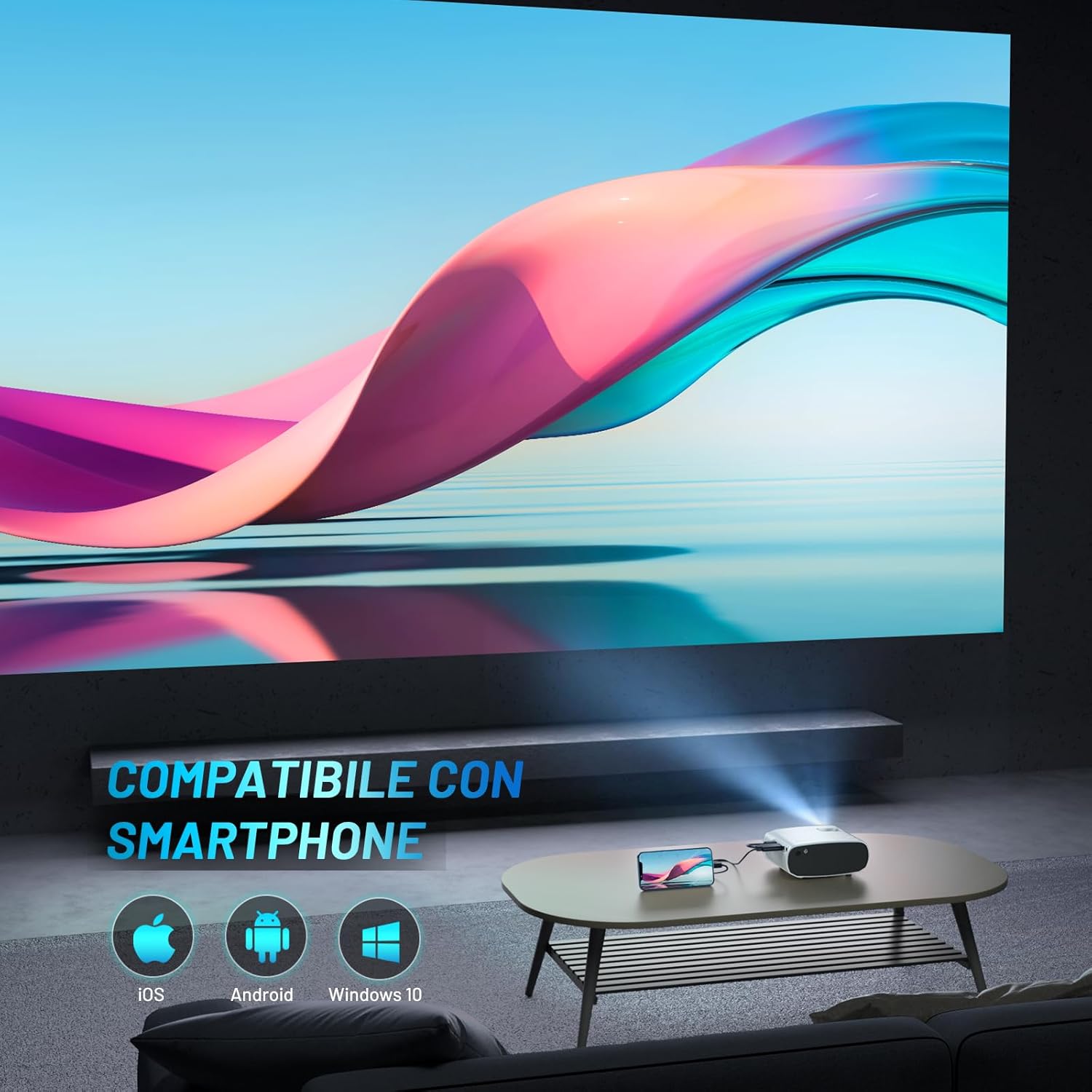
Image: The ELEPHAS Mini Portable Projector set up in a living room, projecting content onto a wall while connected to a smartphone, demonstrating its ease of use for home entertainment.
6. Povezivanje
The ELEPHAS Mini Portable Projector offers various connection options to suit your needs:
- HDMI priključak: Connect devices such as laptops, PCs, TV boxes, TV sticks (e.g., Roku Stick, Fire TV, Chromecast), gaming consoles (XBOX, PS4), and Blu-Ray DVD players for high-definition video and audio transmission.
- USB port: Plug in USB flash drives to play multimedia content directly (videos, photos, music).
- AV priključak: Use the AV cable (not always included, check package) to connect older devices with composite video and stereo audio outputs.
- Audio izlazni port: Connect external speakers or headphones for a more immersive audio experience, though the built-in HIFI speaker is often sufficient.
- Kompatibilnost pametnih telefona: The projector supports direct connection with iOS, Android, and Windows smartphones, often requiring a compatible adapter or cable (not included) for screen mirroring.

Image: A visual diagram illustrating the projector's extensive multimedia support, showing connections to various devices such as Roku Stick, Fire TV, Chromecast, external speakers, USB disk, phone/tablet/PC, XBOX/PS4, and DVD player.
7. Održavanje
Pravilno održavanje osigurava dugotrajnost i optimalne performanse vašeg projektora:
- Čišćenje sočiva: Pažljivo obrišite sočivo projektora mekom krpom koja ne ostavlja dlačice, posebno dizajniranom za optičke površine. Nemojte koristiti abrazivna sredstva za čišćenje ili prekomjernu silu.
- Ventilacijski otvori: Regularly check and clean the ventilation ports to prevent dust buildup, which can hinder heat dissipation and affect performance. Use a soft brush or compressed air.
- Skladištenje: When not in use, store the projector in its carrying bag in a cool, dry, and dust-free environment. Avoid extreme temperatures or humidity.
- Isključeno ispravno: Always power off the projector using the designated power button and allow it to complete its shutdown cycle before unplugging.
8. Otkrivanje problema
Ako naiđete na probleme s projektorom, pogledajte sljedeće uobičajene probleme i rješenja:
| Problem | Mogući uzrok | Rješenje |
|---|---|---|
| Nema projicirane slike | No power; Incorrect input source; Loose cable connection | Ensure power adapter is securely connected and outlet is active. Select the correct input source (HDMI, USB, AV). Check all cable connections. |
| Nema zvuka | Volume too low; Muted; External audio device not connected/configured | Increase volume using remote. Check if projector or source device is muted. Ensure external speakers are properly connected if used. |
| Image is blurry/unclear | Focus not adjusted; Projector too far/close; Lens dirty | Adjust the manual focus ring until the image is sharp. Ensure projector is within optimal projection distance. Clean the lens. |
| Image edges are not sharp | Inherent characteristic of some compact projectors; Keystone correction needed | While the projector offers good overall clarity, slight softness at the extreme edges can be a characteristic of compact projectors. Ensure the projector is perpendicular to the screen and adjust keystone correction if available in settings. |
| Buka ventilatora je glasna | Normal operation; Blocked vents | A certain level of fan noise is normal for cooling. Ensure ventilation ports are not blocked and are clean. The projector features an efficient heat dissipation system to minimize noise. |
9. Specifikacije
| Brand | ELEPHAS |
| Broj modela | BL128 |
| Boja | Bijelo |
| Vrsta proizvoda | Prijenosni projektor |
| Tehnologija povezivanja | USB,HDMI |
| Posebne karakteristike | Portable, Built-in Speaker, Efficient Heat Dissipation System |
| Kompatibilni uređaji | Smartphone, Laptop, PC, TV Box, TV Stick, Chrome Book, Tablets, Blu-Ray DVD Players, USB Drives, Media Players |
| Rezolucija ekrana | 1920 x 1080 (1080P HD Support) |
| Display Type | LED |
| Form Factor | Prijenosni |
| Vrsta montaže | Tabletop Mount |
| Uključene komponente | Mini Tripod, Carrying Bag |
| Preporučena upotreba | Posao, obrazovanje, igre, kućno kino |
10. Garancija i podrška
For specific warranty details regarding your ELEPHAS Mini Portable Projector, please refer to the warranty card included with your purchase or the product listing on the retailer's webstranica. Garantni uslovi obično pokrivaju proizvodne nedostatke za određeni period od datuma kupovine.
For technical support, troubleshooting assistance beyond this manual, or any other inquiries, please contact ELEPHAS customer service. Contact information can usually be found on the product packaging, the official ELEPHAS webweb-mjestu ili putem vašeg mjesta kupovine.
Note: No official product videos were found for this model at the time of manual creation.
Ask a question about this manual
Ask about setup, troubleshooting, compatibility, parts, safety, or missing instructions. Manuals+ will review the question and use this page’s manual context to help answer it.