
1. Uvod
Hvala na kupoviniasing the Herneum 0202B-BK1 Bluetooth CD Player Boombox. This device offers versatile audio playback options including CD, Bluetooth, FM radio, USB, and Aux-in. It features a built-in rechargeable battery for portability and comes with a remote control for convenient operation. Please read this manual carefully before using the product to ensure proper operation and to maximize its lifespan.
2. Sigurnosne informacije
- Ne izlažite uređaj kiši, vlazi ili direktnoj sunčevoj svjetlosti.
- Izbjegavajte postavljanje uređaja u blizinu izvora topline kao što su radijatori, grijalice, peći ili drugi uređaji (uključujući ampLifiers) koji proizvode toplotu.
- Koristite samo dodatke/pribor koje je odredio proizvođač.
- Isključite ovaj aparat iz struje tokom oluja sa grmljavinom ili kada se ne koristi duži vremenski period.
- Ne blokirajte ventilacijske otvore. Instalirajte u skladu s uputama proizvođača.
- Zaštitite kabl za napajanje od gaženja ili priklještenja, posebno na utikačima, utičnicama i na mjestu gdje izlaze iz uređaja.
- Sav servis prepustite kvalifikovanom servisnom osoblju. Servisiranje je potrebno kada je uređaj oštećen na bilo koji način, kao što je oštećen kabl za napajanje ili utikač, prolivena tečnost ili su predmeti upali u aparat, ako je uređaj bio izložen kiši ili vlazi, ne radi normalno , ili je odbačeno.
- Važno: Before playing a CD, ensure you remove any protective cardboard or film covering the CD reader laser lens. Failure to do so may prevent the CD player from functioning correctly.
3. Sadržaj paketa
Molimo Vas da provjerite paket za sljedeće stavke:
- Herneum CD Player Boombox
- Daljinsko upravljanje
- Adapter za napajanje
- 3.5 mm audio kabl
- Uputstvo za upotrebu (ovaj dokument)

Image: Herneum Boombox and its accessories, including the remote, power adapter, and cables.
4. Proizvod je gotovview (Controls and Ports)
Familiarize yourself with the various controls and connection ports on your boombox.

Slika: Vrh view of the boombox, highlighting the CD lid and main control buttons.
Kontrole na prednjoj/gornjoj ploči:
- Dugme POWER: Uključuje ili isključuje jedinicu.
- Dugme MODE: Switches between CD, Bluetooth, FM, USB, and AUX modes.
- PLAY/PAUSE Button (►/❚❚): Pokreće ili pauzira reprodukciju.
- STOP Button (■): Zaustavlja reprodukciju.
- PREVIOUS/REWIND Button (◀◀): Preskače na prethodnu pjesmu ili premotava unazad tokom reprodukcije.
- NEXT/FAST FORWARD Button (►►): Preskače na sljedeću pjesmu ili premotava unaprijed tokom reprodukcije.
- Dugme OTVORI/ZATVORI: Otvara poklopac pretinca za CD.
- Zaslon: Prikazuje trenutni način rada, broj pjesme, FM frekvenciju itd.
Side/Rear Panel Ports:
- AUX IN priključak: Connects external audio devices using a 3.5mm audio cable.
- USB port: Connects USB flash drives for MP3 playback.
- Priključak za slušalice (3.5 mm): Connects headphones for private listening.
- DC IN port: Connects the power adapter for charging and AC power.
- FM antena: Izvlačna antena za prijem FM radija.
Slika: Sa strane view of the boombox, detailing the Aux-in, USB-in, and headphones jack.
5. Podešavanje i punjenje
Početno punjenje:
The boombox features a built-in 2000mAh rechargeable battery. Before first use, it is recommended to fully charge the device.
- Connect the provided power adapter to the DC IN port on the boombox.
- Uključite adapter za napajanje u standardnu AC utičnicu.
- The charging indicator light (if available) will illuminate. The unit is fully charged when the indicator changes color or turns off (refer to specific product behavior).
- Potpuno punjenje omogućava otprilike 5 sata reprodukcije.
Image: Illustration showing the internal rechargeable battery of the boombox.
Uključivanje/isključivanje:
- Pritisnite POWER dugme na jedinici da biste je uključili.
- Pritisnite POWER ponovo dugme da biste ga isključili.
6. Uputstvo za upotrebu
Odabir načina rada:
Pritisnite MODE button repeatedly to cycle through the available modes: CD, Bluetooth, FM, USB, and AUX.
Reprodukcija CD-a:
- Pritisnite OPEN/CLOSE dugme za otvaranje poklopca pretinca za CD.
- Važno: Ensure any protective cardboard or film covering the CD laser lens is removed before inserting a CD.
- Place a CD (standard CD, CD-R/RW, MP3 CD, or audiobook CD) onto the spindle with the label side facing up.
- Gently close the CD compartment lid.
- Pritisnite MODE button to select CD mode. The display will show "CD" and begin reading the disc.
- Reprodukcija će početi automatski. Koristite PLAY/PAUSE, STOP, PRETHODNO/PREMOTAJ NAZAD, i NEXT/FAST FORWARD dugmad za kontrolu reprodukcije.
- The boombox supports random play, repeat play (single track/all tracks), and resume play functions. Refer to the remote control section for specific button functions.
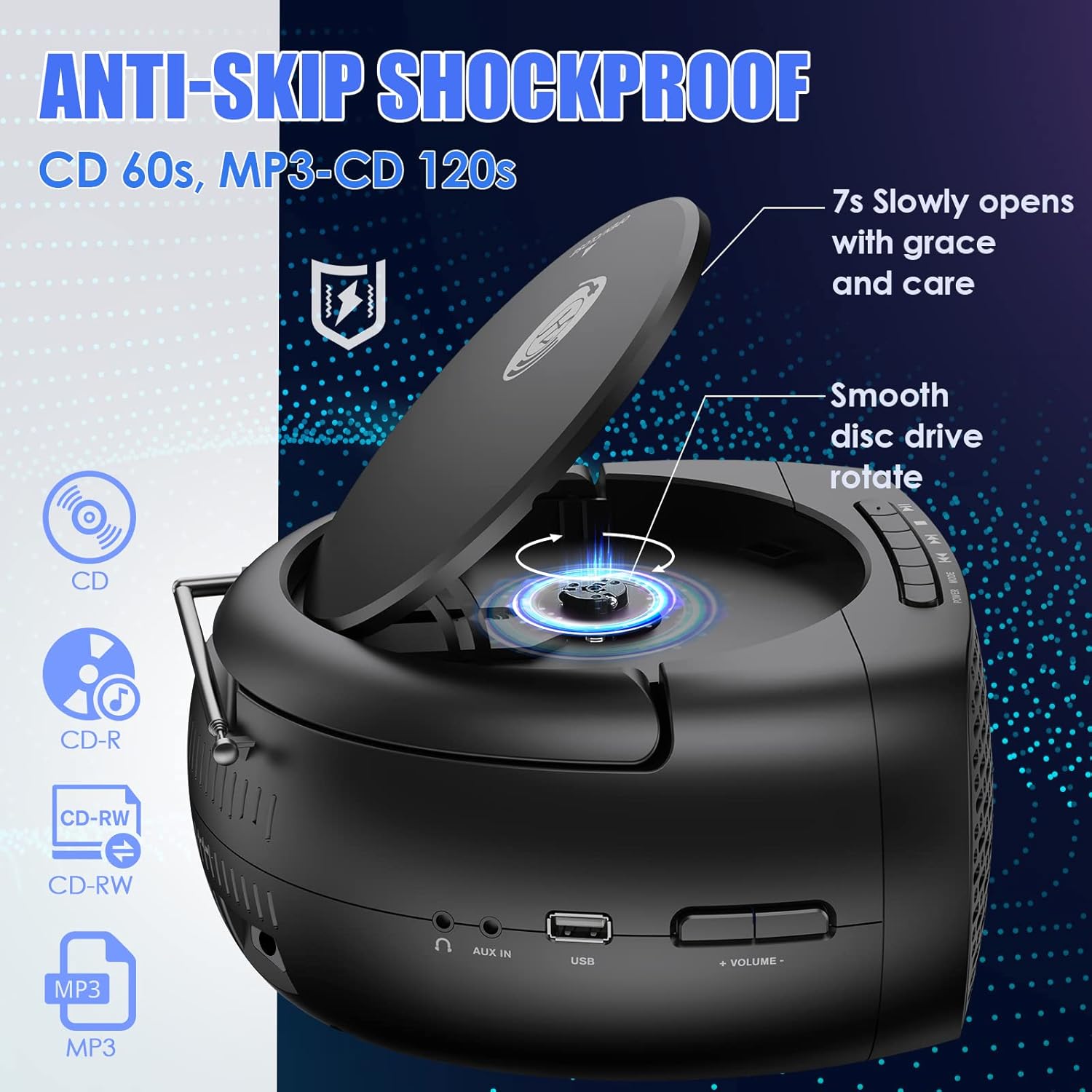
Image: The boombox with its CD lid open, illustrating the smooth disc rotation and compatibility with various CD formats.
Bluetooth način rada:
- Pritisnite MODE button to select Bluetooth mode. The display will show "BT" or a Bluetooth icon, and the unit will enter pairing mode.
- Na uređaju s omogućenim Bluetoothom (pametni telefon, tablet itd.) omogućite Bluetooth i potražite dostupne uređaje.
- Select "Herneum Boombox" (or similar name) from the list of devices.
- Once paired, the boombox will emit a confirmation sound, and the display will indicate a successful connection.
- You can now stream audio from your device to the boombox. Use your device or the boombox controls for playback.

Image: The boombox connected via Bluetooth 5.1 to a smartphone, illustrating wireless audio streaming.
FM radio način rada:
- Za optimalan prijem, potpuno izvucite FM antenu.
- Pritisnite MODE button to select FM radio mode. The display will show the FM frequency.
- Za automatsko skeniranje i spremanje stanica: Pritisnite i držite PLAY/PAUSE button. The unit will scan for available stations and save them automatically.
- Za ručno podešavanje: Koristite PRETHODNO/PREMOTAJ NAZAD i NEXT/FAST FORWARD dugmad za fino podešavanje frekvencije.
- To navigate saved stations: Briefly press the PRETHODNO/PREMOTAJ NAZAD or NEXT/FAST FORWARD dugmad.
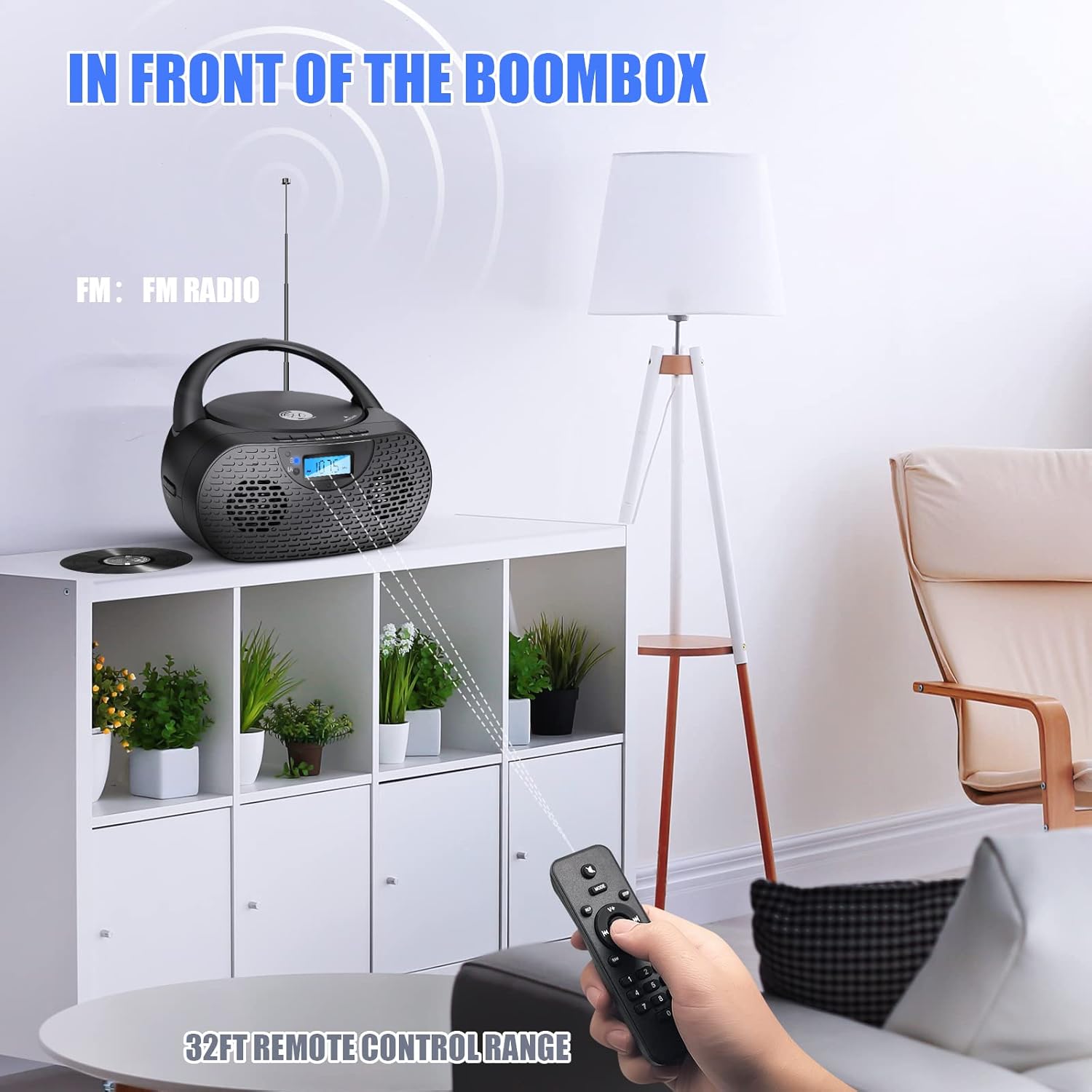
Image: The boombox receiving FM radio signals, with the remote control being used.
Način USB reprodukcije:
- Umetnite USB fleš disk koji sadrži MP3 audio zapis files u USB port.
- Pritisnite MODE dugme za odabir USB načina rada. Uređaj će automatski prepoznati i početi reproducirati MP3 files sa USB diska.
- Use the playback control buttons (PLAY/PAUSE, NEXT, PREVIOUS) to manage your music.
AUX ulazni režim:
- Spojite jedan kraj 3.5 mm audio kabela na AUX IN priključak na boomboxu.
- Connect the other end of the 3.5mm audio cable to the headphone jack or audio output of your external audio device (e.g., MP3 player, smartphone).
- Pritisnite MODE dugme za odabir AUX načina rada.
- Start playback on your external device. Audio will be routed through the boombox speakers.
- Volume can be controlled via the boombox or your external device.
Upotreba slušalica:
- Plug your 3.5mm headphones into the Headphones Jack on the boombox.
- Zvuk će se automatski prebaciti sa zvučnika na slušalice.
- Podesite jačinu zvuka na ugodan nivo slušanja.
Rad daljinskog upravljača:
The included remote control allows for convenient operation from a distance. Ensure the remote has working AAA batteries (included) and is pointed towards the front of the boombox.
- Snaga: Turns the unit on/off (Note: Some units may require manual power on/off from the device itself).
- Način rada: Prebacuje između izvora ulaza.
- Volumen +/-: Podešava nivo jačine zvuka.
- Play/Pause, Stop, Next, Previous: Kontrolira reprodukciju medija.
- Ponavljanje/Nasumično: Cycles through repeat modes (repeat one, repeat all) or enables random playback for CDs/USB.
- Brojčana dugmad: For direct track selection on CD/USB or direct station input on FM (if supported).
7. Održavanje
- čišćenje: Za čišćenje vanjske strane boomboxa koristite meku, suhu krpu. Nemojte koristiti abrazivna sredstva za čišćenje ili rastvarače.
- Održavanje CD sočiva: If CD playback issues occur, use a specialized CD lens cleaner disc to clean the laser lens. Do not touch the lens directly.
- Skladištenje: When not in use for extended periods, store the boombox in a cool, dry place. Remove batteries from the remote control if storing for a long time.
- Održavanje baterije: To prolong battery life, avoid fully discharging the battery frequently. Charge the unit regularly, even if not in use.
8. Otkrivanje problema
| Problem | Mogući uzrok | Rješenje |
|---|---|---|
| Jedinica se ne uključuje. | Baterija je prazna; adapter za napajanje nije priključen ili je neispravan. | Charge the battery; Ensure power adapter is securely connected and working. |
| CD se ne reprodukuje ili preskače. | CD is dirty, scratched, or inserted incorrectly; Protective cardboard not removed; CD lens is dirty. | Clean or replace CD; Insert CD correctly; Remove protective cardboard; Use a CD lens cleaner. |
| Bluetooth se ne povezuje. | Boombox not in Bluetooth mode; Device too far; Device already connected to another unit. | Switch to Bluetooth mode; Move device closer; Disconnect from other devices and try again. |
| Slab FM radio prijem. | Antena nije izvučena; Područje slabog signala. | Fully extend and adjust the FM antenna; Try moving the unit to a different location. |
| Nema zvuka iz zvučnika. | Volume too low; Headphones connected; Incorrect mode selected. | Increase volume; Disconnect headphones; Ensure correct mode is selected. |
| Daljinski upravljač ne radi. | Baterije su prazne ili nepravilno umetnute; Prepreka između daljinskog upravljača i uređaja. | Replace batteries; Ensure correct polarity; Remove obstructions; Point remote directly at the unit. |
9. Specifikacije
| Feature | Detalj |
|---|---|
| Broj modela | 0202B-BK1 |
| Dimenzije proizvoda (D x Š x V) | 10 x 9 x 5.1 inča |
| Težina artikla | 2.79 funte |
| Tehnologija povezivanja | Bluetooth 5.1, Pomoćni, USB |
| Vrsta zvučnika | Stereo (5W output) |
| CD kompatibilnost | CD, CD-R/RW, MP3 CD, Audiobook CD |
| Baterija | 1 litijum-jonska baterija (2000 mAh, uključena) |
| Play Time (on battery) | Približno 5 sata |
| FM Radio | Yes, with extendable antenna |
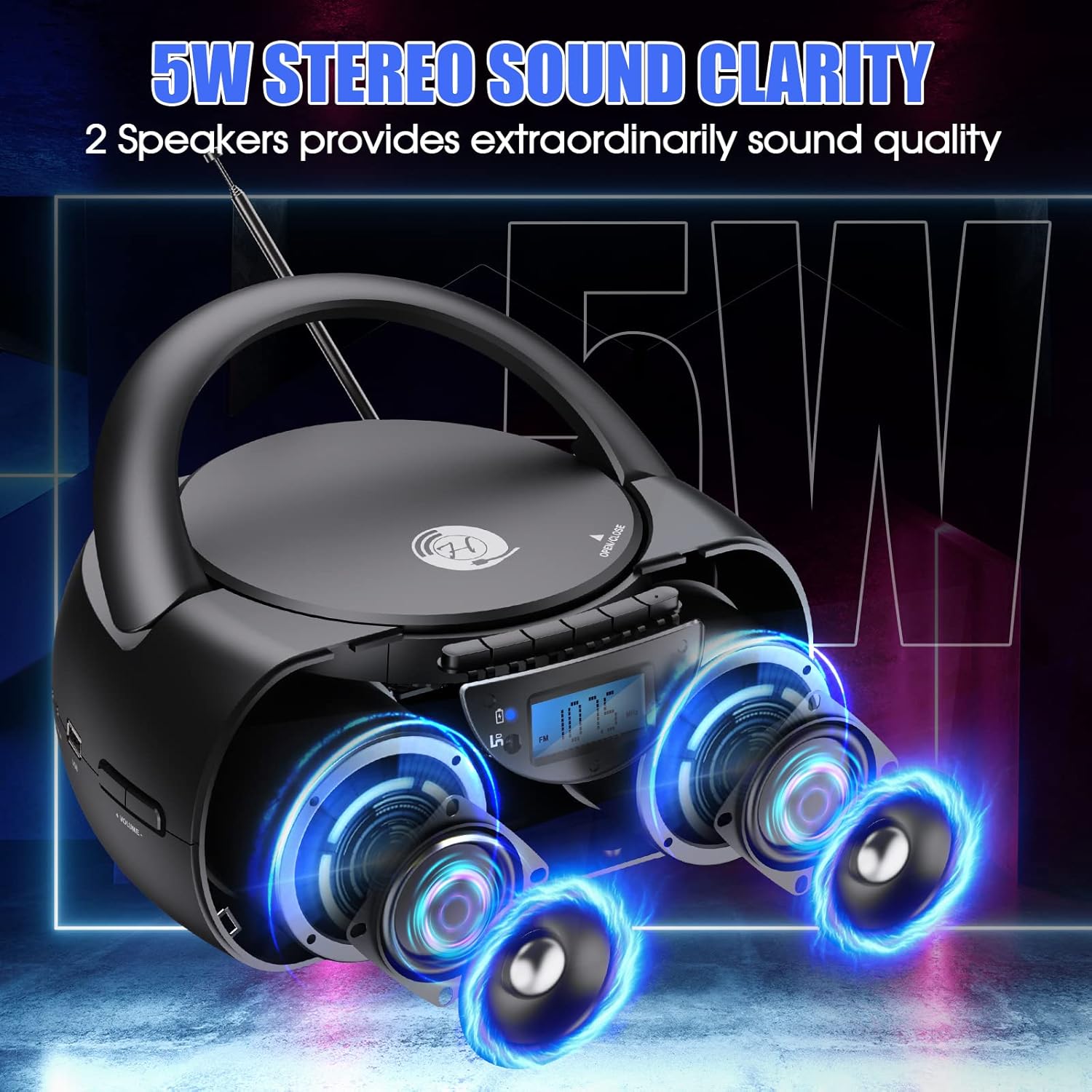
Image: The boombox showcasing its 5W stereo sound system.
10. Video o proizvodu iznadview
Video: General prekoview of the Herneum Bluetooth CD Player Boombox, demonstrating its features and design.
11. Garancija i podrška
Herneum products are designed for reliability and performance. For warranty information, technical support, or any questions regarding your Herneum 0202B-BK1 Bluetooth CD Player Boombox, please refer to the contact information provided with your purchase documentation or visit the official Herneum website.
Molimo sačuvajte svoj dokaz o kupovini za zahtjeve u vezi s garancijom.