
Uvod
This manual provides essential information for setting up, operating, maintaining, and troubleshooting your Motorola Moto G84 5G smartphone. Please read this guide thoroughly to ensure proper use and to maximize your device's capabilities.
Setup
1. Raspakivanje i prvi pregled
Pažljivo izvadite sve predmete iz ambalaže. Kutija treba da sadrži:
- Motorola Moto G84 5G pametni telefon
- USB kabel
- Case za telefon
- Alat za izbacivanje SIM kartice
Prije nego što nastavite, provjerite uređaj na bilo kakva fizička oštećenja.
2. Instalacija SIM kartice
The Moto G84 5G supports Dual SIM functionality using Nano SIM cards.
- Pronađite ladicu za SIM karticu sa strane uređaja.
- Insert the SIM eject tool into the small hole on the SIM tray. Press firmly until the tray pops out.
- Stavite svoju Nano SIM karticu (kartice) u predviđene utore na ladici, pazeći da zlatni kontakti budu okrenuti prema dolje.
- Carefully push the SIM tray back into the phone until it clicks into place.

Slika 1: Bočna strana view of the Motorola Moto G84 5G, illustrating the location of the SIM card tray for installation.
3. Početno uključivanje
Press and hold the Power button located on the side of the device until the Motorola logo appears. Follow the on-screen prompts to complete the initial setup, including language selection, Wi-Fi connection, and Google account setup.

Slika 2: Bočna strana view of the Motorola Moto G84 5G, highlighting the power and volume buttons for device control.
4. Punjenje uređaja
Before first use, it is recommended to fully charge your device. The Moto G84 5G features a 5000 mAh battery and supports 30W TurboPower charging.
- Spojite USB kabel na USB-C priključak na dnu telefona.
- Connect the other end of the USB cable to a compatible power adapter (sold separately) and plug it into a power outlet.
- Indikator punjenja će se pojaviti na ekranu.
Uputstvo za upotrebu
1. Displej
The Moto G84 5G features a 6.55-inch pOLED FHD+ display with a 120 Hz refresh rate, offering vibrant colors and smooth scrolling.
- Navigacija na ekranu osjetljivom na dodir: Interact with the device using touch gestures such as tap, swipe, pinch-to-zoom.
- Podešavanje svjetline: Adjust screen brightness from the Quick Settings panel or Display settings.
- Brzina osvježavanja: The 120 Hz refresh rate provides a fluid visual experience. This can be adjusted in display settings to optimize battery life.
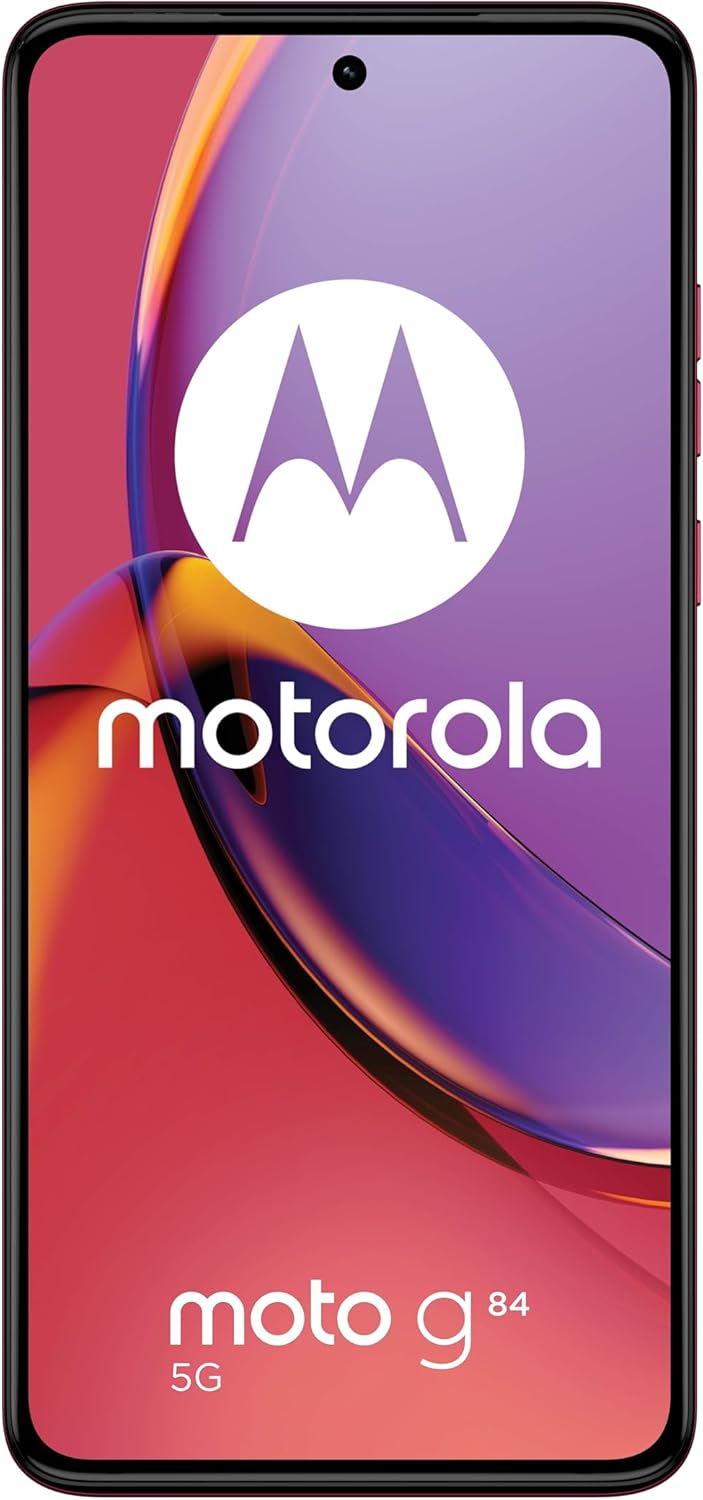
Slika 3: Prednja strana view Motorola Moto G84 5G, prikazanoasing njegov živopisni pOLED ekran.
2. Kamera
The device is equipped with a 50 MP Ultra Pixel main camera with Optical Image Stabilization (OIS) and an 8 MP ultra-wide/macro lens on the rear, and a front-facing camera for selfies.
- Slikati: Otvorite aplikaciju Kamera, kadrirajte snimak i dodirnite dugme okidača.
- Video snimanje: Switch to video mode in the Camera app. The device supports 4K video recording at 30 fps.
- Načini rada kamere: Explore various modes such as Portrait, Night Vision, Panorama, and Pro mode for advanced controls.

Slika 4: Pozadi view of the Motorola Moto G84 5G, highlighting the 50MP Ultra Pixel camera system.
3.Audio
Experience immersive audio with Dolby Atmos, Motorola Spatial Audio, and Hi-Res Audio support through stereo speakers.
- Kontrola jačine zvuka: Use the volume buttons on the side of the device or the on-screen volume slider.
- Audio postavke: Prilagodite zvučnog profesionalcafiles and Dolby Atmos settings in the Sound & Vibration menu.
4. Povezivanje
The Moto G84 5G offers comprehensive connectivity options.
- 5G mreža: Connect to 5G networks for faster data speeds (requires 5G service plan).
- Wi-Fi: Connect to wireless networks via Wi-Fi settings.
- Bluetooth: Uparite se s Bluetooth uređajima poput slušalica ili zvučnika.
- NFC: Koristite Near Field Communication za beskontaktna plaćanja i brzo uparivanje s kompatibilnim uređajima.
5. Biometric Features
The device supports biometric identification for enhanced security.
- Senzor otiska prsta: Registrujte otiske prstiju u sigurnosnim postavkama za brzo i sigurno otključavanje.
- Otključavanje licem: Set up face recognition for convenient unlocking.
6. Softver
The Moto G84 5G runs on Android 13, offering a clean user interface and access to a wide range of applications via the Google Play Store.
- Ažuriranja sistema: Redovno provjeravajte i instalirajte ažuriranja sistema kako biste osigurali optimalne performanse i sigurnost.
- Upravljanje aplikacijama: Install, uninstall, and manage applications through the Settings menu or Google Play Store.
Održavanje
1. Čišćenje uređaja
To keep your phone clean, gently wipe the screen and body with a soft, lint-free cloth. Avoid using harsh chemicals or abrasive materials.
2. Otpornost na vodu
The Moto G84 5G has an IP52 rating, meaning it is resistant to dust and splashing water. It is not waterproof. Avoid submerging the device in water or exposing it to high-pressure water jets.
Rješavanje problema
Uobičajeni problemi i rješenja
- Uređaj se ne uključuje: Provjerite je li baterija napunjena. Spojite telefon na punjač i pričekajte nekoliko minuta prije nego što ga ponovo pokušate uključiti.
- Problemi s punjenjem: Check the USB cable and charger for damage. Try a different cable or power outlet. Ensure the charging port is clean and free of debris.
- Slab mrežni signal: Move to an area with better network coverage. Check if your SIM card is properly inserted. Restart the device.
- Aplikacije se ruše ili zamrzavaju: Zatvorite i ponovo otvorite aplikaciju. Obrišite keš memoriju i podatke aplikacije u Postavke > Aplikacije. Ako problem i dalje postoji, deinstalirajte i ponovo instalirajte aplikaciju.
- Ekran ne reaguje: Izvršite prisilno ponovno pokretanje tako što ćete pritisnuti dugme za napajanje otprilike 10-15 sekundi.
Specifikacije
| Feature | Specifikacija |
|---|---|
| Naziv modela | Moto G84 5G |
| Operativni sistem | Android 13 |
| Procesor | Snapdragon 695 (up to 2.2 GHz) |
| RAM | 12 GB |
| Interna pohrana | 256 GB |
| Display | 6.55-inch pOLED FHD+ (1080x2400), 120 Hz |
| Zadnja kamera | 50 MP Ultra Pixel (OIS) + 8 MP Ultra-wide/Macro |
| Prednja kamera | 1 |
| Kapacitet baterije | 5000 mAh |
| Punjenje | 30W TurboPower |
| Povezivanje | 5G, Wi-Fi, Bluetooth, NFC |
| Tip SIM kartice | Dvije Nano SIM kartice |
| Otpornost na vodu | IP52 (otporan na prskanje) |
| Dimenzije | 16 x 7.4 x 0.8 cm |
| Težina | 160 grama |
| Uključeno u kutiju | USB Cable, Phone Case, SIM Eject Tool |
Garancija i podrška
Informacije o garanciji
Your Motorola Moto G84 5G comes with a 2-year manufacturer's warranty. Please retain your proof of purchase for warranty claims. The warranty covers manufacturing defects but typically excludes damage caused by misuse, accidents, or unauthorized repairs.
Korisnička podrška
For further assistance, technical support, or warranty service, please visit the official Motorola support website or contact their customer service. Refer to the documentation included with your device for specific contact details in your region.
Važne informacije o sigurnosti
Always follow basic safety precautions when using your phone to reduce the risk of fire, electric shock, and injury. Do not disassemble the device. Use only approved accessories. Avoid extreme temperatures. Dispose of the device and battery responsibly according to local regulations.