
1. Uvod
Thank you for choosing the Mesqool CR1024 Projection Alarm Clock. This device combines a digital alarm clock with a time projector, displaying time on your wall or ceiling. It also features temperature and humidity monitoring, dual alarms, a night light, and USB charging ports. This manual will guide you through the setup, operation, and maintenance of your new alarm clock.
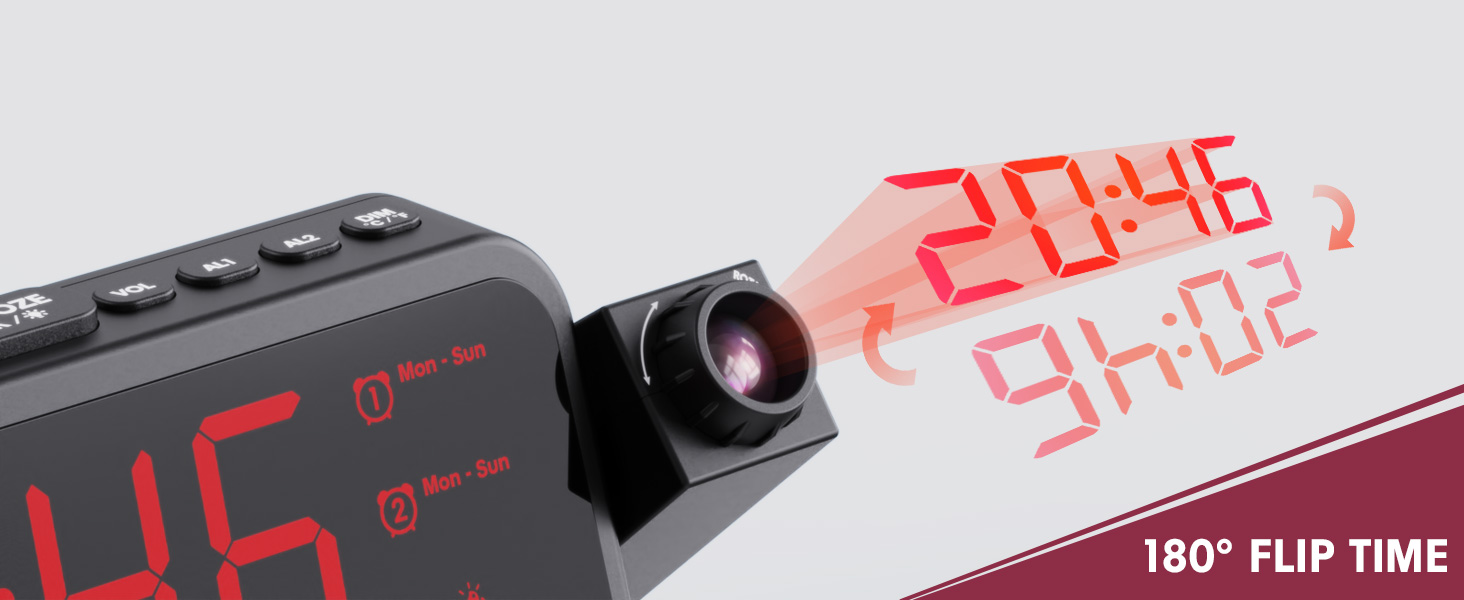
Image 1.1: Mesqool CR1024 Projection Alarm Clock with a smartphone connected for charging.
Ključne karakteristike:
- 180° Swivel Projection with Adjustable Focus
- Large LED Display with Time, Date, Day, Temperature, and Humidity
- Dual Alarms with Weekday/Weekend/7-Day/One-time Modes
- 9-Minute Snooze Function
- Integrated Soft LED Night Light with Adjustable Brightness
- 7-Level Adjustable Alarm Volume
- Dimer sa 5 nivoa
- Memory Function (requires 2x AAA batteries, not included)
- Dual USB Charging Ports (Type-C and USB-A)
2. Podešavanje
2.1 Priključak za napajanje
- Spojite priloženi adapter za napajanje na DC IN priključak na stražnjoj strani budilnika.
- Plug the power adapter into a standard electrical outlet. The clock display will illuminate.
- Za rezervno napajanje tokom vanrednog stanjatages, insert two AAA batteries (not included) into the battery compartment. This will preserve time and alarm settings.
2.2 Početno podešavanje vremena i datuma
- Pritisnite i držite TIME SET dugme za ulazak u režim podešavanja vremena.
- Koristite + or - tipke za podešavanje sata. Pritisnite TIME SET za potvrdu.
- Repeat the process to set the minute, year, month, and day.
- Pritisnite TIME SET ponovo da biste izašli iz načina podešavanja.
2.3 12/24 Hour Format and DST
- Za prebacivanje između 12-satnog i 24-satnog formata vremena, pritisnite 12/24H dugme.
- Da biste aktivirali ili deaktivirali ljetno računanje vremena (DST), pritisnite dugme DST button. An indicator will appear on the display when DST is active.

Image 2.1: The clock displaying time in both 12-hour and 24-hour formats.
3. Uputstvo za upotrebu
3.1 Postavljanje alarma
The clock supports two independent alarms (AL1 and AL2).
- Pritisnite i držite AL1 or AL2 dugme za ulazak u režim podešavanja alarma.
- Koristite + or - buttons to adjust the alarm hour. Press the respective alarm button (AL1 or AL2) za potvrdu.
- Repeat to set the alarm minute.
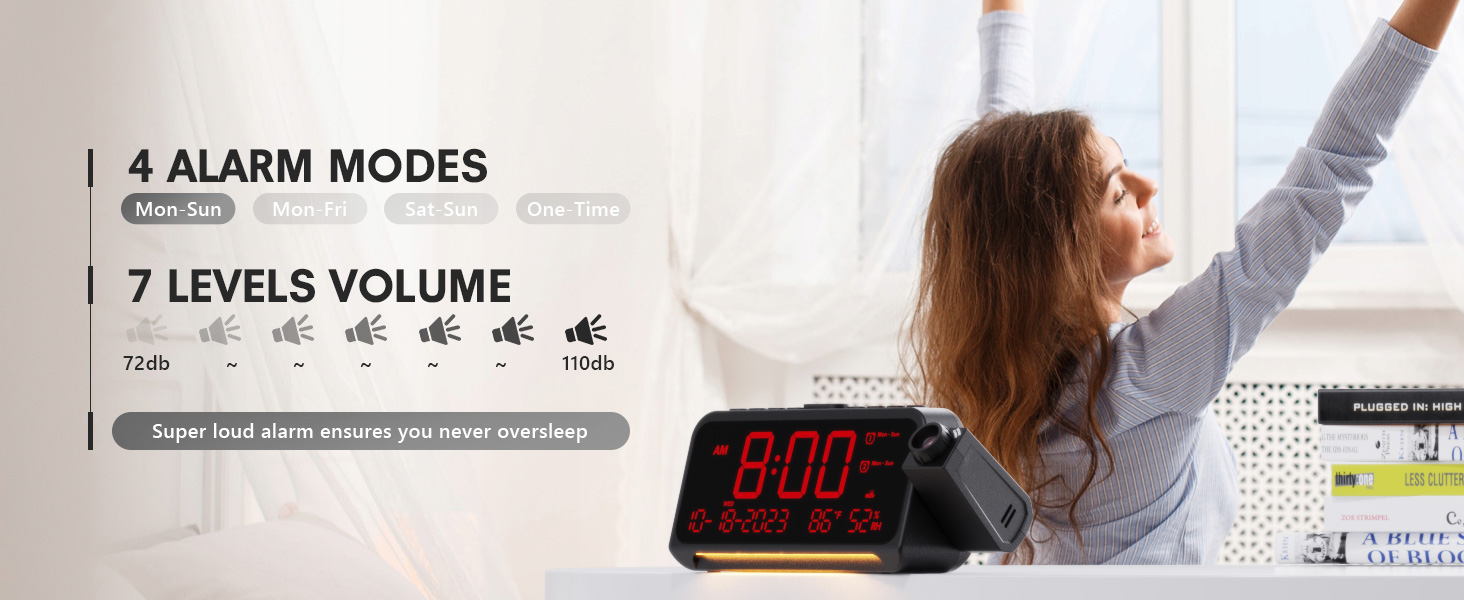
- After setting the minute, use + or - to select the alarm mode: Mon-Sun, Mon-Fri, Sat-Sun, or One-time.
- Press the alarm button again to confirm and exit.
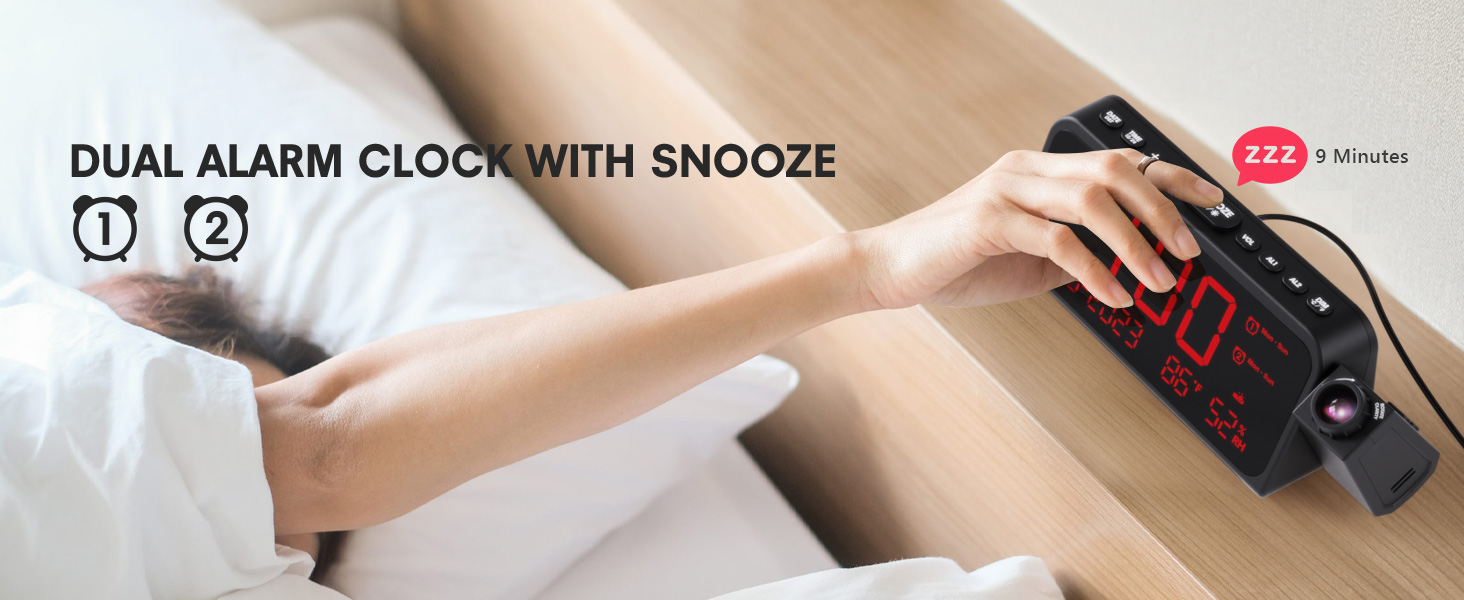
Image 3.1: The clock displaying dual alarm settings and snooze functionality.
3.2 Funkcija odgode
Kada se oglasi alarm, pritisnite veliko dugme SNOOZE/OK/* button to activate the snooze function. The alarm will pause for 9 minutes and then sound again.
3.3 Alarm Volume Adjustment
Pritisnite VOL button to cycle through 7 levels of alarm volume. Adjust to your preferred loudness.

Image 3.2: Visual representation of the 4 alarm modes and 7 adjustable volume levels.
3.4 Postavke projekcije
- UKLJ./ISKLJUČIVANJE projekcije: Pritisnite PROJEKCIJA dugme za uključivanje ili isključivanje projekcije.
- Svjetlina projekcije: Više puta pritisnite PROJEKCIJA button to cycle through 5 brightness levels (Dim, Low, Medium, High, Full).
- Orijentacija projekcije: The projector arm can swivel 180 degrees. Rotate the arm to direct the time display to your desired surface (wall or ceiling).
- Podešavanje fokusa: Use the focus ring on the projector lens to sharpen the projected image.
Slika 3.3: Detaljno view of the projection features, including distance, time flip, rotation, focus, and brightness levels.
3.5 Zatamnjivač ekrana
Pritisnite DIMMER button to adjust the brightness of the main LED display. There are 5 levels of brightness to choose from, allowing you to customize it for comfort, especially at night.
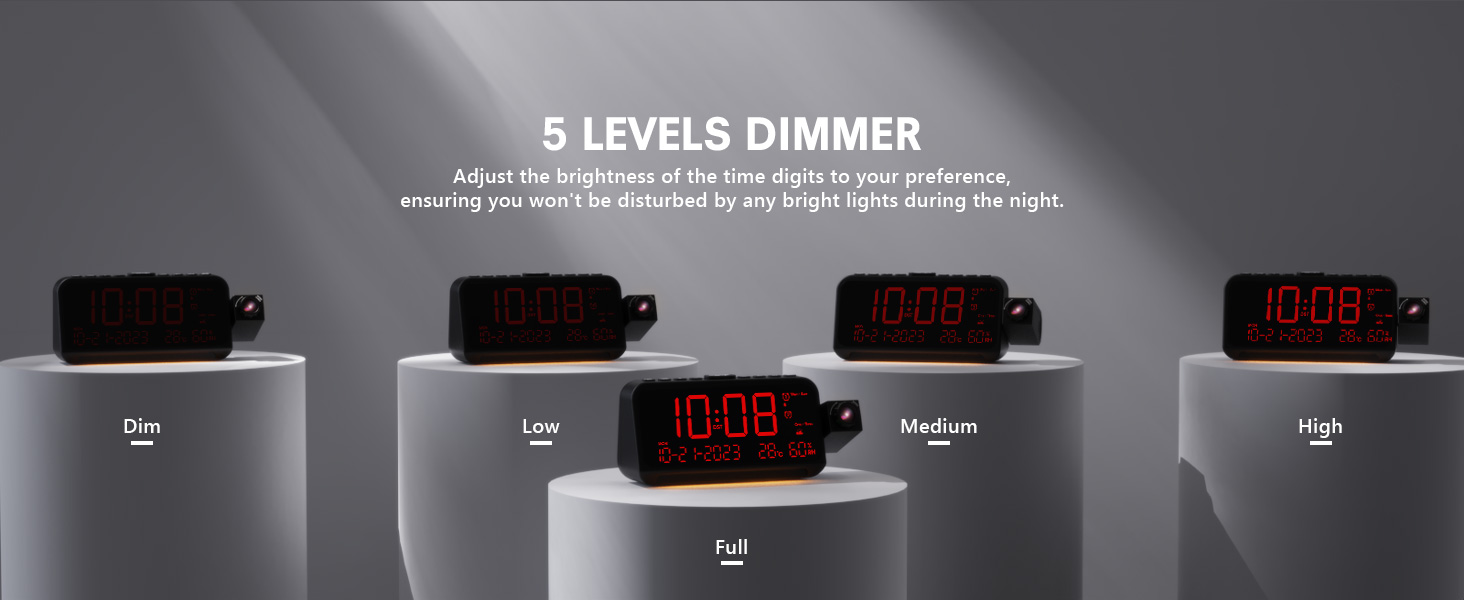
Image 3.4: The clock demonstrating its 5-level adjustable display dimmer.
3.6 Noćno svjetlo
The clock features a soft LED night light located at the bottom. Press the LIGHT button to cycle through Off, Medium, and Full brightness settings for the night light.
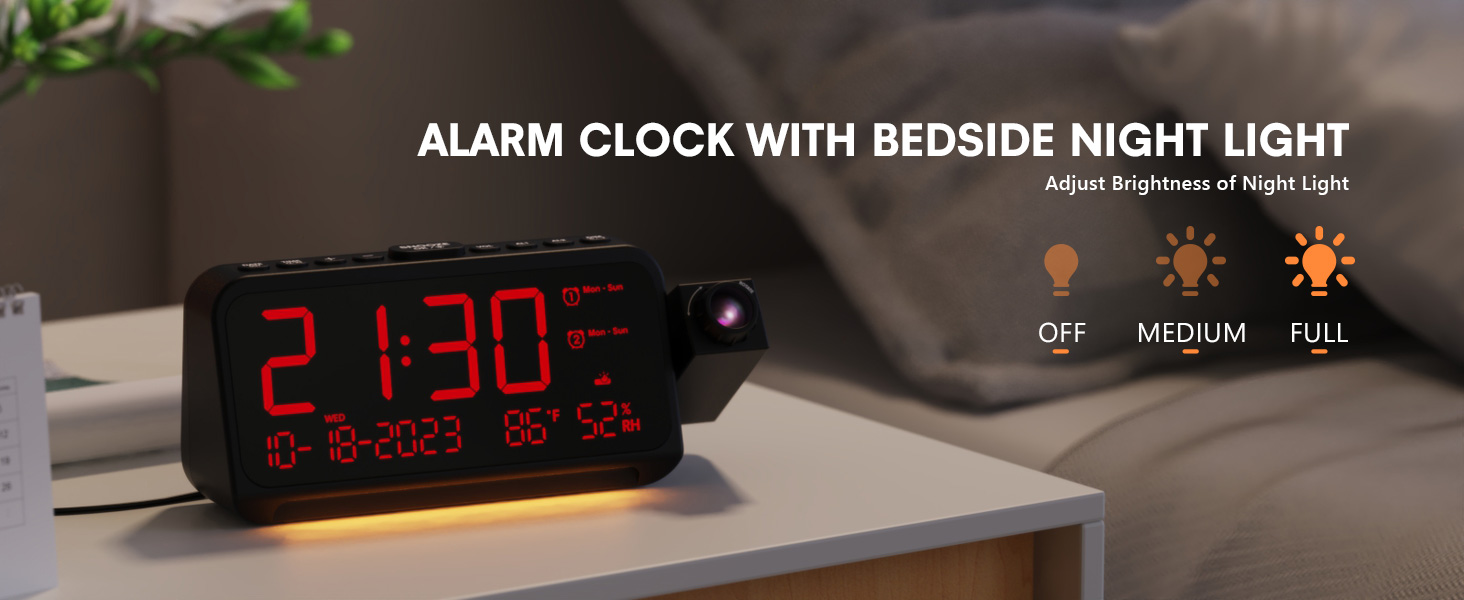
Image 3.5: The clock with its integrated night light, showing different brightness options.
3.7 USB priključka za punjenje
The clock is equipped with a Type-C and a standard USB-A charging port on the back. You can use these ports to charge your mobile devices while the clock is powered.

Image 3.6: The back of the clock showing the Type-C and USB-A charging ports in use.
4. Održavanje
To ensure the longevity and optimal performance of your Mesqool CR1024 Projection Alarm Clock, follow these maintenance guidelines:
- čišćenje: Wipe the clock's surface with a soft, dry cloth. Avoid using abrasive cleaners, solvents, or chemical sprays, as these can damage the finish or electronic components.
- Okruženje: Place the clock in a dry environment, away from direct sunlight, extreme temperatures, and high humidity.
- ventilacija: Uvjerite se da otvori za ventilaciju nisu blokirani kako biste spriječili pregrijavanje.
- Zamjena baterije: If using AAA batteries for backup, replace them annually or when the low battery indicator appears to ensure settings are retained during power outages.
5. Otkrivanje problema
If you encounter issues with your Mesqool CR1024 Projection Alarm Clock, please refer to the following common problems and solutions:
| Problem | Mogući uzrok | Rješenje |
|---|---|---|
| Projekcija je mutna ili nejasna. | Incorrect focus or projection distance. | Adjust the focus ring on the projector lens. Ensure the clock is within the optimal projection distance (4.92-9.84 ft). |
| Alarm se ne oglašava ili je previše tih. | Alarm not activated or volume set too low. | Ensure the alarm is enabled (AL1/AL2 indicator on display). Press the VOL button to increase the alarm volume. |
| Ekran je previše svijetao ili previše taman. | Display dimmer setting is not optimal. | Pritisnite DIMMER button to cycle through the 5 brightness levels. |
| Vrijeme/postavke se resetuju nakon nestanka strujetage. | Nema rezervnih baterija ili su baterije ispražnjene. | Install two fresh AAA batteries (not included) in the battery compartment for memory backup. |
| Cannot change time format from 24-hour to 12-hour. | Incorrect button press or temporary glitch. | Pritisnite 12/24H button. If the issue persists, try unplugging the clock for a few minutes and then reconnecting power. |
6. Specifikacije
| Feature | Detalj |
|---|---|
| Brand | Mesqool |
| Broj modela | CR1024 |
| Display Type | Digitalna LED |
| Izvor napajanja | Corded Electric |
| Battery Backup | 2x AAA baterije (nisu uključene) |
| Dimenzije proizvoda | 7.87"W x 3.4"H (7.87x2.36x3.43 inch) |
| Težina artikla | 12 unci (0.34 kilograma) |
| Materijal | akrilonitril butadien stiren (ABS) |
| Posebne karakteristike | Projection, Dual Alarms, Snooze, Night Light, Temperature, Humidity, Calendar, DST, USB Charging |

Image 6.1: Dimensions of the Mesqool CR1024 Projection Alarm Clock.
7. Garancija i podrška
7.1 Informacije o garanciji
This Mesqool CR1024 Projection Alarm Clock comes with a 24-mjesečna garancija from the date of purchase. Mesqool also provides lifetime support for this product. Please retain your proof of purchase for warranty claims.
7.2 Korisnička podrška
For any questions, technical assistance, or warranty inquiries, please contact Mesqool customer support through the retailer where you purchased the product or refer to the official Mesqool webstranica za kontakt informacije.