
Uvod
Welcome to the user manual for your new Candy Smart Pro Washing Machine. This appliance is designed to provide efficient and convenient laundry care with advanced features such as intelligent KG detection, delayed start, and remote control via the Simply-Fi app. Please read this manual carefully before using the appliance to ensure safe and optimal operation.

Slika 1: Front view of the Candy Smart Pro Washing Machine, showcasing its sleek white design and central control panel.
Sigurnosne informacije
Uvijek se pridržavajte sljedećih sigurnosnih mjera opreza kako biste spriječili ozljede ili oštećenje uređaja:
- Uvjerite se da je uređaj pravilno uzemljen.
- Ne dozvolite djeci da se igraju s mašinom za pranje veša ili da je koriste.
- Isključite uređaj iz struje prije čišćenja ili bilo kakvog održavanja.
- Ne perite predmete koji su zaprljani zapaljivim supstancama.
- Održavajte područje oko mašine za pranje veša čistim od prepreka.
Šta je u kutiji
Upon unpacking your Candy Smart Pro Washing Machine, please ensure all the following components are present:
- Uputstvo za upotrebu
- Odvodno crijevo
- Jedinica mašine za pranje veša
Postavljanje i instalacija
Pravilna instalacija je ključna za performanse i dugotrajnost vaše mašine za pranje veša. Preporučuje se da uređaj instalira kvalifikovani tehničar.
1. Raspakivanje i pozicioniranje
- Pažljivo uklonite sav materijal za pakovanje.
- Remove the transport bolts from the rear of the machine. These bolts secure the drum during transit and must be removed before operation. Refer to the diagram below for bolt locations.
- Postavite mašinu za pranje veša na čvrstu, ravnu površinu. Osigurajte dovoljno prostora oko uređaja za ventilaciju i pristup.

Slika 2: Dimensions of the washing machine: 85cm height, 60cm width, 53cm depth. Ensure sufficient space for installation.
2. Priključci za vodu i odvod
- Spojite crijevo za dovod vode na slavinu za hladnu vodu. Osigurajte čvrsto zaptivanje kako biste spriječili curenje.
- Umetnite odvodno crijevo u odgovarajuću odvodnu cijev ili sudoper, pazeći da je sigurno postavljeno kako bi se spriječilo pomicanje tokom rada.
3. Električni priključak
- Uključite kabel za napajanje u uzemljenu električnu utičnicu. Ne koristite produžne kablove ili adaptere.
Uputstvo za upotrebu
Your Candy Smart Pro washing machine offers a variety of programs and smart features for optimal laundry care.
Kontrolna tabla završenaview

Slika 3: The control panel features a program selector dial, a digital display, and touch buttons for various functions.
- Birač programa: Koristi se za odabir željenog programa pranja.
- Digitalni prikaz: Prikazuje trajanje programa, kodove grešaka i odabrane opcije.
- Funkcijska dugmad: Allow selection of temperature, spin speed, delayed start, and other special functions.
Loading Laundry

Slika 4: Open the door and load laundry into the drum, ensuring not to overload the machine.
Open the washing machine door and load your laundry into the drum. Do not overload the machine; leave enough space for clothes to tumble freely. The intelligent KG detector will automatically adjust water and electricity consumption based on the load weight.
Odabir programa pranja
- Turn the program selector dial to choose the appropriate wash program for your laundry type (e.g., Cotton, Synthetics, Delicates).
- Adjust the temperature and spin speed using the corresponding buttons on the control panel if desired.
- Da biste koristili Odgođeni početak function, press the relevant button and set the desired delay time (up to 24 hours).
- Pritisnite dugme Start/Pauza da započnete ciklus.
Simply-Fi App Connectivity
The Candy Smart Pro washing machine can be controlled remotely via the Simply-Fi app (Wi-Fi + BLE connection). This allows you to manage cycles, receive washing advice, and monitor the appliance from your smartphone.
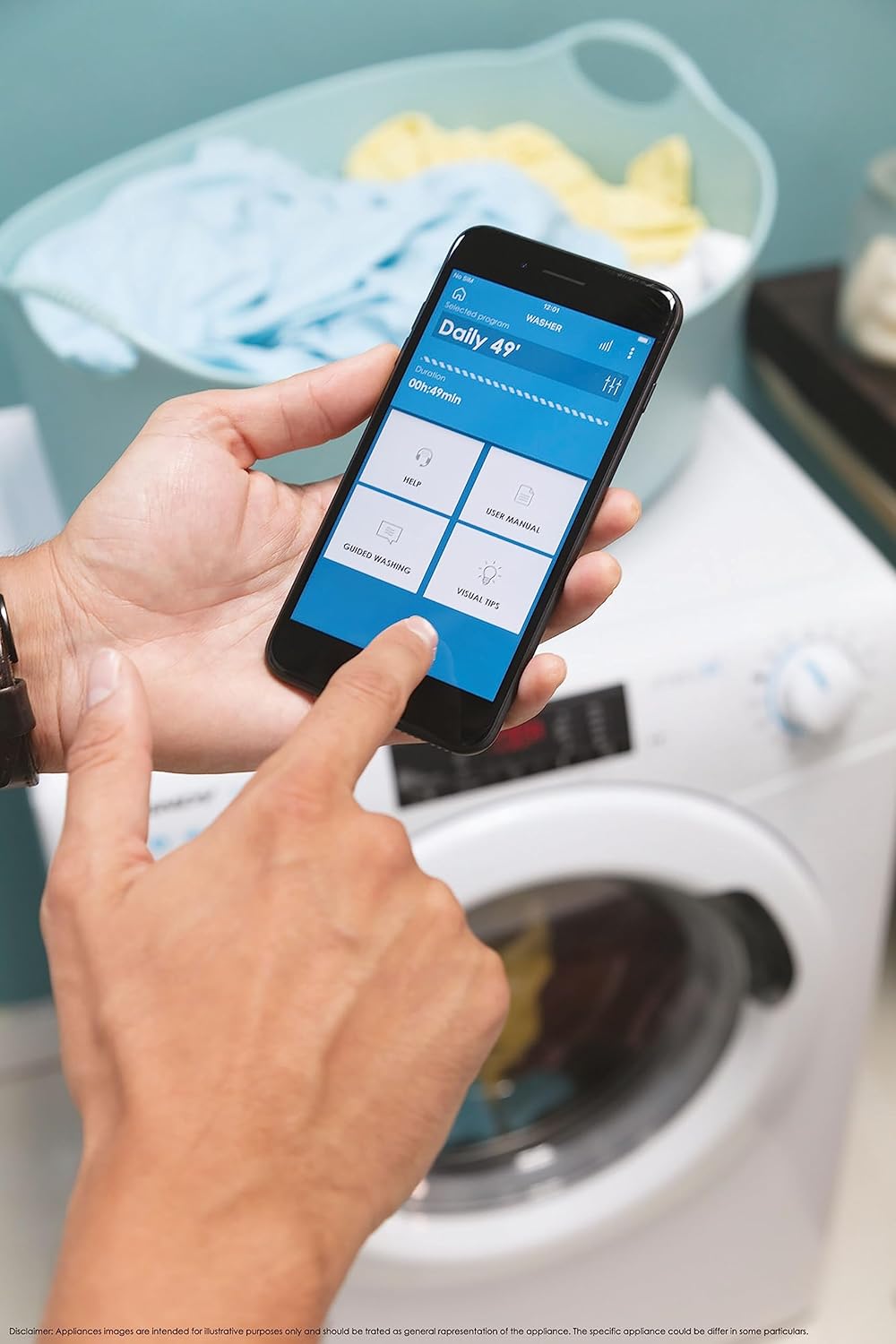
Slika 5: Control your washing machine remotely using the Simply-Fi app on your smartphone.
- Download the Simply-Fi app from your smartphone's app store.
- Slijedite upute u aplikaciji da biste povezali perilicu rublja s kućnom Wi-Fi mrežom.
- Once connected, you can access additional programs, monitor cycle status, and receive maintenance reminders.
Održavanje
Regular maintenance ensures the efficiency and extends the lifespan of your washing machine.
Čišćenje posude za deterdžent
- Izvucite fioku posude za deterdžent.
- Remove any residue and rinse thoroughly under running water.
- Vratite ladicu.
Čišćenje filtera
- Pronađite poklopac filtera na donjoj prednjoj strani uređaja.
- Ispod stavite plitku posudu da biste uhvatili preostalu vodu.
- Unscrew the filter slowly to drain water, then remove and clean it of lint and debris.
- Čvrsto zavrnite filter nazad.
Čišćenje bubnja
- Run a hot wash cycle with no laundry and a washing machine cleaner or a cup of white vinegar to remove odors and residue.
Smart Check-Up Function
Utilize the Smart Check-Up function via the Simply-Fi app to monitor the health of your washing machine. It provides notifications for errors or malfunctions, helping you maintain the appliance effectively.
Rješavanje problema
Prije nego što kontaktirate korisničku službu, molimo vas da pogledate sljedeće uobičajene probleme i njihova rješenja:
| Problem | Mogući uzrok | Rješenje |
|---|---|---|
| Mašina se ne pokreće | Power cord unplugged, door not closed properly, delayed start active. | Provjerite priključak za napajanje, uvjerite se da su vrata zaključana, otkažite odgođeni start. |
| Pretjerane vibracije/buka | Transportni vijci nisu uklonjeni, mašina nije nivelisana, neravnomjerno opterećenje. | Remove transport bolts, adjust leveling feet, redistribute laundry inside drum. |
| Curenje vode | Hoses loose, drain filter clogged, excessive detergent. | Check hose connections, clean drain filter, use appropriate amount of detergent. |
| Problemi sa povezivanjem aplikacija | Wi-Fi signal weak, app not updated, incorrect pairing. | Ensure strong Wi-Fi signal, update app, re-pair device following app instructions. |
Specifikacije
| Feature | Detalj |
|---|---|
| Brand | Candy |
| Model | CSO 1295TW4/1-S |
| Kapacitet | 9 kilograma |
| Dimenzije (VxŠxD) | 85 x 60 x 53 cm |
| Težina | 65 kilograma |
| Klasa energetske efikasnosti | B |
| Maksimalna brzina centrifuge | 1200 RPM |
| Povezivanje | Wi-Fi + BLE (Simply-Fi App) |
| Tip kontrole | Dodirni, biraj |
Garancija i podrška
Your Candy Smart Pro Washing Machine is covered by a manufacturer's warranty. For specific details regarding the warranty period and terms, please refer to the documentation provided with your purchase or visit the official Candy website.
For technical assistance, spare parts, or to schedule a service appointment, please contact Candy customer support. Have your model number (CSO 1295TW4/1-S) and serial number ready when contacting support.
Politika povrata: Ako želite vratiti proizvod u roku od 30 dana od prijema jer ste se predomislili, molimo vas da se konsultujete s pravilima povrata na prodavčevim stranicama. website. If you have received a defective or damaged product, please refer to the retailer's help page on defective or damaged products.