
HOCO ES64_Green
HOCO Bluetooth Neck Band In-Ear Earphones User Manual
Model: ES64_Green | Brand: HOCO
1. Uvod
The HOCO Bluetooth Neck Band In-Ear Earphones (Model ES64_Green) are designed to provide a high-quality audio experience with extended playback time and convenient features. This manual provides essential information for setting up, operating, and maintaining your earphones.
Ključne karakteristike uključuju:
- Bluetooth 5.3 connectivity for stable and efficient pairing.
- Do 30 sati neprekidne upotrebe sa jednim punjenjem.
- Ergonomic neckband design for comfortable wear.
- Toggle switch button for convenient operation.
- Lightweight design at 26.5g.
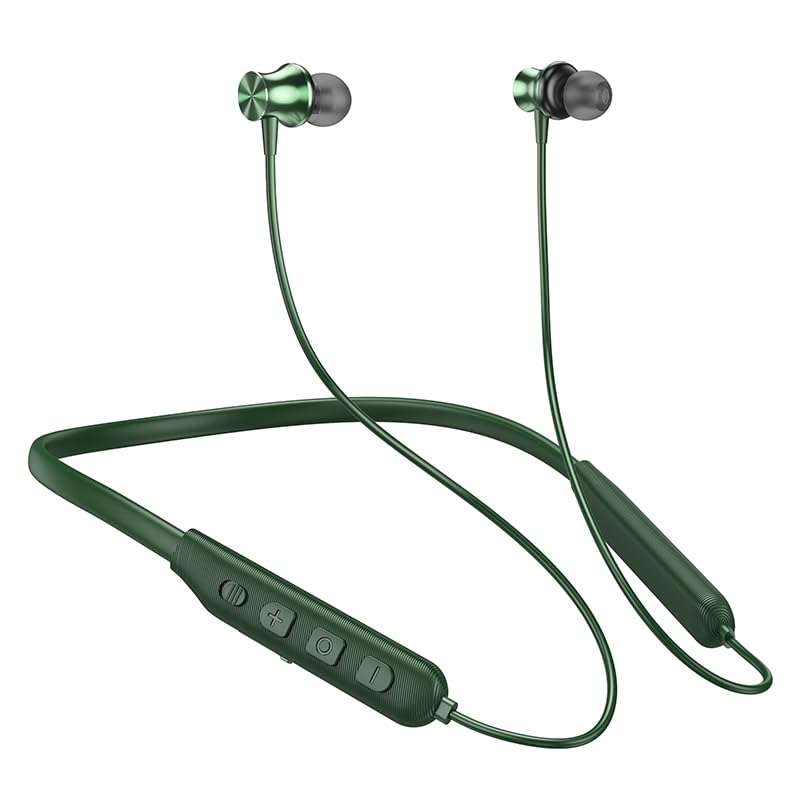
Image: The HOCO Bluetooth Neck Band in green, showcasing its in-ear design and flexible neckband.
2. Sadržaj paketa
Molimo Vas da provjerite paket za sljedeće stavke:
- HOCO Bluetooth Neck Band In-Ear Earphones (ES64_Green)
- Ear Cushions (additional sizes may be included)
- Korisnički priručnik (ovaj dokument)
- Charging Cable (not explicitly listed in "whats_in_the_box" but implied for charging)
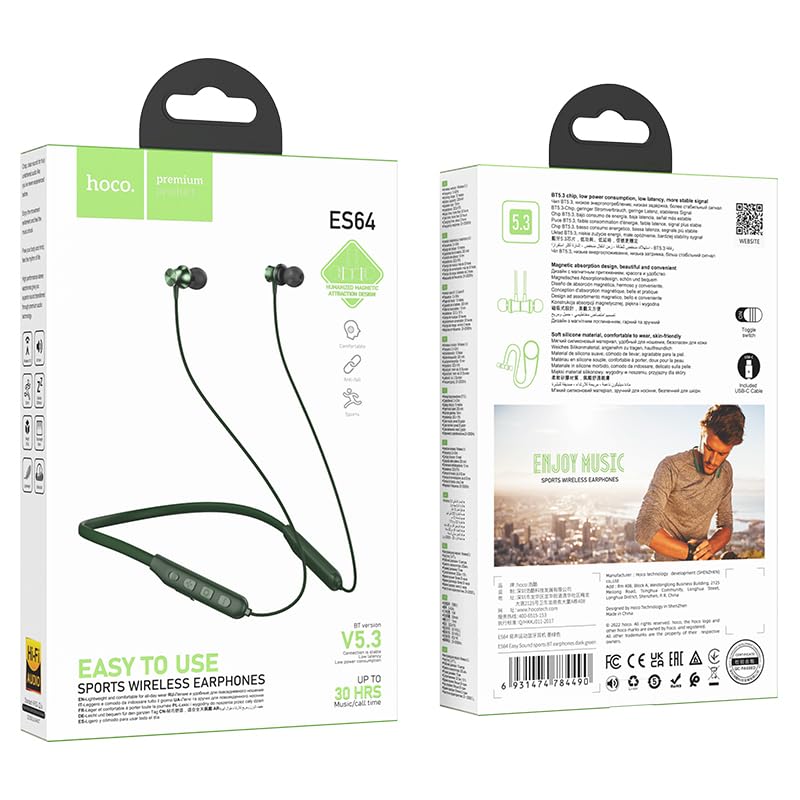
Slika: Prednja i zadnja strana view of the HOCO Bluetooth Neck Band product packaging, showing the earphones and key features.
3. Proizvod je gotovview
Familiarize yourself with the components and controls of your HOCO Bluetooth Neck Band.
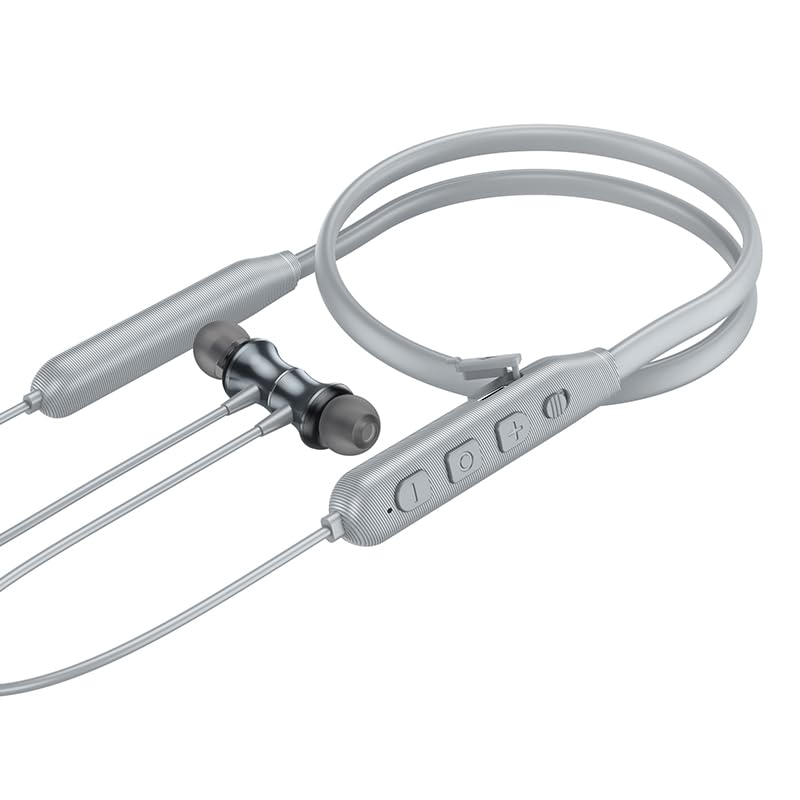
Slika: Krupni plan view of the control panel on the HOCO Bluetooth Neck Band, showing the toggle switch, volume buttons, and multi-function button.
Kontrole:
- Višenamjensko dugme (MFB): Power On/Off, Play/Pause, Answer/End Calls.
- Jačina zvuka (+): Povećavanje jačine zvuka, Sljedeća pjesma (dugi pritisak).
- Stišavanje (-): Smanjivanje jačine zvuka, Prethodna pjesma (dugi pritisak).
- Prekidač: For convenient power control.
- Port za punjenje: USB Type-C (implied by modern devices, though not specified as Type-C).
- LED indikator: Prikazuje status napajanja, uparivanja i punjenja.
4. Podešavanje
4.1 Punjenje slušalica
Before first use, fully charge your earphones. A full charge takes approximately 2 hours.
- Connect the charging cable to the charging port on the neckband.
- Drugi kraj kabla priključite na USB adapter za napajanje (nije uključen) ili na USB port računara.
- The LED indicator will show the charging status (e.g., red while charging, blue when fully charged).
The ASAP Charge feature allows for quick charging to provide additional playtime with a short charge.
4.2 Uparivanje s Bluetooth uređajem
Follow these steps to pair your HOCO Bluetooth Neck Band with your smartphone or other Bluetooth-enabled device:
- Provjerite jesu li slušalice potpuno napunjene i isključene.
- Slide the toggle switch to the "On" position or long-press the MFB until the LED indicator flashes rapidly (usually blue and red alternately), indicating pairing mode.
- Na svom uređaju omogućite Bluetooth i potražite dostupne uređaje.
- Select "HOCO ES64" (or similar name) from the list of found devices.
- Once connected, the LED indicator will typically show a slow blue flash or turn off, and you will hear an audible confirmation.
The earphones support Bluetooth v5.3 for stable connection and can connect to two devices simultaneously (specific instructions for dual pairing may vary by device, refer to your device's manual).
5. Uputstvo za upotrebu
5.1 Uključivanje/isključivanje napajanja
- Uključeno: Slide the toggle switch to "On" or long-press the MFB until the LED indicator lights up.
- Iskljuciti: Slide the toggle switch to "Off" or long-press the MFB until the LED indicator turns off.
5.2 Reprodukcija muzike
- Pusti/pauza: Kratko pritisnite MFB.
- Povećavanje glasnoće: Kratko pritisnite dugme "+".
- Smanjivanje jačine zvuka: Kratko pritisnite dugme "-".
- Sljedeća pjesma: Dugo pritisnite dugme "+".
- Prethodni zapis: Dugo pritisnite dugme "-".
5.3 Upravljanje pozivima
- Odgovori na poziv: Short press the MFB when an incoming call rings.
- Završi poziv: Kratko pritisnite MFB tokom poziva.
- odbiti poziv: Dugo pritisnite MFB kada zvoni dolazni poziv.
- Ponovno biranje zadnjeg broja: Dvaput pritisnite MFB.

Image: A person wearing the HOCO Bluetooth Neck Band during a run, demonstrating its comfortable and secure fit for active use.
5.4 Video demonstracija
For a visual guide on the product's features and usage, please watch the official product video below:
Video: Official HOCO product video demonstrating the features and usage of the Bluetooth Neck Band, including its long playback time, ASAP Charge, and Bluetooth pairing capabilities.
6. Održavanje
Proper care will extend the lifespan of your earphones:
- čišćenje: Za čišćenje slušalica koristite meku, suhu krpu. Nemojte koristiti jake hemikalije ili abrazivne materijale.
- Skladištenje: Slušalice čuvajte na hladnom i suhom mjestu, dalje od direktne sunčeve svjetlosti i ekstremnih temperatura.
- Otpornost na vodu: The earphones are water resistant. Avoid submerging them in water or exposing them to heavy rain for prolonged periods. Dry them thoroughly if they get wet.
- Punjenje: Do not overcharge the battery. Disconnect the charger once the earphones are fully charged.
7. Otkrivanje problema
If you encounter issues with your HOCO Bluetooth Neck Band, try the following solutions:
| Problem | Moguće rješenje |
|---|---|
| Nije moguće uključiti | Provjerite je li baterija napunjena. Spojite je na izvor napajanja i pokušajte ponovo. |
| Nije moguće upariti uređaj |
|
| Nema zvuka ili je mala jačina zvuka |
|
| Intermitentna veza |
|
8. Specifikacije
| Feature | Detalj |
|---|---|
| Naziv modela | ES64_Green |
| Tehnologija povezivanja | bežični (Bluetooth) |
| Bluetooth verzija | 5.3 (chip: JL AC7003) |
| Kapacitet baterije | 200mAh |
| Vrijeme punjenja | Oko 2 sati |
| Koristi vrijeme | 30 sati |
| Vrijeme pripravnosti | 350 sati |
| Earphones Total Length | 85cm |
| Težina | 26.5g |
| Materijal | Plastika |
| Tip kontrole | Physical Button, Toggle Switch |
| Nivo vodootpornosti | Otporan na vodu |
| Uključuje punjivu bateriju | Da |
| Proizvođač | HOCO |
| Zemlja porijekla | Kina |
9. Garancija i podrška
Your HOCO Bluetooth Neck Band In-Ear Earphones come with a 1-godišnja garancija od datuma kupovine. Ova garancija pokriva nedostatke u proizvodnji i osigurava da proizvod funkcioniše kako je predviđeno pri normalnoj upotrebi.
For warranty claims, technical support, or any inquiries, please contact your retailer or the official HOCO customer service. Keep your purchase receipt as proof of purchase.
For more information, you may visit the official HOCO website (if available, a placeholder link would be here, but since none is provided, I will omit a specific URL).
Ask a question about this manual
Ask about setup, troubleshooting, compatibility, parts, safety, or missing instructions. Manuals+ will review the question and use this page’s manual context to help answer it.