
HOCO Y10
Hoco Y10 Amoled Smart Sports Watch User Manual
Model: Y10
Uvod
Thank you for choosing the Hoco Y10 Amoled Smart Sports Watch. This manual provides essential information for setting up, operating, and maintaining your device. Please read this manual thoroughly before using the watch to ensure proper function and longevity.
Sigurnosne informacije
- Do not attempt to disassemble, repair, or modify the device. Unauthorized modifications may void the warranty and cause damage.
- Keep the watch away from extreme temperatures, direct sunlight, and corrosive liquids.
- Use only the provided charging cable. Using incompatible chargers may cause damage or fire.
- While the watch is 3ATM waterproof, it is not suitable for diving or high-pressure water activities. Avoid prolonged submersion.
- Prije početka bilo kakvog novog režima vježbanja, posavjetujte se s liječnikom, posebno ako imate već postojeća zdravstvena stanja.
- Držite uređaj van domašaja djece i kućnih ljubimaca.
Sadržaj paketa
Molimo Vas da prilikom otvaranja provjerite sadržaj paketa kako biste bili sigurni da su svi artikli prisutni:
- Hoco Y10 Amoled Smart Sports Watch
- Kabel za punjenje
Product Overview
The Hoco Y10 Smart Sports Watch features a vibrant 1.3-inch AMOLED display and a durable design suitable for daily wear and sports activities. Below are various views of the watch highlighting its design and features.

Front view of the Hoco Y10 Smart Watch displaying a digital watch face with time, battery, steps, and heart rate.
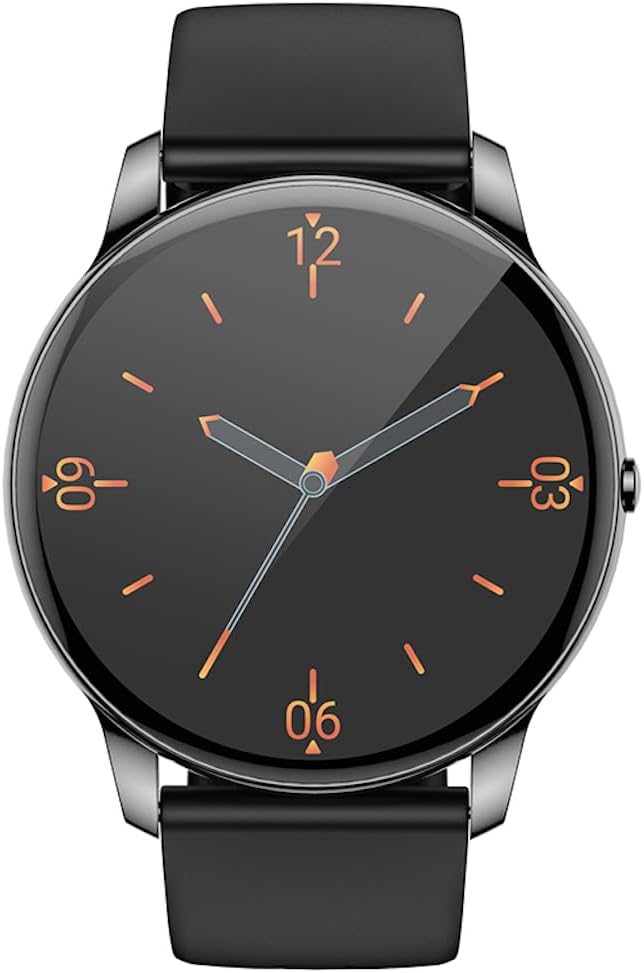
Front view of the Hoco Y10 Smart Watch displaying a classic analog watch face.
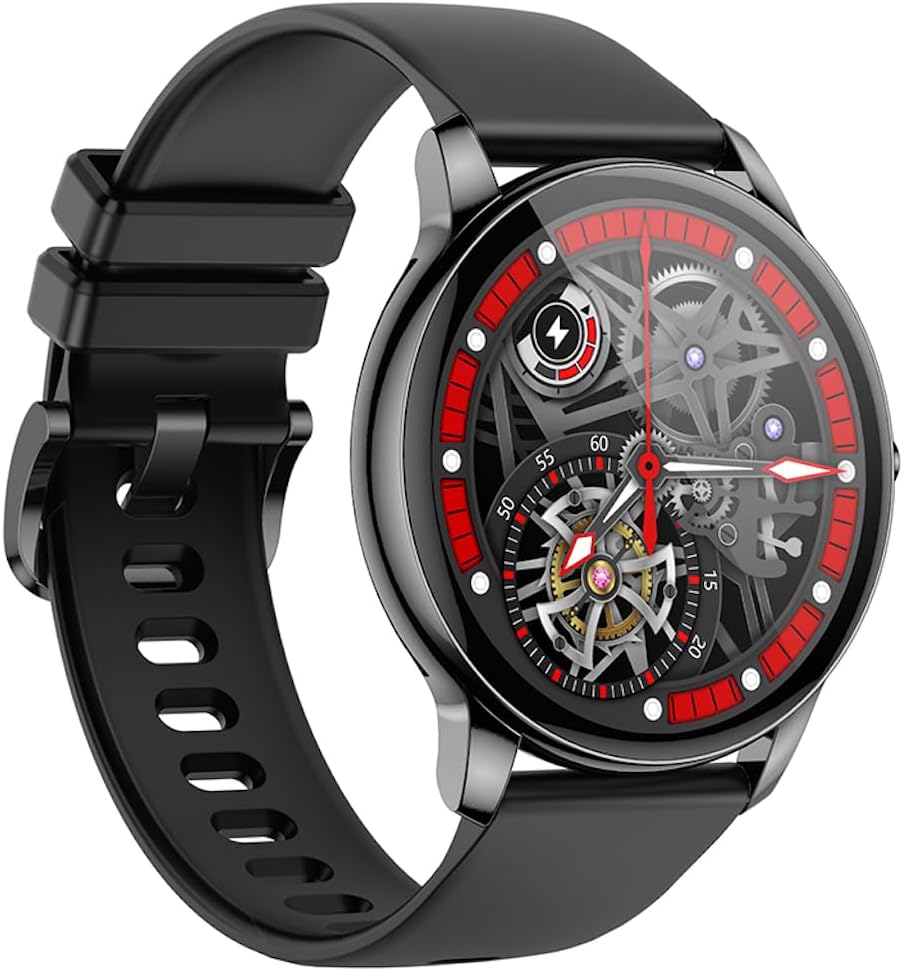
Ugao view of the Hoco Y10 Smart Watch showcasing a mechanical-style watch face.
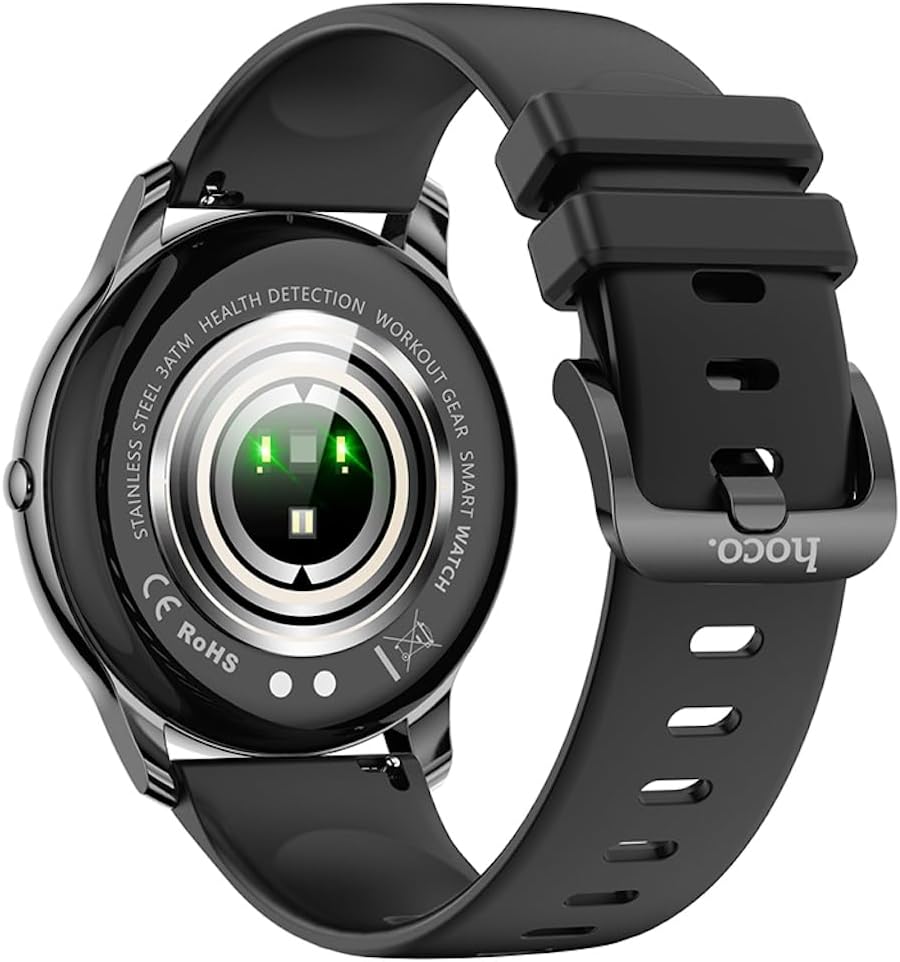
Pozadi view of the Hoco Y10 Smart Watch, highlighting the optical sensors for health detection and charging contacts.
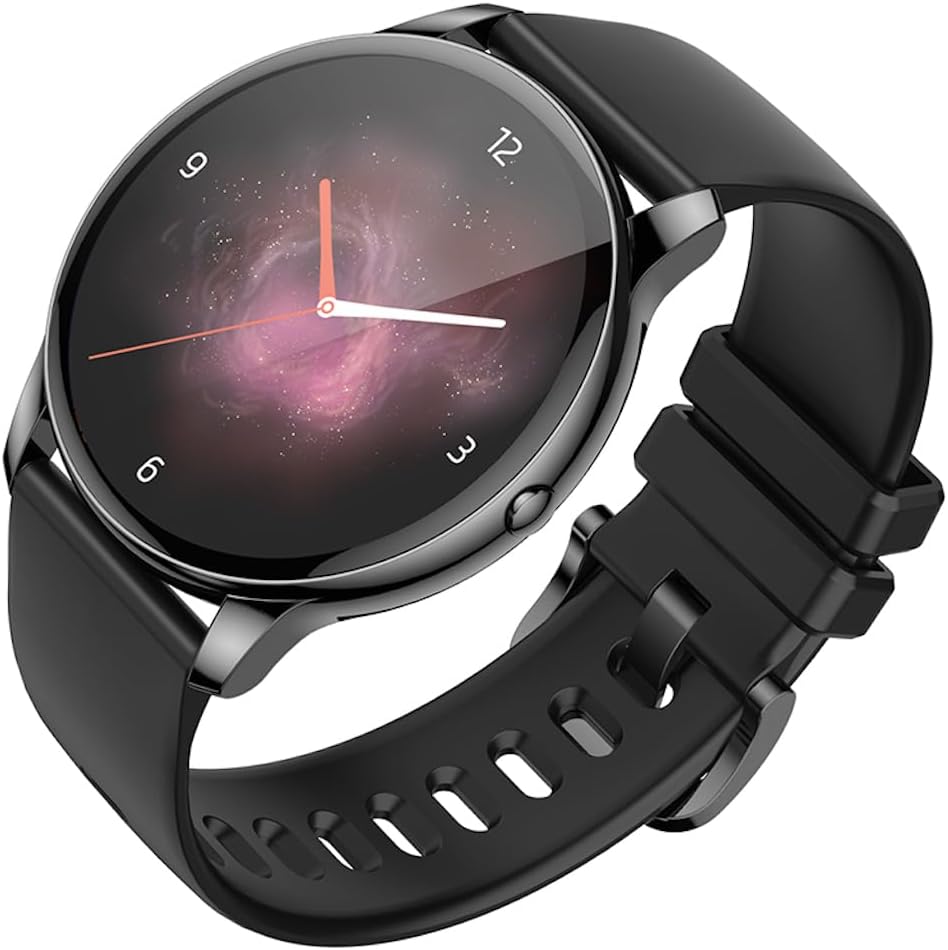
Ugao view of the Hoco Y10 Smart Watch with an abstract, artistic watch face.
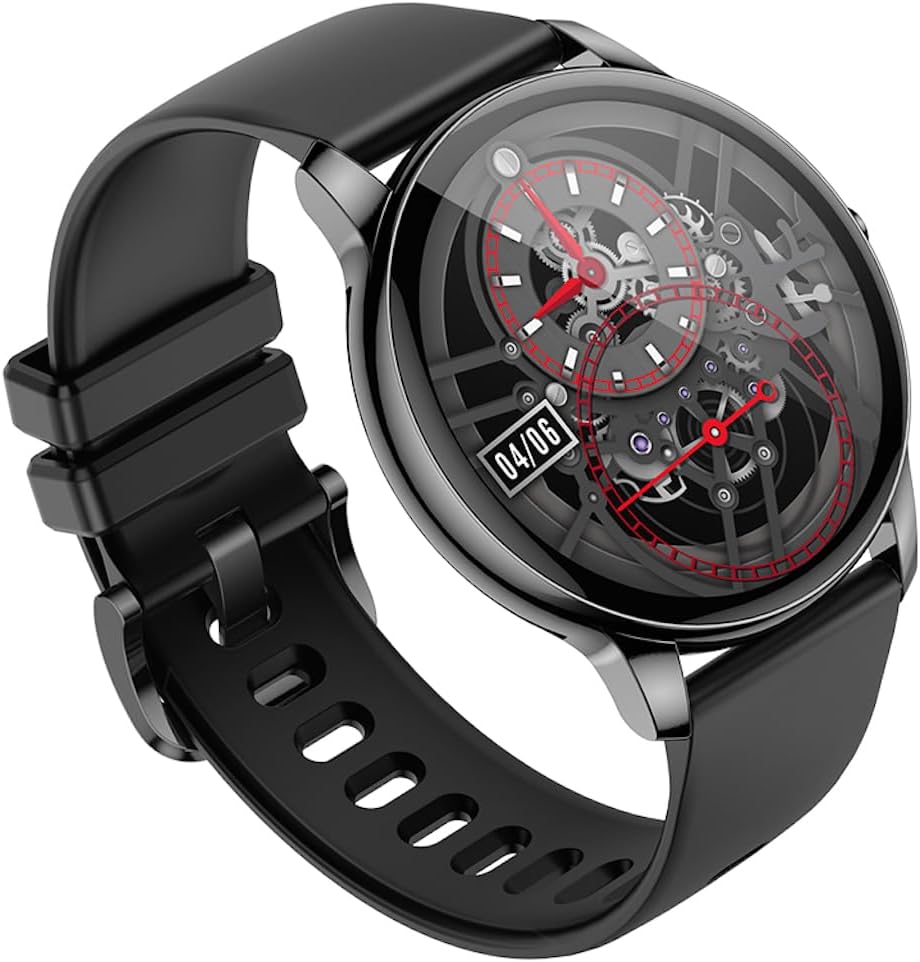
Još jedan ugaoni view of the Hoco Y10 Smart Watch, showing a detailed mechanical-style watch face with visible gears.

The Hoco Y10 Smart Watch displayed on a textured, light-colored surface, highlighting its sleek design.
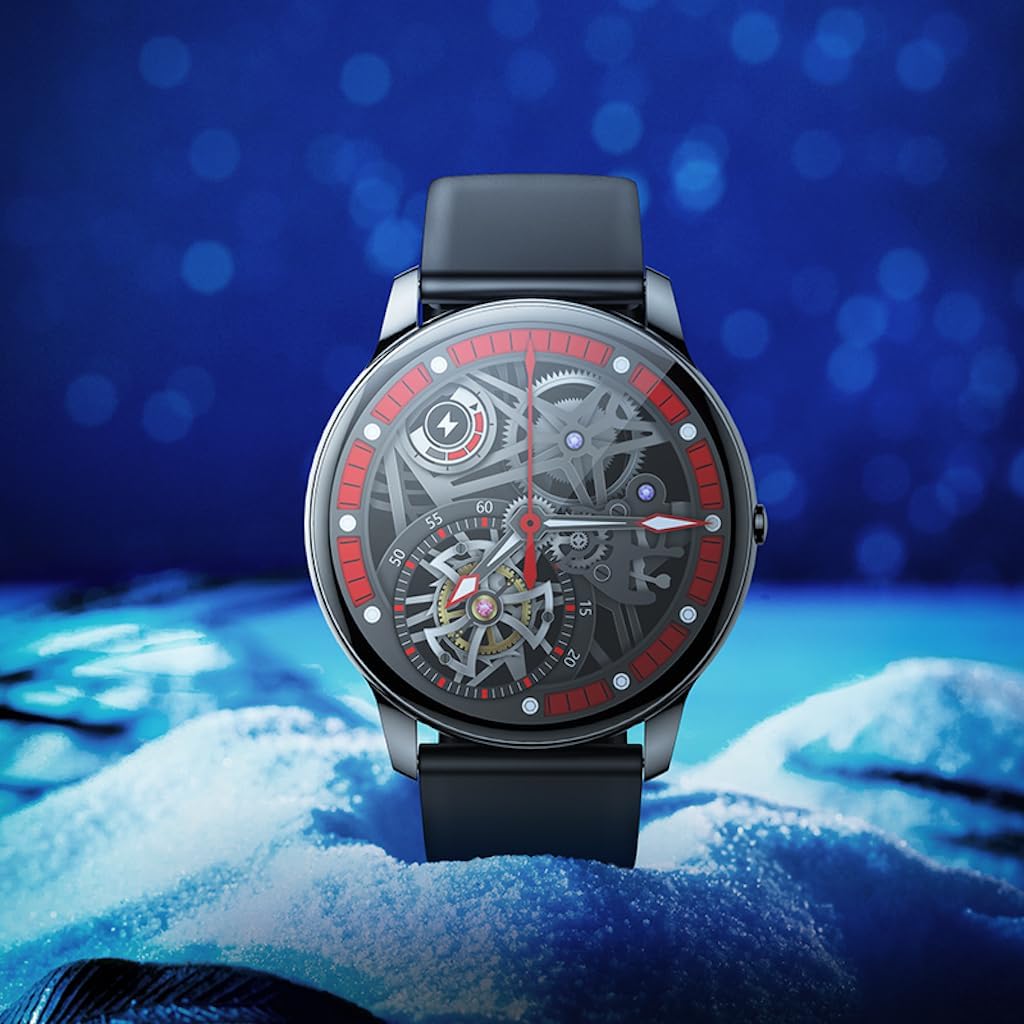
Two Hoco Y10 Smart Watches presented together, one with a digital face and the other with an analog face.
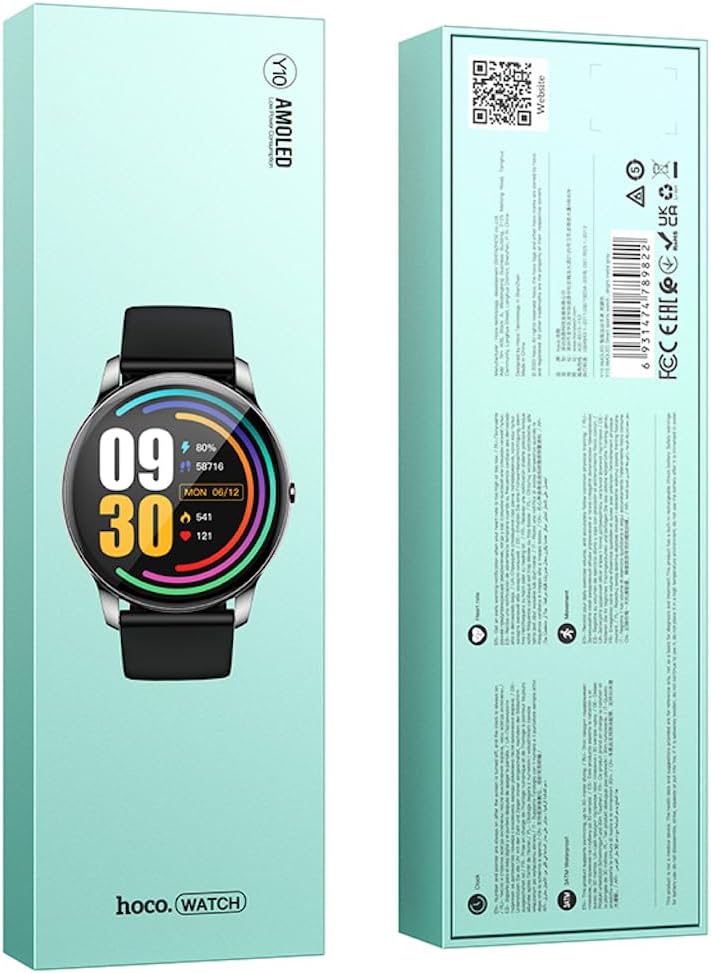
Prednje i zadnje view of the Hoco Y10 Smart Watch product packaging, showing product details and certifications.
Setup
1. Početno punjenje
Before first use, fully charge your Hoco Y10 Smart Watch. Connect the provided charging cable to the charging contacts on the back of the watch and plug the USB end into a standard USB power adapter (not included) or a computer USB port. The watch display will indicate charging status. A full charge typically takes approximately 2 hours.
2. Uključivanje / isključivanje napajanja
- Za uključivanje: Press and hold the side button until the Hoco logo appears.
- Za isključivanje: Na brojčaniku sata prevucite prema dolje ili idite do menija postavki, a zatim odaberite "Isključivanje" ili "Isključivanje". Potvrdite svoj odabir.
3. Uparivanje sa vašim pametnim telefonom
To unlock the full features of your Hoco Y10, you need to pair it with your smartphone via Bluetooth. While the specific app name is not provided, most smartwatches require a companion app. Please refer to the QR code on the product packaging or search for "Hoco Smart Watch" or "Hoco Y10" in your phone's app store (Google Play Store for Android, Apple App Store for iOS).
- Preuzmite i instalirajte prateću aplikaciju na svoj pametni telefon.
- Provjerite je li Bluetooth omogućen na vašem pametnom telefonu.
- Otvorite aplikaciju i pratite uputstva na ekranu da kreirate nalog ili se prijavite.
- In the app, select "Add Device" or "Pair Device" and choose "Hoco Y10" from the list of available devices.
- Potvrdite zahtjev za uparivanje i na satu i na pametnom telefonu.
Uputstvo za upotrebu
Osnovna navigacija
- Touchscreen: Prevucite prstom lijevo/desno, gore/dolje za navigaciju kroz menije i funkcije. Dodirnite za odabir.
- Bočno dugme: Typically used to wake the screen, return to the watch face, or access the app menu.
Ključne karakteristike
- Lica za gledanje: Customize your watch face by long-pressing the screen or through the companion app.
- Sportski modovi: Access various sports tracking modes (e.g., running, walking, cycling) to monitor your activity data.
- Monitoring zdravlja: The watch supports health detection features, likely including heart rate monitoring. Refer to the app for detailed data and historical trends.
- Obavještenja: Receive call, message, and app notifications directly on your wrist (requires app setup).
- Postavke: Adjust brightness, language (supports 20 languages), vibration, and other watch settings.
- Kontrola muzike: Kontrolirajte reprodukciju muzike na uparenom pametnom telefonu.
- Vrijeme: View current weather conditions (requires app synchronization).
Note: The Hoco Y10 does not support direct call functionality.
Održavanje i njega
- čišćenje: Redovno brišite sat i remen mekom,amp tkanina. Nemojte koristiti jake hemikalije ili abrazivne materijale.
- Otpornost na vodu: The watch is 3ATM waterproof, meaning it can withstand splashes, rain, and brief immersion. Do not wear it while showering with hot water, in saunas, or for diving. After contact with saltwater, rinse with fresh water and dry thoroughly.
- Punjenje: Prije punjenja provjerite jesu li kontakti za punjenje na satu i kabelu čisti i suhi.
- Skladištenje: When not in use for extended periods, store the watch in a cool, dry place. Charge it periodically to prevent deep discharge of the battery.
Rješavanje problema
| Problem | Moguće rješenje |
|---|---|
| Sat se ne uključuje. | Provjerite je li sat potpuno napunjen. Spojite ga na punjač na najmanje 30 minuta. |
| Nije moguće uparivanje sa pametnim telefonom. |
|
| Netačni zdravstveni podaci. | Pazite da sat čvrsto prianja uz zglob, ne previše stegnut ili previše labav. Očistite senzore na poleđini sata. |
| Kratko trajanje baterije. |
|
Specifikacije
| Feature | Detalj |
|---|---|
| Model | Y10 |
| Glavni ekran | 1.3 inča AMOLED |
| Rezolucija | 360 x 360 |
| Waterproof Rating | 3ATM |
| CPU | Ruiyu RTL8762DT |
| Memorija | 128 Mb |
| Bluetooth verzija | 5.0 |
| Kapacitet baterije | 230mAh |
| Izdržljivost | 7-10 dana (tipična upotreba) |
| Podržani jezici | 20 languages (Chinese, English, Russian, Arabic, Vietnamese, Danish, Thai, Polish, Persian, Spanish, Malay, Greek, French, Italy, German, Portuguese, Türkiye, Romania, Hebrew, Burmese) |
| Funkcionalnost poziva | Nije podržano |
| Operativni sistem | Android (kompatibilan) |
| Boja | Bright Metal Grey |
| Težina artikla | 169 g |
Garancija i podrška
For information regarding the manufacturer's warranty, please refer to the warranty card included with your product or contact your point of purchase. For technical support and further inquiries, please visit the official HOCO webstranica:
Ask a question about this manual
Ask about setup, troubleshooting, compatibility, parts, safety, or missing instructions. Manuals+ will review the question and use this page’s manual context to help answer it.