
Uvod
This manual provides comprehensive instructions for the Veho Kuzo Sports Smart Watch F1S. Please read this manual carefully before using your device to ensure proper operation and to maximize its features. Keep this manual for future reference.

Slika: Front view of the Veho Kuzo Sports Smart Watch F1S, showcasing svojim okruglim ekranom i robusnim dizajnom.
Sigurnosne informacije
Always follow basic safety precautions when using this device to reduce the risk of injury, electric shock, fire, or damage to the product.
- Ne pokušavajte rastaviti ili modificirati uređaj.
- Držite uređaj dalje od ekstremnih temperatura i direktne sunčeve svjetlosti.
- Izbjegavajte izlaganje uređaja jakim udarcima ili padovima.
- Prije početka bilo kakvog novog režima vježbanja, posavjetujte se s liječnikom, posebno ako imate već postojeća zdravstvena stanja.
- The device is water-resistant (IP68) but not waterproof for diving or high-pressure water activities.
Sadržaj paketa
Provjerite da li su sve stavke prisutne u kutiji:
- Veho Kuzo Sports Smart Watch F1S (Black)
- Magnetic Charging Cradle (USB-A)
- Višejezični korisnički priručnik
Setup
1. Punjenje pametnog sata
Before first use, fully charge your Veho Kuzo F1S Smart Watch.
- Connect the magnetic charging cradle to a USB-A power source (e.g., computer USB port, wall adapter).
- Align the magnetic pins of the cradle with the charging contacts on the back of the watch. The watch will snap into place and display a charging indicator.
- Charge for approximately 2 hours for a full charge. A full charge provides up to 15 days of typical use.

Image: Graphic illustrating the 15-day battery life of the Veho Kuzo F1S Smart Watch.
2. Instaliranje prateće aplikacije
To unlock all features and synchronize data, download the official companion app on your smartphone.
- The app is compatible with Apple iOS and Android devices.
- Traži "Kuzo" or "Veho Kuzo" in your device's app store.
- Instalirajte aplikaciju i slijedite upute na ekranu da biste kreirali račun.
3. Uparivanje sa vašim pametnim telefonom
After installing the app, pair your watch with your phone via Bluetooth.
- Provjerite je li Bluetooth omogućen na vašem pametnom telefonu.
- Open the companion app and navigate to the device pairing section.
- Turn on your Veho Kuzo F1S Smart Watch.
- Select your watch from the list of available devices in the app.
- Potvrdite zahtjev za uparivanje i na satu i na pametnom telefonu.

Image: A smartphone displaying the Veho Kuzo companion app, showing health and activity data.
Uputstvo za upotrebu
Osnovna navigacija
The Veho Kuzo F1S features a 1.3-inch AMOLED touchscreen and physical buttons for navigation.
- Touchscreen: Prevucite prstom gore, dolje, lijevo ili desno za navigaciju kroz menije i widgete. Dodirnite za odabir stavki.
- Bočna dugmad: Use the physical buttons on the side of the watch to return to the home screen, access sports modes, or other quick functions.
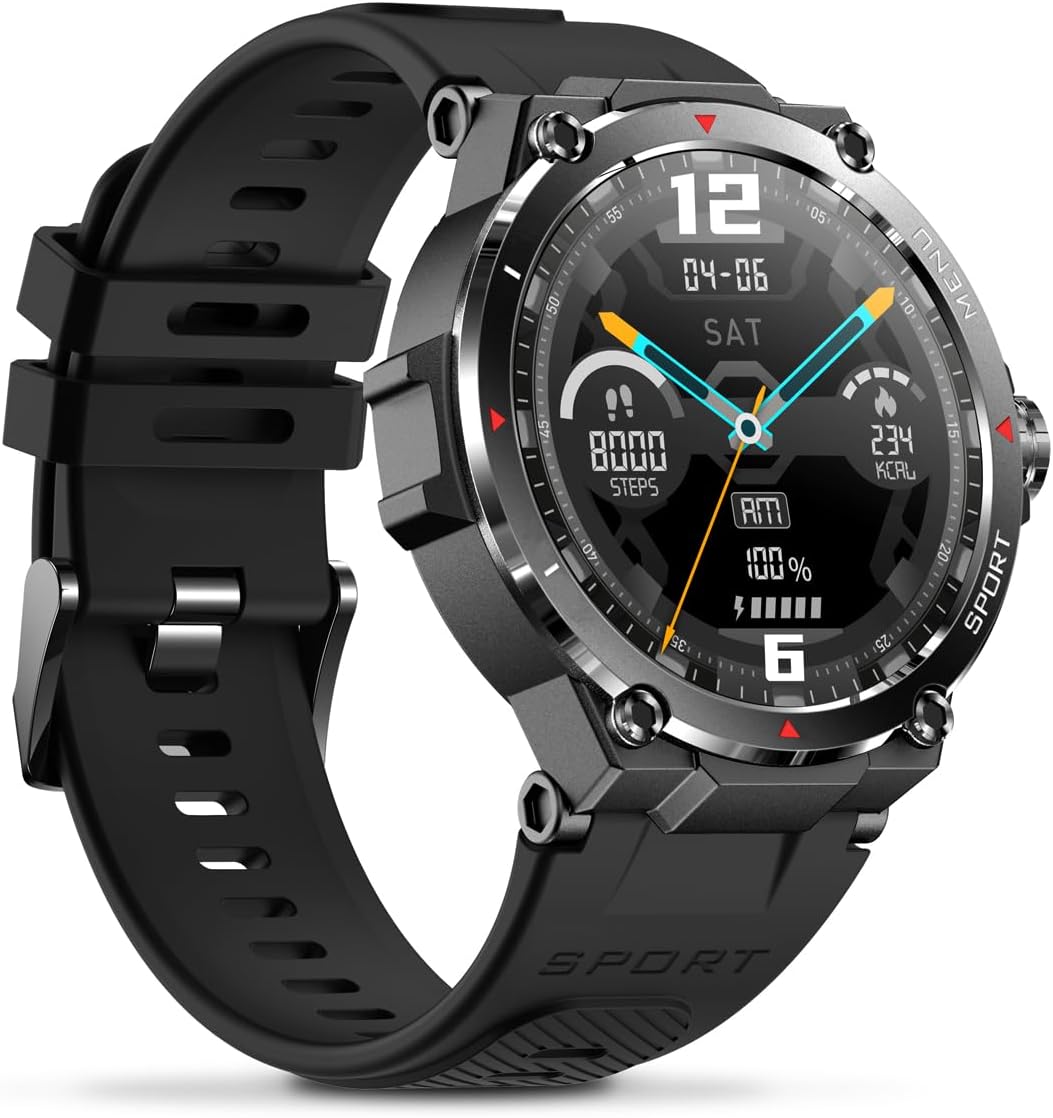
Slika: Sa strane view of the Veho Kuzo F1S Smart Watch, highlighting the control buttons and rugged casing.
Praćenje zdravlja i fitnesa
The watch continuously monitors various health and fitness metrics.
- Otkucaji srca: Praćenje otkucaja srca 24/7. View podaci u stvarnom vremenu na satu ili detaljni trendovi u aplikaciji.
- kiseonik u krvi: Izmjerite nivo kisika u krvi.
- Praćenje aktivnosti: Tracks steps, calories burned, and distance covered. Supports walking, running, and cycling.
- Monitor spavanja: Monitors daily, weekly, and monthly sleep patterns, detailing deep sleep, light sleep, and awake times.
- GPS: Built-in 3-mode GPS (GPS+Beidou+Glonass) and Assisted GPS (AGPS) for accurate outdoor performance tracking and live map positioning. Compatible with STRAVA.

Image: The Veho Kuzo F1S Smart Watch displaying heart rate monitoring data.
Smart Features
- Obavještenja: Receive push notifications from apps like WhatsApp, Twitter, Facebook, LinkedIn, Skype, YouTube, Messenger, and Instagram directly on your watch.
- Kontrola muzike: Control music playback (volume, skip tracks, play/pause) on your paired smartphone directly from the watch.
- Vremenske funkcije: Access alarm, timer, intermittent timer, stopwatch, and countdown functions.
- Pronađite telefon: Use your watch to locate your paired smartphone.
- News/Weather App: Integrated news and weather application functionality.
- Prilagodljivi brojčani satovi: Choose from hundreds of different watch face designs through the companion app.
Održavanje
Čišćenje
Da biste održali izgled i funkcionalnost sata:
- Redovno brišite sat i remen mekom,amp tkanina.
- Izbjegavajte korištenje jakih kemikalija ili abrazivnih sredstava za čišćenje.
- Prije punjenja provjerite jesu li kontakti za punjenje čisti i suhi.
Vodootpornost (IP68)
The Veho Kuzo F1S Smart Watch has an IP68 rating, meaning it is water-resistant in fresh water up to a maximum depth of 1.5 meters for up to 30 minutes, and is protected from dust.
- Do not use the watch for diving, snorkeling, or high-speed water sports.
- Izbjegavajte izlaganje sata vrućoj vodi, pari ili deterdžentima.
- Dry the watch thoroughly after exposure to water.
Battery Care
- Redovno punite sat kako biste održali zdravlje baterije.
- Izbjegavajte često potpuno pražnjenje baterije.
- Čuvajte sat na hladnom i suhom mjestu ako ga ne koristite duži period.
Rješavanje problema
If you encounter issues with your Veho Kuzo F1S Smart Watch, refer to the following common solutions:
- Sat se ne uključuje: Ensure the watch is fully charged. Connect it to the charging cradle and check for the charging indicator.
- Nije moguće upariti s telefonom:
- Provjerite je li Bluetooth omogućen na vašem telefonu i satu.
- Provjerite je li sat u dometu vašeg telefona.
- Ponovo pokrenite i sat i telefon.
- Pokušajte odvojiti i ponovo upariti uređaj putem aplikacije.
- Netačni zdravstveni podaci:
- Pazite da sat čvrsto prianja uz vaš zglob, ali ne previše stegnut.
- Očistite senzor na poleđini sata.
- Environmental factors and skin conditions can affect accuracy.
- Obavještenja se ne prikazuju:
- Provjerite postavke obavještenja aplikacije na telefonu i unutar prateće aplikacije.
- Provjerite je li sat povezan s vašim telefonom putem Bluetootha.
Za dodatnu pomoć, molimo pogledajte odjeljak za podršku ili kontaktirajte korisničku službu.
Specifikacije
| Naziv modela | F1S |
| Broj modela | VSW-001-F1S-B (164426) |
| Display | 1.3" AMOLED Touchscreen |
| Rezolucija | 360 x 360 piksela |
| Čipset | Dialogue14695, PPGHX3690 |
| Memorija | ROM 128MB + RAM 2MB |
| Bluetooth | v5.1 |
| Kapacitet baterije | 300mAh litijum-polimer |
| Radno vrijeme | Do 15 dana |
| Vrijeme pripravnosti | Do 21 dana |
| Vrijeme punjenja | Pribl. 2 sati |
| Charging Type | USB-A to Magnetic Charging Cradle |
| Otpornost na vodu | IP68 (up to 1.5 meters for 30 minutes in fresh water) |
| GPS sistem | 3-mode (GPS+Beidou+Glonass) |
| Dimenzije | 46 mm x 12.9 mm |
| Težina | 51g |
| Širina trake | 22mm |
| Dužina remena | 260mm |
| Kompatibilnost OS | Android, iOS |
| Podržani jezici | All major languages (replicates paired smartphone language) |
Garancija i podrška
The Veho Kuzo Sports Smart Watch F1S comes with a limited warranty. Please refer to the warranty card included in your package or visit the official Veho webstranicu za detaljne uslove i odredbe garancije.
Korisnička podrška
For technical support, troubleshooting, or warranty claims, please contact Veho customer service through their official webweb-mjesto ili kontakt informacije navedene u dokumentaciji vašeg proizvoda.
- Online podrška: www.veho-world.com/support (Npramplink, stvarni link se može razlikovati)
- Email: support@veho-world.com (Exampe-mail, stvarni e-mail može varirati)