
Simarine pico_one
Simarine Pico One komplet za praćenje baterije - uputstvo za upotrebu
Model: Pico One
Product Overview
The Simarine Pico One Battery Monitor Set provides comprehensive monitoring for various systems, including batteries, tanks, and temperatures. It is designed for multi-voltage systems (12V, 24V, 48V) and is compatible with both lead-acid and lithium batteries.
Ključne karakteristike uključuju:
- Praćenje baterije: Displays voltage, state of charge, remaining ampere hours, and time to charge/discharge.
- Multi-Voltage Kompatibilnost: Supports 12V, 24V, and 48V systems.
- Shunt SC303: Includes 2 resistance inputs, 2 voltage inputs, 1 temperature sensor socket, and 1 current input.
- Elegantan dizajn: High-resolution 3.5" IPS screen with Gorilla Glass, polarizing filter, and automatic illumination. IP67-rated anodized aluminum unibody case.
- Simarine App Integration: Monitor live data, configure settings, and upgrade firmware via the mobile application.
Sadržaj paketa
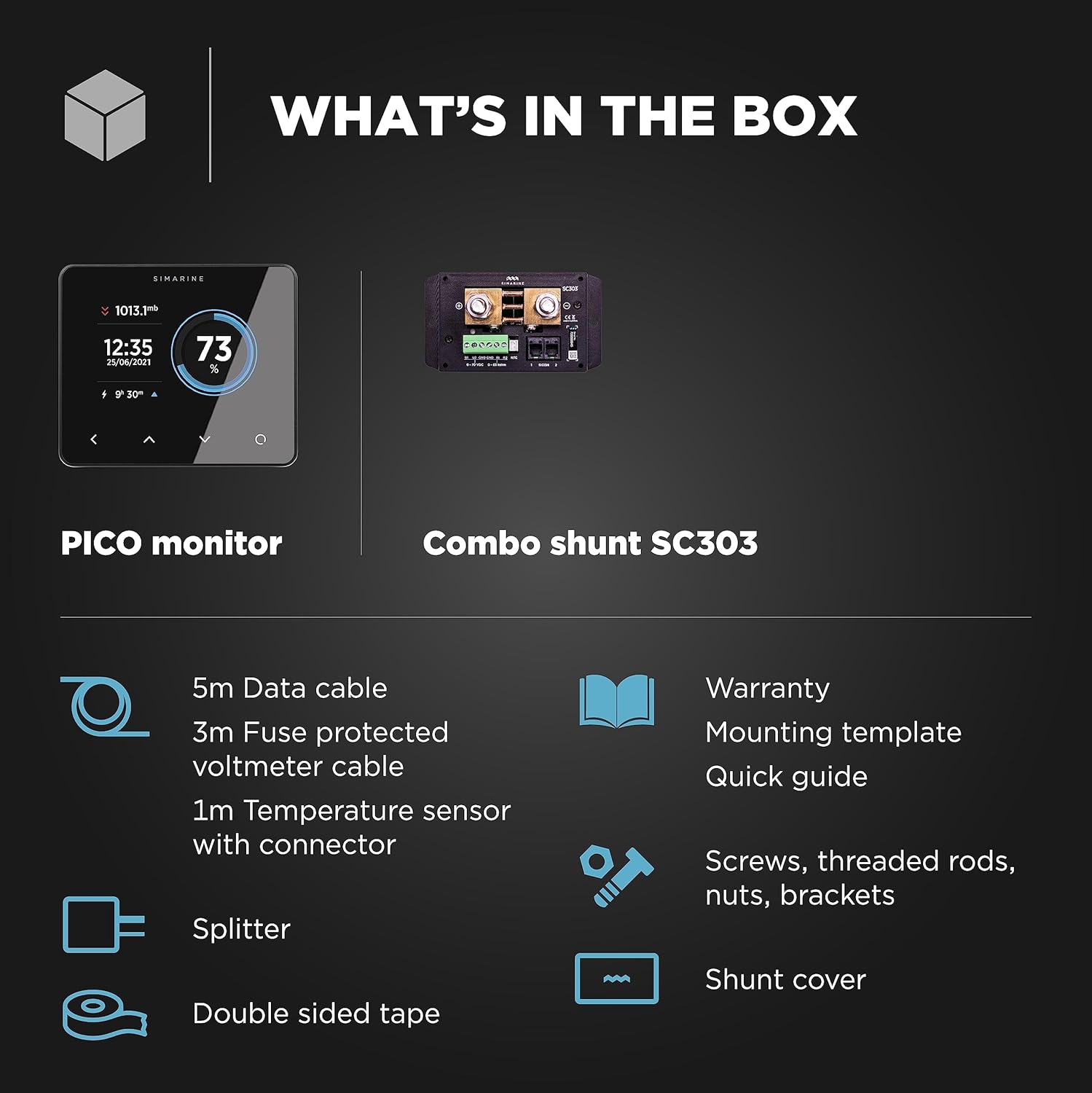
Image: The Simarine Pico monitor and the SC303 combo shunt, key components of the set.
The Simarine Pico One Battery Monitor Set includes the following components:
- PICO battery monitor
- SC303 shunt
- Data cable (5 meters)
- Shunt cover
- Fuse protected voltmeter cable (3 meters)
- Temperature sensor with connector (1 meter)
- Šablon za montažu
- Brzi vodič
- Screws, threaded rods, nuts, brackets
- Dvostrana traka
Vodič za instalaciju
Shunt Wiring
Proper wiring of the SC303 shunt is crucial for accurate monitoring. Follow these guidelines:
- Ako sistem voltage radi not exceed 35V, the shunt can be wired to either the LOW (-) or HIGH (+) strana.
- Ako sistem voltage exceeds 35V, the shunt must be wired to the LOW (-) side.
- This wiring flexibility is convenient for retrofitting into existing boats, campkombiji, prikolice i kamp-kućice.
For detailed wiring diagrams and mounting instructions, refer to the included Quick Guide and mounting template.
Operacija
PICO Monitor Display
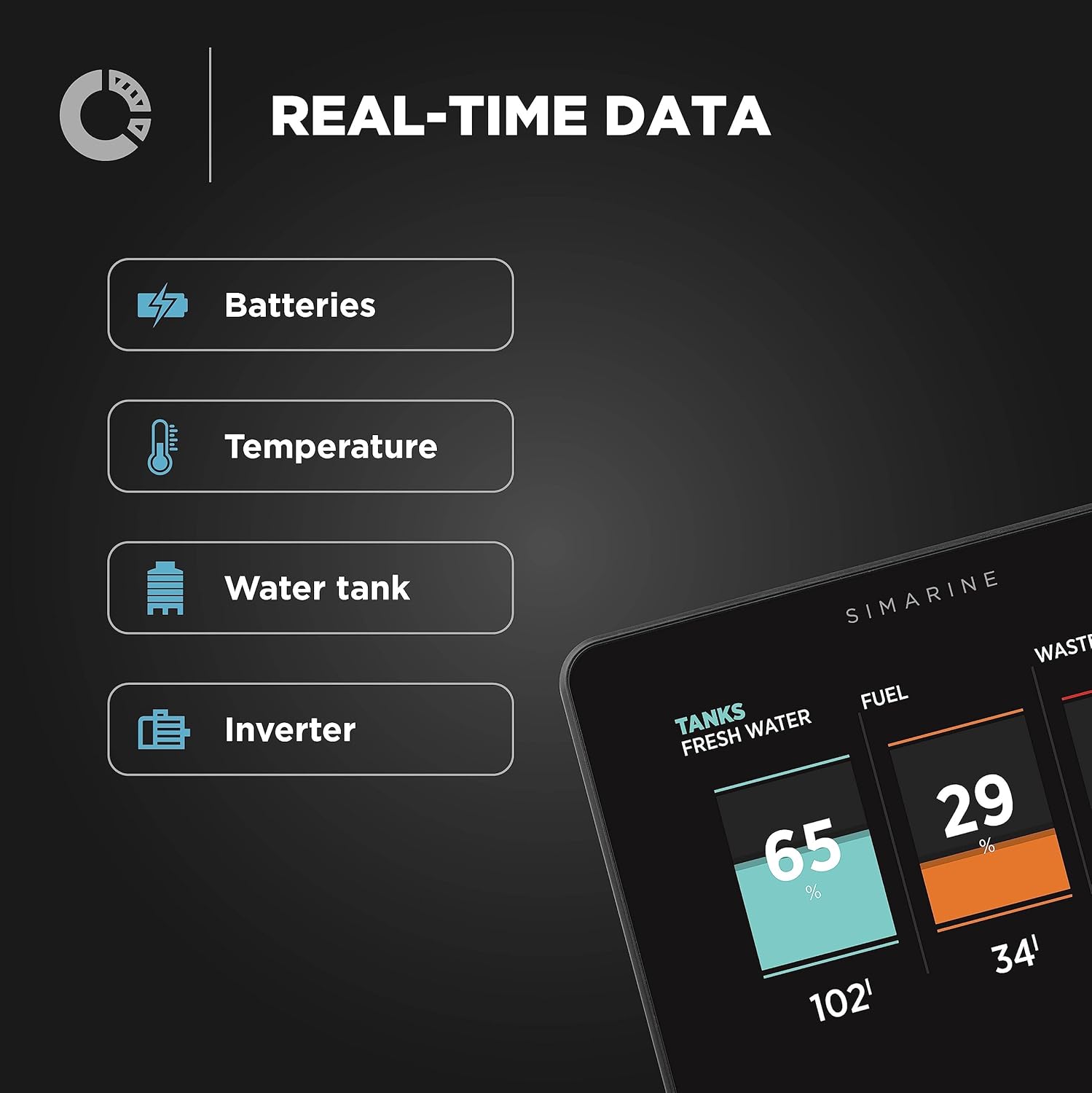
Image: The Pico One display showing battery state of charge, voltage, remaining ampere hours, and charge/discharge current.
The PICO monitor provides real-time data on your system. The high-resolution 3.5" IPS screen displays critical information at a glance:
- Battery Voltage: Current voltage of your battery bank.
- Stanje napunjenosti (SoC): Percentage preostalog kapaciteta baterije.
- Preostalo Ampere Hours (Ah): Total usable capacity left.
- Time to Charge/Discharge: Estimated time until full charge or discharge based on current usage.
- Battery Compartment Temperature: Temperature measured by the included sensor.
Navigate through different screens using the touch controls on the display to view data for tanks, temperatures, and other connected sensors.
Simarine App

Image: The Simarine mobile application displaying battery, tank, and temperature data on a smartphone.
The Simarine App extends the functionality of your Pico One monitor, allowing you to access data and manage settings remotely.
- Nadgledanje podataka uživo: View real-time data for batteries, tanks, temperatures, and barograph readings directly on your smartphone or tablet.
- Konfiguracija: Adjust settings and preferences for your Pico system.
- Nadogradnje firmvera: Keep your Pico monitor updated with the latest features and improvements through the app.
Download the Simarine App from the App Store (for iOS devices) or Google Play Store (for Android devices).
Održavanje
The Simarine Pico One Battery Monitor is designed for durability with its IP67-rated anodized aluminum unibody case, making it water- and dust-resistant. To ensure optimal performance and longevity:
- čišćenje: Obrišite ekran i casing s mekim, damp krpom. Izbjegavajte abrazivna sredstva za čišćenje ili rastvarače.
- Ažuriranja firmvera: Regularly check for and install firmware updates via the Simarine App to benefit from the latest features and bug fixes.
- Provjere veze: Periodically inspect all cable connections to the shunt and monitor to ensure they are secure and free from corrosion.
Rješavanje problema
If you encounter issues with your Simarine Pico One Battery Monitor, consider the following common troubleshooting steps:
- Nema ekrana/napajanja: Ensure all power connections are secure and the fuse on the voltmeter cable is intact.
- Netačna očitavanja: Verify that the shunt is wired correctly according to the installation guidelines (especially for systems exceeding 35V). Check all sensor connections.
- Problemi s povezivanjem aplikacija: Ensure Bluetooth is enabled on your mobile device and the Pico monitor. Restart both the app and the monitor if necessary.
- Neuspjeh ažuriranja firmvera: Ensure a stable internet connection during updates and that your device has sufficient battery.
For persistent issues, refer to the detailed troubleshooting section in the full user manual or contact Simarine support.
Specifikacije
| Feature | Detalj |
|---|---|
| Proizvođač | Simarine |
| Broj modela | pico_one |
| Težina artikla | 2.67 funte |
| Dimenzije proizvoda | 1 x 1 x 1 inča |
| Zemlja porijekla | Slovenija |
| Boja | Crna |
| Uključene komponente | SC303 (Shunt) |
| Kompatibilnost baterija | Lead Acid & Lithium (LiFePO4, AGM, GEL, Deep Cycle, Wet Free, Wet Low) |
| Display | 3.5" IPS screen with Gorilla Glass, polarizing filter, auto illumination |
| Ocjena zaštite | IP67 (otporan na vodu i prašinu) |
Garancija i podrška
Informacije o garanciji
The Simarine Pico One Battery Monitor Set comes with a 3 godine garancije od datuma kupovine. Molimo sačuvajte dokaz o kupovini za potrebe reklamacije.
Tehnička podrška

Image: Options for technical support, including email and video call.
For technical assistance, questions, or support, please contact Simarine directly. You can typically find contact information on the official Simarine website or through the Simarine App.
- Online resursi: Visit the Simarine website for FAQs, detailed manuals, and software downloads.
- Podrška putem e-pošte: Send your inquiries via email for written assistance.
- Podrška za video pozive: Schedule a video call for personalized technical guidance.
Ask a question about this manual
Ask about setup, troubleshooting, compatibility, parts, safety, or missing instructions. Manuals+ will review the question and use this page’s manual context to help answer it.