
HOCO HB29 - Metal Grey
Hoco HB29 Multi-Function Hub Converter User Manual
Model: HB29 - Metal Grey
Uvod
Thank you for choosing the Hoco HB29 Multi-Function Hub Converter. This device is designed to expand the connectivity of your Type-C enabled notebooks, allowing you to connect to HDMI and VGA displays simultaneously. Please read this manual carefully to ensure proper use and optimal performance of your device.

Image: The Hoco HB29 Multi-Function Hub Converter, showcasing its compact design and Type-C cable, HDMI port, and VGA port.
Karakteristike proizvoda
- Materijal: Constructed from durable aluminum alloy and ABS for longevity.
- kompaktna veličina: Dimensions of 109*28.8*11.6mm with a wire length of 150±5mm, weighing only 40g, making it highly portable.
- Interfejs: Features a Type-C male connector for input, and HDTV (HDMI) plus VGA ports for output.
- HDMI izlaz: Supports 4K resolution at 30Hz, providing synchronized audio and video.
- VGA izlaz: Supports 1080P resolution. Please note that VGA does not support audio output.
- Simultani izlaz: When both HDMI and VGA ports are used simultaneously, the output resolution is 1080P.
- Široka kompatibilnost: Designed for Type-C notebooks and compatible with most operating systems, including Windows and Mac OS, for connection to projectors, TVs, and monitors.
Uputstva za postavljanje
- Connect the Hub to Your Device: Insert the Type-C male connector of the Hoco HB29 into the Type-C port of your notebook, laptop, or compatible smartphone.
- Connect to Display (HDMI): For HDMI connection, use a standard HDMI cable (not included) to connect the HDMI port on the Hoco HB29 to the HDMI input on your TV, monitor, or projector. Ensure the display device is powered on and set to the correct HDMI input source.
- Connect to Display (VGA): For VGA connection, use a standard VGA cable (not included) to connect the VGA port on the Hoco HB29 to the VGA input on your monitor or projector. Ensure the display device is powered on and set to the correct VGA input source.
- Istovremena veza: You can connect both an HDMI and a VGA display simultaneously. The output resolution will be 1080P for both displays.
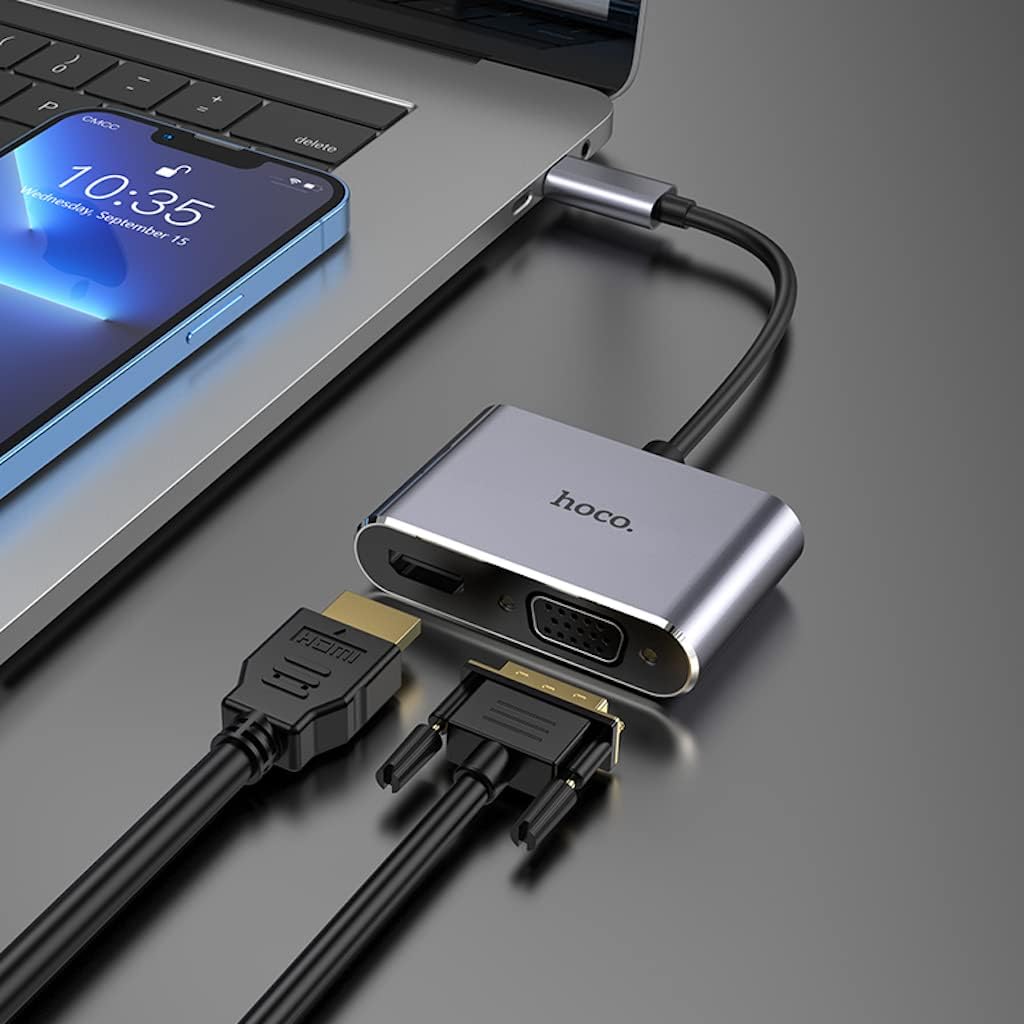
Image: The Hoco HB29 converter connected to a laptop, demonstrating how to plug in both HDMI and VGA cables for dual display output.
Uputstvo za upotrebu
Once connected, your operating system should automatically detect the external display(s). You may need to adjust display settings within your operating system.
- Windows OS:
- Right-click on your desktop and select "Display settings" or "Screen resolution".
- You can choose to "Duplicate these displays" (mirror your primary screen), "Extend these displays" (use the external display as an extension of your desktop), or "Show only on 1/2" (use only one display).
- Adjust resolution and orientation as needed.
- MacOS:
- Idite na "Sistemske postavke" > "Prikazi".
- In the "Arrangement" tab, you can arrange your displays, mirror them, or extend your desktop.
- In the "Display" tab, you can adjust resolution and refresh rate.

Image: A laptop connected via the Hoco HB29 converter to two external monitors, demonstrating an extended desktop setup for increased productivity.
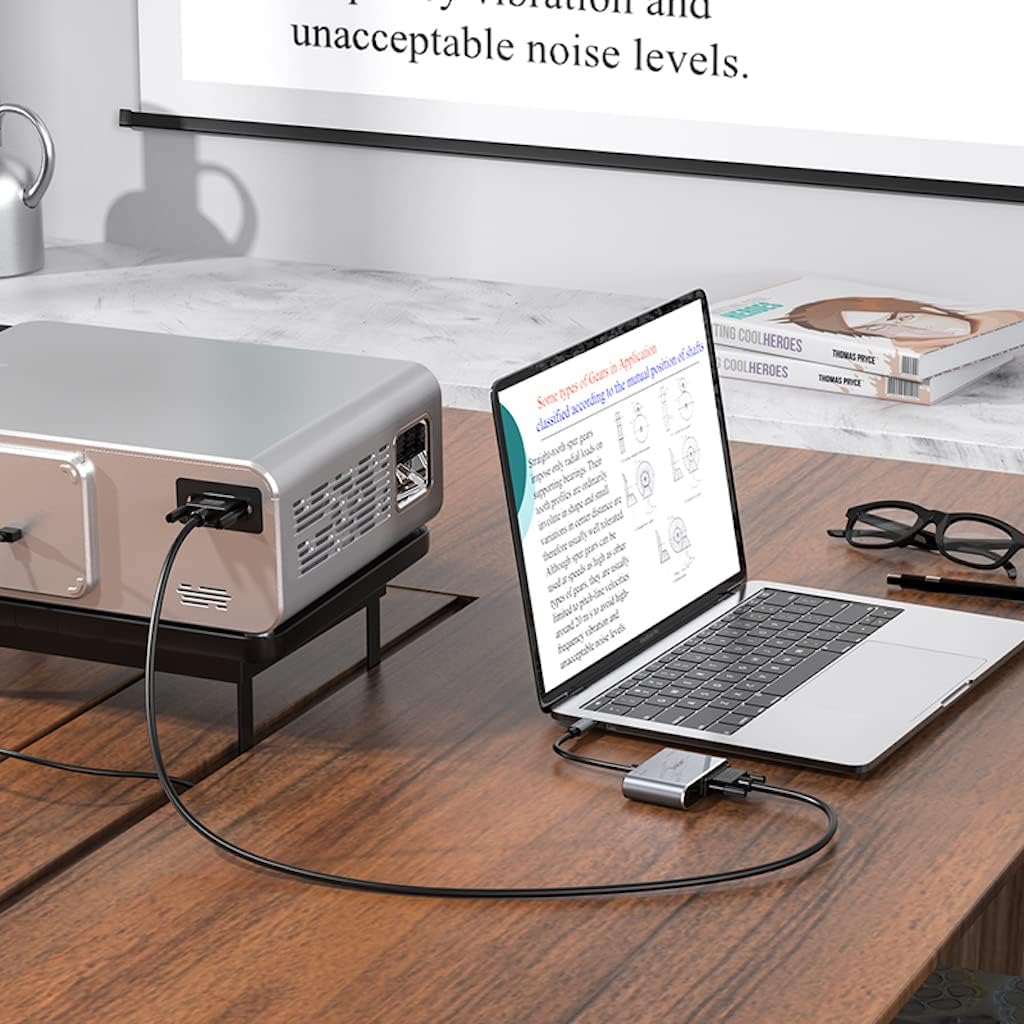
Image: The Hoco HB29 converter facilitating a connection between a laptop and a projector, ideal for presentations or larger screen viewing.
Održavanje i njega
- čišćenje: Use a soft, dry cloth to clean the surface of the converter. Avoid using liquid cleaners or aerosols.
- Skladištenje: Uređaj čuvajte na hladnom i suhom mjestu, dalje od direktne sunčeve svjetlosti i ekstremnih temperatura.
- Rukovanje: Avoid dropping the converter or subjecting it to strong impacts. Do not bend the cable excessively.
- Povezivanje: Uvijek pazite da se kablovi pažljivo umeću i vade kako biste spriječili oštećenje portova.
Rješavanje problema
| Problem | Mogući uzrok / rješenje |
|---|---|
| Nema izlaza na ekranu. |
|
| No audio from HDMI. |
|
| VGA output has no audio. | VGA is a video-only interface and does not transmit audio. Audio must be routed separately from your source device. |
| Resolution is not 4K (HDMI) or 1080P (VGA). |
|
Specifikacije
| Feature | Detalj |
|---|---|
| Broj modela | HB29 - Metal Grey |
| Materijal | Aluminijska legura + ABS |
| Dimenzije (D x Š x V) | 10.9 x 2.88 x 1.16 cm |
| Dužina žice | 150 ± 5 mm |
| Težina | 40 g |
| Input Interface | Tip-C muški |
| Izlazni interfejsi | HDTV (HDMI), VGA |
| HDMI Resolution Support | Up to 4K @ 30Hz (Audio and Video Sync) |
| VGA Resolution Support | Up to 1080P (Video Only, No Audio) |
| Simultaneous Output Resolution | 1080P for both HDMI and VGA |
| Kompatibilni operativni sistemi | Windows, Mac OS, and other Type-C enabled systems |
| Proizvođač | Hoco |
| Datum prve dostupnosti | 18. maja 2023 |
Garancija i podrška
For warranty information and technical support, please refer to the official HOCO webweb-mjesto ili kontaktirajte prodavača. Sačuvajte račun za kupovinu u slučaju reklamacije.
Za dodatnu pomoć, možete posjetiti HOCO official website.
Ask a question about this manual
Ask about setup, troubleshooting, compatibility, parts, safety, or missing instructions. Manuals+ will review the question and use this page’s manual context to help answer it.