
1. Uvod
This manual provides essential instructions for setting up, operating, and maintaining your Tibuta Android 13 Tablet. Please read this guide thoroughly to ensure proper use and to maximize your device's performance.
The Tibuta 10-inch tablet features the Android 13 operating system, an Octa-Core processor, 8GB RAM, 64GB internal storage (expandable up to 1TB), a 7000mAh battery, and a 1280x800 IPS display. It supports Wi-Fi 6, Bluetooth 5.2, and Widevine L1 for enhanced streaming.

Image 1.1: Tibuta Android 13 Tablet overview, highlighting its 8GB+64GB configuration, Android 13 OS, Wi-Fi 6, 7000mAh battery, and Widevine L1 support.
2. Izgled uređaja
Familiarize yourself with the physical components and ports of your tablet.

Slika 2.1: Prednja i bočna strana view of the tablet with numbered components and dimensions.
Identifikacija komponente:
- Dugme za napajanje: Koristi se za uključivanje/isključivanje uređaja ili buđenje/spavanje ekrana.
- Port tipa C: Za punjenje tableta i prijenos podataka.
- Dugmad za jačinu zvuka: Podesite jačinu zvuka.
- Utor za mikro SD karticu: Umetnite Micro SD karticu za proširenu pohranu.
- kamera: Kamera okrenuta pozadi.
- Dugme za resetiranje: A small pinhole button to force restart the device if unresponsive.
- Priključak za slušalice: 3.5 mm audio priključak za slušalice.
- Zvučnici: Audio izlaz.

Slika 2.2: Detaljno view of the tablet's ports and buttons, including front and rear cameras, speakers, and the 3.5mm headphone jack.
3. Getting Started
3.1. Punjenje baterije
Before first use, fully charge the tablet's 7000mAh lithium polymer battery. Connect the provided Type-C cable to the tablet's Type-C port and the other end to the power adapter, then plug the adapter into a wall outlet. The charging indicator will show the charging status.

Image 3.1: Visual representation of the tablet's 7000mAh battery capacity and Type-C charging port.
3.2. Uključivanje / isključivanje napajanja
- Za uključivanje: Press and hold the Power Button until the Tibuta logo appears on the screen.
- Za isključivanje: Press and hold the Power Button until the power options menu appears, then select 'Power off'.
- Za spavanje/buđenje: Kratko pritisnite dugme za napajanje da biste tablet prebacili u režim spavanja ili ga probudili.
3.3. Početno podešavanje
Upon first power-on, the tablet will guide you through an initial setup process. This includes selecting your language, connecting to a Wi-Fi network, and setting up your Google account. Follow the on-screen prompts to complete the setup.
4. Osnovne operacije
4.1. Geste na ekranu osjetljivom na dodir
The tablet's 10.1-inch IPS touchscreen responds to various gestures:
- Dodirnite: Odaberite stavku ili aktivirajte dugme.
- Dodirnite i držite: Pristupite kontekstualnim menijima ili prevucite stavke.
- Prevucite: Navigate through screens or scroll lists.
- Zumiranje štipanjem: Uvećavanje ili smanjivanje slika i web stranice.
4.2. Wi-Fi veza
Za povezivanje na Wi-Fi mrežu:
- Idi na Postavke > Mreža i internet > Internet.
- Uključite Wi-Fi.
- Odaberite željenu mrežu s popisa i unesite lozinku ako se to od vas zatraži.
The tablet supports 2.4G/5G dual-band Wi-Fi 6 for stable and fast connections.
4.3. Bluetooth uparivanje
Da biste se uparili sa Bluetooth uređajem:
- Idi na Postavke > Povezani uređaji > Postavke veze > Bluetooth.
- Uključite Bluetooth.
- Provjerite je li vaš Bluetooth uređaj u načinu rada za uparivanje.
- Select the device from the 'Available devices' list and follow any on-screen prompts.
4.4. Upotreba kamere
The tablet is equipped with an 8MP rear camera and a 5MP front camera. Open the Camera application to capture photos and videos.

Slika 4.1: Primjeramples of camera usage and the split-screen function for multitasking.
4.5. Upravljanje skladištem
The tablet comes with 64GB of internal storage. You can expand this by inserting a Micro SD card (up to 1TB) into the dedicated slot.
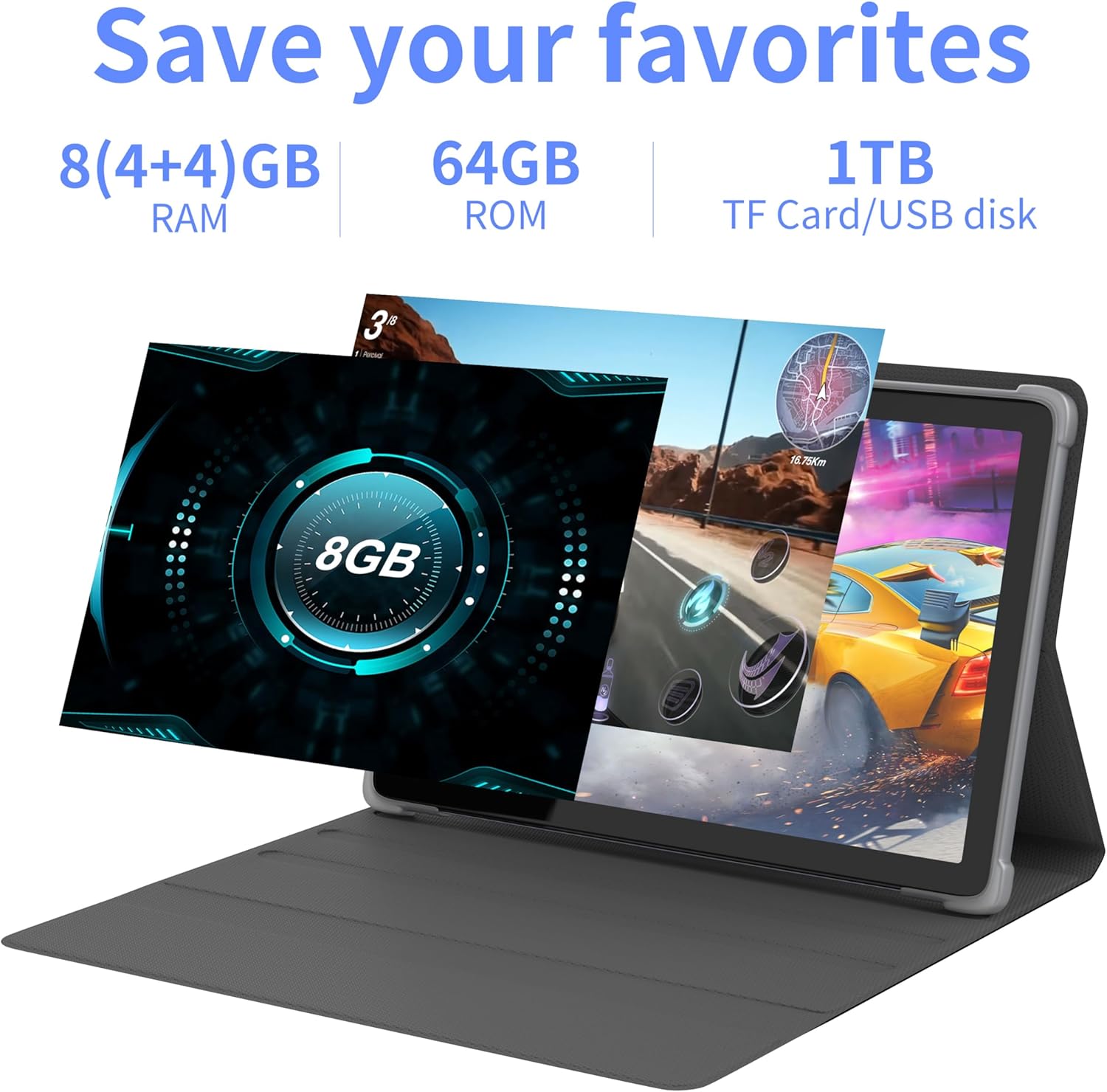
Slika 4.2: Gotovoview of the tablet's memory and storage capabilities, including RAM, ROM, and expansion options.
4.6. Split-Screen Function
Android 13 allows for split-screen multitasking. To activate, open an app, then swipe up from the bottom of the screen to view recent apps. Touch and hold the app icon at the top of the app's card, then select 'Split screen'. Choose a second app to use simultaneously.
5. Karakteristike ekrana
The tablet features a 10.1-inch IPS display with a resolution of 1280 x 800 pixels, providing clear visuals and wide viewing angles.

Image 5.1: The tablet's 10.1-inch HD IPS display, showcasing its resolution and wide-angle viewing sposobnosti.
5.1. Podrška za Widevine L1
The tablet supports Widevine L1, enabling high-definition streaming content from compatible services.
6. Održavanje
6.1. Čišćenje uređaja
Za čišćenje ekrana i kućišta tableta koristite meku krpu koja ne ostavlja dlačice. Izbjegavajte upotrebu jakih hemikalija ili abrazivnih materijala.
6.2. Ažuriranja softvera
Redovno provjeravajte i instalirajte ažuriranja sistema kako biste osigurali optimalne performanse i sigurnost. Idite na Postavke > Sistem > Ažuriranje sistema.
6.3. Optimizacija skladištenja
Da biste održali performanse, periodično brišite nepotrebne filei aplikacije. Idite na Postavke > Skladištenje za upravljanje pohranom vašeg uređaja.
7. Otkrivanje problema
Ovaj odjeljak se bavi uobičajenim problemima s kojima se možete susresti.
| Problem | Rješenje |
|---|---|
| Tablet se ne uključuje. | Ensure the battery is charged. Connect the tablet to the charger for at least 30 minutes before attempting to power on again. |
| Tablet is unresponsive. | Use a thin pin or paperclip to press the Reset Button (refer to Device Layout section) to force a restart. |
| Nije moguće povezati se na Wi-Fi. | Check if Wi-Fi is enabled in Settings. Ensure the Wi-Fi password is correct. Restart your router and the tablet. |
| Spore performanse. | Zatvorite nekorištene aplikacije. Obrišite keš memoriju i privremene postavke. files. Consider performing a factory reset if the issue persists (backup data first). |
8. Specifikacije
Detailed technical specifications for the Tibuta Android 13 Tablet (Model: 8GB+64GB).
| Feature | Detalj |
|---|---|
| Brand | Tibuta |
| Broj modela | 8GB+64GB |
| Operativni sistem | Android 13 |
| Procesor | Octa-Core (Allwinner A523) |
| RAM | 8 GB (4 GB + 4 GB virtuelne memorije) |
| Interna pohrana | 64 GB |
| Proširiva pohrana | Do 1TB (Micro SD kartica) |
| Veličina ekrana | 10.1 inča |
| Rezolucija ekrana | 1280 x 800 Pixels (IPS) |
| Zadnja kamera | 8 MP |
| Prednja kamera | 5 MP |
| Kapacitet baterije | Litij polimer 7000 mAh |
| Prosječno trajanje baterije | Do 8 sati (ovisno o upotrebi) |
| Povezivanje | Wi-Fi 6 (802.11ac, b, g, n), Bluetooth 5.2 |
| Dimenzije | 24.8 x 16.7 x 1.2 cm |
| Težina | 539 g |
| Boja | Grey |
| Posebne karakteristike | Widevine L1, GMS Certified |
9. Podrška
For technical assistance or if you encounter any issues with your Tibuta tablet, please contact our customer service team. Refer to your purchase documentation or the retailer's webstranicu za konkretne kontakt podatke.