
LFF LWC150
LFF Atomic Clock User Manual
Model: LWC150
Marka: LFF
1. Uvod
The LFF Atomic Clock (Model LWC150) is a versatile digital wall or desk clock designed for accurate timekeeping and environmental monitoring. It automatically synchronizes with the WWVB radio broadcast for precise time and features a large, easy-to-read LCD display showing time, date, day of the week, alarm status, and both indoor and outdoor temperature and humidity.
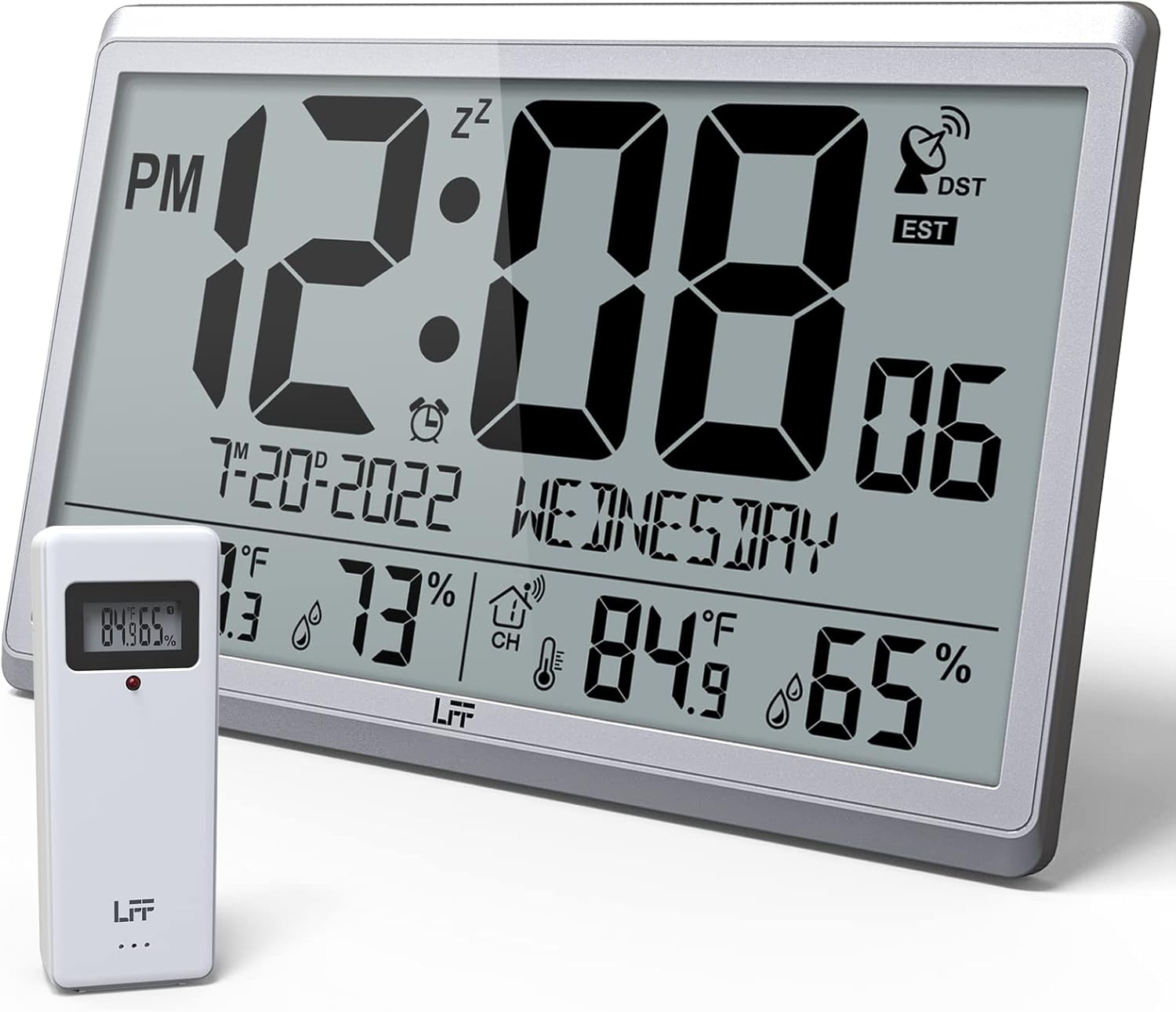
Figure 1.1: LFF Atomic Clock with its wireless outdoor sensor.
2. Karakteristike
- Accurate Atomic Clock: Built-in receiver automatically synchronizes with the WWVB radio broadcast from NIST in Fort Collins, Colorado, ensuring precise time and calendar adjustments.
- Large LCD High-Definition Display: 9.4-inch tall display with large numbers for easy readability. Displays time (12/24H), calendar, day of the week, alarm, indoor/outdoor temperature (°C/°F), and humidity simultaneously.
- Bežični vanjski senzor: Transmits accurate outdoor temperature and humidity measurements up to 328 feet (100 meters). The sensor has an IPX4 splash-proof rating.
- Na baterije: Main clock requires 4 AA batteries (not included), and the outdoor sensor requires 2 AAA batteries (not included). No backlight display.
- Više vremenskih zona: Supports 8 time zones including EST, CST, MST, PST, AKT, HST, AST, NST.
- Fleksibilan plasman: Can be used as a wall clock (3 hanging holes) or a desk clock (integrated bracket).
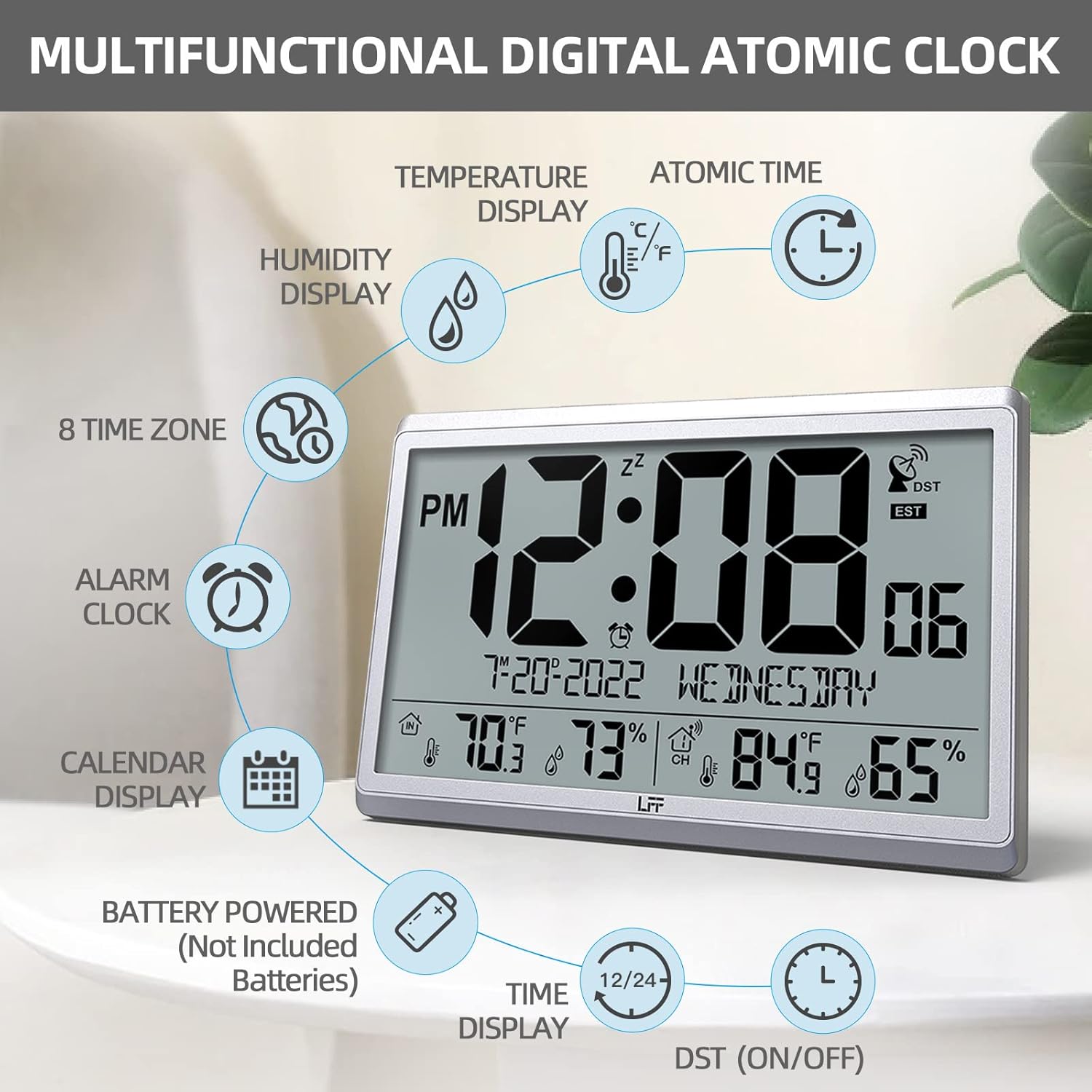
Slika 2.1: Gotovoview of the clock's multifunctional display and features.
3. Sadržaj paketa
Molimo Vas da prilikom raspakivanja provjerite sadržaj paketa kako biste bili sigurni da su svi artikli prisutni:
- 1 x LFF Atomic Clock (Main Unit)
- 1 x Bežični vanjski senzor
- 1 x Uputstvo za upotrebu
4. Podešavanje
4.1 Instalacija baterije
The main clock unit and the outdoor sensor are battery-powered. Batteries are not included.
- For the Main Clock Unit: Open the battery compartment on the back of the clock. Insert 4 new AA batteries, ensuring correct polarity (+/-).
- Za bežični vanjski senzor: Open the battery compartment on the back of the sensor. Insert 2 new AAA batteries, ensuring correct polarity (+/-).

Figure 4.1: Battery installation and button layout on the main clock unit.
4.2 Postavljanje vanjskog senzora
For accurate temperature and humidity readings, place the outdoor sensor in a location that is:
- Out of direct sunlight and rain.
- Away from any heat sources (e.g., vents, exhaust fans) or extreme cold sources.
- Within the wireless transmission range of 328 feet (100 meters) from the main clock unit.

Figure 4.2: Optimal placement for the wireless outdoor sensor.
4.3 Početna atomska sinhronizacija vremena
After battery installation, the clock will automatically attempt to synchronize with the WWVB atomic time signal. This process may take several minutes to several hours, depending on your location and signal strength. Ensure the clock is placed in an area where it can receive a clear signal, ideally near a window and away from electronic interference.

Figure 4.3: The clock synchronizes with the atomic time signal broadcast from Fort Collins, Colorado.
5. Uputstvo za upotrebu
5.1 Ručno podešavanje vremena i datuma
While the clock primarily relies on atomic synchronization, you can manually set the time and date if needed (e.g., during initial setup before signal acquisition or in areas with poor reception).
- Pritisnite i držite SET button on the back of the clock until the display flashes.
- Koristite UP or DOWN/RCC tipke za podešavanje trepćuće vrijednosti (npr. sat, minuta, godina, mjesec, dan).
- Pritisnite SET again to confirm the setting and move to the next value.
- Repeat until all desired settings are configured.
5.2 Time Zone Selection
The clock supports 8 time zones. After atomic synchronization, you may need to select your local time zone.
- Pritisnite SET button repeatedly until the time zone setting flashes.
- Koristite UP or DOWN/RCC buttons to cycle through the available time zones (EST, CST, MST, PST, AKT, HST, AST, NST).
- Pritisnite SET da potvrdite svoj izbor.
5.3 Izbor temperaturne jedinice (°C/°F)
To switch between Celsius and Fahrenheit for temperature display:
- Kratko pritisnite DOWN/RCC button. The temperature unit will toggle between °C and °F.
5.4 Funkcija budilnika
The clock includes an alarm function.
- Pritisnite ALARM dugme za view trenutno vreme alarma.
- Pritisnite i držite ALARM dugme dok vrijeme alarma ne počne treptati.
- Koristite UP or DOWN/RCC dugmad za podešavanje željenog sata i minute alarma.
- Pritisnite ALARM za potvrdu svake postavke.
- Da biste aktivirali/deaktivirali alarm, kratko pritisnite ALARM button when the alarm time is displayed. An alarm icon will appear/disappear on the screen.
5.5 Prikaz informacija
Veliki LCD ekran pruža sveobuhvatne informacije na prvi pogled:
- Gornji dio: Current time (with AM/PM indicator), atomic signal strength, DST indicator, and time zone.
- srednji dio: Date (Month-Day-Year) and Day of the Week.
- Donji dio: Indoor temperature and humidity, and outdoor temperature and humidity (from wireless sensor).

Figure 5.1: The LFF Atomic Clock can be placed on a desk or mounted on a wall.
6. Održavanje
6.1 Zamjena baterije
Replace batteries in both the main unit and the outdoor sensor when the display becomes dim or readings become erratic. Always replace all batteries at the same time with new ones of the same type. For temperatures below -4°F, lithium batteries are recommended for the outdoor sensor.
6.2 Čišćenje
Obrišite sat i senzor mekom, suhom krpom. Ne koristite abrazivna sredstva za čišćenje ili rastvarače, jer mogu oštetiti ekran ili...asing. Avoid getting moisture into the battery compartments or electronic components.
6.3 Njega senzora
Periodically check the outdoor sensor for any debris or obstructions that might affect its readings. Ensure it remains in a sheltered location to protect it from extreme weather conditions, despite its splash-proof design.
7. Otkrivanje problema
| Problem | Mogući uzrok | Rješenje |
|---|---|---|
| Sat se ne sinhronizuje sa atomskim vremenom. | Weak signal, interference, incorrect time zone. | Relocate the clock closer to a window or away from electronic devices. Ensure correct time zone is selected. Allow up to 24 hours for initial synchronization. |
| Vanjska temperatura/vlažnost se ne prikazuje ili je netačna. | Sensor out of range, low sensor batteries, sensor exposed to direct elements. | Ensure sensor is within 328 feet of the main unit. Replace sensor batteries. Reposition sensor in a shaded, dry area. Press the CHANNEL button on the main unit to re-establish connection. |
| Ekran je taman ili prazan. | Slabe baterije u glavnoj jedinici. | Replace all 4 AA batteries in the main clock unit. |
| Time is incorrect after synchronization. | Incorrect time zone selected. | Verify and adjust the time zone setting as described in Section 5.2. |
8. Specifikacije
| Feature | Detalj |
|---|---|
| Broj modela | LWC150 |
| Display Type | Digitalni LCD |
| Dimenzije proizvoda | 14.2 cm Š x 9.4 cm V x 1.2 cm D |
| Izvor napajanja (glavna jedinica) | 4 x AA baterije (nisu uključene) |
| Izvor napajanja (vanjski senzor) | 2 x AAA baterije (nisu uključene) |
| Raspon unutarnje temperature | 14.1°F do 122.0°F (-9.9°C do 50.0°C) |
| Raspon vanjske temperature | -58.0°F do 158.0°F (-50.0°C do 70.0°C) |
| Raspon vlažnosti u zatvorenom prostoru | 1% do 99% |
| Opseg vanjske vlažnosti | 1% do 99% |
| Domet bežičnog prijenosa | Do 100 metara (328 stopa) na otvorenom prostoru |
| Outdoor Sensor Waterproof Rating | IPX4 (otporan na prskanje) |
| Materijal | Plastic (Acrylonitrile Butadiene Styrene frame) |
| Težina artikla | 2.7 funti (1.23 kilograma) |
9. Garancija i podrška
LFF products are designed for reliability and performance. For any questions, technical support, or warranty claims, please contact LFF customer service through the retailer's platform or the official LFF webMolimo sačuvajte dokaz o kupovini u svrhu garancije.
Ask a question about this manual
Ask about setup, troubleshooting, compatibility, parts, safety, or missing instructions. Manuals+ will review the question and use this page’s manual context to help answer it.