
1. Postavljanje i instalacija
1.1 Kontrolna lista pred instalaciju
- Kompatibilnost sistema: Ensure your motherboard has an available PCI Express 4.0 x16 slot.
- Napajanje: Provjerite da vaša jedinica za napajanje (PSU) ispunjava minimalnu snagutage requirements for the RTX 3060 Ti and has the necessary PCIe power connectors. Consult your PSU manual for details.
- Odobrenje: Confirm your PC case has adequate space for the graphics card dimensions.
- Vozači: Download the latest NVIDIA drivers from the official NVIDIA webmjestu prije instalacije.
1.2 Fizička instalacija
- Iskljuciti: Potpuno isključite računar i iskopčajte kabl za napajanje.
- Otvoreni slučaj: Otvorite kućište računara da biste pristupili matičnoj ploči.
- Pronađite PCIe slot: Identify an available PCI Express 4.0 x16 slot. Remove any expansion slot covers if necessary.
- Umetnite grafičku karticu: Pažljivo poravnajte grafičku karticu sa PCIe utorom i čvrsto pritisnite dok se ne učvrsti. Trebali biste čuti klik iz kopče za zadržavanje utora.
- Sigurna kartica: Fasten the graphics card to the case using the screw or latch mechanism.
- Priključite napajanje: Connect the appropriate PCIe power cables from your PSU to the graphics card. The PNY GeForce RTX 3060 Ti typically requires one 8-pin PCIe power connector. Ensure all pins are fully seated.
- Zatvori slučaj: Zatvorite kućište računara i ponovo priključite kabl za napajanje.
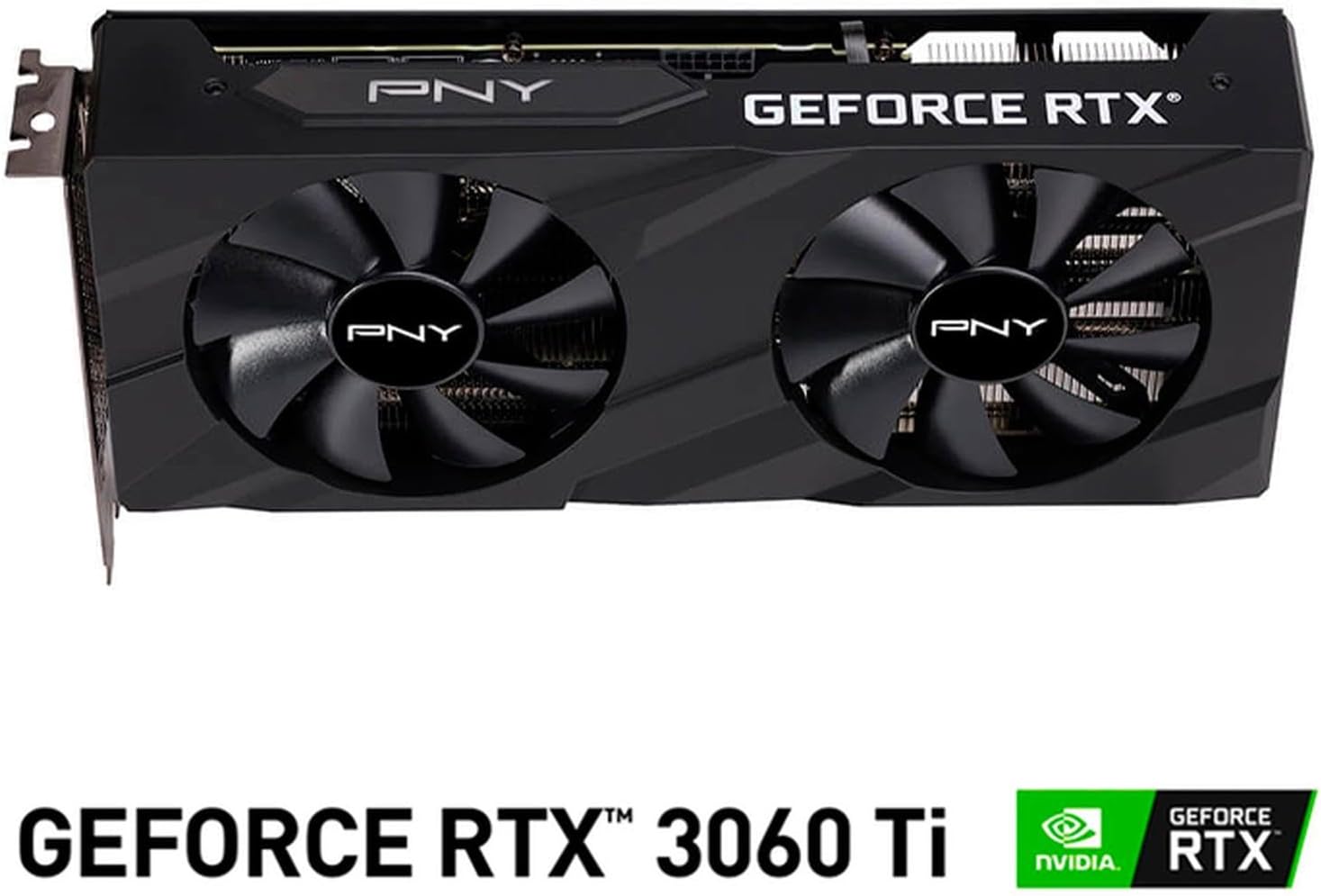
Slika: Front view of the PNY GeForce RTX 3060 Ti Verto Dual Fan Graphics Card, showing the dual fans and PNY branding.
1.3 Instalacija drajvera
- Sistem za pokretanje: Power on your computer. It may boot into a lower resolution or use generic display drivers initially.
- Instalirajte drajvere: Run the NVIDIA driver installer downloaded earlier. Follow the on-screen prompts to complete the installation. A restart may be required.
- Provjerite instalaciju: After restarting, open NVIDIA GeForce Experience or the NVIDIA Control Panel to confirm the graphics card is recognized and drivers are up to date.
2. Operacija
2.1 Povezivanje ekrana
The PNY GeForce RTX 3060 Ti features multiple video output interfaces for connecting displays:
- DisplayPort 1.4a: For high-resolution and high-refresh-rate monitors.
- HDMI2.1: For connecting to TVs or monitors supporting 4K at higher refresh rates.
Connect your display cables to the appropriate ports on the graphics card. The card supports a maximum display resolution of 7680 x 4320 @60Hz.

Slika: Ugaona view of the PNY GeForce RTX 3060 Ti Verto Dual Fan Graphics Card, highlighting the cooling solution and overall design.
2.2 NVIDIA GeForce Experience
NVIDIA GeForce Experience is a companion application for your graphics card. It allows you to:
- Optimize Game Settings: Automatically configure game settings for the best experience.
- Keep Drivers Up to Date: Receive notifications and easily install the latest NVIDIA Game Ready Drivers.
- Capture & Share: Record gameplay, take screenshots, and livestream with friends using features like ShadowPlay.
2.3 Performanse iznadview
The GeForce RTX 3060 Ti is built on NVIDIA’s 2nd generation RTX architecture (Ampere), featuring enhanced Ray Tracing Cores and Tensor Cores for advanced graphics and AI acceleration. Key performance specifications include:
- Osnovni sat: 1410MHz
- Pojačani takt: 1665MHz
- Memorija: 8GB GDDR6X (256-bit) with up to 608GB/sec bandwidth.
- CUDA jezgra: 4864
3. Održavanje
3.1 Cleaning Your Graphics Card
Regular cleaning helps maintain optimal performance and extends the lifespan of your graphics card. Always power off your computer and disconnect the power cable before cleaning.
- Uklanjanje prašine: Use compressed air to gently blow dust from the fans and heatsink fins. Hold the fans to prevent them from spinning rapidly during cleaning.
- Čišćenje površine: Obrišite vanjske površine mekom, suhom krpom koja ne ostavlja dlačice. Izbjegavajte korištenje tečnih sredstava za čišćenje direktno na kartici.
3.2 Ažuriranja upravljačkih programa
Keep your graphics drivers updated to ensure compatibility with the latest games and applications, and to benefit from performance improvements and bug fixes. Use NVIDIA GeForce Experience or visit the official NVIDIA webstranica za preuzimanje i instaliranje najnovijih drajvera.
4. Otkrivanje problema
4.1 Uobičajeni problemi i rješenja
- Nema izlaza za prikaz:
- Provjerite jesu li kablovi ekrana sigurno povezani i na grafičku karticu i na monitor.
- Verify the graphics card is fully seated in the PCIe slot and all power connectors are attached.
- Ako je moguće, testirajte s drugim kabelom za prikaz ili monitorom.
- Nestabilnost ili padovi sistema:
- Provjerite da vaše napajanje ispunjava preporučenu snagutage.
- Check for overheating. Monitor GPU temperatures using software like MSI Afterburner or HWMonitor.
- Perform a clean installation of the latest graphics drivers.
- Loše performanse u igrama:
- Provjerite imate li instalirane najnovije upravljačke programe za grafičku karticu.
- Provjerite postavke u igri; smanjite rezoluciju ili kvalitet grafike ako je potrebno.
- Verify that your system is not bottlenecked by other components (CPU, RAM).

Slika: Sa strane view of the PNY GeForce RTX 3060 Ti Verto Dual Fan Graphics Card, showing the heatsink fins and power connectors.
5. Specifikacije
Below are the detailed technical specifications for the PNY GeForce RTX 3060 Ti 8GB GDDR6X Verto Dual Fan Graphics Card:
| Feature | Specifikacija |
|---|---|
| Grafički koprocesor | NVIDIA GeForce RTX 3060 Ti |
| Brand | PNY |
| Veličina grafičke RAM memorije | 8 GB |
| Tip grafičkog RAM-a | GDDR6X |
| Brzina GPU takta | 1410 MHz |
| Brzina memorije | 1410 MHz (Effective 19000 MHz) |
| Video izlazni interfejs | DisplayPort, HDMI |
| Interfejs grafičke kartice | PCI-Express x16 |
| Broj navijača | 2 |
| Maksimalna rezolucija ekrana | 7680 x 4320 na 60 Hz |
| Kompatibilni uređaji | Desktop |
| Naziv modela | VERTO Dual Fan |
| Broj modela | VCG3061T8LDFBPB1 |
| UPC | 751492767314 |
| Težina artikla | 1 kilograma |

Slika: Nazad view of the PNY GeForce RTX 3060 Ti Verto Dual Fan Graphics Card, showing the backplate and PCB.
6. Garancija i podrška
6.1 Jamstvo za proizvod
This PNY GeForce RTX 3060 Ti Graphics Card comes with a 3 godine garancije. For specific terms and conditions, please refer to the warranty documentation included with your product or visit the official PNY website.
6.2 Tehnička podrška
If you encounter any issues not covered in this manual or require further assistance, please contact PNY Technical Support. You can typically find support contact information, FAQs, and driver downloads on the official PNY webstranica: