
1. Podešavanje
1.1 Raspakivanje i početni pregled
Carefully remove all components from the packaging. Verify that all items listed in the package contents are present and undamaged. If any items are missing or damaged, please contact customer support.
1.2 Napajanje i punjenje
The KONIX PS88B Roll-Up Piano is equipped with a built-in rechargeable Lithium battery. It supports charging via USB or a power bank. A full charge provides approximately 6-8 hours of playtime.
 Image: The roll-up piano connected to a USB charging cable.
1.3 Placement and Unrolling
For optimal performance, place the roll-up piano on a long, flat, and stable surface. Ensure the surface is free from obstructions that could interfere with key presses. The keyboard measures approximately 51.26 inches (135 cm) in width when fully unrolled.
 Image: The flexible silicone keyboard unrolled on a flat surface, showing its full length.
 Image: A diagram illustrating the dimensions of the roll-up piano, including its length and width.
1.4 Povezivanje perifernih uređaja
The control panel features various ports for enhanced functionality:
- Slušalice/zvučnici: Connect external headphones or speakers via the 3.5mm jack for private practice or amplified sound.
- USB/MIDI: Use the USB port for MIDI connectivity to computers, iPads, or mobile devices. This allows for music creation and interaction with music learning applications.
- Ulaz za mikrofon: Connect a microphone for vocal accompaniment.
- Sustain pedala: Attach a sustain pedal for extended note duration.
 Slika: Detaljna view of the control panel, highlighting the USB/MIDI port, headphone output, MP3 connection, sustain pedal input, and microphone input.
Video: This video demonstrates the various jack functions, including charging, connecting headphones, connecting to a computer/iPad/mobile device, microphone mode, and sustain pedal connection. It also shows the waterproof material and how to roll up the keyboard.
2. Uputstvo za upotrebu
2.1 Osnovni rad
Turn on the piano using the power switch located on the control panel. The LED display will illuminate, indicating the current settings. The 88-key silicone keyboard is designed for responsive play.
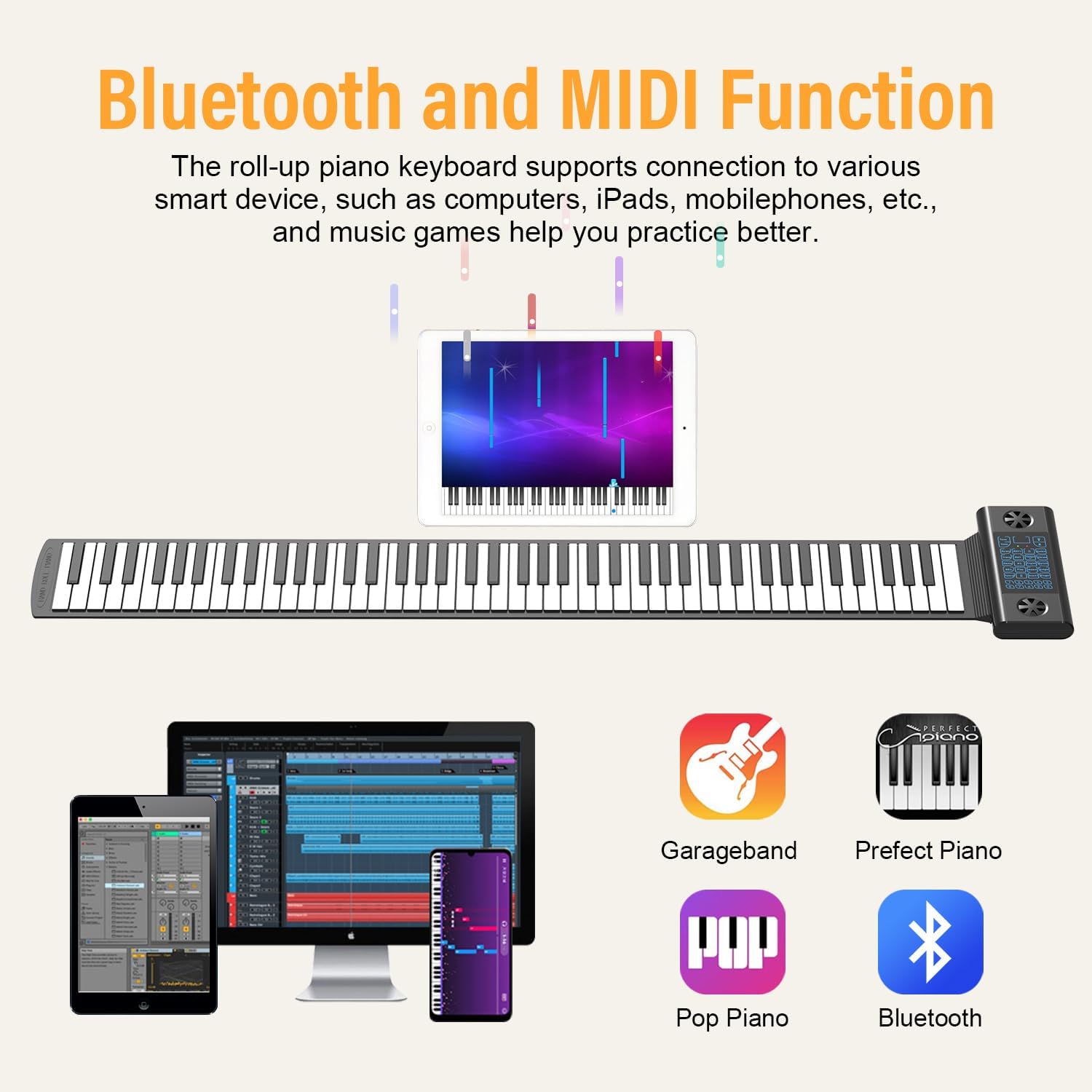 Image: The control panel of the roll-up piano, showing the LED display, tone and rhythm selection buttons, and other function controls.
2.2 Tonovi i ritmovi
The piano offers 128 different tones and 128 rhythms. Use the 'Tone+' and 'Tone-' buttons to cycle through the available instrument sounds. Similarly, use the 'RHY+' and 'RHY-' buttons to select from the various rhythm patterns. There are also 14 demonstration songs available for playback.
2.3 Posebne funkcije
The control panel includes buttons for various functions:
- SNIMANJE (Snimanje): Pokreće snimanje vašeg nastupa.
- IGRAJ: Plays back recorded music.
- održati: Activates the sustain effect for notes.
- Vibrato: Adds a vibrato effect to the sound.
- Nastava: Accesses built-in teaching modes.
- Chord Functions: Supports both single-finger and multi-finger chord recognition.
2.4 Bluetooth i MIDI povezivost
The KONIX PS88B features Bluetooth and MIDI functionality, allowing connection to smart devices such as computers, iPads, and mobile phones. This enables interaction with music applications like GarageBand or other piano learning games, expanding the instrument's utility for practice and creation.
 Image: The roll-up piano wirelessly connected to a tablet, laptop, and smartphone, demonstrating its Bluetooth and MIDI capabilities with music applications.
3. Održavanje
3.1 Čišćenje tastature
The keyboard is made from food-grade silicone, which is durable and wear-resistant. To clean, gently wipe the surface with a soft, damp cloth. Avoid using harsh chemicals or abrasive materials that could damage the silicone.
 Image: A hand cleaning the keys of the roll-up piano, demonstrating its easy-to-clean silicone material.
3.2 Skladištenje
When not in use, the roll-up piano can be easily rolled up for compact storage. This design prevents damage and makes it convenient for transport.
4. Otkrivanje problema
4.1 Unresponsive Keys or Repeated Notes
Due to the flexible nature of roll-up keyboards, occasional issues with key responsiveness or unintended repeated notes may occur. Ensure the piano is placed on a completely flat and firm surface. Avoid pressing keys with excessive force or at an angle that might cause the silicone to buckle.
4.2 Low Volume from Speakers
If the built-in speakers produce low volume even at the highest setting, consider connecting external headphones or amplified speakers. The internal speakers are designed for portability and may have limited output.
4.3 Baterija ne drži napunjenost
If the battery life is significantly shorter than the advertised 6-8 hours, ensure the charging cable and adapter are functioning correctly. Try charging with a different compatible USB power source. If the issue persists, the battery may require service.
5. Specifikacije
| Naziv modela | PS88B |
| Broj ključeva | 88 |
| Vrsta materijala | Silikon |
| Dimenzije proizvoda | 1.22"D x 51.26"Š x 1.22"H |
| Težina artikla | 3.45 funti (1.57 kilograma) |
| Tehnologija povezivanja | Bluetooth, USB |
| Izvor napajanja | Električni i na baterije |
| Priključak za slušalice | 3.5 mm Jack |
| Podržani softver | Cakewalk, Sonar, Cubase, Nuendo, VST/VSTi |
| Operativni sistem | Windows, Mac OSX |
| Posebna karakteristika | Portable, Roll Up |
6. Garancija i podrška
For warranty information and customer support, please refer to the documentation included with your purchase or visit the official KONIX website. Contact details for technical assistance and service inquiries can typically be found there.