
Uvod
The SAMCOM T2 GMRS Walkie Talkies are designed for reliable long-range communication, suitable for various outdoor and indoor activities. These radios feature FCC Certification Part 95, ensuring compliance with GMRS frequency regulations. With high and low power modes, NOAA weather alerts, and group call functionality, the T2 model provides versatile communication options for personal and professional use.
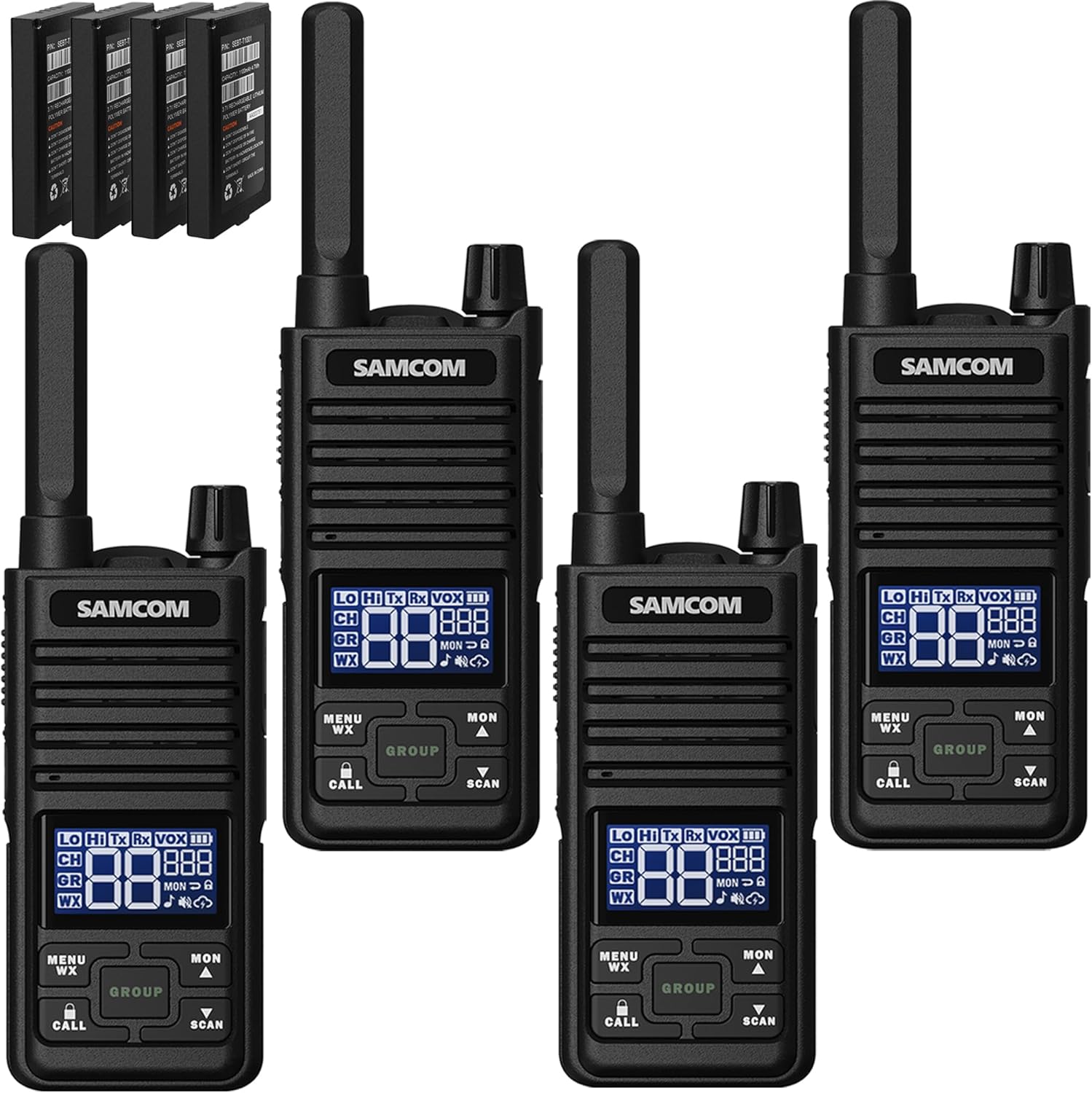
Image: Four SAMCOM T2 GMRS Walkie Talkies, showcasing the compact design and included batteries.
Sadržaj paketa
Provjerite da li se u vašem paketu nalaze sve dolje navedene stavke:
- T2 GMRS 2-way radio x4
- 1100mAh Battery x4
- Type-C Y-cable cable x2
- Charge Adapter x2
- Obujmica za pojas x4
- USB-C earpiece x4
Product Overview i karakteristike
The SAMCOM T2 GMRS Walkie Talkie is equipped with a multi-function LCD display and intuitive controls for ease of use. Key features include:
- FCC certificiran: Part 95 compliant (FCC ID: 2AFC8T2).
- High Power GMRS: Channels 1-7 and 15-30 operate at 2W for wider range and stronger signal penetration.
- Način rada niske potrošnje: Channels 8-14 offer extended battery standby time.
- USB-C punjenje: Convenient charging with included Type-C cable and adapter.
- GROUP Function: Allows simultaneous communication with members on different channels.
- NOAA upozorenje na vremensku prognozu: Automatically scans and receives weather reports from 11 weather channels.
- Ugrađeni LCD ekran: Provides clear display of channel, power, and other settings.
- svjetiljka: Integrisano za praktičnost u uslovima slabog osvetljenja.
- 3 VOX Levels: Glasovno aktiviran prijenos za rad bez upotrebe ruku.
- Zaključavanje tastature: Sprečava slučajne promjene postavki.
- PTT dugme: Push-to-Talk button for easy communication.
- Skeniranje kanala: Scans for active channels.

Slika: Detaljna view of the multi-function LCD display, indicating various icons and their meanings for receiving, transmitting, channel, group, VOX, power levels, and more.

Image: The compact size of the walkie talkie, highlighting the location of the Push-To-Talk (PTT) button, flashlight key, and other control buttons.
Setup
Instalacija i punjenje baterije
The SAMCOM T2 radios come with 1100mAh Lithium Polymer batteries. Ensure the batteries are properly installed before use. For initial use, it is recommended to fully charge the batteries.
- Insert the 1100mAh Lithium Polymer battery into the back compartment of the radio, ensuring it clicks into place.
- Pronađite USB-C priključak za punjenje sa strane radija.
- Connect one end of the provided Type-C Y-cable to the radio's USB-C port.
- Connect the other end of the Y-cable to the included charge adapter, and then plug the adapter into a power outlet. The Y-cable allows simultaneous charging of two radios.
- Indikator baterije na LCD ekranu će prikazivati status punjenja.
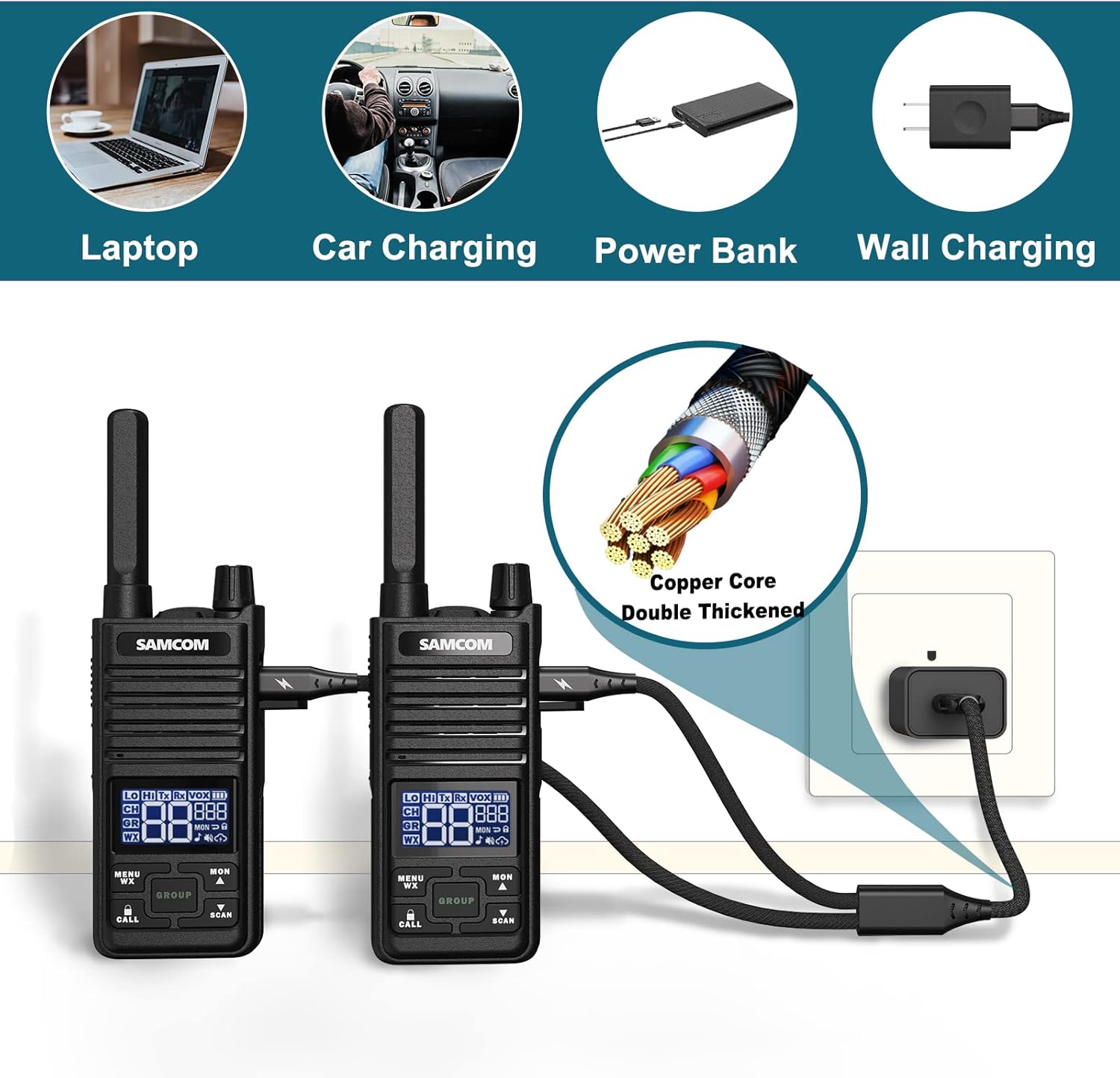
Image: Various charging options for the walkie talkies, including laptop, car charging, power bank, and wall charging, highlighting the durable USB-C cable.
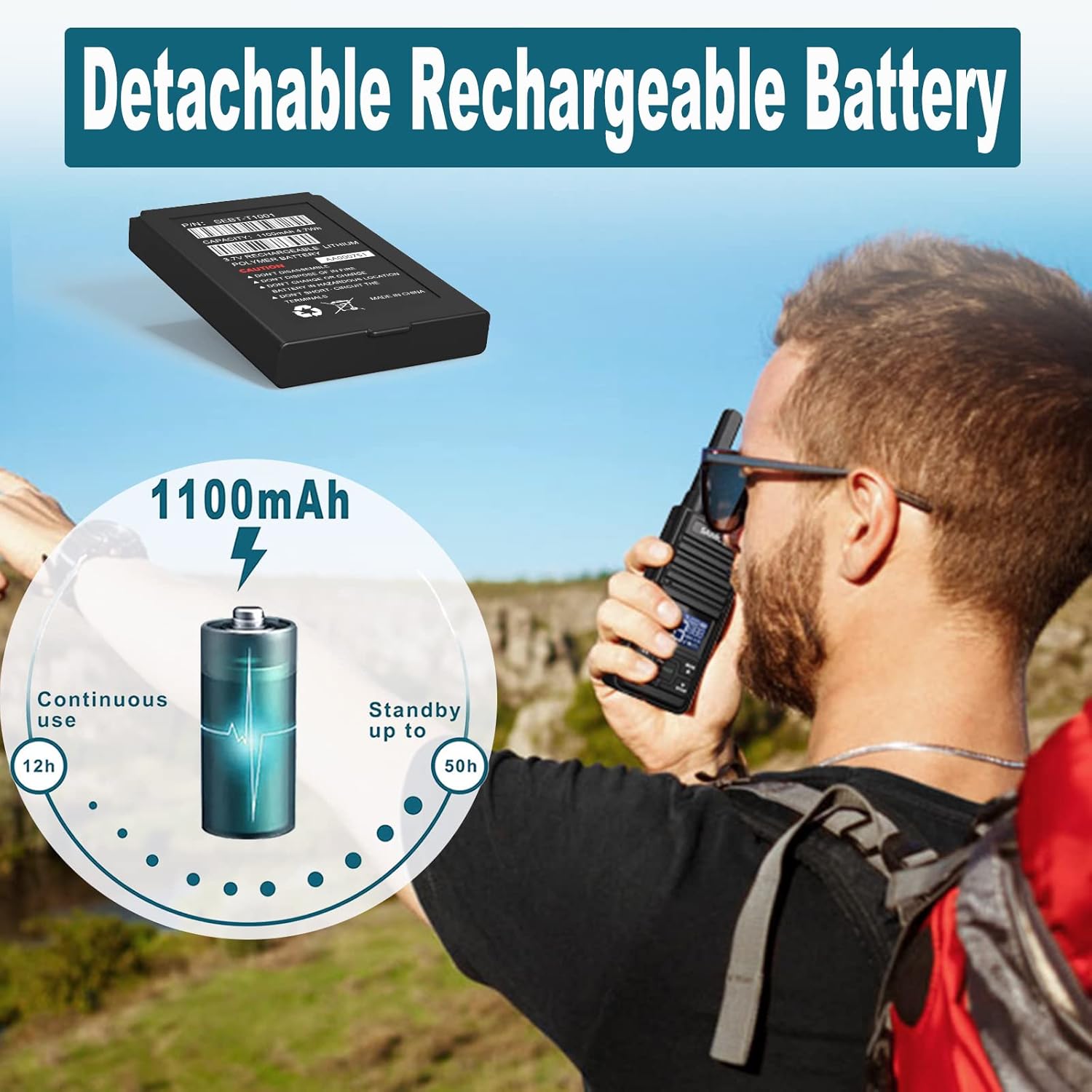
Image: The detachable 1100mAh Lithium Polymer battery, illustrating its capacity and estimated usage times for continuous operation and standby.
Pričvršćivanje dodatne opreme
The SAMCOM T2 radios support various accessories for enhanced usability.
- kopča za pojas: To attach the belt clip, align the clip with the slot on the back of the radio and slide it down until it clicks securely into place. To remove, pull back the release lever and slide the clip upwards.
- USB-C Earpiece: Open the rubber cover on the side of the radio to reveal the USB-C port. Insert the USB-C plug of the earpiece into this port. The earpiece features a PTT button and microphone for hands-free communication, along with a clip to secure it to clothing.
Video: Demonstrates how to connect the Type-C USB Speaker Mic to the T2 GMRS Walkie Talkie, showing the plug and port connection.

Image: Animated demonstration of attaching and detaching the belt clip for secure carrying.
Uputstvo za upotrebu
Uključivanje/isključivanje
To power on the radio, rotate the power/volume knob clockwise until you hear a click and the display illuminates. To power off, rotate the knob counter-clockwise until it clicks off.
Channel Selection and Power Modes
The SAMCOM T2 offers 30 GMRS channels with varying power modes:
- Velika snaga (2 W): Channels 1-7 and 15-30 provide a wider transmission range and stronger signal penetration.
- Low Power (0.5W): Channels 8-14 offer extended battery standby time.
Za promjenu kanala:
- Pritisnite MENU/WX button once. The channel number on the LCD display will begin to flash.
- Koristite MON ▲ (Gore) ili SCAN ▼ (Down) buttons to select your desired channel.
- Pritisnite MENU/WX dugme ponovo da potvrdite svoj izbor.
Video: Demonstrates channel selection and the difference between high and low power channels on the SAMCOM T2 GMRS Walkie Talkie.
Grupna funkcija
The unique "GROUP" function allows you to communicate simultaneously with multiple radios, even if they are set to different individual channels. This is ideal for team events or large group coordination.
- To activate the Group function, press the GROUP dugme.
- All radios within the group, regardless of their current channel setting, will receive the transmission.

Image: Illustration of the Group function, enabling multiple users to communicate simultaneously across different channels, useful for team activities.
NOAA Weather Alert
Stay informed about severe weather conditions with the built-in NOAA Weather Alert feature.
- To access weather channels, press and hold the MENU/WX button for 3 seconds. The radio will automatically scan and tune into the nearest NOAA weather channel.
- To toggle the weather alert function on or off, press the MENU/WX button twice while in WX mode. Use the MON ▲ or SCAN ▼ tipke za odabir UKLJUČENO ili ISKLJUČENO.

Image: The NOAA Weather Radio feature, emphasizing its importance for timely weather warnings during outdoor activities and work.
Video: Comprehensive demonstration of the NOAA Weather Alert and Channel Scanning features on the GMRS Two-Way Radio.
Skeniranje kanala
The channel scan feature allows you to quickly find active channels.
- To activate channel scan, press and hold the SCAN ▼ button for 3 seconds. The radio will begin cycling through channels.
- The scan will stop on any active channel. To resume scanning, press the SCAN ▼ ponovo dugme.
Ostale funkcije
- VOX nivoi: Adjust the Voice Operated Exchange (VOX) sensitivity (3 levels) through the menu to enable hands-free transmission.
- Zaključavanje tastature: Pritisnite i držite CALL button to lock or unlock the keypad, preventing accidental button presses.
- svjetiljka: Press the dedicated flashlight key on the side of the radio to turn the built-in flashlight on or off.
Održavanje
Proper maintenance ensures the longevity and optimal performance of your SAMCOM T2 Walkie Talkies.
- čišćenje: Koristite meku, damp krpu za čišćenje vanjštine radija. Izbjegavajte jake hemikalije ili abrazivna sredstva za čišćenje.
- Održavanje baterije:
- Always use the original 1100mAh Lithium Polymer batteries and charging accessories.
- Do not disassemble, dispose of in fire, or short-circuit the battery terminals.
- Čuvajte baterije na hladnom i suvom mestu kada nisu u upotrebi.
- Skladištenje: When storing the radios for extended periods, ensure batteries are partially charged (around 50%) and remove them from the radios.
Rješavanje problema
| Problem | Mogući uzrok | Rješenje |
|---|---|---|
| Radio se ne uključuje. | Baterija je slaba ili nije pravilno instalirana. | Provjerite je li baterija potpuno napunjena i pravilno postavljena. |
| Ne može se slati ili primati. | Incorrect channel/privacy code, out of range, or battery low. | Verify channel and privacy code settings. Move closer to other radios. Charge battery. |
| Loš kvalitet zvuka. | Obstructions, interference, or low signal strength. | Move to an open area. Check for sources of interference. |
| Tastatura ne reaguje. | Zaključavanje tastature je aktivirano. | Press and hold the CALL button to unlock the keypad. |
Specifikacije
- Broj modela: T2-04
- Težina artikla: 0.303 unce
- Dimenzije proizvoda: 1.97 x 0.78 x 6.3 inča
- baterije: Potrebna 1 litijum-polimerska baterija (uključena)
- Vrsta prikaza: LCD
- Broj kanala: 30
- Frekvencijski raspon: 462.5625~467.7250 MHz
- Maksimalni domet govora: 3 Mile (terrain dependent)
- Tehnologija tjunera: UHF
- Voltage: 3.7 Volts
- Nivo vodootpornosti: Otporan na vodu
- Proizvođač: Sancon Inc
- Zemlja porijekla: Kina
Garancija i podrška
SAMCOM T2 GMRS Walkie Talkies come with a 3 godina garancije from the manufacturer, Sancon Inc. For any support inquiries, troubleshooting assistance, or warranty claims, please refer to the official SAMCOM support channels or the provided Instructions for Use (IFU) document.
Additional support documents may be available on the manufacturer's webweb-mjestu ili putem vašeg prodajnog mjesta.
For a detailed Instructions for Use (IFU) document, please refer to the PDF available at: SAMCOM T2 IFU PDF