1. Proizvod je gotovview
The AUKEY LS02 Smart Watch is designed to help you monitor your daily activities and stay connected. It features a large 1.4-inch TFT screen with a 320 x 320 pixel resolution, providing clear display of information.
Ključne funkcionalnosti uključuju:
- Display of daily activity information and phone notifications.
- Synchronization with the AUKEY Fit App for call, text, and chat message alerts.
- Control of your phone's music playlist directly from your wrist.
- Accurate fitness tracking for various activities like running, cycling, and walking.
- Monitoring of performance data such as steps, activity minutes, distance, and calories burned.
- Compatibility with both iPhone and Android smartphones.

Slika 1.1: Prednja strana view of the AUKEY LS02 Smart Watch, showing the display with time, date, and various health metrics.
2. Vodič za postavljanje
2.1. Šta se nalazi u kutiji
Nakon raspakivanja, molimo Vas da provjerite da li su sve komponente prisutne:
- AUKEY LS02 Smart Watch (with strap attached)
- Kabel za punjenje
- Uputstvo za upotrebu (ovaj dokument)
2.2. Početno punjenje
Before first use, fully charge your AUKEY LS02 Smart Watch.
- Spojite magnetni kabel za punjenje na kontakte za punjenje na stražnjoj strani sata.
- Uključite USB kraj kabla za punjenje u standardni USB adapter za napajanje (preporučuje se 5V/1A) ili USB port računara.
- Ekran sata će prikazivati status punjenja. Sačekajte otprilike 2 sata da se potpuno napuni.
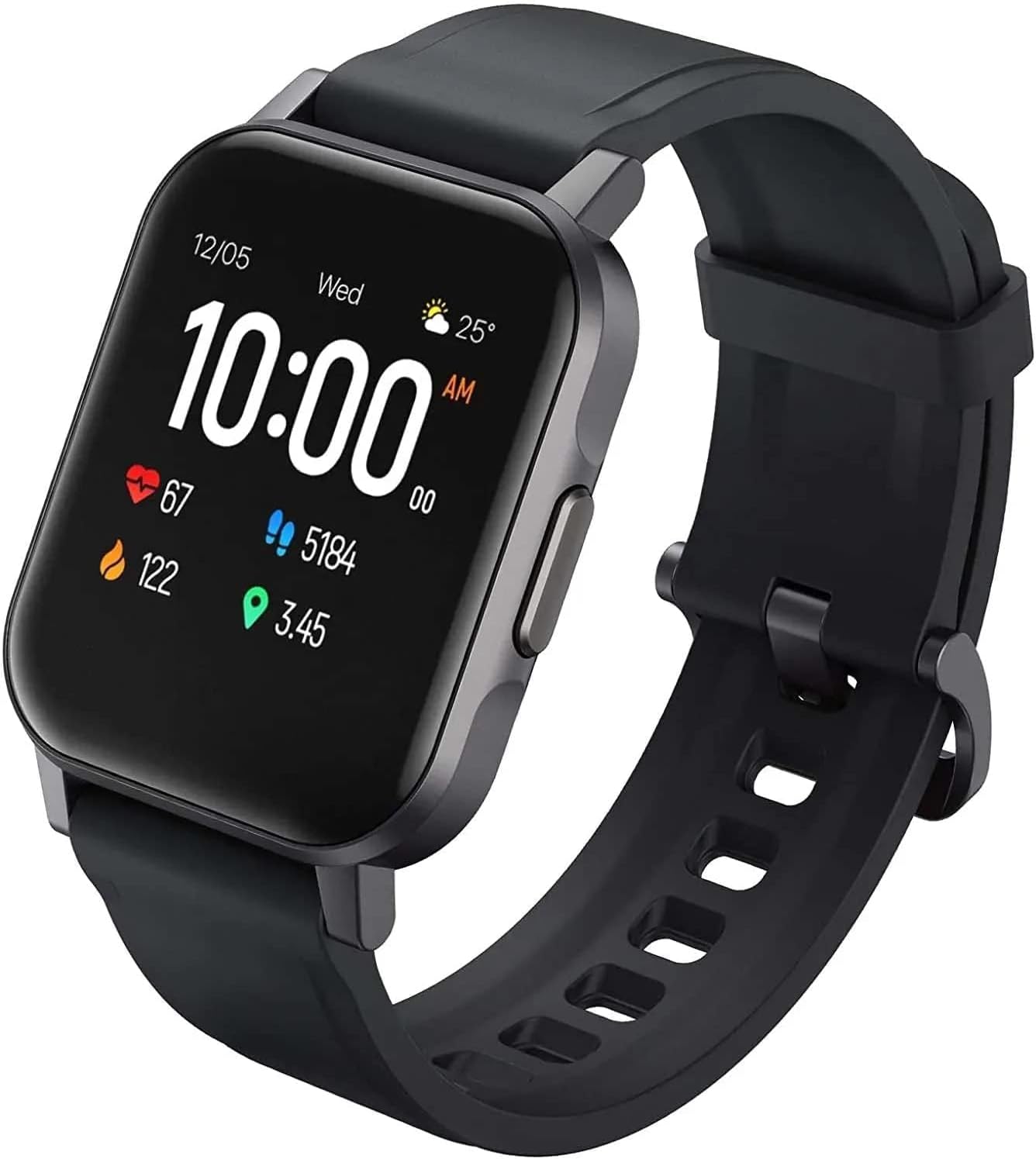
Slika 2.1: Pod uglom view of the AUKEY LS02 Smart Watch, highlighting the watch body and strap connection.
2.3. Uparivanje sa vašim pametnim telefonom
To unlock the full features of your smartwatch, pair it with the AUKEY Fit App.
- Download the AUKEY Fit App: Traži "AUKEY Fit" in your smartphone's app store (Google Play Store for Android or Apple App Store for iOS) and install it.
- Omogući Bluetooth: Provjerite je li Bluetooth omogućen na vašem pametnom telefonu.
- Otvorite aplikaciju: Launch the AUKEY Fit App and follow the on-screen instructions to create an account or log in.
- Dodaj uređaj: In the app, navigate to the "Device" or "Add Device" section. The app will search for nearby AUKEY smartwatches.
- Odaberite svoj sat: From the list of found devices, select "AUKEY LS02" or a similar identifier.
- Potvrdite uparivanje: A pairing request may appear on both your phone and the watch. Confirm the pairing on both devices.
- Sinhronizacija: Once paired, the watch will synchronize data with the app, including time, date, and personal settings.
Napomena: Keep your watch close to your smartphone during the pairing process to ensure a stable connection.
3. Upravljanje pametnim satom
3.1. Osnovna navigacija
- Touchscreen: Prevucite prstom lijevo/desno, gore/dolje za navigaciju kroz menije i ekrane. Dodirnite za odabir opcije.
- Bočno dugme: Press the side button to wake the screen, return to the home screen, or access the main menu (functionality may vary based on context).
3.2. Prikaz informacija
The main watch face typically displays:
- Vrijeme i datum
- Nivo baterije
- Status Bluetooth veze
- Daily Steps Count
- Otkucaji srca
- Spaljene kalorije
- Distance Traveled
Swipe through different screens to access more detailed information or specific functions.
3.3. Obavještenja
Once paired with the AUKEY Fit App, your watch can receive notifications from your smartphone.
- Ensure notification permissions are enabled for the AUKEY Fit App in your phone's settings.
- Within the AUKEY Fit App, select which applications you wish to receive notifications from (e.g., calls, SMS, WhatsApp, Facebook).
- When a notification arrives, the watch will vibrate and display the message content.
- Prevucite prstom gore ili dolje na brojčaniku sata da biste view nedavna obavještenja.
3.4. Praćenje kondicije
The watch automatically tracks your daily activity and offers modes for specific exercises.
- Dnevna aktivnost: Monitors steps, distance, calories, and active minutes throughout the day.
- Načini vježbanja: Select from various activities such as running, cycling, mountain climbing, and walking. The watch will record specific metrics for the chosen activity.
- Praćenje srčanog ritma: Sat kontinuirano prati vaš otkucaj srca. View your current heart rate on the watch or detailed historical data in the AUKEY Fit App.
3.5. Kontrola muzike
Kontrolirajte reprodukciju muzike sa svog pametnog telefona direktno sa svog sata.
- Provjerite je li vaš sat povezan s vašim pametnim telefonom putem Bluetootha.
- Navigate to the music control interface on your watch (usually by swiping or through the main menu).
- You can play/pause, skip tracks (next/previous), and adjust volume (if supported by the watch model).
4. Njega i održavanje
4.1. Čišćenje pametnog sata
Redovno čišćenje pomaže u održavanju izgleda i funkcionalnosti sata.
- Wipe the screen and watch body with a soft, lint-free cloth. If necessary, slightly dampi krpu vodom.
- For the strap, use a mild soap solution and rinse thoroughly. Ensure the strap is completely dry before reattaching to the watch or wearing.
- Avoid using harsh chemicals, abrasive cleaners, or solvents, as these can damage the watch's finish or internal components.
4.2. Otpornost na vodu
The AUKEY LS02 Smart Watch is designed to be splash-proof and resistant to sweat and light rain. It is ne suitable for swimming, showering, or diving. Avoid prolonged exposure to water.
Važno: Water damage is not covered under warranty if the watch is used beyond its specified water resistance capabilities.
4.3. Skladištenje
When not in use for extended periods, store your watch in a cool, dry place away from direct sunlight and extreme temperatures. Ensure the watch is partially charged (around 50%) before long-term storage to preserve battery health.
7. Garancija i podrška
AUKEY products are designed with quality and reliability in mind. For specific warranty terms and conditions applicable to your AUKEY LS02 Smart Watch, please refer to the warranty card included with your purchase or visit the official AUKEY website.
If you require technical assistance, have questions about product functionality, or need to report a defect, please contact AUKEY customer support through their official channels. Details for contacting support can typically be found on the AUKEY website or within the AUKEY Fit App.
Please have your product model number (AUKEY-LS02BLK) and purchase details ready when contacting support.
