
ENOFLO G600
ENOFLO Portable Power Station 600W 296Wh (Model G600) User Manual
Model: G600 | Brand: ENOFLO
Uvod
This manual provides detailed instructions for the safe and efficient operation of your ENOFLO Portable Power Station G600. This device is a versatile power solution equipped with a 296Wh (80000mAh) lithium-ion battery, capable of delivering up to 600W of power. It is designed to provide reliable power for various devices during outdoor activities, power outages, and emergency situations.
Molimo vas da pažljivo pročitate ovaj priručnik prije upotrebe proizvoda i sačuvate ga za buduću upotrebu.
Sigurnosne informacije
Pridržavajte se sljedećih sigurnosnih mjera opreza kako biste spriječili ozljede ili oštećenje uređaja:
- Nemojte rastavljati, popravljati ili modificirati jedinicu.
- Držite uređaj dalje od vatre ili direktnih izvora toplote.
- Izbjegavajte izlaganje vodi ili visokoj vlažnosti.
- Do not drop, puncture, or subject the unit to severe impact.
- Osigurajte odgovarajuću ventilaciju tokom upotrebe i punjenja kako biste spriječili pregrijavanje.
- Čuvati van domašaja djece i kućnih ljubimaca.
- Only use the provided charging cables and adapters.
- Ne koristite uređaj ako je oštećen ili neispravan.
- The total power consumption of connected devices must not exceed 600W.
- Turn off AC output when not in use to prevent battery discharge.

Figure 1: Built-in Safety Protection Systems
The power station features a Battery Management System (BMS) that provides protection against overload, over-voltage, over-current, over-temperature, over-charge, over-discharge, and short-circuiting.
Sadržaj paketa
Provjerite da li se sve stavke nalaze u vašem paketu:
- ENOFLO Portable Power Station G600 x1
- AC Home Charger x1
- 12V Car Port Charging Cable x1
- Uputstvo za upotrebu x1

Slika 2: Sadržaj paketa
The image displays the power station and its accessories, including the AC home charger, 12V car port charging cable, and the user manual.
Product Overview
Familiarize yourself with the various components and ports of your power station.
Slika 3: Izgled prednje ploče
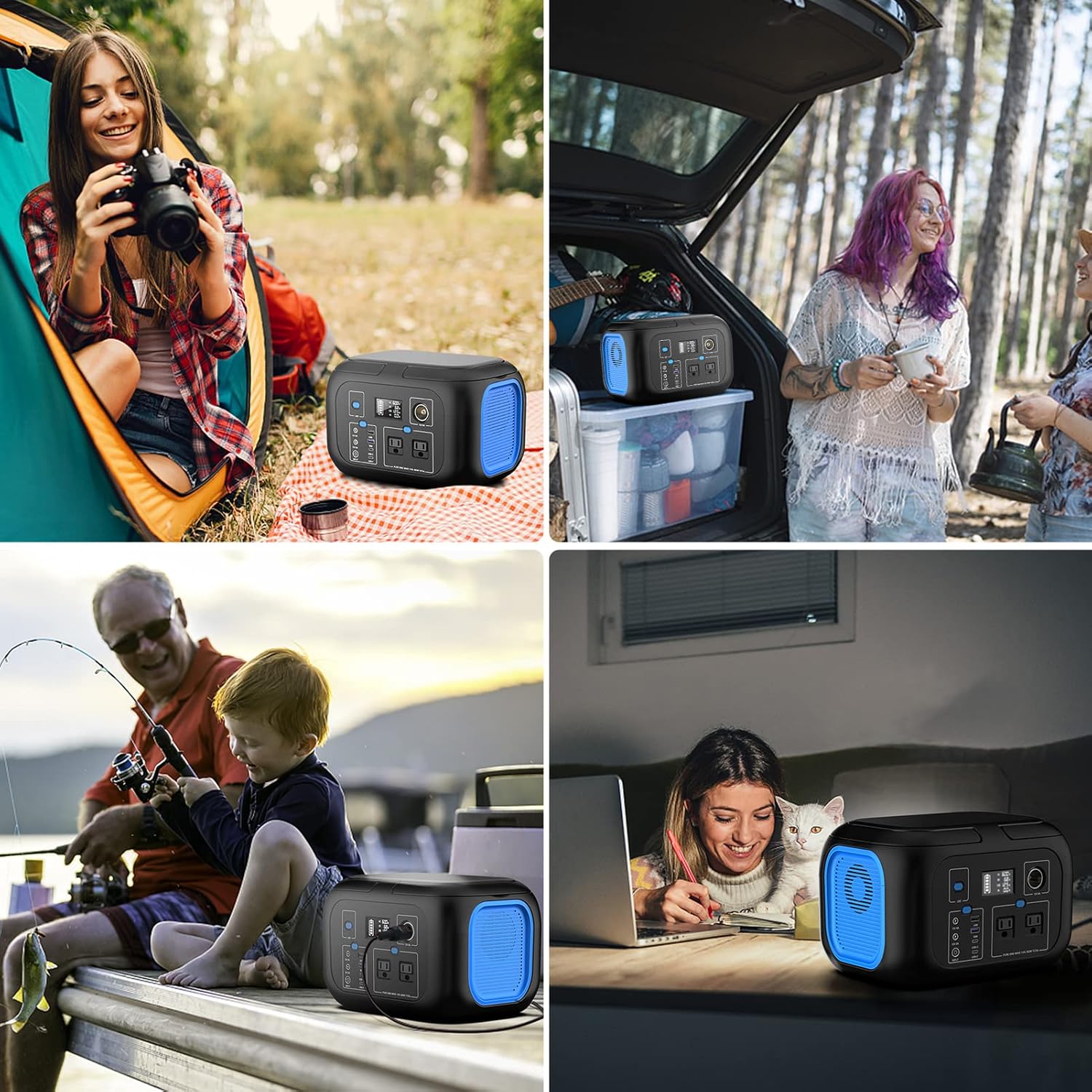
The front panel features an LED light button, a digital LCD display, a 12V/8A cigarette lighter port, two 12V/8A DC outputs, a DC input, two USB-C outputs (18W max), two USB-A outputs (QC 3.0, 18W), and two pure sine wave AC outlets (110V/600W total).

Slika 4: Detalji LCD ekrana
The digital LCD screen provides real-time information on battery charge level, AC/DC/USB output status, input power, and warnings for equipment failure or overheating.
Podešavanje i početna upotreba
Punjenje elektrane
Before first use, fully charge the power station. There are three methods available:
- Zidni punjač za izmjeničnu struju: Connect the provided AC home charger to the DC input port on the power station and plug it into a standard wall outlet. A full charge typically takes approximately 3 hours.

Figure 5: AC Wall Charging
- Auto punjač: Use the provided 12V car port charging cable to charge the power station from your vehicle's cigarette lighter socket. This method typically takes 6-8 hours for a full charge.

Figure 6: Car Charging
- Solarni panel (nije uključen): Connect a compatible solar panel (DC 13-25V, 100W+ recommended) to the DC input port for solar charging. Charging time varies based on solar intensity and panel wattage, typically 6-8 hours with a 100W panel.

Slika 7: Solarno punjenje

Figure 8: Three Charging Methods
The power station can be recharged using an AC wall charger, a car charger, or a solar panel (sold separately).
Upravljanje elektranom
Uređaji za napajanje
The ENOFLO G600 offers multiple output ports to power various electronic devices. Ensure the total wattagSnaga priključenih uređaja ne prelazi 600 W.
- AC izlazi: Press the AC power button to activate the two 110V pure sine wave AC outlets. Plug in devices requiring AC power, such as laptops, small blenders, or TVs. The red triangle warning light may briefly appear during self-check and will disappear.
- USB Outputs (USB-A & USB-C): Press the USB power button to activate the USB-A (QC 3.0) and USB-C (PD 18W) ports. Connect smartphones, tablets, cameras, or other USB-powered devices.
- DC Outputs (12V & Cigarette Lighter): Press the DC power button to activate the two 12V/8A DC outputs and the 12V/8A cigarette lighter port. These are suitable for devices like car refrigerators, fans, or other 12V appliances.
The power station supports pass-through charging, allowing you to charge the unit while simultaneously powering other devices.
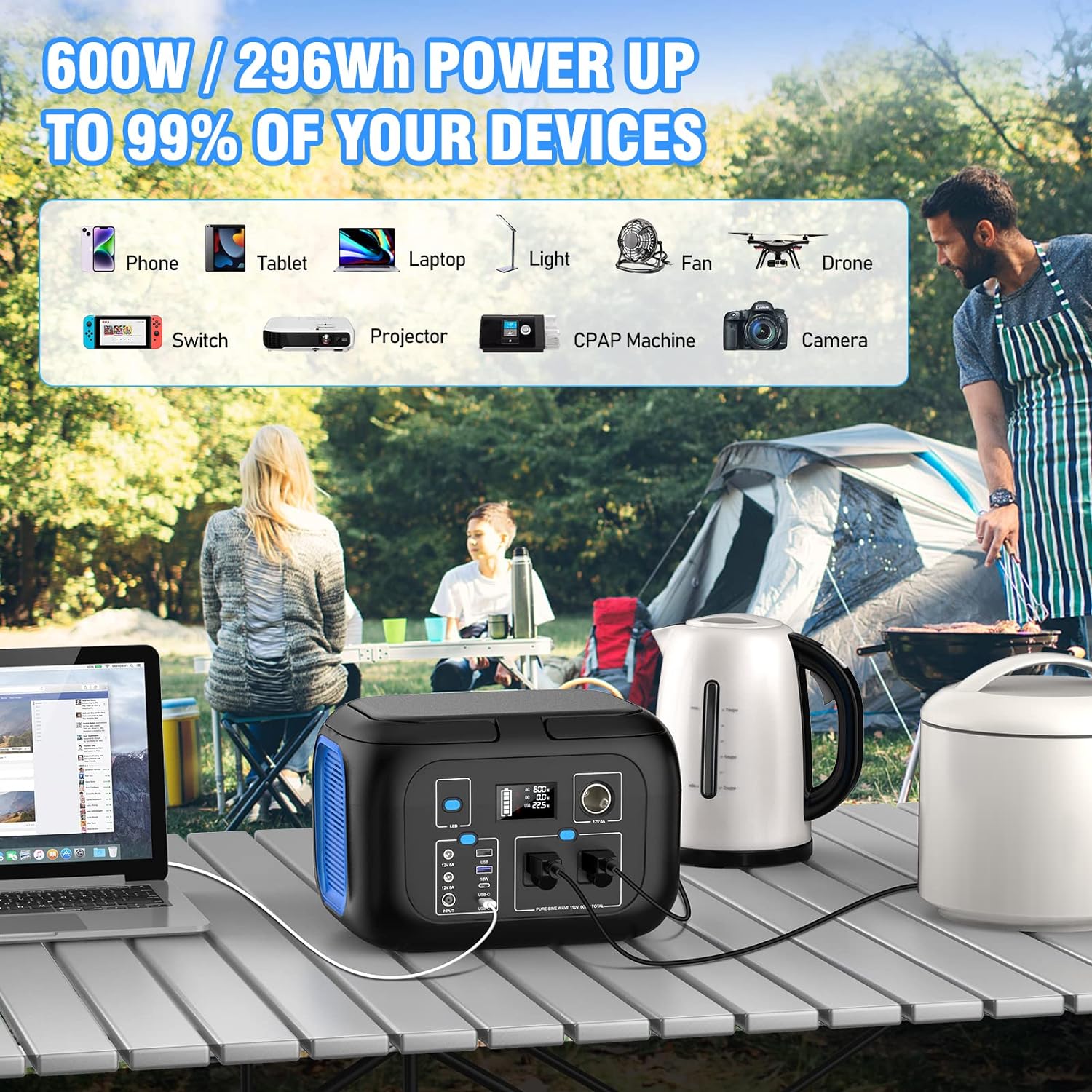
Figure 9: Devices Powered by G600
The power station can power a wide range of devices up to 600W, including personal electronics, small appliances, and medical equipment like CPAP machines.
Korištenje LED svjetla
The built-in LED light offers multiple modes for various lighting needs.
- Press the LED light button once to turn on the light.
- Single-press the button repeatedly to cycle through Low, Medium, and High brightness modes.
- Hold the button for 2-3 seconds to activate the SOS flashing mode.
- Press the button one more time to turn off the light.

Slika 10: Režimi LED svjetla
The integrated LED light provides illumination with adjustable brightness and an emergency SOS function.
Održavanje
Pravilno održavanje osigurava dugotrajnost i optimalne performanse vaše elektrane.
- Skladištenje: Store the unit in a cool, dry place, away from direct sunlight and extreme temperatures. For long-term storage, charge the unit to 50-80% every 3-6 months to preserve battery health.
- čišćenje: Za čišćenje vanjštine elektrane koristite meku, suhu krpu. Nemojte koristiti abrazivna sredstva za čišćenje niti uranjati uređaj u vodu.
- ventilacija: Ensure the cooling vents on the sides of the unit are not obstructed during operation or charging.
- Trajanje baterije: The lithium-ion battery is designed for approximately 1000 charge and discharge cycles.
Rješavanje problema
If you encounter issues with your ENOFLO Portable Power Station, refer to the following common problems and solutions:
| Problem | Mogući uzrok | Rješenje |
|---|---|---|
| Jedinica se ne uključuje. | Baterija je potpuno ispražnjena. | Connect the unit to an AC wall charger for at least 30 minutes. |
| AC izlaz ne radi. | AC output not activated; device exceeds 600W; overheating. | Ensure AC button is pressed. Check device wattage. Allow unit to cool down if temperature warning is displayed. |
| USB/DC outputs not working. | USB/DC output not activated. | Ensure corresponding USB/DC button is pressed. |
| Charging is slow or not occurring. | Incorrect charger; solar panel not optimally positioned; faulty cable. | Use original charger. Adjust solar panel angle. Check cable connections. |
| Red triangle warning light on LCD. | Self-check in progress; equipment failure; temperature overheat. | If it appears briefly, it's normal. If persistent, refer to the LCD for specific error codes or contact support. Ensure proper ventilation. |
Ako problem i dalje postoji nakon isprobavanja ovih rješenja, obratite se korisničkoj podršci.
Specifikacije
| Feature | Detalj |
|---|---|
| Model | G600 |
| Kapacitet baterije | 296Wh (80000mAh) |
| Vrsta baterije | Litijum-jonski |
| AC izlaz | 2 x 110V/600W (Pure Sine Wave, 600W max total) |
| USB-C izlaz | 2 x (5V/3A, 9V/2A, 12V/1.5A, max 18W) |
| USB-A izlaz | 2 x (QC 3.0, 18W) |
| DC izlaz | 2 x 12V/8A (max) |
| Port za upaljač za cigarete | 1 x 12V/8A |
| DC ulaz (punjenje) | 13-25V |
| Vrijeme punjenja naizmjeničnom strujom | Pribl. 3 sati |
| Car/Solar Charging Time | Approx. 6-8 hours (with 100W+ solar panel) |
| Dimenzije (D x Š x V) | 9.96 x 8.03 x 7.36 inča |
| Težina | 11.88 funte |
| LED svjetlo | Multiple modes (Low, Medium, High, SOS) |
| Radna temperatura | Nije navedeno |

Slika 11: Dimenzije proizvoda
The power station is compact and portable, with dimensions of 9.96 x 8.03 x 7.36 inches and a weight of 11.88 pounds.
Garancija i podrška
Your ENOFLO Portable Power Station G600 comes with a 1-year warranty.
For technical support, warranty claims, or any questions regarding your product, please contact us through your order history:
- Navigate to "Order history" on your purchase platform.
- Select "Account service".
- Find the "Seller" information.
- Click "Contact" to reach customer support.
We aim to provide a satisfactory response within 12 hours.
Ask a question about this manual
Ask about setup, troubleshooting, compatibility, parts, safety, or missing instructions. Manuals+ will review the question and use this page’s manual context to help answer it.