
Orange Pi Orange Pi 5
Orange Pi 5 4GB Rockchip RK3588S jednopločni računar Korisnički priručnik
Model: Orange Pi 5 (4GB RAM variant)
1. Uvod
This manual provides comprehensive instructions for the Orange Pi 5 4GB Single Board Computer. The Orange Pi 5 is a high-performance, open-source development board designed for a wide range of applications, including edge computing, artificial intelligence, cloud computing, AR/VR, intelligent security, and smart home systems.
It features a Rockchip RK3588S 8-core 64-bit processor (quad-core A76 + quad-core A55) with a main frequency up to 2.4GHz, an integrated ARM Mali-G610 GPU, and a built-in NPU with 6Tops computing power. This model comes with 4GB of LPDDR4/4x RAM and supports 8K display processing capabilities.
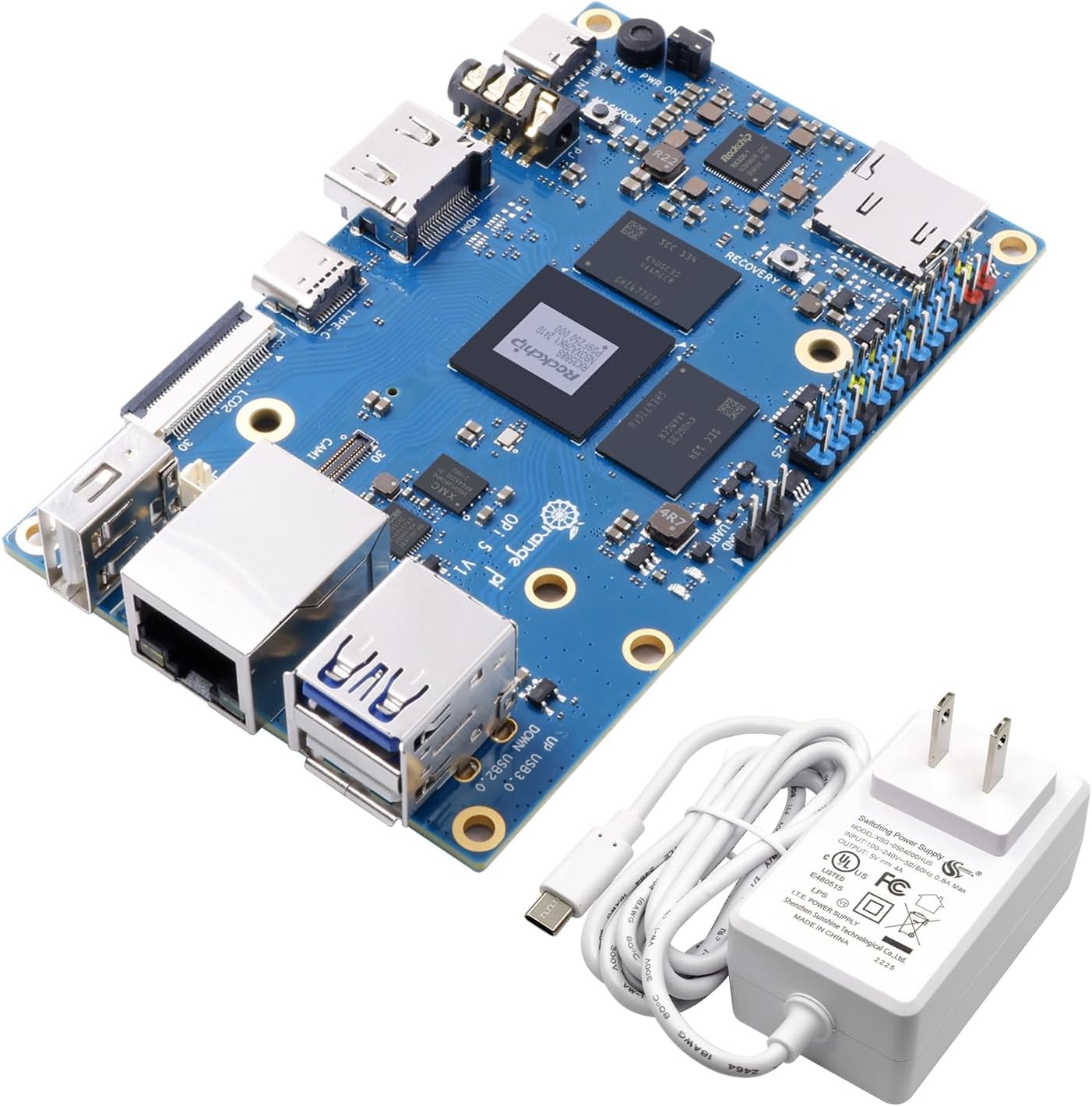
Figure 1: Orange Pi 5 4GB Single Board Computer and included 5V4A Type-C power supply.
2. Šta se nalazi u kutiji
Prilikom otvaranja paketa, provjerite da li su svi artikli prisutni:
- Orange Pi 5 4GB Single Board Computer
- 5V4A Type C Power Supply

Figure 2: The included 5V4A Type-C power supply.
3. Proizvod je gotovview
The Orange Pi 5 board is equipped with various ports and components to facilitate its functionality. Familiarize yourself with the layout below.

Slika 3: Vrh view of the Orange Pi 5 board, highlighting key components such as the Rockchip RK3588S processor, RAM modules, USB ports (USB 3.0, USB 2.0), Gigabit Ethernet, HDMI output, Type-C port (power/DP1.4), MicroSD card slot, 26-pin headers, and camera interfaces.

Figure 4: Diagram illustrating the core features of the Orange Pi 5, including the RK3588S CPU, 4GB LPDDR4/4x RAM, Gigabit Ethernet, HDMI 2.1, 26-pin headers, and Type-C power supply.

Slika 5: Dno view of the Orange Pi 5 board, featuring the M.2 PCIe 2.0 interface for NVMe SSDs, CODEC (ES8388), RTC, and additional camera interfaces.
3.1. Key Interfaces and Components
- procesor: Rockchip RK3588S (8-core, 64-bit, up to 2.4GHz)
- GPU: ARM Mali-G610
- NPU: 6Tops computing power
- RAM: 4GB LPDDR4/4x
- Video izlaz: HDMI 2.1 (8K support), USB-C (DP1.4), Dual MIPI D-PHY
- Skladištenje: MicroSD Card Slot, M.2 PCIe 2.0 (supports 2242 NVMe SSDs)
- umrežavanje: Gigabitni LAN priključak
- USB portovi: 1x USB 3.0, 2x USB 2.0, 1x Type-C (power/DP1.4)
- GPIO: 26-pin header for general purpose input/output
- Interfejsi kamere: Multiple MIPI CSI interfaces (CAM1, CAM2, CAM3)
- audio: Audio In/Out jack

Figure 6: Pin definition diagram for the Orange Pi 5 v1.3.2, detailing the GPIO, UART, I2C, SPI, and PWM pins.
4. Specifikacije
| Feature | Detalj |
|---|---|
| Procesor | Rockchip RK3588S, 8-core (Quad-core A76 + Quad-core A55), 64-bit, up to 2.4 GHz |
| GPU | ARM Mali-G610 |
| NPU | 6 TOPS |
| RAM | 4GB LPDDR4/4x |
| Podrška za skladištenje | MicroSD card slot, M.2 PCIe 2.0 (for NVMe SSD) |
| Video izlaz | HDMI 2.1 (8K@60Hz), USB-C (DP1.4), Dual MIPI D-PHY |
| Umrežavanje | Gigabit Ethernet |
| USB portovi | 1x USB 3.0, 2x USB 2.0, 1x Type-C (Power/DP1.4) |
| GPIO | 26-pin header |
| Operativni sistemi | Orange Pi OS, Android 12, Debian 11 |
| Dimenzije | Otprilike 7.44 x 4.02 x 2.72 cm (Dimenzije pakovanja) |
| Težina | Otprilike 8.8 unci |
5. Vodič za postavljanje
Follow these steps to set up your Orange Pi 5:
- Prepare Storage:
The Orange Pi 5 requires an operating system to function. You can install an OS onto a MicroSD card or an NVMe SSD (via the M.2 slot).
- MicroSD kartica: Download your preferred operating system image (e.g., Orange Pi OS, Android 12, Debian 11) from the official Orange Pi website. Use a disk imaging tool (e.g., Balena Etcher) to write the image to a high-speed MicroSD card (Class 10 or higher recommended). Insert the prepared MicroSD card into the MicroSD card slot on the board.
- NVMe SSD: For enhanced performance, install a compatible 2242 NVMe SSD into the M.2 PCIe 2.0 slot. You will then need to flash the OS to the NVMe drive, typically after an initial boot from a MicroSD card or via specific flashing tools.
- Povežite periferne uređaje:
- Prikaz: Connect a monitor or display to the HDMI OUT port using an HDMI cable. Alternatively, use a USB-C to DisplayPort cable for the Type-C port.
- tastatura i miš: Connect a USB keyboard and mouse to the available USB 2.0 or USB 3.0 ports.
- mreža: For wired internet access, connect an Ethernet cable to the Gigabit LAN port.
- audio: If needed, connect speakers or headphones to the Audio In/Out jack.
- Uključeno:
Connect the included 5V4A Type-C power supply to the Type-C power port on the Orange Pi 5. The board should power on automatically, and the operating system should begin to boot.
6. Uputstvo za upotrebu
Once the Orange Pi 5 has successfully booted into your chosen operating system, you can begin using it. The operation will largely depend on the specific OS installed (e.g., Orange Pi OS, Android 12, Debian 11).
- Operating System Interface: Navigate the desktop environment or Android interface using your connected keyboard and mouse.
- Instalacija softvera: Install applications and development tools as required by your projects. Refer to the documentation for your specific operating system for detailed instructions on package management and software installation.
- razvoj: The Orange Pi 5 is an open-source development board. Utilize its GPIO pins, camera interfaces, and other expansion options for custom hardware projects. Consult the Orange Pi community forums and official documentation for programming guides and examples.
- Isključivanje: Always perform a proper shutdown through the operating system's menu to prevent data corruption. Do not simply disconnect the power supply.
7. Održavanje
To ensure the longevity and optimal performance of your Orange Pi 5, consider the following maintenance tips:
- hlađenje: The RK3588S processor can generate heat under heavy load. Consider adding a heatsink or a small fan, especially if the board is enclosed or used for demanding applications, to prevent thermal throttling and ensure stable operation.
- čišćenje: Periodically clean the board with a soft, dry brush or compressed air to remove dust accumulation, which can impede cooling and potentially cause short circuits. Ensure the board is powered off and disconnected from all power sources before cleaning.
- Okruženje: Operate the Orange Pi 5 in a clean, dry environment, away from extreme temperatures, humidity, and direct sunlight.
- Ažuriranja softvera: Regularly update your operating system and installed software to benefit from performance improvements, security patches, and new features.
8. Otkrivanje problema
If you encounter issues with your Orange Pi 5, refer to the following common troubleshooting steps:
- Nema napajanja/Nema pokretanja:
- Ensure the 5V4A Type-C power supply is correctly connected and functioning.
- Verify that the MicroSD card or NVMe SSD contains a properly flashed operating system image. Try re-flashing the OS.
- Check for any visible damage to the board or power supply.
- Nema izlaza za prikaz:
- Confirm the HDMI or USB-C (DP) cable is securely connected to both the Orange Pi 5 and the monitor.
- Provjerite je li monitor uključen i postavljen na ispravan ulazni izvor.
- Pokušajte s drugim HDMI kabelom ili monitorom ako je dostupan.
- Some operating systems may require specific display configurations; consult OS documentation.
- Peripheral Issues (Keyboard/Mouse/USB devices):
- Pokušajte spojiti uređaj na drugi USB priključak.
- Ensure the device is functioning correctly by testing it on another computer.
- Some operating systems may require specific drivers for certain peripherals.
- Problemi s mrežnom vezom:
- Verify the Ethernet cable is properly connected to the Gigabit LAN port and your router/switch.
- Check your router/switch for internet connectivity.
- Ensure network settings within the operating system are correctly configured (e.g., DHCP enabled).
- System Instability/Freezing:
- Ensure adequate cooling is provided, especially if running demanding applications. Overheating can lead to instability.
- Check for sufficient power supply. An underpowered board can behave erratically.
- Verify the integrity of your MicroSD card or NVMe SSD. Corrupted storage can cause system issues.
- Ensure your operating system and kernel are up to date.
For further assistance, refer to the official Orange Pi community forums or support resources.
9. Garancija i podrška
For warranty information and technical support, please refer to the official Orange Pi webweb-mjesto ili kontaktirajte prodavača. Sačuvajte dokaz o kupovini za slučaj reklamacije.
Orange Pi is committed to providing open-source hardware and software. Community support is available through official forums and online resources, where users can find guides, share projects, and troubleshoot issues.
Manufacturer: Shenzhen Xunlong Software CO.,Limited
Ask a question about this manual
Ask about setup, troubleshooting, compatibility, parts, safety, or missing instructions. Manuals+ will review the question and use this page’s manual context to help answer it.