
Uvod
This manual provides detailed instructions for the setup, operation, and maintenance of your LFF Atomic Clock Model LWC204. This digital clock features a large, easy-to-read display, atomic time synchronization, and a wireless sensor for indoor and outdoor temperature readings. Please read this manual thoroughly before use to ensure proper functionality and longevity of your device.
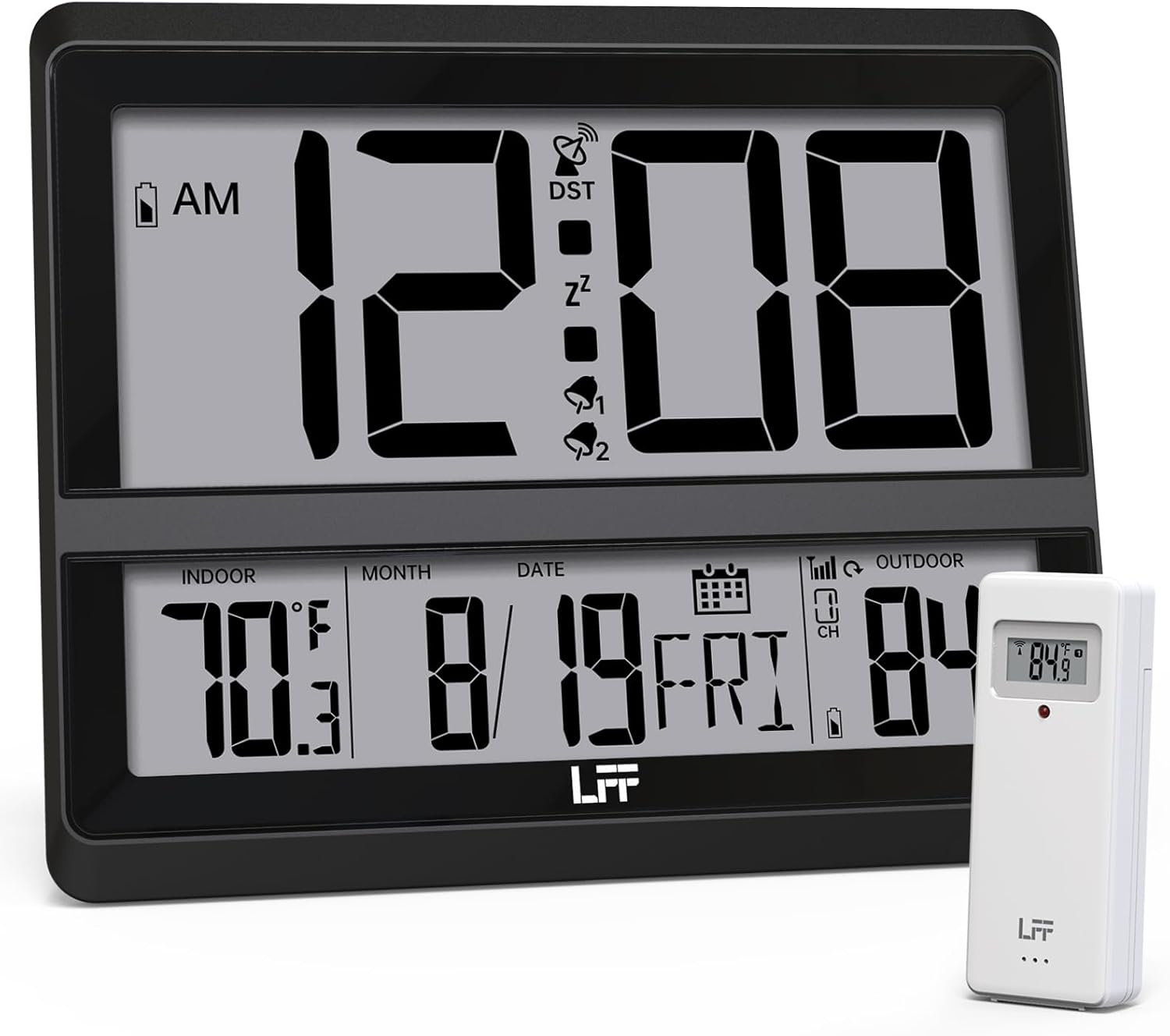
Image: The LFF Atomic Clock main unit with its wireless outdoor temperature sensor.
Sadržaj paketa
- LFF Atomic Clock Main Unit
- Bežični senzor vanjske temperature
- Uputstvo za upotrebu (ovaj dokument)
- Bracket for table standing
Note: Batteries are not included. The main clock unit requires 3x AA batteries, and the outdoor sensor requires 2x AAA batteries.
Product Overview
Familiarize yourself with the main components and controls of your LFF Atomic Clock.

Image: Front display and rear button layout of the LFF Atomic Clock.
Karakteristike ekrana:
- Prikaz vremena: Large digits for current time (12/24 Hour format).
- Indikator AM/PM: For 12-hour format.
- DST Symbol: Indicates Daylight Saving Time is active.
- RCC Reception Icon: Shows status of atomic time signal reception.
- Alarm Icons (Zz, 1, 2): Indicate active alarms and snooze function.
- Unutrašnja temperatura: Current temperature inside (°C/°F).
- Vanjska temperatura: Current temperature from wireless sensor (°C/°F).
- Date & Weekday: Month, Day, and Day of the Week.
- Indikator slabe baterije: For both main unit and outdoor sensor.
Stražnja dugmad:
- Dugme SET: Ulazi u način podešavanja.
- Dugme ALARM: Pristupa postavkama alarma.
- Dugme KANAL: Cycles through outdoor sensor channels (if multiple sensors are used).
- DOWN/WAVE/°C/°F Button: Decreases values in setting mode, manually initiates atomic signal search (WAVE), or switches temperature units.
- UP/ALARM Button: Increases values in setting mode, or activates/deactivates alarm.
Setup
1. Instalacija baterije
- Vanjski senzor:
- Otvorite pretinac za baterije na stražnjoj strani bežičnog vanjskog senzora.
- Umetnite 2x AAA baterije, pazeći na ispravan polaritet (+/-).
- Čvrsto zatvorite odeljak za baterije.
- Note: For temperatures below -4°F (-20°C), Lithium batteries are recommended for the outdoor sensor.
- Glavna jedinica sata:
- Otvorite pretinac za baterije na stražnjoj strani glavne sat jedinice.
- Insert 3x AA batteries, observing the correct polarity (+/-).
- Čvrsto zatvorite odeljak za baterije.

Image: Battery compartments for the main clock and outdoor sensor.
2. Početna sinhronizacija i postavke
Upon battery installation, the clock will automatically begin searching for the WWVB atomic time signal and attempt to connect with the outdoor sensor.
- The RCC Reception Icon will flash during the atomic signal search. This process may take several minutes or up to 24 hours depending on signal strength.
- The outdoor temperature should appear on the display within a few minutes after the sensor batteries are installed. If not, press the CHANNEL button on the main unit to cycle through channels or press the reset button on the outdoor sensor.
3. Manual Settings (if needed)
If the atomic signal is not received or you wish to adjust settings manually:
- Postavka vremenske zone:
- Pritisnite i držite SET button for 3 seconds to enter time zone setting.
- Koristite UP/ALARM or DOWN/WAVE/°C/°F buttons to select your time zone (e.g., PST, MST, CST, EST).
- Pritisnite SET za potvrdu i prelazak na sljedeću postavku.
- Format 12/24 sata:
- After time zone, the hour format will flash. Use UP/ALARM or DOWN/WAVE/°C/°F to select 12-hour or 24-hour format.
- Pritisnite SET za potvrdu.
- Manual Time and Date Setting:
- Nastavite pritiskati SET to cycle through Year, Month, Day, Hour, Minute settings.
- Koristi UP/ALARM or DOWN/WAVE/°C/°F da biste prilagodili svaku vrijednost.
- Pritisnite SET za potvrdu svake postavke.
- Ljetno računanje vremena (DST):
- After setting the time, the DST setting will flash. Use UP/ALARM or DOWN/WAVE/°C/°F to enable or disable DST.
- Pritisnite SET da biste izašli iz načina podešavanja.

Image: The clock automatically corrects time daily via WWVB signal.
4. Postavljanje vanjskog senzora
- Place the wireless outdoor sensor within 330 feet (100 meters) of the main unit.
- Choose a shaded location to avoid direct sunlight, which can affect temperature accuracy.
- Osigurajte da je senzor zaštićen od direktne kiše i snijega.
- Izbjegavajte postavljanje senzora u blizinu velikih metalnih predmeta ili električnih uređaja koji mogu ometati bežični signal.

Image: Wireless range of 330 feet for the outdoor sensor.
Uputstvo za upotrebu
1. Načini prikaza
- The clock continuously displays time, indoor temperature, outdoor temperature, date, and day of the week.
- Pritisnite DOWN/WAVE/°C/°F button to switch between Celsius (°C) and Fahrenheit (°F) for temperature display.
2. Funkcija alarma
- Postavljanje alarma:
- Pritisnite ALARM button once to display Alarm 1 time. Press again for Alarm 2.
- While an alarm time is displayed, press and hold the ALARM button for 3 seconds to enter alarm setting mode. The hour will flash.
- Koristi UP/ALARM or DOWN/WAVE/°C/°F za podešavanje sata. Pritisnite ALARM za potvrdu.
- The minute will flash. Use UP/ALARM or DOWN/WAVE/°C/°F za podešavanje minuta. Pritisnite ALARM za potvrdu i izlaz iz podešavanja alarma.
- Aktiviranje/Deaktiviranje alarma:
- Pritisnite ALARM button to display Alarm 1 or Alarm 2.
- Pritisnite UP/ALARM button to toggle the alarm ON or OFF. The corresponding alarm icon (1 or 2) will appear/disappear on the display.
- Funkcija odgode:
- Kada se oglasi alarm, pritisnite SNOOZE button (usually located on top or a dedicated button) to activate snooze. The alarm will sound again after approximately 5-10 minutes.
- Da biste potpuno zaustavili alarm, pritisnite bilo koje drugo dugme (npr. ALARM, SET).
3. Manual Atomic Signal Search
If you wish to manually initiate a search for the WWVB atomic time signal, press and hold the DOWN/WAVE/°C/°F button for 3 seconds. The RCC Reception Icon will flash, indicating the search is in progress.
Održavanje
- čišćenje: Obrišite sat i senzor mekom, suhom krpom. Ne koristite abrazivna sredstva za čišćenje ili rastvarače.
- Zamjena baterije: When the low battery indicator appears on the display for either the main unit or the outdoor sensor, replace the batteries promptly to ensure continuous operation and accurate readings. Refer to the "Battery Installation" section for details.
- Skladištenje: Ako uređaj skladištite duži period, izvadite sve baterije kako biste spriječili curenje.
Rješavanje problema
| Problem | Mogući uzrok | Rješenje |
|---|---|---|
| Nema prikaza na glavnoj jedinici. | Baterije su prazne ili nepravilno instalirane. | Provjerite polaritet baterija i zamijenite ih novim AA baterijama. |
| Outdoor temperature not displayed or incorrect. |
|
|
| Atomic time signal not received (RCC icon flashing or not displayed). |
|
|
| Time is incorrect after atomic synchronization. | Incorrect time zone setting. | Adjust the time zone setting as described in the "Manual Settings" section. |
Specifikacije
| Feature | Detalj |
|---|---|
| Broj modela | LWC204 |
| Display Type | Digitalni LCD |
| Izvor napajanja (glavna jedinica) | 3x AA baterije (nisu uključene) |
| Izvor napajanja (vanjski senzor) | 2x AAA baterije (nisu uključene) |
| Raspon unutarnje temperature | 32°F do 122°F (0°C do 50°C) |
| Raspon vanjske temperature | -58°F do 158°F (-50°C do 70°C) |
| bežični domet | Do 100 metara (330 stopa) na otvorenom prostoru |
| Format vremena | Mogućnost odabira 12/24 sata |
| Dimenzije (glavna jedinica) | 7.48" W x 8.66" H (approx.) |
| Opcije montaže | Wall Mount or Tabletop (bracket included) |
Garancija i podrška
LFF products are designed for reliability and performance. For specific warranty information, please refer to the warranty card included with your purchase or contact LFF customer support.
For technical assistance or further inquiries, please visit the official LFF webweb stranicu ili kontaktirajte njihovu službu za korisnike. Kontakt podaci su obično dostupni na pakovanju proizvoda ili na službenoj online stranici brenda.