Uvod
Thank you for choosing the Generic BL-602 TWS Wireless Earbuds. This manual provides essential information on how to set up, operate, and maintain your new earbuds. Please read it carefully before use to ensure optimal performance and longevity of your device.

Image: Generic BL-602 TWS Wireless Earbuds resting inside their open white charging case.
Setup
1. Sadržaj paketa
- BL-602 TWS Wireless Earbuds (Left and Right)
- Futrola za punjenje
- USB kabl za punjenje
- Uputstvo za upotrebu
- Black Protective Case (optional accessory)
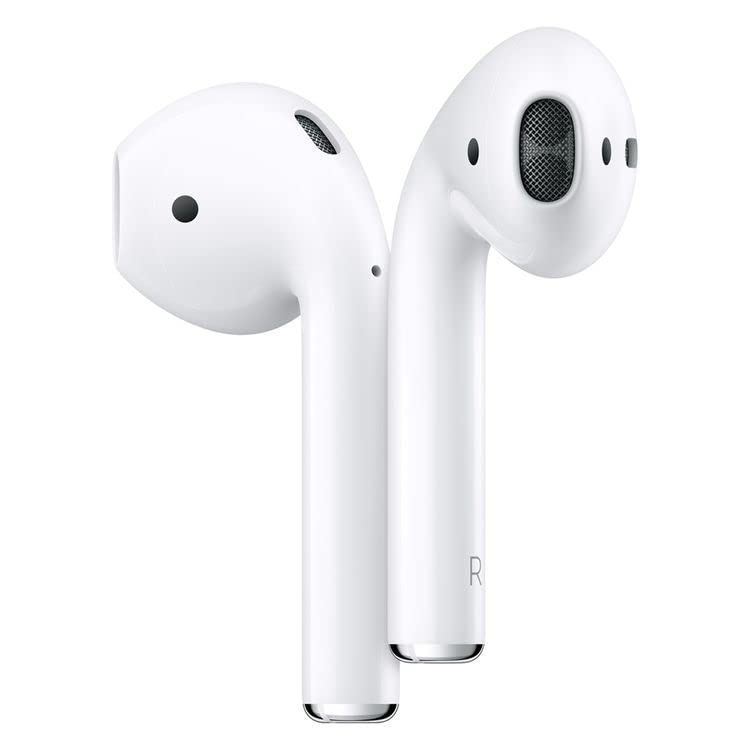
Image: The white charging case with a green indicator light, a black silicone protective case, and a white USB charging cable.
2. Početno punjenje
Before first use, fully charge the earbuds and the charging case. Connect the provided USB charging cable to the charging port on the case and a compatible USB power source. The indicator light on the case will show charging status. Once fully charged, the indicator light will change or turn off.
3. Uparivanje sa vašim uređajem
- Provjerite jesu li slušalice napunjene i stavljene u kutijicu za punjenje.
- Otvorite poklopac kutijice za punjenje. Slušalice će automatski ući u način rada za uparivanje.
- Na svom uređaju (pametnom telefonu, tabletu itd.) omogućite Bluetooth.
- Traži available Bluetooth devices and select "BL-602" from the list.
- Nakon povezivanja, čut ćete zvučni signal potvrde i slušalice će biti spremne za upotrebu.
Uputstvo za upotrebu
The BL-602 earbuds feature touch controls for easy management of music and calls.
Funkcije dodirnog upravljanja:
- Pusti/pauza: Jednim dodirom na bilo koju slušalicu.
- Sljedeća pjesma: Dvaput dodirnite desnu slušalicu.
- Prethodni zapis: Dvaput dodirnite lijevu slušalicu.
- Odgovori/Završi poziv: Jednokratno dodirnite bilo koju slušalicu tokom dolaznog poziva.
- odbiti poziv: Pritisnite i držite bilo koju slušalicu 2 sekunde tokom dolaznog poziva.
- Aktivirajte glasovnog asistenta: Triput dodirnite bilo koju slušalicu.
- Uključeno: Open the charging case lid or press and hold the touch area for 3 seconds if earbuds are out of case and off.
- Iskljuciti: Vratite slušalice u kutijicu za punjenje i zatvorite poklopac ili pritisnite i držite dodirno područje 5 sekundi.
Održavanje
Čišćenje
- Redovno čistite slušalice i kućište za punjenje mekom, suhom krpom koja ne ostavlja dlačice.
- Ne koristite abrazivna sredstva za čišćenje, alkohol ili hemijske rastvarače.
- Provjerite jesu li kontakti za punjenje na slušalicama i kutijici čisti i bez prljavštine.
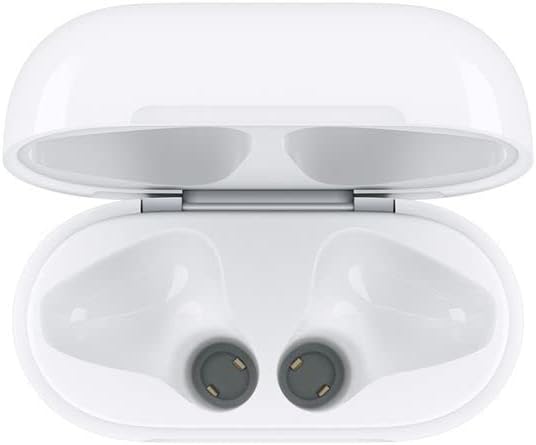
Image: Interior of the charging case, highlighting the charging contacts for the earbuds.
Battery Care
- Izbjegavajte često potpuno pražnjenje baterije.
- Slušalice i kutijicu čuvajte na hladnom i suhom mjestu kada ih ne koristite.
- Charge the device at least once every three months if not used regularly to prevent battery degradation.
Skladištenje
When not in use, store the earbuds in their charging case to protect them from dust, damage, and to keep them charged. The optional black protective case can provide additional protection.
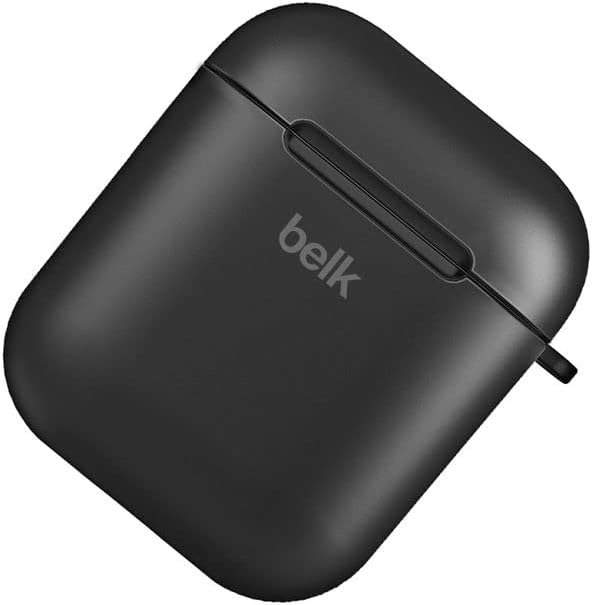
Image: A closed black protective case, designed to hold the earbud charging case.
Rješavanje problema
| Problem | Moguće rješenje |
|---|---|
| Slušalice se ne uparuju |
|
| Nema zvuka iz jedne ili obje slušalice |
|
| Futrola za punjenje se ne puni |
|
| Slušalice se ne pune u futroli |
|
Specifikacije
- Model: BL-602
- Domet komunikacije: <10 meters (standard environment)
- Frekvencijski odziv: 20Hz - 20kHz
- Protokoli podrške: HSP/HFP/A2DP/AVRCP
- Earbud Impedance: 32 Ohm
- Operating Voltage: 3.1-4.2V
- Snaga: 5mW
- Kapacitet baterije slušalica: 45mAh
- Kapacitet baterije za punjenje: 400mAh
- Materijal: Plastika
- Metoda kontrole: Dodirnite
- Kompatibilni uređaji: Phones, Tablets, Desktop computers, Laptops, Mobile phones, Smart speakers, TVs, Car audio systems, Digital video game consoles
- Boja: Bijelo
- Položaj ušiju: In-ear
- Tehnologija povezivanja: bežični (Bluetooth)
- Uključene komponente: USB kabl za punjenje
- Dimenzije paketa: 10 x 10 x 10 cm; 100 grama
Garancija i podrška
This product comes with a standard manufacturer's warranty. Please refer to your purchase documentation for specific warranty terms and conditions.
Korisnička podrška
For any inquiries or support needs, please contact your retailer or the manufacturer's customer service. Most email inquiries are typically answered within 24 hours.

Image: Graphic detailing general service information including delivery, payment, and customer support response times.


