
Uvod
Thank you for choosing the ANNKE 6MP PoE Panoramic Surveillance Camera. This manual provides essential information for the proper installation, operation, and maintenance of your security camera. Please read this manual thoroughly before using the product and retain it for future reference.
Karakteristike proizvoda
- 180° Ultra-Wide Panoramic View: Equipped with two lenses and BSI sensors, this camera delivers a seamless 180° field of view with 6MP clarity, eliminating distortion common in multi-camera setups.
- 6MP High Resolution: Capture vivid details with 6-megapixel resolution, providing superior image quality compared to standard 1080p cameras.
- Noćni vid u punom koloru: Two integrated spotlights enable full-color surveillance even in low-light conditions, enhancing visibility and detail at night.
- Advanced AI Motion Detection: Intelligently distinguishes between people and vehicles, sending real-time alerts and minimizing false alarms. Customizable detection zones and lines are supported.
- Dvosmjerni zvuk: Communicate directly through the camera with built-in microphone and speaker, allowing for interaction with visitors or deterring intruders.
- IP66 ocjena otpornosti na vremenske uvjete: Designed for outdoor use, the camera is protected against dust and powerful water jets, ensuring reliable operation in various weather conditions.
- H.265 video kompresija: Efficient H.265 compression technology reduces file sizes, saving storage space and bandwidth without compromising video quality.
- Podrška za lokalnu pohranu: Supports Micro SD cards up to 256GB for continuous local recording (card not included).
- Intelligent WDR Function: Wide Dynamic Range (WDR) technology balances exposure in scenes with both very bright and very dark areas, ensuring clear images in challenging lighting.
- Široka kompatibilnost: Accessible via the ANNKE Vision app on smartphones and compatible with various web browsers including Google Chrome, Firefox, Microsoft Edge, and Safari.

Image: A diagram illustrating how one ANNKE dual-lens camera with a single cable provides the coverage of two traditional cameras, simplifying installation and reducing costs.
Sadržaj paketa
Molimo Vas da provjerite paket za sljedeće stavke:
- 1 x ANNKE Dual Lens Camera
- 1 x 1m Network Cable
- 1 x montažna ploča
- 1 x Mounting Hole Stencil
- 1 x Uputstvo za upotrebu
- 1 x Surveillance Sticker
- 1 x Paket vijaka
Vodič za postavljanje
1. Raspakivanje i prvi pregled
Carefully remove all components from the packaging. Inspect the camera and accessories for any signs of damage. Ensure all items listed in the "Package Contents" section are present.
2. Fizička instalacija
Choose a suitable mounting location that provides the desired 180° panoramic view and is within range of your PoE network cable. The camera is designed for outdoor use with an IP66 rating.
- Use the provided mounting hole stencil to mark the drilling positions on the wall or ceiling.
- Izbušite rupe i po potrebi umetnite tiple u zid.
- Secure the mounting plate to the surface using the screws from the screw pack.
- Attach the camera to the mounting plate, ensuring it is firmly fixed. Adjust the camera angle for optimal coverage.

Image: The ANNKE camera mounted on an exterior wall, demonstrating its IP66 weatherproof construction against rain.
3. Network Connection (PoE)
This camera supports Power over Ethernet (PoE), simplifying installation by providing both power and data through a single Ethernet cable.
- Spojite jedan kraj priloženog mrežnog kabela na Ethernet priključak kamere.
- Connect the other end of the network cable to a PoE-enabled switch, NVR, or PoE injector.
- Ensure the network connection is stable. The camera will power on automatically.
4. Initial Configuration via ANNKE Vision App
For initial setup and remote access, download the ANNKE Vision app.
- Download the "ANNKE Vision" app from the App Store (iOS) or Google Play Store (Android).
- Register for an ANNKE account or log in if you already have one.
- Tap the "+" icon to add a new device. Follow the on-screen instructions to scan the QR code on the camera or manually enter its serial number.
- Nakon što ga dodate, možete view the live feed and configure camera settings.

Image: The ANNKE Vision app interface on a smartphone, illustrating remote access and motion detection notifications.
Uputstvo za upotrebu
1. Uživo View
Access the live video feed through the ANNKE Vision app or a compatible web browser. The 180° panoramic view provides comprehensive coverage.

Image: A visual representation of the ANNKE camera's 180-degree stitched panoramic view, showing its wide coverage without distortion.

Image: The ANNKE camera's interface displayed across various devices, highlighting its wider compatibility with different browsers and the mobile app.
2. Snimanje i reprodukcija
The camera supports continuous recording to a Micro SD card (up to 256GB, not included) or to a compatible NVR. Recorded footage can be accessed and played back through the app or web interfejs.

Slika: Detaljna view of the camera's Micro SD card slot, emphasizing its 256GB storage capacity for continuous recording.

Image: A bar chart illustrating the storage benefits of H.265 compression compared to H.264, showing H.265 uses significantly less space.
3. Detekcija pokreta i upozorenja
Configure AI-powered motion detection to receive alerts for specific events.
- In the app settings, navigate to "Motion Detection" or "Event Detection."
- Enable "Person Detection" and "Vehicle Detection" to filter out irrelevant movements.
- Define custom detection zones or lines to monitor specific areas of interest.
- Set up notification preferences to receive real-time alerts on your smartphone.
- Activate the customizable siren for active deterrence when motion is detected.
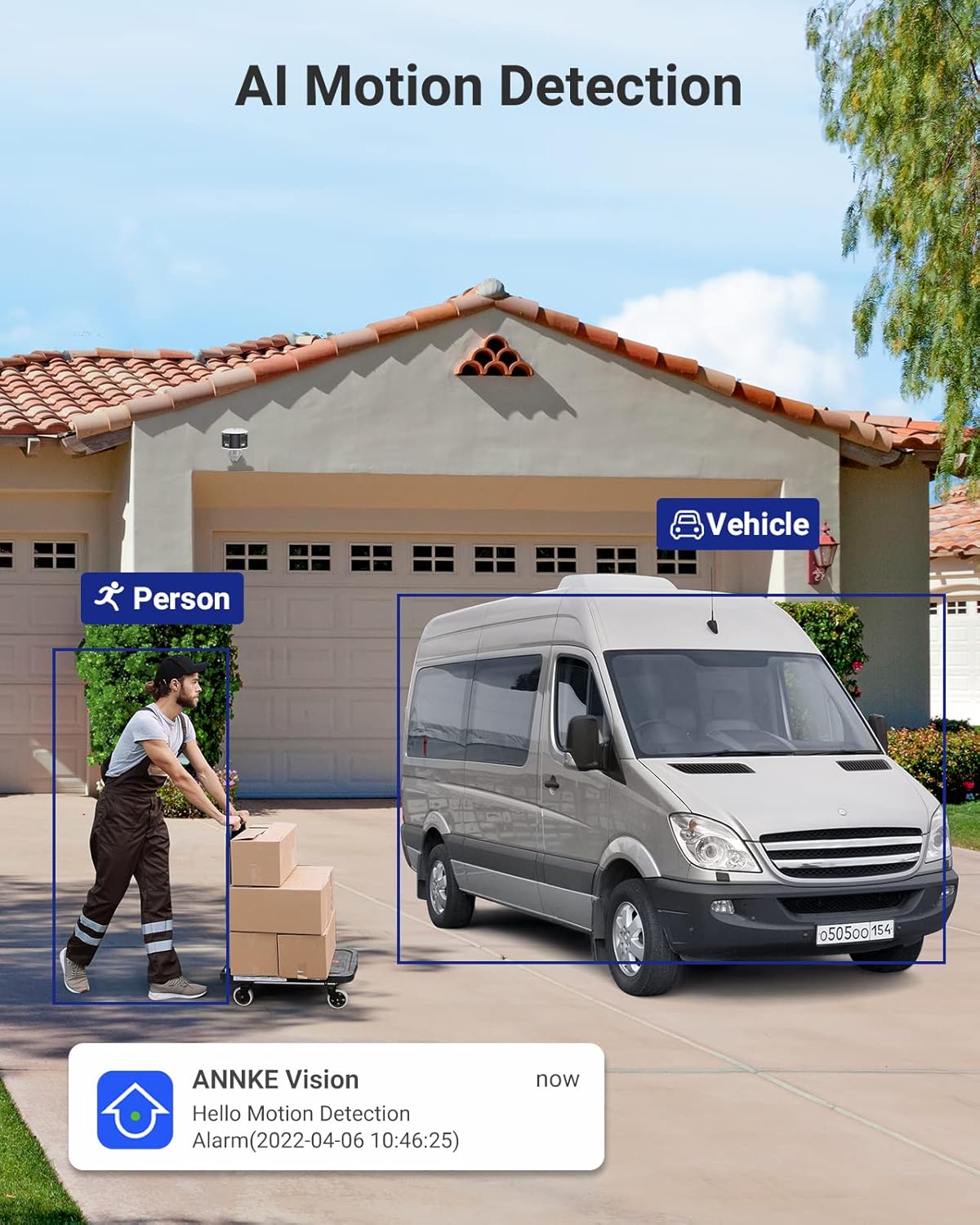
Image: The camera's AI motion detection in action, identifying a person and a vehicle, accompanied by a mobile app notification.

Image: An illustration of the camera's audible siren feature deterring an intruder, highlighting its active alarm capabilities.
4. Dvosmjerni audio
Koristite dvosmjernu audio funkciju za komunikaciju s osobama u blizini kamere.
- Od uživo view in the ANNKE Vision app, tap the microphone icon to speak.
- Your voice will be transmitted through the camera's speaker.
- The camera's built-in microphone will capture audio from the environment.

Image: A delivery person interacting with the camera's two-way audio, demonstrating its communication capabilities.
5. Noćni vid
The camera automatically switches to full-color night vision in low-light conditions, utilizing its integrated spotlights to provide clear, vibrant images.

Image: The camera's full-color night vision in operation, illuminating a backyard scene with its two spotlights.
6. Wide Dynamic Range (WDR)
The Intelligent WDR function helps to produce clear images in scenes with high contrast lighting, preventing overexposure in bright areas and underexposure in dark areas.

Image: A visual comparison demonstrating the effectiveness of the Intelligent WDR function, showing improved image clarity in high-contrast lighting.
Održavanje
- čišćenje: Redovno čistite objektiv kamere mekom, suhom krpom kako biste osigurali jasnu sliku. Ne koristite jake hemikalije ili abrazivne materijale.
- Ažuriranja firmvera: Check for and install firmware updates through the ANNKE Vision app or ANNKE webstranicu kako bi se osigurale optimalne performanse, sigurnost i pristup novim funkcijama.
- Upravljanje skladištem: If using a Micro SD card, periodically check its status and manage recorded footage. Consider backing up important recordings to another storage device.
- Inspekcija kablova: Periodically inspect the network cable for any signs of wear or damage, especially in outdoor installations, to maintain a reliable connection.
Rješavanje problema
| Problem | Moguće rješenje |
|---|---|
| Nema napajanja/Kamera se ne uključuje |
|
| Nema video feeda |
|
| Loš kvalitet slike |
|
| Detekcija pokreta ne radi |
|
| Problemi s dvosmjernim zvukom |
|
Specifikacije
| Feature | Detalj |
|---|---|
| Naziv modela | AP-I51DW0104 |
| Brand | ANNKE |
| Tehnologija povezivanja | Žičano (PoE) |
| Rezolucija video snimanja | 6 MP |
| Posebne karakteristike | Night Vision (Full-Color), Motion Detection, Two-Way Audio, AI Person/Vehicle Detection, WDR |
| Kompatibilni uređaji | Smartphone, NVR, Web Pregledači |
| Vrsta montaže | Zidni nosač |
| Boja | Bijela, crna |
| Form Factor | Bullet |
| Materijal | Metal |
| Tip alarma | Audio i pokret |
| Vrsta izvora svjetlosti | Infrared, Spotlights |
| Kontrolni metod | App |
| Broj kanala | 1 |
| Izvor napajanja | Wired Electric (PoE) |
| Voltage | 12 Volt |
| Viewing Angle | 180 stepeni |
| Dimenzije artikla | 45 x 32 x 9 cm |
| Podrška za skladištenje | Micro SD kartica do 256GB (nije uključena) |
Garancija i podrška
ANNKE products come with a standard manufacturer's warranty. For detailed warranty information, please refer to the warranty card included in your package or visit the official ANNKE website.
For technical assistance, troubleshooting, or any product-related inquiries, please contact ANNKE Customer Support:
- Online podrška: Posjetite ANNKE Support Center for FAQs, guides, and contact options.
- Podrška putem e-pošte: Refer to your product packaging or the ANNKE webweb-mjesto za najnoviju adresu e-pošte za podršku.
- Prodavnica robne marke: Explore other ANNKE products and resources at the official ANNKE Amazon Store.
Please have your model number (AP-I51DW0104) and purchase details ready when contacting support.