
MuveAcoustics MA-3050SB
MuveAcoustics Link True Wireless Earbuds Instruction Manual
Model: MA-3050SB
Welcome to your MuveAcoustics Link True Wireless Earbuds. This manual provides detailed instructions for setting up, operating, maintaining, and troubleshooting your earbuds to ensure optimal performance and longevity.
1. Sadržaj paketa
Prije nego što počnete, molimo vas da se uvjerite da su sve stavke prisutne u vašem paketu:
- MuveAcoustics Link True Wireless Earbuds (Left and Right)
- Futrola za punjenje
- USB-C kabl za punjenje
- Više veličina nastavka za uši za udobno pristajanje

Image: MuveAcoustics Link Earbuds packaging and accessories.
2. Podešavanje
2.1 Punjenje slušalica i kutijice
For first-time use, fully charge the earbuds and charging case. The charging case features a digital power display to show the battery level.
- USB-C punjenje: Spojite priloženi USB-C kabel na priključak za punjenje na kućištu i izvor napajanja.
- Bežično punjenje: Place the charging case on a Qi-standard wireless charging pad. Ensure the center of the charging case aligns with the center of the charging pad for optimal charging.
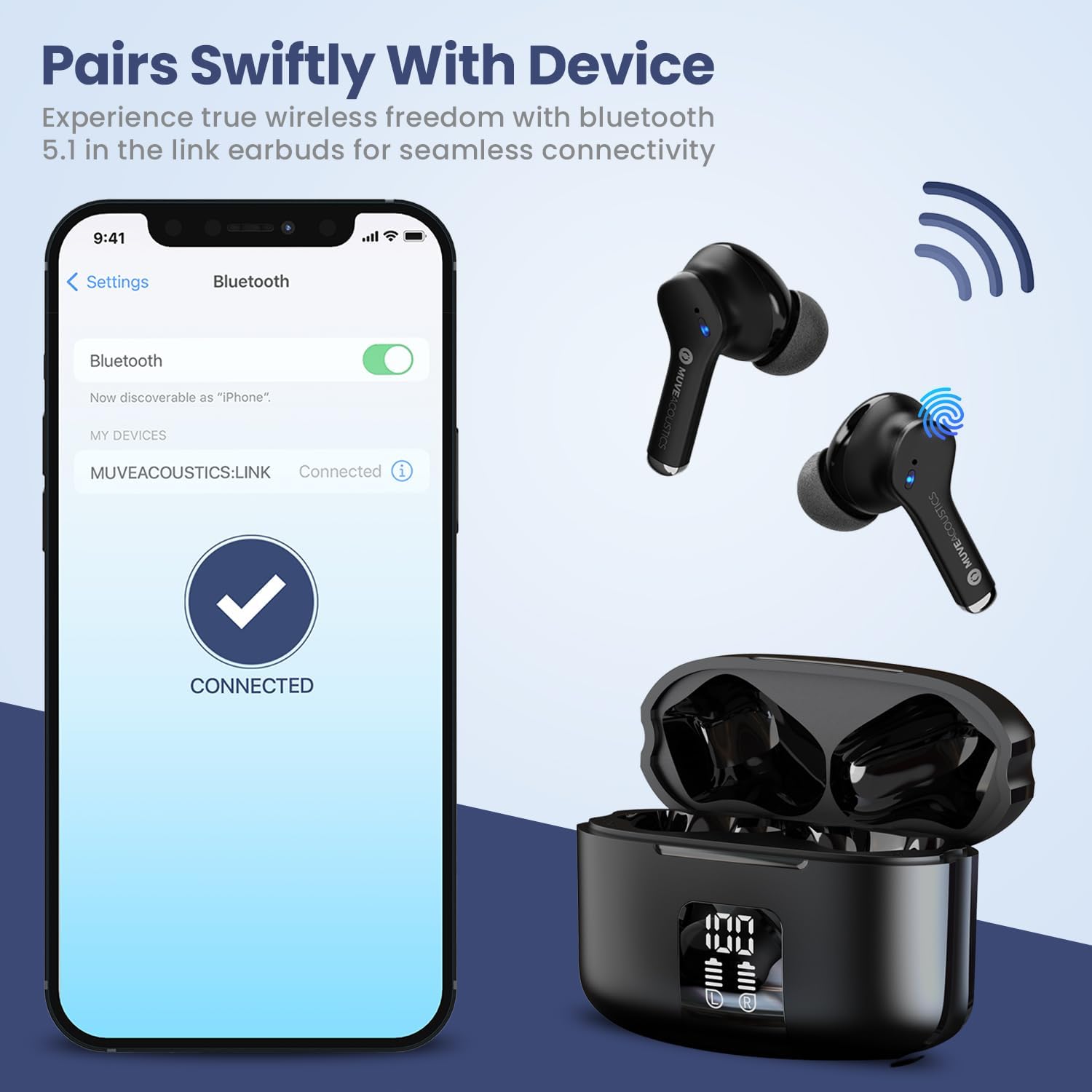
Image: Charging case with digital battery display.

Image: Diagram illustrating charging and controls.
2.2 Uključivanje/isključivanje napajanja
- Uključeno: Slušalice se automatski uključuju kada se izvade iz kućišta za punjenje.
- Iskljuciti: Vratite slušalice u kutijicu za punjenje i zatvorite poklopac. Slušalice će se automatski isključiti i početi puniti.
2.3 Bluetooth uparivanje
Slijedite ove korake da biste uparili slušalice s uređajem koji podržava Bluetooth:
- Ensure Bluetooth is enabled on your audio source device (e.g., smartphone, tablet).
- Take the MuveAcoustics Link True Wireless Earbuds out of the charging box. They will automatically enter pairing mode.
- On your device, search for Bluetooth devices and select "MUVEACOUSTICS:LINK" from the list of available connections.
- Nakon povezivanja, čut ćete zvučni signal i slušalice će biti spremne za upotrebu.

Image: Bluetooth pairing process.
3. Korištenje slušalica
3.1 Kontrole na dodir
The MuveAcoustics Link earbuds feature intuitive touch controls on each earbud. Tap the touch control area to perform various functions:
| Funkcija | Akcija |
|---|---|
| Pusti/pauziraj muziku | Jednom dodirnite bilo koju slušalicu |
| Volume Up | Dvaput dodirnite lijevu slušalicu |
| Utišavanje zvuka | Dvaput dodirnite desnu slušalicu |
| Next Track | Tri puta dodirnite desnu slušalicu |
| Previous Track | Dodirnite lijevu slušalicu tri puta |
| Odgovori/Završi poziv | Dvaput dodirnite bilo koju slušalicu |
| Odbijte poziv | Pritisnite i držite bilo koju slušalicu 2 sekunde |
| Aktivirajte glasovnog asistenta | Press and hold either earbud for 2 seconds (depends on connected device) |
3.2 Environmental Noise Canceling (ENC)
The earbuds feature Environmental Noise Canceling (ENC) technology, which helps reduce ambient noise during calls, ensuring clearer communication.
3.3 IPX5 vodootpornost
The MuveAcoustics Link earbuds are IPX5 rated, providing protection against splashes and sweat. This makes them suitable for workouts and outdoor activities. Avoid submerging the earbuds in water.

Image: Earbuds demonstrating IPX5 water resistance.
3.4 Official Instruction Video
Watch this official video for a visual guide on how to use your MuveAcoustics Link True Wireless Earbuds, covering charging, power, pairing, and touch controls.
Video: How To Use: MuveAcoustics Link True Wireless Earbuds. This video demonstrates the charging process, powering on/off, Bluetooth pairing, and various touch control functions for music playback and call management.
4. Održavanje
Pravilno održavanje osigurava dugotrajnost i performanse vaših slušalica.
- čišćenje: Regularly clean the earbuds and charging case with a soft, dry, lint-free cloth. Avoid using abrasive materials or harsh chemicals. Gently clean ear tips with a damp krpom i ostavite ih da se potpuno osuše prije ponovnog pričvršćivanja.
- Skladištenje: When not in use, store the earbuds in their charging case to protect them from dust and damage. Store the case in a cool, dry place away from extreme temperatures.
5. Otkrivanje problema
Ako imate problema sa slušalicama, pokušajte sljedeća rješenja:
- Slušalice se ne uparuju: Ensure both earbuds are fully charged and removed from the case. Turn off and on your device's Bluetooth, then try pairing again. If issues persist, try resetting the earbuds (refer to manufacturer's webstranicu za konkretne upute za resetiranje ako nisu ovdje navedene).
- Nema zvuka ili je jačina zvuka niska: Check the volume levels on both your device and the earbuds. Ensure the earbuds are properly seated in your ears and that the ear tips provide a good seal.
- Problemi s punjenjem: Verify that the USB-C cable is securely connected to both the case and the power source. For wireless charging, ensure the case is correctly aligned on the charging pad. Clean the charging contacts on both the earbuds and the case if necessary.
- Povremena veza: Ensure your device is within the Bluetooth range (up to 33 feet/10 meters) and there are no significant obstructions between the earbuds and your device.
6. Specifikacije
| Feature | Detalj |
|---|---|
| Naziv modela | MuveAcoustics Link True Wireless Bluetooth Headphones |
| Broj modela stavke | MA-3050SB |
| Tehnologija povezivanja | bežični (Bluetooth) |
| Bežična komunikacijska tehnologija | Bluetooth |
| Bluetooth domet | 10 metara (33 stopa) |
| Postavljanje uha | U uhu |
| Form Factor | U uhu |
| Kontrola buke | Hybrid Noise Cancellation (ENC for calls) |
| Nivo vodootpornosti | IPX5 (Water Repellent) |
| Posebne karakteristike | Built-In Voice Assistant, Lightweight, Microphone Included, Sweatproof, Wireless Charging |
| Težina artikla | 0.053 unci (1.5 grama) |
| Dimenzije proizvoda | 1.97 x 1.97 x 1.18 inča |
| Proizvođač | Zeeva International |
7. Garancija i podrška
MuveAcoustics products are designed for quality and reliability. For warranty information or technical support, please refer to the warranty card included in your product packaging or visit the official MuveAcoustics website.
Ask a question about this manual
Ask about setup, troubleshooting, compatibility, parts, safety, or missing instructions. Manuals+ will review the question and use this page’s manual context to help answer it.