
Nasuque B09XQL2NJY
Nasuque Bluetooth Keyboard User Manual
Model: B09XQL2NJY
Marka: Nasuque
Uvod
Thank you for choosing the Nasuque Bluetooth Keyboard. This wireless, rechargeable, and ultra-slim keyboard is designed for seamless compatibility with Mac OS and iOS devices, including MacBook Pro/Air, iMac, iPhone, and iPad Pro/Air/Mini. Featuring a full-size layout with a numeric keypad and a stable scissor mechanism beneath each key, it offers a comfortable and precise typing experience. Its multi-device capability allows you to connect and switch between up to three devices effortlessly.

Image: The Nasuque Bluetooth Keyboard in silver, showcasinnjegov puni raspored i tanki profesionalni dizajnfile.
Sadržaj paketa
Molimo Vas da se uvjerite da su svi artikli prisutni u Vašem paketu:
- Nasuque Bluetooth Keyboard
- USB kabl za punjenje
- Dust Cover (Silicone protector)
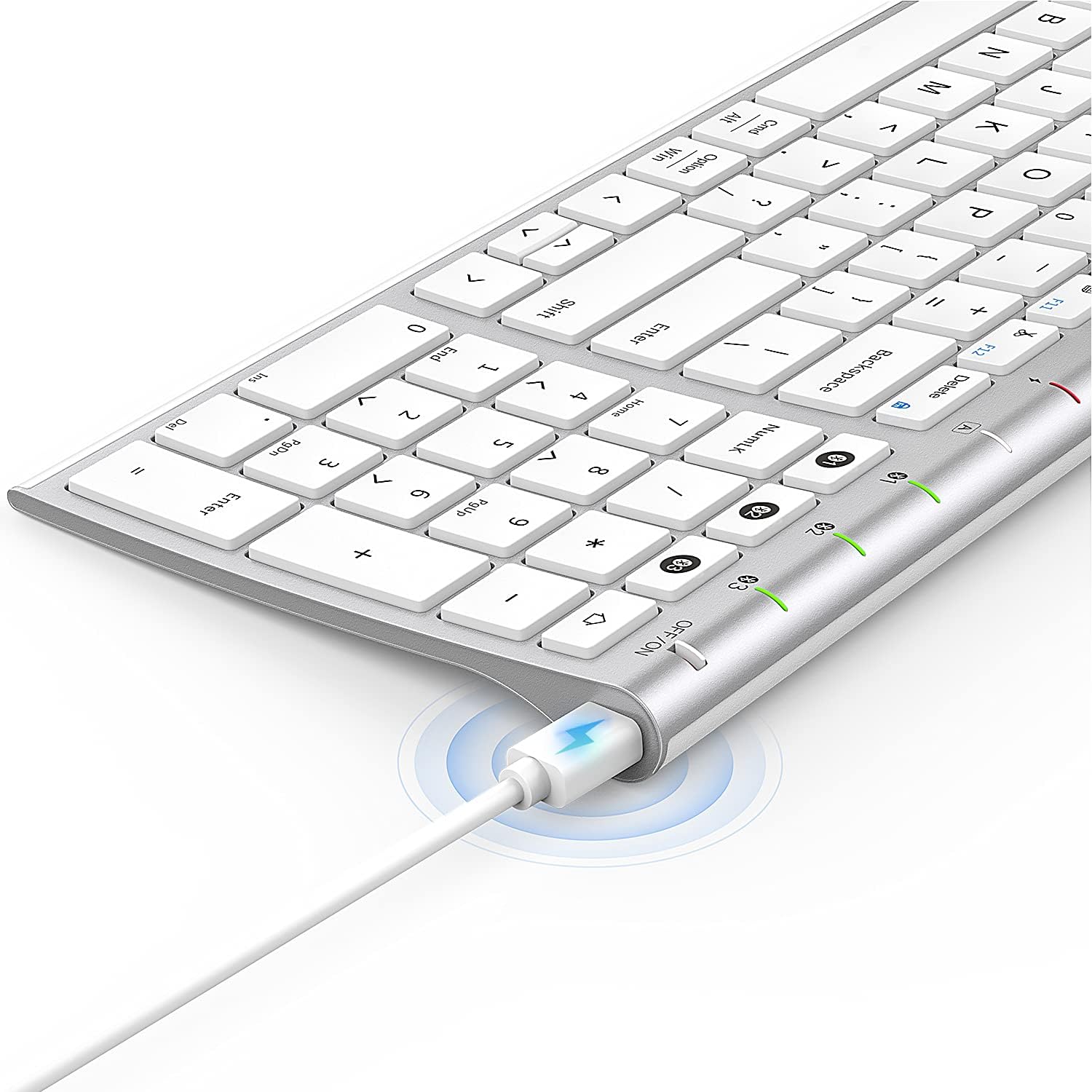
Image: The included USB charging cable, used to recharge the keyboard's built-in battery.
Postavljanje i uparivanje
Uključivanje/isključivanje
Locate the ON/OFF switch on the top right side of the keyboard. Slide the switch to the "ON" position to power on the keyboard. Slide it to "OFF" when not in use to conserve battery.
Punjenje tastature
The keyboard features a built-in rechargeable lithium battery. Connect the included USB charging cable to the charging port on the keyboard and the other end to a USB power source (e.g., computer USB port, USB wall adapter). The charging indicator light will illuminate during charging and turn off when fully charged.
Uparivanje više uređaja putem Bluetootha
This keyboard supports connection with up to three devices simultaneously. Follow these steps to pair your devices:
- Uvjerite se da je tastatura uključena.
- Pritisnite Fn tipka i jedna od tipki Bluetooth kanala (1, 2, ili 3) simultaneously to select a channel. For first-time pairing, choose an unused channel.
- Dugo pritisnite Fn key and the selected Bluetooth channel key (1, 2, ili 3) for 3-5 seconds until the corresponding channel indicator light (01, 02, ili 03) starts blinking rapidly. This indicates the keyboard is in pairing mode.
- On your device (MacBook, iMac, iPhone, iPad, etc.), go to Bluetooth settings and enable Bluetooth.
- Traži available devices. The keyboard will appear as "Nasuque Keyboard" or similar. Select it to connect.
- Once connected, the indicator light will stop blinking and remain solid for a few seconds before turning off.
- Repeat these steps for up to two additional devices using the other Bluetooth channels.
To switch between paired devices, simply short press the Fn key and the corresponding Bluetooth channel key (1, 2, ili 3).
Sistemski zahtjevi: Compatible with Mac OS X 10.12 or higher and Bluetooth 4.0 or higher.

Image: The keyboard's top right corner showing the three Bluetooth channel indicators (01, 02, 03) for multi-device pairing.

Image: An illustration demonstrating the keyboard's ability to easily switch between a laptop, tablet, and smartphone.
Video: A demonstration of the Nasuque Bluetooth Keyboard's multi-device connectivity and ease of use with various Apple devices.
Uputstvo za upotrebu
Funkcijski tasteri
The keyboard features a row of function keys (F1-F12) that perform various system functions when pressed in combination with the Fn key. These include media controls (play/pause, volume), brightness adjustment, and other shortcuts common to Mac OS.
Numerička tipkovnica
The integrated numeric keypad provides convenient data entry for numbers and calculations. Ensure the Num Lock key is active if needed for specific applications.

Slika: Krupni plan view of the keyboard's compact full-size layout, highlighting the numeric keypad.
Iskustvo kucanja
The keyboard utilizes a stable scissor mechanism beneath each key, providing a responsive and comfortable typing experience with a low profile.
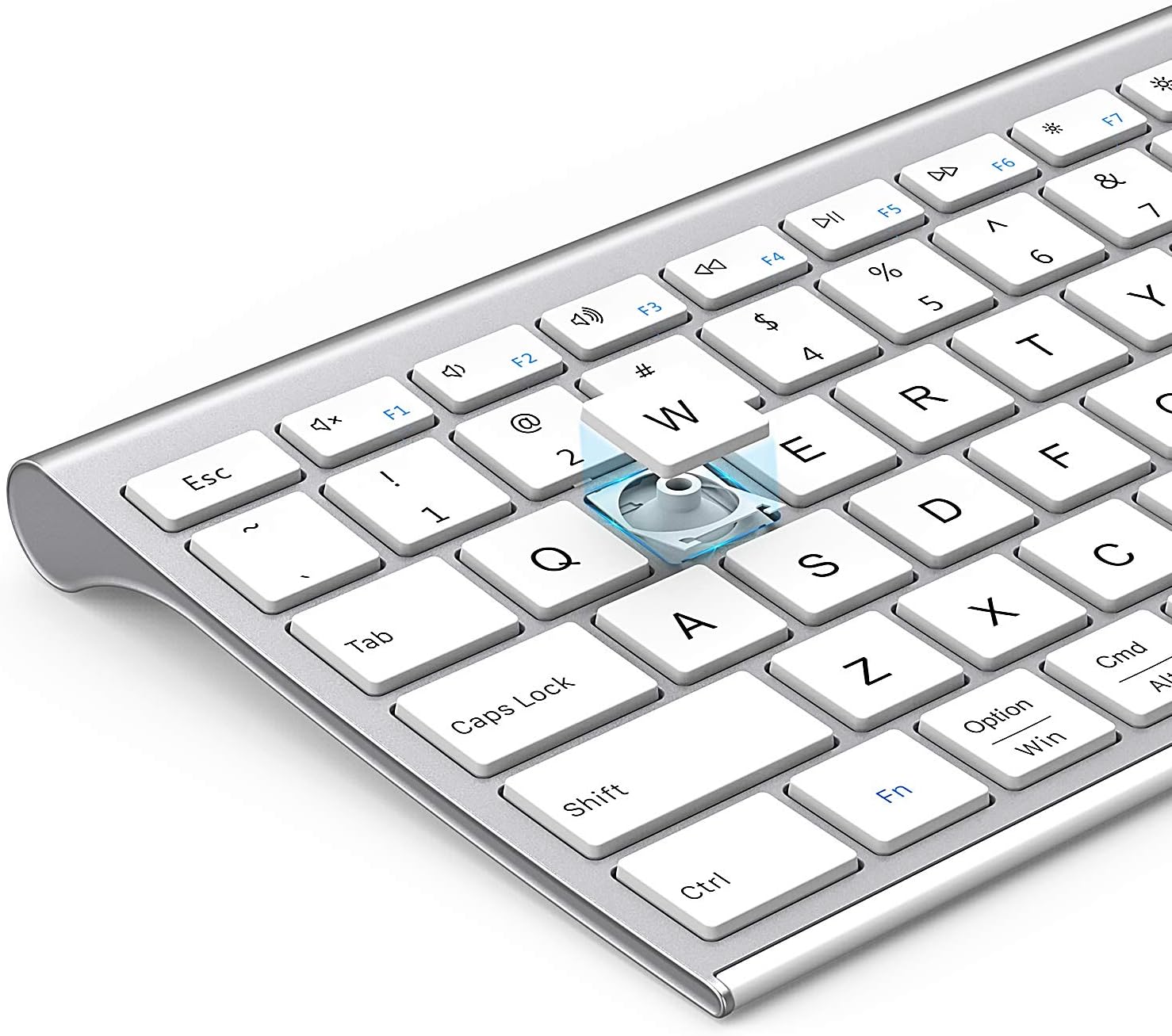
Slika: Eksplodirala view of a keycap, illustrating the underlying scissor mechanism for stable and precise typing.
Održavanje
Da biste osigurali dugotrajnost i optimalne performanse vaše tastature, slijedite ove smjernice za održavanje:
- čišćenje: Use a soft, dry, lint-free cloth to wipe the surface of the keyboard. For stubborn dirt, slightly dampOperite krpu vodom ili blagim rastvorom za čišćenje. Izbjegavajte prekomjernu vlagu.
- Poklopac za prašinu: Utilize the included silicone dust cover when the keyboard is not in use to protect it from dust, spills, and debris.
- Skladištenje: Tastaturu čuvajte na hladnom i suhom mjestu, dalje od direktne sunčeve svjetlosti i ekstremnih temperatura.
- Izbjegavajte tečnosti: Do not expose the keyboard to liquids. In case of accidental spills, immediately power off the keyboard and allow it to dry completely before use.
Rješavanje problema
If you encounter issues with your Nasuque Bluetooth Keyboard, please refer to the following common solutions:
| Problem | Mogući uzrok | Rješenje |
|---|---|---|
| Keyboard does not connect or is not detected. | Keyboard is off, low battery, not in pairing mode, or device Bluetooth is off. |
|
| Tasteri ne reaguju ili kucaju pogrešno. | Low battery, connection interference, or software issue. |
|
| Difficulty switching between devices. | Incorrect key press or device not properly paired to selected channel. |
|
Specifikacije
| Feature | Detalj |
|---|---|
| Model | B09XQL2NJY |
| Povezivanje | Bluetooth (Multi-device support for up to 3 devices) |
| Kompatibilnost | Mac OS X 10.12 or higher, Bluetooth 4.0 or higher (MacBook Pro/Air, iMac, iPhone, iPad Pro/Air/Mini) |
| Dimenzije (D x Š x V) | 14.41 x 4.92 x 0.64 inča |
| Težina | 1.12 funte |
| Baterija | Punjiva litijumska baterija |
| Operativna udaljenost | Do 8 metara (26 stope) |
| Ključni mehanizam | Prekidač na makaze |

Image: Diagram illustrating the precise dimensions of the Nasuque Bluetooth Keyboard.
Garancija i podrška
For warranty information, technical support, or any inquiries regarding your Nasuque Bluetooth Keyboard, please contact the manufacturer directly through the retailer's platform or the contact information provided with your purchase. Please retain your proof of purchase for warranty claims.
Ask a question about this manual
Ask about setup, troubleshooting, compatibility, parts, safety, or missing instructions. Manuals+ will review the question and use this page’s manual context to help answer it.