
1. Uvod
The Cubilux Bidirectional 3.5mm Audio Switcher is a versatile device designed to manage audio connections between multiple sources and outputs. It allows you to switch audio from one input to up to four outputs, or from up to four inputs to a single output. This device operates without the need for drivers or an external power supply, offering a simple plug-and-play solution for your audio setup.
Ključne karakteristike uključuju:
- Bidirectional 4-Port Stereo Audio Switch: Supports both 1-in to 4-out and 4-in to 1-out configurations.
- Kontrola dugmeta: Easy channel selection with a single twist.
- Kvalitet zvuka bez gubitaka: Full aluminum alloy housing provides isolation from electronic interference, ensuring clear audio transmission without static or ground noise.
- Široka kompatibilnost: Works with headphones, earphones, speakers, soundbars, mixers, amplifiers, laptops, TVs, MP3 players, smartphones, and tablets.
- Desktop Friendly Design: Features an anti-skid silicone pad on the bottom for stable placement on any surface.
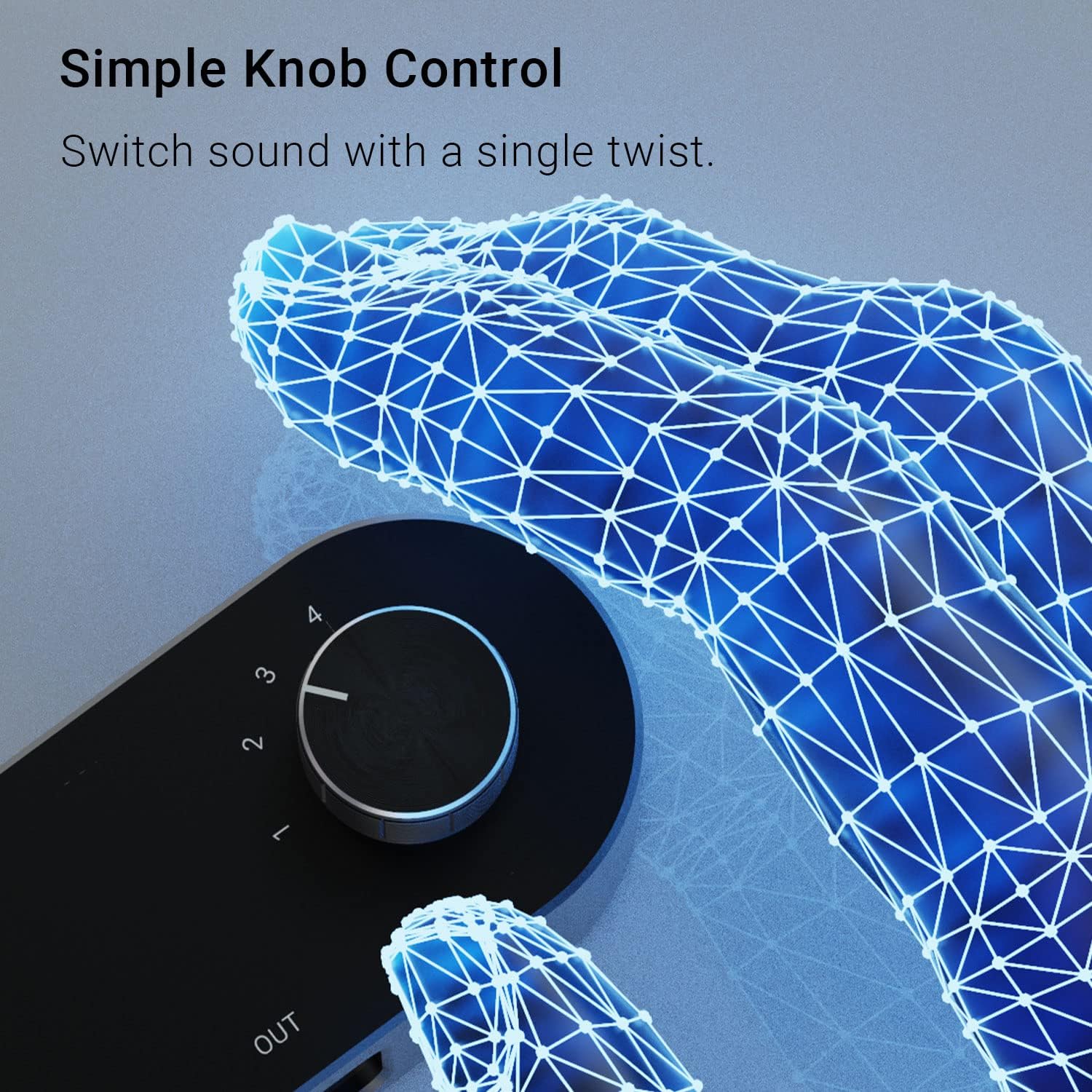
Image 1: Bidirectional functionality diagram. This image shows two scenarios: one input device connected to the 'OUT' port and four output devices connected to 'IN1' through 'IN4', and vice versa, with four input devices connected to 'IN1' through 'IN4' and one output device connected to the 'OUT' port.
2. Komponente proizvoda
The Cubilux Bidirectional 3.5mm Audio Switcher is a compact device with a robust design. Familiarize yourself with its parts:
- Glavna jedinica: The central switching device.
- 3.5mm (1/8") Audio Ports: Labeled IN1, IN2, IN3, IN4, and OUT. These are standard stereo auxiliary ports.
- Okretno dugme: Located on the top surface, used for selecting the active audio channel.
- Aluminijska legura Casing: Provides durability and electromagnetic interference shielding.
- Anti-skid Silicone Pad: On the bottom surface for stability.

Slika 2: Od vrha prema dolje view of the audio switcher. This image displays the device from above, clearly showing the 'IN1' through 'IN4' ports, the 'OUT' port, and the rotary selection knob with numerical markings 1-4.
Slika 3: Donji dio view of the audio switcher. This image highlights the anti-skid silicone pad on the underside of the device, designed to prevent it from sliding on surfaces.
3. Upute za postavljanje
The Cubilux Audio Switcher offers two primary modes of operation:
3.1. Mode 1: One Input to Four Outputs
In this configuration, a single audio source is distributed to one of four selectable output devices.
- Connect your audio source (e.g., smartphone, laptop, MP3 player) to the port labeled OUT korištenjem 3.5 mm audio kabela.
- Connect your four output devices (e.g., headphones, speakers, soundbars) to the ports labeled IN1, IN2, IN3, i IN4 using 3.5mm audio cables.
- Uvjerite se da su sve veze sigurne.
3.2. Mode 2: Four Inputs to One Output
In this configuration, you can select one of four audio sources to play through a single output device.
- Connect your four audio sources (e.g., laptop, desktop, smartphone, tablet) to the ports labeled IN1, IN2, IN3, i IN4 using 3.5mm audio cables.
- Connect your single output device (e.g., headphones, speaker) to the port labeled OUT korištenjem 3.5 mm audio kabela.
- Uvjerite se da su sve veze sigurne.

Slika 4: Primjerample setup. This image shows the audio switcher connected to a laptop, with headphones and a speaker also connected, demonstrating a typical use case.
4. Uputstvo za upotrebu
Once your devices are connected, operating the Cubilux Audio Switcher is straightforward:
- Odaberite kanal: Rotate the knob on the top of the device to select the desired audio channel. The knob has distinct clicks for each position (1, 2, 3, 4).
- Audio reprodukcija: The audio will be routed according to the selected channel. For example, if in 4-in to 1-out mode, selecting '1' will play audio from the device connected to IN1 through the OUT port. If in 1-in to 4-out mode, selecting '1' will send audio from the OUT port to the device connected to IN1.
- No Power Required: The device is passive and does not require external power.

Image 5: Simple knob control. This close-up image focuses on the rotary knob, showing its textured surface and the numerical indicators for channel selection.
5. Održavanje
To ensure the longevity and optimal performance of your Cubilux Audio Switcher, follow these maintenance guidelines:
- čišćenje: Use a soft, dry cloth to wipe the exterior of the device. Avoid using liquid cleaners, solvents, or abrasive materials, as these can damage the finish or internal components.
- Skladištenje: Uređaj čuvajte na hladnom i suhom mjestu, dalje od direktne sunčeve svjetlosti, ekstremnih temperatura i visoke vlažnosti.
- Rukovanje: Handle the device with care. Avoid dropping it or subjecting it to strong impacts, which could damage the internal circuitry or connectors.
- Upravljanje kablovima: Ensure connected cables are not excessively bent or strained, as this can lead to damage over time.
6. Otkrivanje problema
If you encounter issues with your Cubilux Audio Switcher, refer to the following common problems and solutions:
6.1. Nema zvuka
- Provjerite veze: Ensure all 3.5mm audio cables are fully inserted into their respective ports on both the switcher and your audio devices. A loose connection can result in no sound or sound from only one channel.
- Verify Channel Selection: Confirm that the rotary knob is set to the correct channel corresponding to your active input/output device.
- Test Devices Directly: Bypass the switcher and connect your audio source directly to your output device to confirm that both are functioning correctly.
- Integritet kabla: Try using different 3.5mm audio cables to rule out a faulty cable.
6.2. Distorted or Noisy Sound
- Sigurne veze: Loose connections can introduce static or hum. Ensure all cables are firmly seated.
- smetnje: While the aluminum casing provides isolation, strong electromagnetic interference from nearby electronics can sometimes affect audio quality. Try relocating the switcher away from other electronic devices.
- petlja uzemljenja: If you experience a persistent hum or buzz, it might be a ground loop issue. Consider using a ground loop isolator between the switcher and the affected device.
- Kvalitet izvora: Ensure the audio source itself is not producing distorted sound.
6.3. Povremeni zvuk
- Provjerite kablove: Faulty or damaged cables are a common cause of intermittent audio. Replace cables if necessary.
- Port Issues: Ensure the 3.5mm jacks are clean and free of debris.
7. Specifikacije
| Feature | Detalj |
|---|---|
| Model | Bidirectional 3.5mm Audio Switcher |
| Tip konektora | 3.5 mm Jack |
| Broj portova | 4 (IN1, IN2, IN3, IN4) + 1 (OUT) |
| Bidirectional Functionality | 1-in to 4-out / 4-in to 1-out |
| Materijal kućišta | Aluminijumska legura |
| Boja | Crna |
| Težina artikla | 70 grama |
| Dimenzije artikla (D x Š x V) | 1.1"D x 3.6"Š x 1.3"H |
| Kompatibilnost | Headphones, Speakers, Laptops, Smartphones, Tablets, etc. (Stereo audio only, no microphone support) |
8. Informacije o garanciji
The Cubilux Bidirectional 3.5mm Audio Switcher comes with a 1-godišnja garancija od datuma kupovine. Ova garancija pokriva nedostatke u proizvodnji i osigurava da proizvod funkcioniše kako je opisano pri normalnoj upotrebi. Molimo sačuvajte dokaz o kupovini za reklamacije u slučaju garancije.
Garancija ne pokriva štetu uzrokovanu zloupotrebom, nezgodom, neovlaštenim modifikacijama ili nepravilnom instalacijom.
9. Korisnička podrška
For further assistance, technical support, or warranty inquiries, please contact Cubilux customer service through the retailer where you purchased the product or visit the official Cubilux webstranica za kontakt informacije.
Prije kontaktiranja podrške, molimo vas da ponovoview the troubleshooting section of this manual and ensure all connections are correct.